# 如何通过 Docker 运行本地 LLM：分步指南

您现在可以运行任何模型，包括 Unsloth [动态 GGUFs](/docs/zh/ji-chu/unsloth-dynamic-2.0-ggufs.md)，在 Mac、Windows 或 Linux 上只需一行代码或 **无需代码** 即可。我们与 Docker 合作以简化模型部署，Unsloth 现在为 Docker 上的大多数 GGUF 模型提供支持。

在开始之前，请务必查看 [硬件要求](#hardware-info--performance) 和 [我们的提示](#hardware-info--performance) 以在您的设备上运行 LLM 时优化性能。

<a href="/pages/cee0a9958d4af5692dc2cea39034597e9f71ddfd#method-1-docker-terminal" class="button primary">Docker 终端教程</a><a href="#method-2-docker-desktop-no-code" class="button primary">Docker 无代码教程</a>

要开始，请运行 OpenAI [gpt-oss](/docs/zh/mo-xing/gpt-oss-how-to-run-and-fine-tune.md) 只需一条命令：

```bash
docker model run ai/gpt-oss:20B
```

或者要运行特定的 [Unsloth 模型](/docs/zh/kai-shi-shi-yong/unsloth-model-catalog.md) / 来自 Hugging Face 的量化：

```bash
docker model run hf.co/unsloth/gpt-oss-20b-GGUF:F16
```

{% hint style="success" %}
您不需要 Docker Desktop，Docker CE 就足以运行模型。
{% endhint %}

#### **为什么选择 Unsloth + Docker？**

我们与诸如 Google Gemma 的模型实验室合作修复模型错误并提升准确性。我们的动态 GGUFs 持续优于其他量化方法，为您提供高准确性且高效的推理。

如果您使用 Docker，可以零配置即时运行模型。Docker 使用 [Docker Model Runner](https://github.com/docker/model-runner) （DMR），它让您像运行容器一样轻松运行 LLM，且没有依赖问题。DMR 使用 Unsloth 模型和 `llama.cpp` 在底层实现快速、高效、最新的推理。

## :gear: 硬件信息 + 性能

为了获得最佳性能，建议您的 VRAM + RAM 总和至少等于您下载的量化模型的大小。如果更小，模型仍可运行，但会明显更慢。

确保您的设备也有足够的磁盘空间来存储模型。如果模型仅勉强放入内存，则根据模型大小，您可以预期大约 \~5 令牌/秒 的速度。

拥有额外的 RAM/VRAM 会提升推理速度，额外的 VRAM 将带来最大性能提升（前提是整个模型可以放入其中）

{% hint style="info" %}
**示例：** 如果您正在下载 gpt-oss-20b (F16)，模型为 13.8 GB，请确保您的磁盘空间和 RAM + VRAM > 13.8 GB。
{% endhint %}

**量化建议：**

* 对于小于 30B 参数的模型，至少使用 4 位（Q4）。
* 对于 70B 参数或更大的模型，最低使用 2 位量化（例如 UD\_Q2\_K\_XL）。

## ⚡ 逐步教程

以下是 **两种方法** 使用 Docker 运行模型：一种使用 [终端](#method-1-docker-terminal)，另一种使用 [Docker Desktop](#method-2-docker-desktop-no-code) 无需代码：

### 方法 #1：Docker 终端

{% stepper %}
{% step %}

#### 安装 Docker

Docker Model Runner 已经可用于 **两者** [Docker Desktop](https://docs.docker.com/ai/model-runner/get-started/#docker-desktop) 和 [**Docker CE**](https://docs.docker.com/ai/model-runner/get-started/#docker-engine)**.**
{% endstep %}

{% step %}

#### 运行模型

选择要运行的模型，然后通过终端运行命令。

* 浏览可在以下位置获得的受信任模型经核实的目录 [Docker Hub](https://hub.docker.com/r/ai) 或 [Unsloth 在 Hugging Face 的](https://huggingface.co/unsloth) 页面。
* 到终端运行命令。要验证您是否已安装 `docker` ，您可以输入 'docker' 并回车。
* Docker Hub 默认为运行 Unsloth 动态 4 位，但您可以选择自己的量化级别（见步骤 #3）。

例如，要运行 OpenAI `gpt-oss-20b` 只需一条命令：

```bash
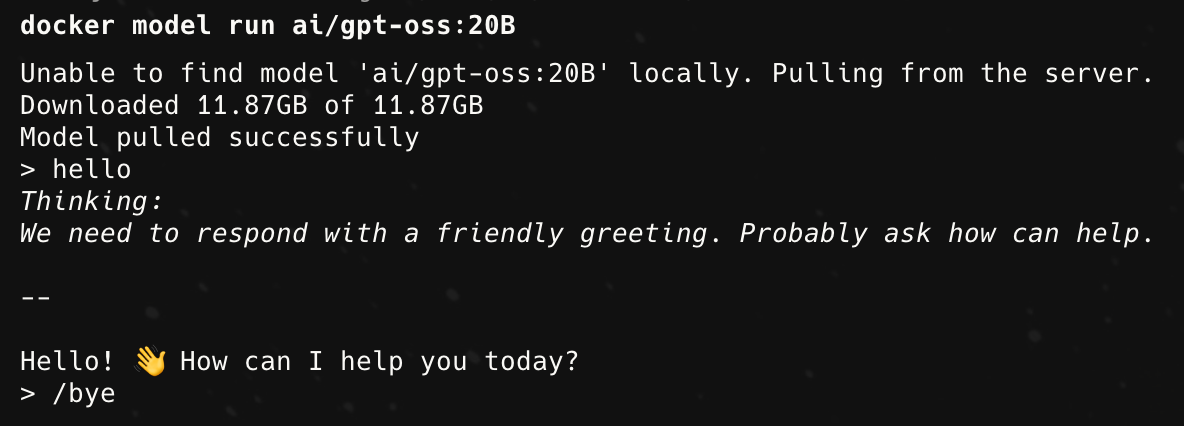
docker model run ai/gpt-oss:20B
```

或者要运行特定的 [Unsloth](/docs/zh/kai-shi-shi-yong/unsloth-model-catalog.md) 来自 Hugging Face 的 gpt-oss 量化：

```bash
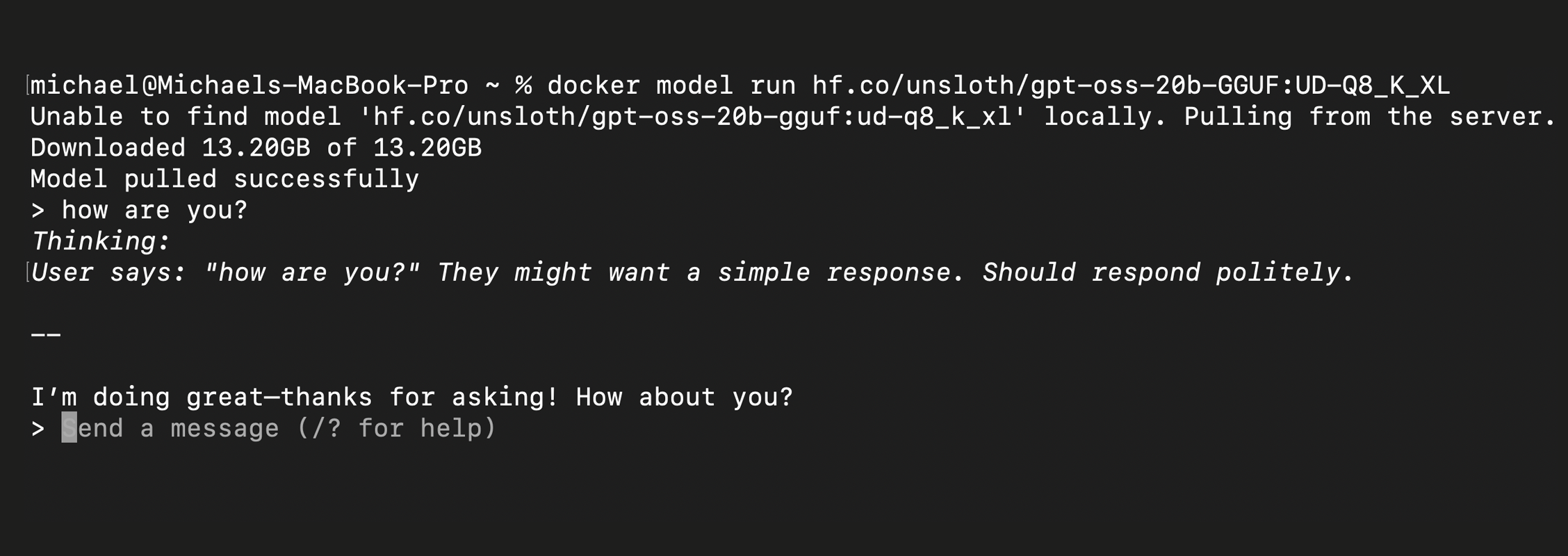
docker model run hf.co/unsloth/gpt-oss-20b-GGUF:UD-Q8_K_XL
```

**通过 CLI 运行 gpt-oss-20b 应该是这样的：**

<div><figure><img src="/files/00f327a938beceb10386f27d6d62acd97ae5699e" alt="" width="563"><figcaption><p>来自 Docker Hub 的 gpt-oss-20b</p></figcaption></figure> <figure><img src="/files/340d82c56e9f70ef5a790e4ab20e0974889d565f" alt="" width="563"><figcaption><p>使用 Unsloth 的 UD-Q8_K_XL 量化的 gpt-oss-20b</p></figcaption></figure></div>
{% endstep %}

{% step %}

#### 要运行特定的量化级别：

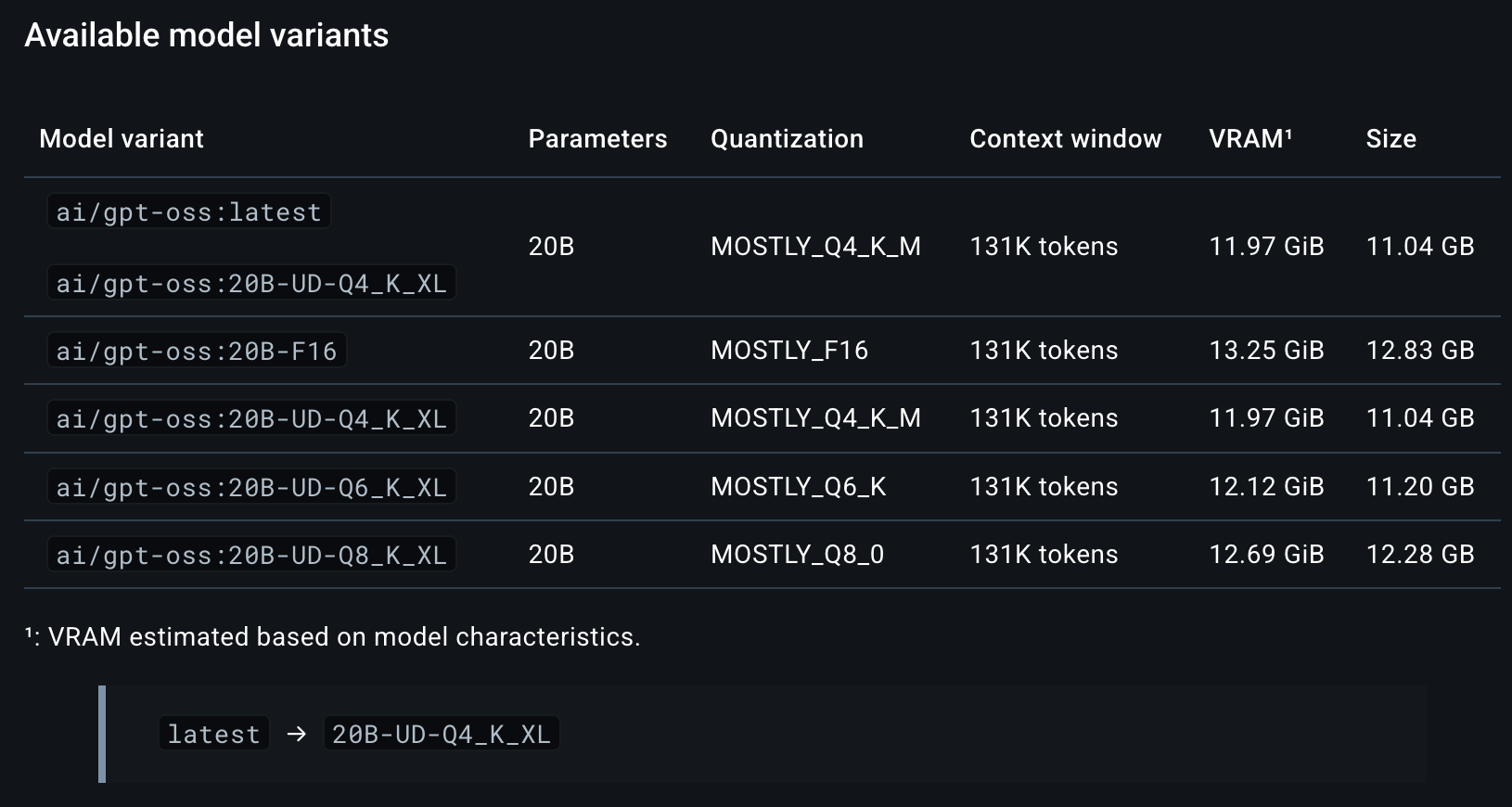
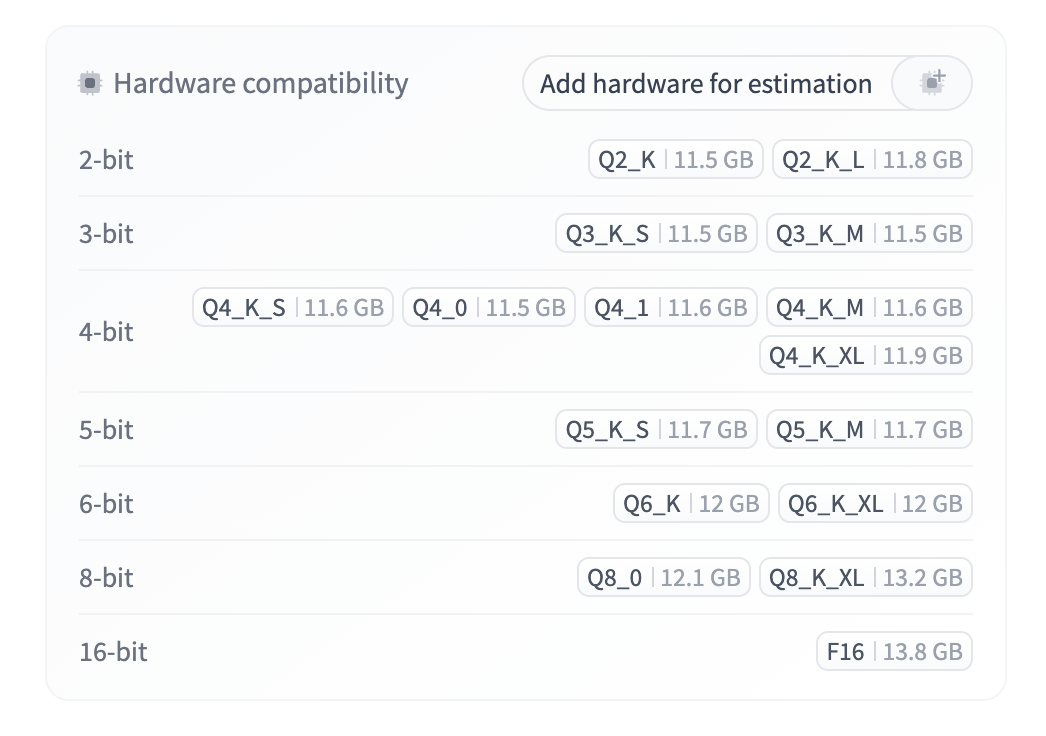
如果您想运行模型的特定量化，请在模型后附加 `:` 和量化名称（例如， `Q4` 用于 Docker 或 `UD-Q4_K_XL`）。您可以在每个模型的 Docker Hub 页面上查看所有可用的量化。例如，查看 gpt-oss 列出的量化 [这里](https://hub.docker.com/r/ai/gpt-oss#gptoss).

同样适用于 Hugging Face 上的 Unsloth 量化：访问该 [模型的 HF 页面](https://huggingface.co/unsloth/gpt-oss-20b-GGUF?show_file_info=gpt-oss-20b-Q2_K_L.gguf)，选择一个量化，然后运行类似的命令： `docker model run hf.co/unsloth/gpt-oss-20b-GGUF:Q2_K_L`

<div><figure><img src="/files/6c8947df6946f73e2972d17f6828aee2b143f7ba" alt="" width="563"><figcaption><p>gpt-oss 在 <a href="https://hub.docker.com/r/ai/gpt-oss#gptoss">Docker Hub</a></p></figcaption></figure> <figure><img src="/files/14cec89919c4f1e631f77b6733203e1b7d17e7ec" alt="" width="563"><figcaption><p>上的量化级别<a href="https://huggingface.co/unsloth/gpt-oss-20b-GGUF"> Unsloth gpt-oss 在</a></p></figcaption></figure></div>
{% endstep %}
{% endstepper %}

### Hugging Face

{% stepper %}
{% step %}

#### 方法 #2：Docker Desktop（无代码）

Docker Model Runner 已经可用于 [Docker Desktop](https://docs.docker.com/ai/model-runner/get-started/#docker-desktop).

1. 安装 Docker Desktop
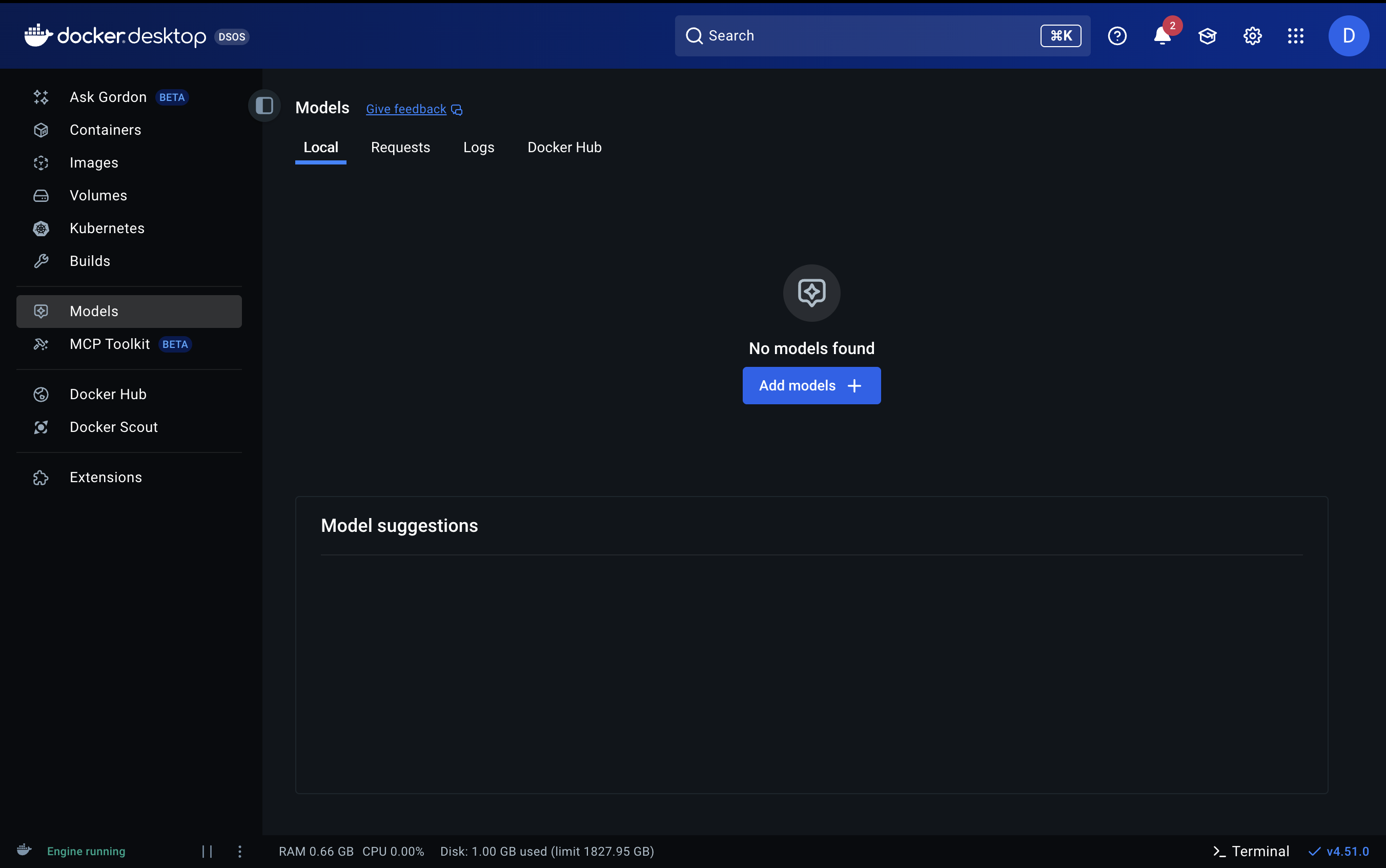
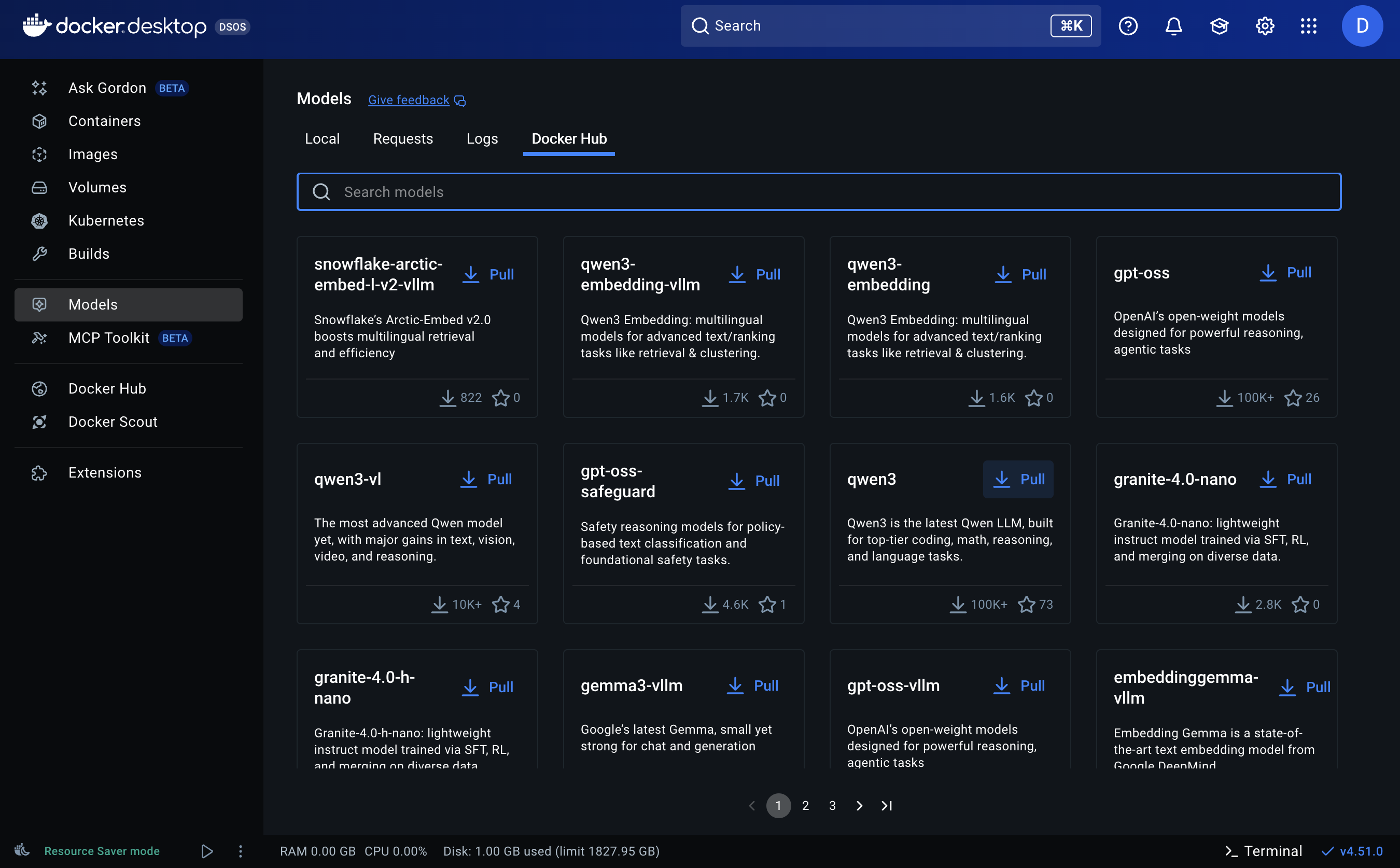
2. 选择要运行的模型，打开 Docker Desktop，然后点击模型选项卡。

在以下位置浏览经过验证的模型目录 [Docker Hub](https://hub.docker.com/r/ai).

<div><figure><img src="/files/9c4d5760e5cba616b6641a926ca71313783987f9" alt=""><figcaption><p>#1. 点击“Models”选项卡然后“Add models +”</p></figcaption></figure> <figure><img src="/files/3beccf0ee9bdb8a2483c135eb861a5a417ed387b" alt=""><figcaption><p>#2. 搜索您想要的模型。</p></figcaption></figure></div>
{% endstep %}

{% step %}

#### 拉取模型

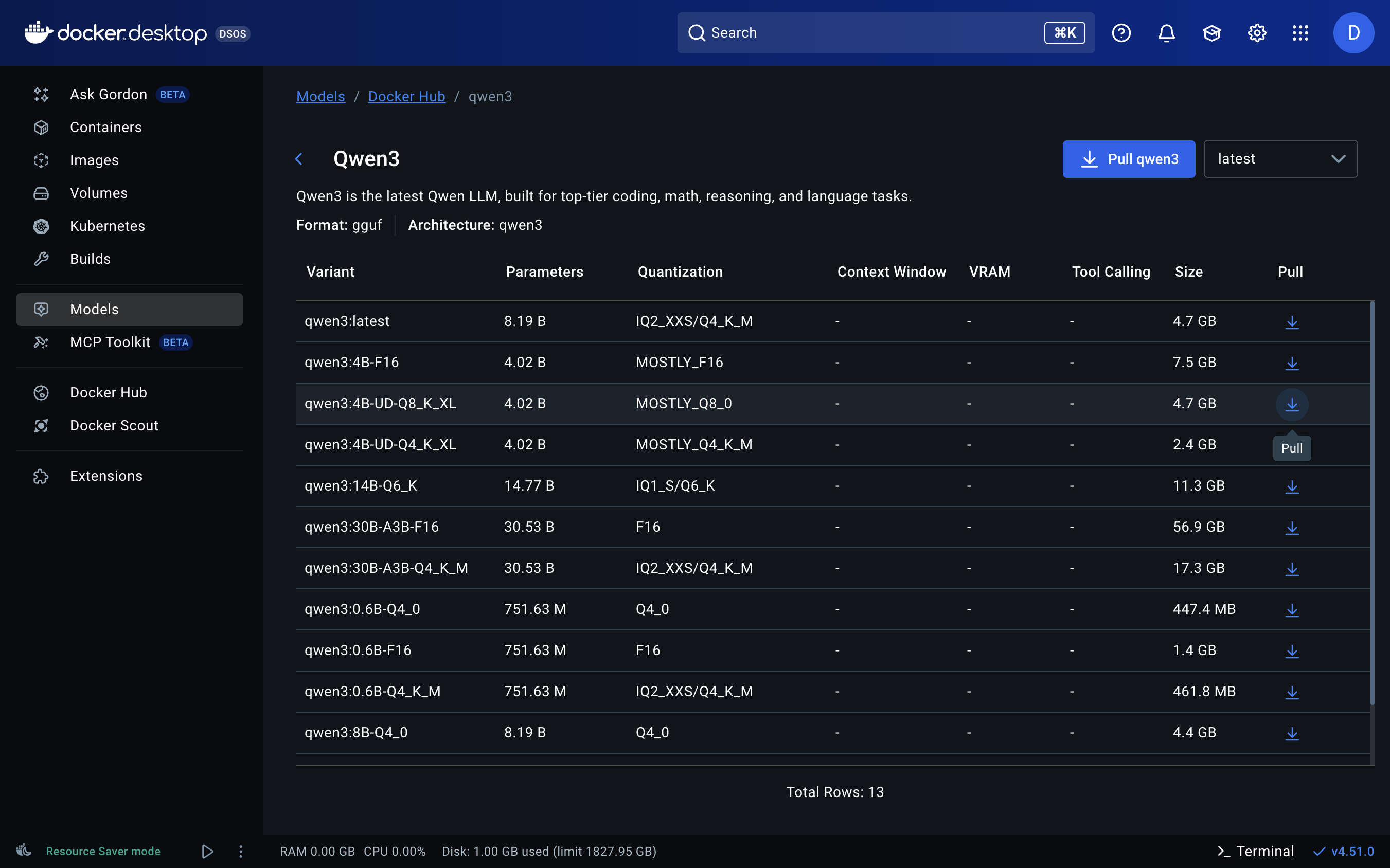
点击您想运行的模型以查看可用的量化选项。

* 量化范围从 1 到 16 位。对于小于 30B 参数的模型，至少使用 4 位（`Q4`).
* 选择适合您硬件的大小：理想情况下，您的统一内存、RAM 或 VRAM 总和应等于或大于模型大小。例如，11GB 的模型在 12GB 统一内存上运行良好。

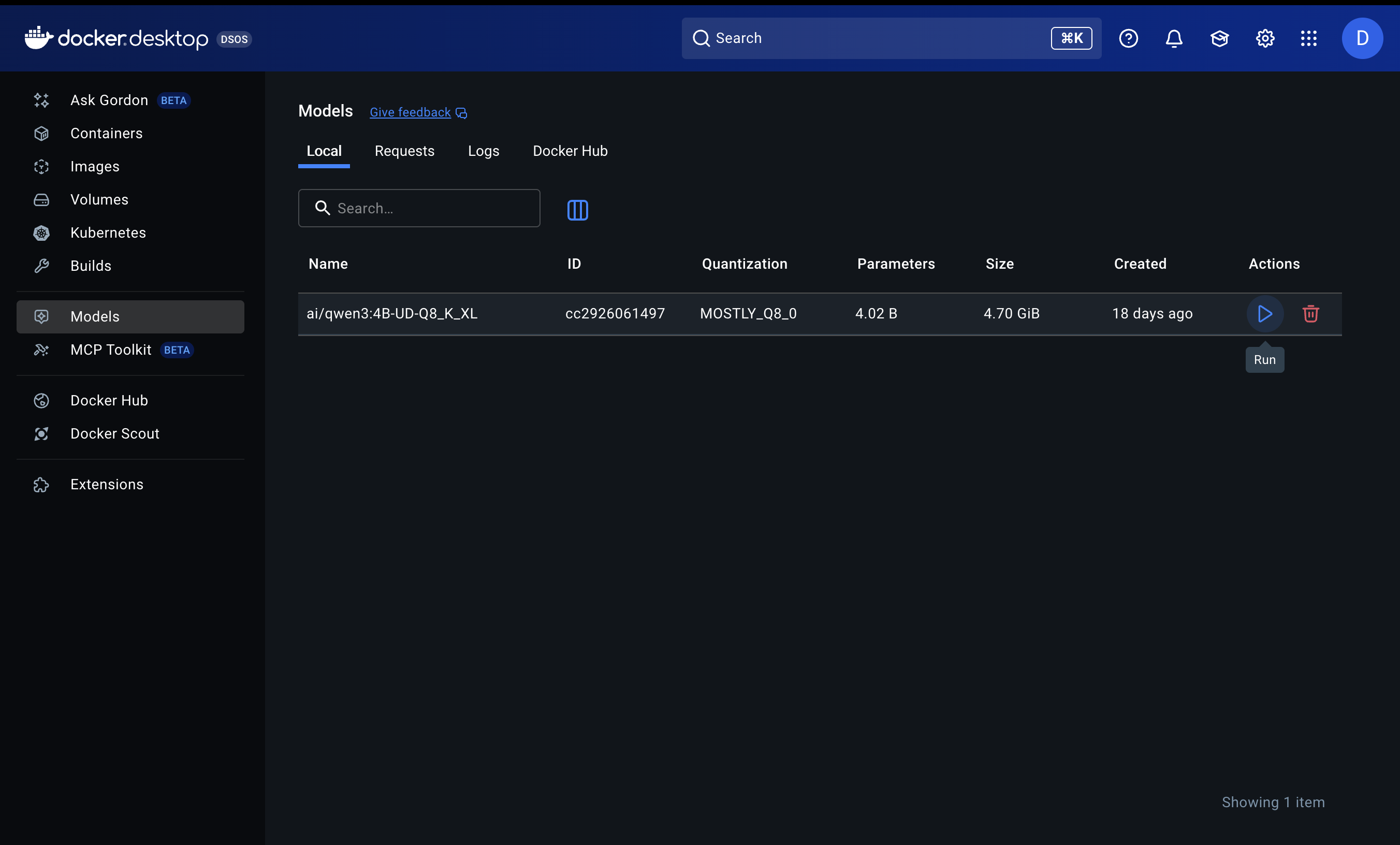
<div><figure><img src="/files/f3c57941e550c2474ccd97670da819eaf43bc4a7" alt=""><figcaption><p>#3. 选择您要拉取的量化。</p></figcaption></figure> <figure><img src="/files/8183fb64521bf2d887ef0ec87db7dba7e4448e87" alt=""><figcaption><p>#4. 等待模型下载完成，然后运行它。</p></figcaption></figure></div>
{% endstep %}

{% step %}

#### 运行模型

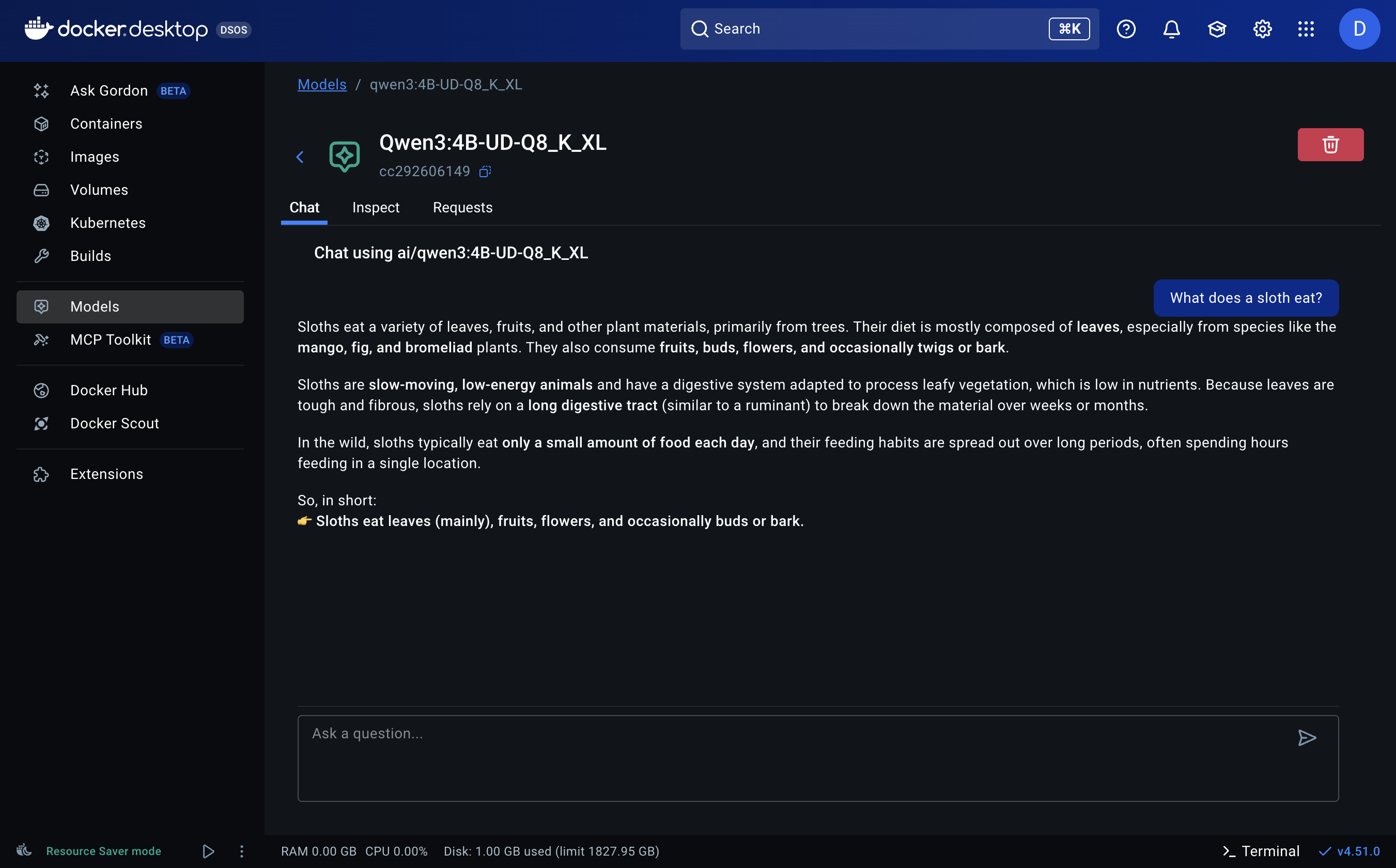
在“Ask a question”框中输入任意提示，然后像使用 ChatGPT 一样使用 LLM。

<figure><img src="/files/84e6050f5a43825d72d502f428486bec229c27aa" alt="" width="563"><figcaption><p>运行 Qwen3-4B 的示例 <code>UD-Q8_K_XL</code></p></figcaption></figure>
{% endstep %}
{% endstepper %}

#### **要运行最新模型：**

只要新模型被 `llama.cpp` 或 `vllm` 支持并且可在 Docker Hub 上获得，您就可以在 Docker 上运行任何新模型。

### 什么是 Docker Model Runner？

Docker Model Runner（DMR）是一个开源工具，使您可以像运行容器一样轻松拉取和运行 AI 模型。GitHub： <https://github.com/docker/model-runner>

它为模型提供一致的运行时，类似于 Docker 标准化应用部署的方式。在底层，它使用优化的后端（例如 `llama.cpp`）以实现您机器上的顺畅、硬件高效的推理。

无论您是研究人员、开发者还是业余爱好者，您现在可以：

* 在本地几秒钟内运行开源模型。
* 避免依赖地狱，一切都由 Docker 处理。
* 轻松共享并复现模型设置。


---

# Agent Instructions: Querying This Documentation

If you need additional information that is not directly available in this page, you can query the documentation dynamically by asking a question.

Perform an HTTP GET request on the current page URL with the `ask` query parameter:

```
GET https://unsloth.ai/docs/zh/mo-xing/tutorials/how-to-run-llms-with-docker.md?ask=<question>
```

The question should be specific, self-contained, and written in natural language.
The response will contain a direct answer to the question and relevant excerpts and sources from the documentation.

Use this mechanism when the answer is not explicitly present in the current page, you need clarification or additional context, or you want to retrieve related documentation sections.