> For the complete documentation index, see [llms.txt](https://unsloth.ai/docs/llms.txt). Markdown versions of documentation pages are available by appending `.md` to page URLs; this page is available as [Markdown](https://unsloth.ai/docs/de/blog/fine-tuning-llms-with-nvidia-dgx-spark-and-unsloth.md).
# Feinabstimmung von LLMs mit NVIDIA DGX Spark und Unsloth
Tutorial zur Feinabstimmung und zum Reinforcement Learning (RL) mit OpenAI gpt-oss auf NVIDIA DGX Spark.
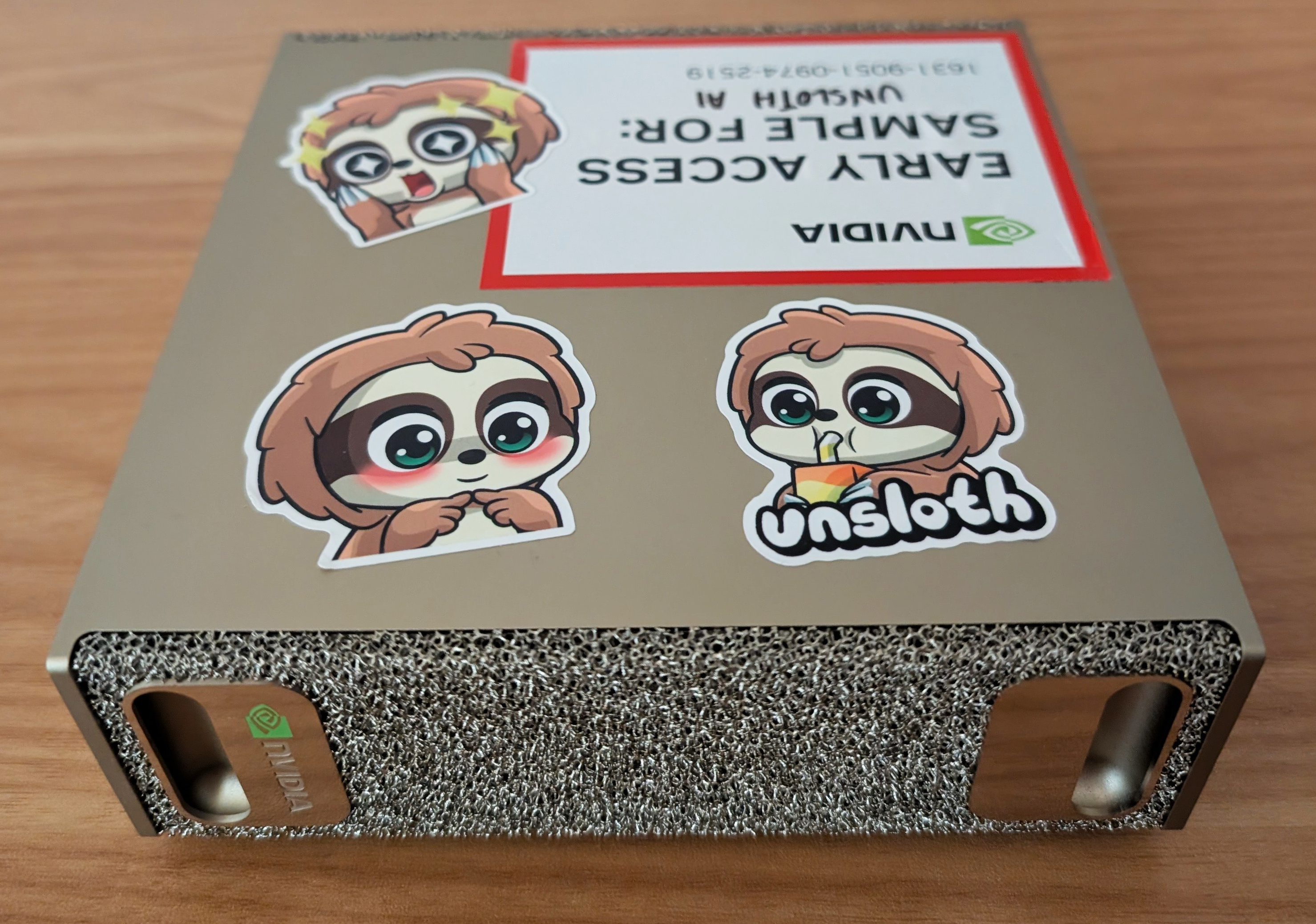
Unsloth ermöglicht lokales Fine-Tuning von LLMs mit bis zu **200B Parametern** auf dem NVIDIA DGX™ Spark. Mit 128 GB vereinheitlichtem Speicher können Sie riesige Modelle wie **gpt-oss-120b**, und Inferenz direkt auf dem DGX Spark ausführen oder bereitstellen.
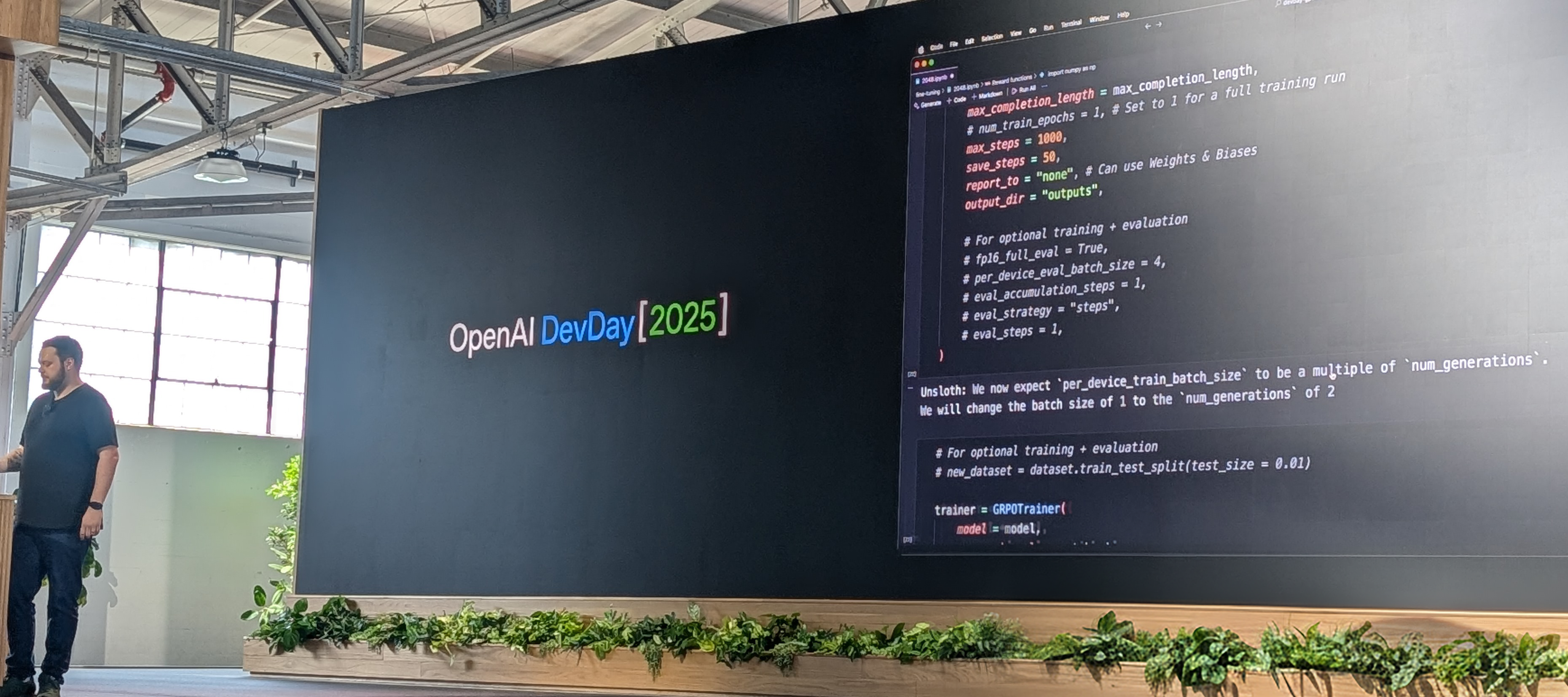
Wie gezeigt bei [OpenAI DevDay](https://x.com/UnslothAI/status/1976284209842118714), wurde gpt-oss-20b mit RL und Unsloth auf DGX Spark trainiert, um 2048 automatisch zu gewinnen. Sie können Unsloth in einem Docker-Container oder einer virtuellen Umgebung auf DGX Spark verwenden.
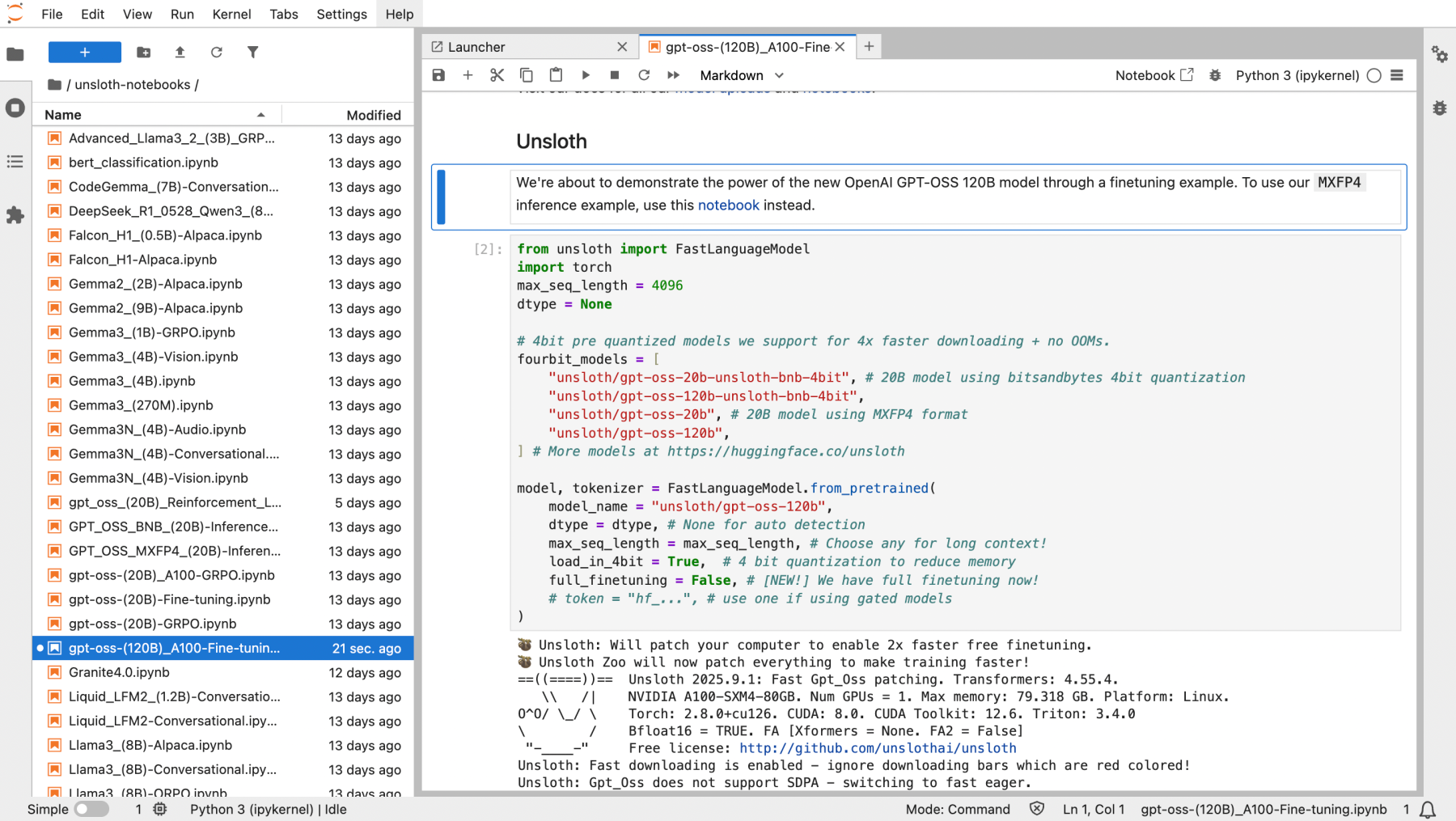
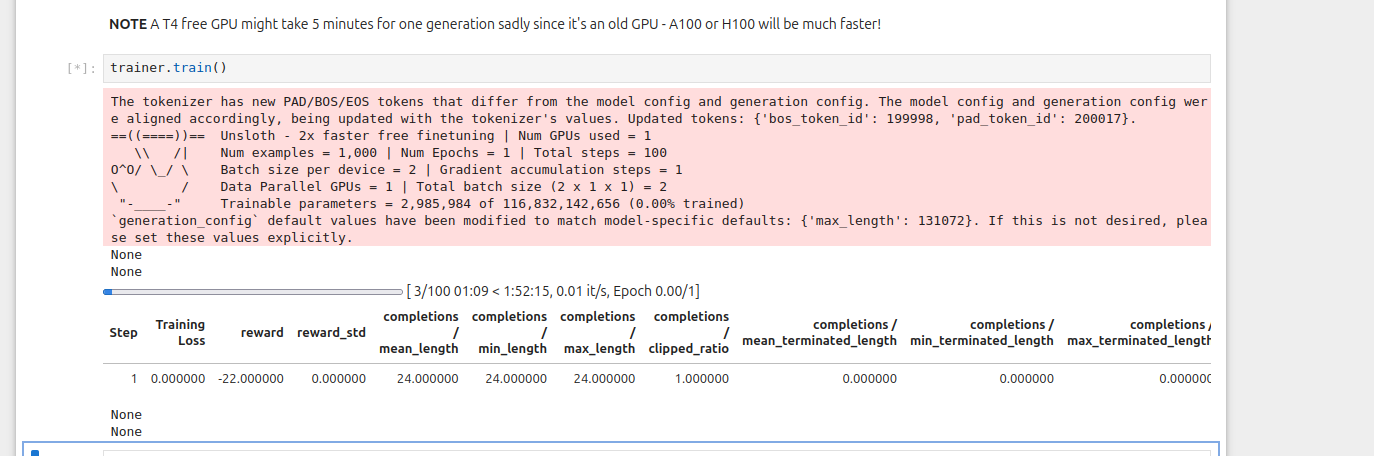
In diesem Tutorial trainieren wir gpt-oss-20b mit RL mit Unsloth-Notebooks, nachdem Sie Unsloth auf Ihrem DGX Spark installiert haben. gpt-oss-120b benötigt etwa **68 GB** des vereinheitlichten Speichers.
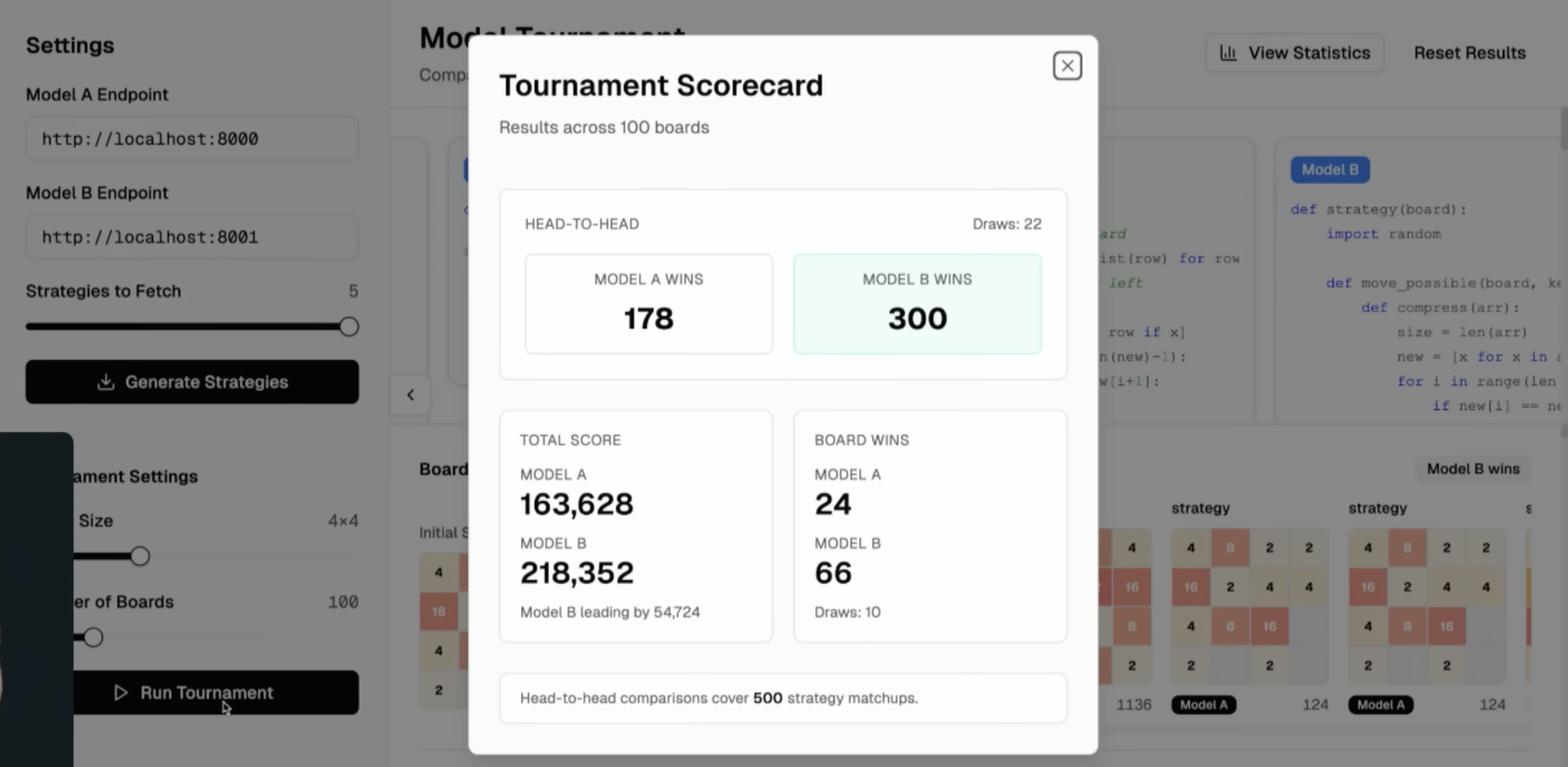
Nach 1.000 Schritten und 4 Stunden RL-Training übertrifft das gpt-oss-Modell das Original bei 2048 deutlich, und längeres Training würde die Ergebnisse weiter verbessern.
Sie können Unsloth auf der OpenAI DevDay 2025 sehen hier.
Mit RL trainiertes gpt-oss übertrifft bei 2048 konstant.
### ⚡ Schritt-für-Schritt-Tutorial
{% stepper %}
{% step %}
**Beginnen Sie mit dem Unsloth-Docker-Image für DGX Spark**
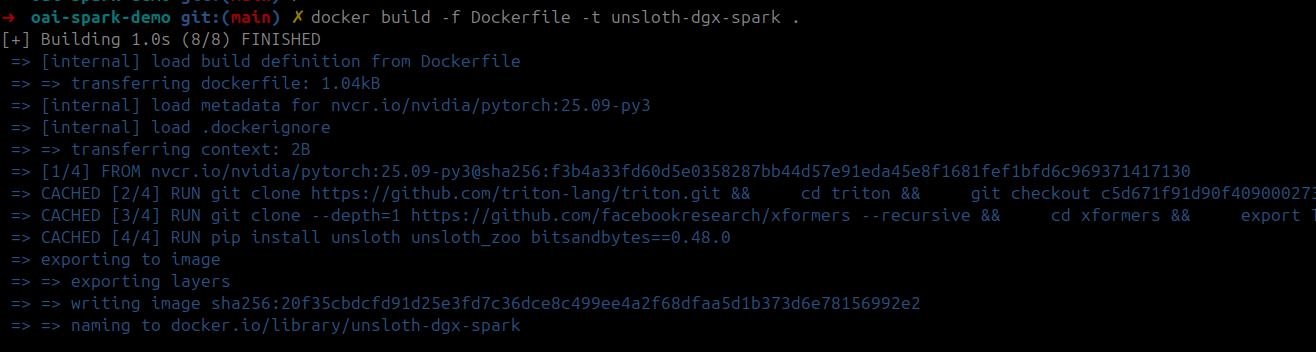
Erstellen Sie zunächst das Docker-Image mit der DGX-Spark-Dockerfile, die [hier zu finden ist](https://raw.githubusercontent.com/unslothai/notebooks/main/Dockerfile_DGX_Spark). Sie können das Folgende auch in einem Terminal auf dem DGX Spark ausführen:
```bash
sudo apt update && sudo apt install -y wget
wget -O Dockerfile "https://raw.githubusercontent.com/unslothai/notebooks/main/Dockerfile_DGX_Spark"
```
Dann erstellen Sie das Trainings-Docker-Image mithilfe der gespeicherten Dockerfile:
```bash
docker build -f Dockerfile -t unsloth-dgx-spark .
```
Sie können auch klicken, um die vollständige DGX-Spark-Dockerfile anzuzeigen
```python
FROM nvcr.io/nvidia/pytorch:25.09-py3
# CUDA-Umgebungsvariablen festlegen
ENV CUDA_HOME=/usr/local/cuda-13.0/
ENV CUDA_PATH=$CUDA_HOME
ENV PATH=$CUDA_HOME/bin:$PATH
ENV LD_LIBRARY_PATH=$CUDA_HOME/lib64:$LD_LIBRARY_PATH
ENV C_INCLUDE_PATH=$CUDA_HOME/include:$C_INCLUDE_PATH
ENV CPLUS_INCLUDE_PATH=$CUDA_HOME/include:$CPLUS_INCLUDE_PATH
# Triton aus dem Quellcode für die neueste Blackwell-Unterstützung installieren
RUN git clone https://github.com/triton-lang/triton.git && \
cd triton && \
git checkout c5d671f91d90f40900027382f98b17a3e04045f6 && \
pip install -r python/requirements.txt && \
pip install . && \
cd ..
# xFormers aus dem Quellcode für Blackwell-Unterstützung installieren
RUN git clone --depth=1 https://github.com/facebookresearch/xformers --recursive && \
cd xformers && \
export TORCH_CUDA_ARCH_LIST="12.1" && \
python setup.py install && \
cd ..
# unsloth und andere Abhängigkeiten installieren
RUN pip install unsloth unsloth_zoo bitsandbytes==0.48.0 transformers==4.56.2 trl==0.22.2
# Shell starten
CMD ["/bin/bash"]
```
{% endstep %}
{% step %}
**Container starten**
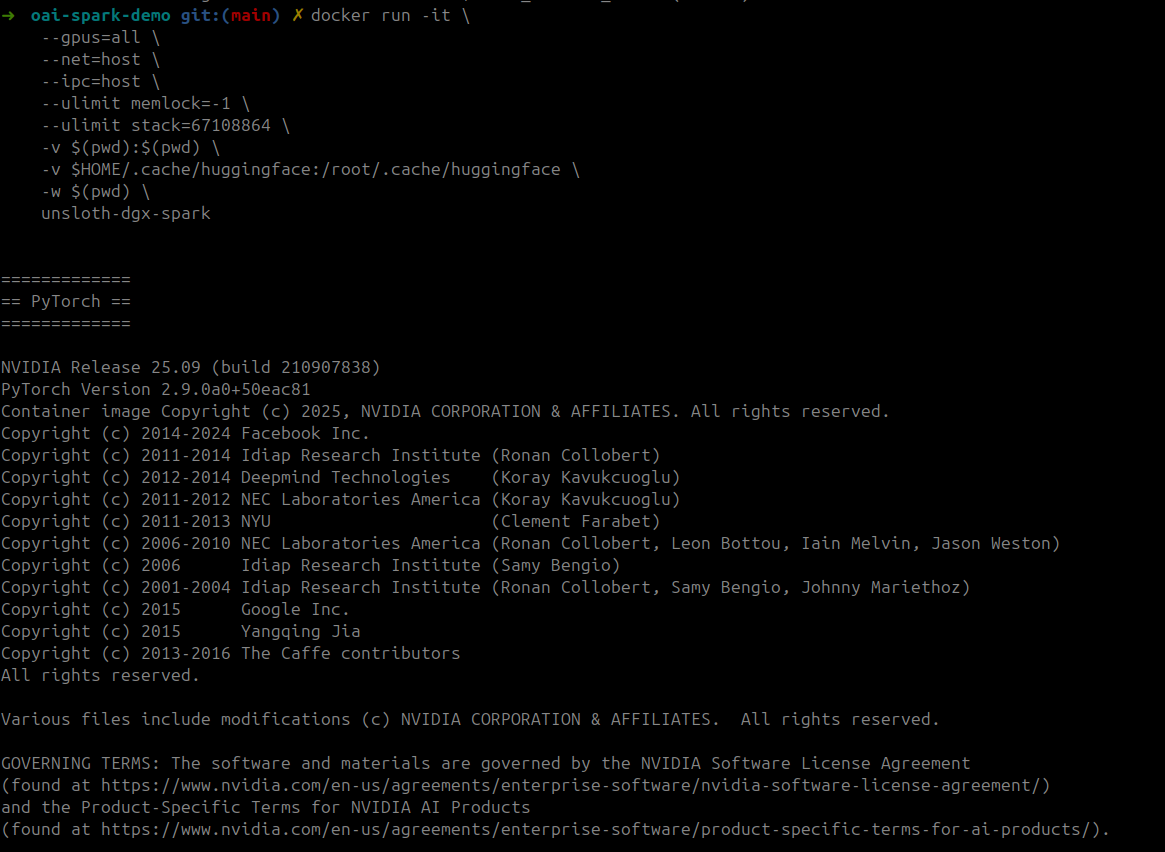
Starten Sie den Trainings-Container mit GPU-Zugriff und Volume-Mounts:
```bash
docker run -it \
--gpus=all \
--net=host \
--ipc=host \
--ulimit memlock=-1 \
--ulimit stack=67108864 \
-v $(pwd):$(pwd) \
-v $HOME/.cache/huggingface:/root/.cache/huggingface \
-w $(pwd) \
unsloth-dgx-spark
```
{% endstep %}
{% step %}
**Jupyter starten und Notebooks ausführen**
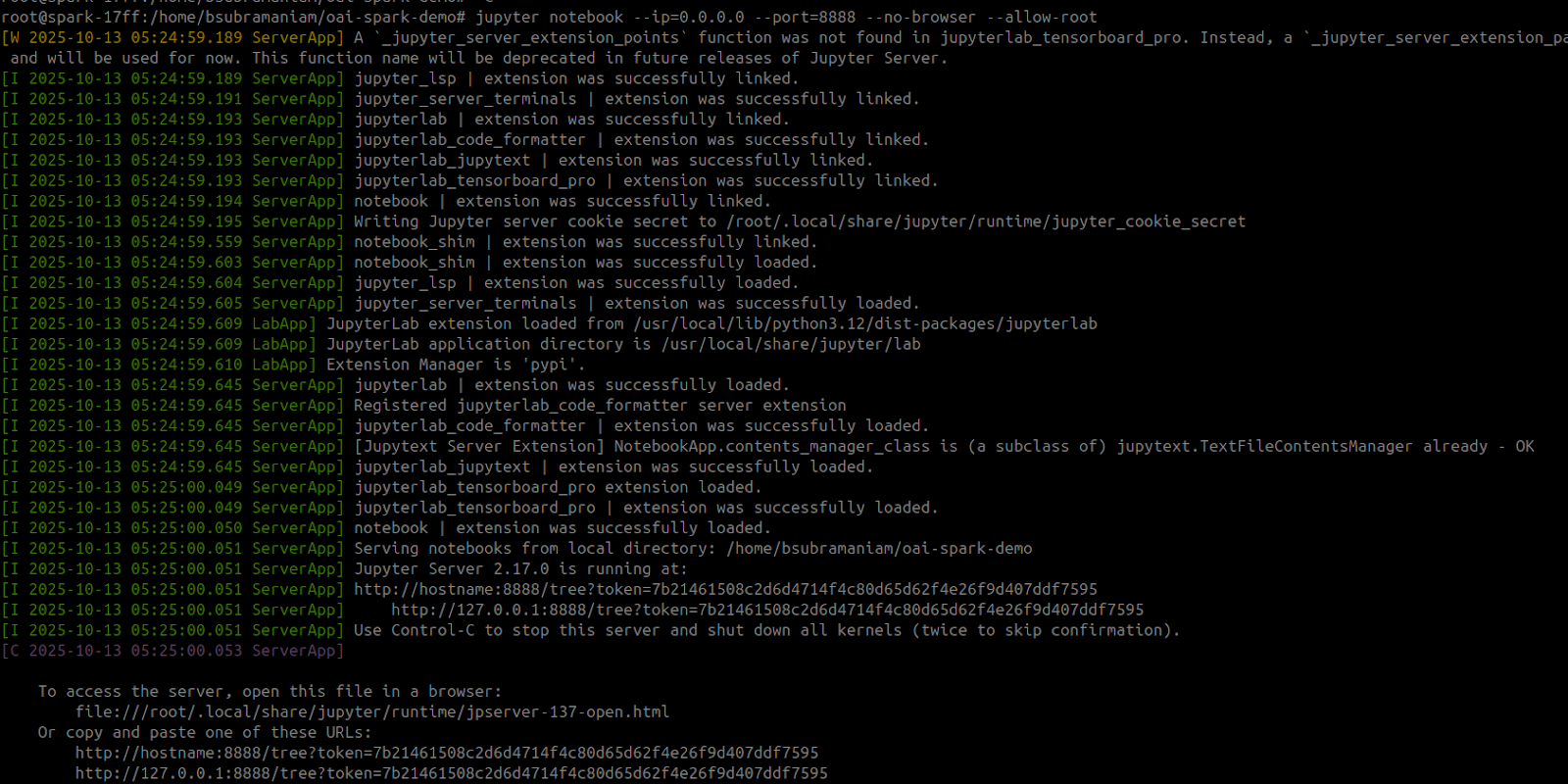
Starten Sie im Container Jupyter und führen Sie das erforderliche Notebook aus. Sie können das Reinforcement-Learning-gpt-oss-20b-Notebook hier verwenden, um 2048 zu gewinnen [Notebook hier](https://github.com/unslothai/notebooks/blob/main/nb/gpt_oss_\(20B\)_Reinforcement_Learning_2048_Game_DGX_Spark.ipynb). Tatsächlich funktionieren alle [Unsloth-Notebooks](https://docs.unsloth.ai/get-started/unsloth-notebooks) auf DGX Spark einschließlich des **120b** Notebook! Entfernen Sie einfach die Installationszellen.
Die untenstehenden Befehle können auch verwendet werden, um das RL-Notebook auszuführen. Nachdem Jupyter Notebook gestartet wurde, öffnen Sie das „`gpt_oss_20B_RL_2048_Game.ipynb`“
```bash
NOTEBOOK_URL="https://raw.githubusercontent.com/unslothai/notebooks/refs/heads/main/nb/gpt_oss_(20B)_Reinforcement_Learning_2048_Game_DGX_Spark.ipynb"
wget -O "gpt_oss_20B_RL_2048_Game.ipynb" "$NOTEBOOK_URL"
jupyter notebook --ip=0.0.0.0 --port=8888 --no-browser --allow-root
```
Vergessen Sie nicht, dass Unsloth es Ihnen auch ermöglicht, [zu speichern und auszuführen](/docs/de/grundlagen/inference-and-deployment.md) Ihre Modelle nach dem Fine-Tuning, sodass Sie sie anschließend lokal direkt auf Ihrem DGX Spark bereitstellen können.
{% endstep %}
{% endstepper %}
Vielen Dank an [Lakshmi Ramesh](https://www.linkedin.com/in/rlakshmi24/) und [Barath Anandan](https://www.linkedin.com/in/barathsa/) von NVIDIA für die Unterstützung beim Start von Unsloth auf DGX Spark und beim Erstellen des Docker-Images.
### Verwendung des vereinheitlichten Speichers
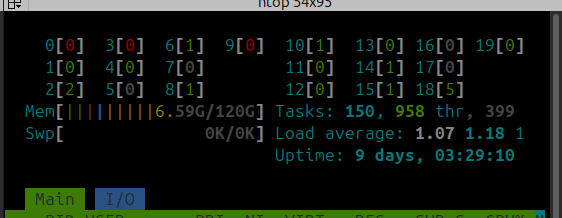
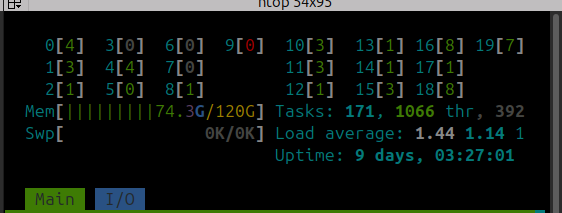
gpt-oss-120b QLoRA 4-Bit-Fine-Tuning wird etwa **68 GB** des vereinheitlichten Speichers verwenden. Wie Ihre Nutzung des vereinheitlichten Speichers aussehen sollte **vor** (links) und **nach** (rechts) beim Training:
Und das war's! Viel Spaß beim kompletten lokalen Trainieren und Ausführen von LLMs auf Ihrem NVIDIA DGX Spark!
### Video-Tutorials
Danke an Tim von [AnythingLLM](https://github.com/Mintplex-Labs/anything-llm) für die Bereitstellung eines großartigen Fine-Tuning-Tutorials mit Unsloth auf DGX Spark:
{% embed url="" %}
---
# Agent Instructions
This documentation is published with GitBook. GitBook is the documentation platform designed so that both humans and AI agents can read, navigate, and reason over technical content effectively. Learn more at gitbook.com.
## Querying This Documentation
If you need additional information that is not directly available in this page, you can query the documentation by asking a question.
Perform an HTTP GET request on the following URL with the `ask` and `goal` query parameters:
```
GET https://unsloth.ai/docs/de/blog/fine-tuning-llms-with-nvidia-dgx-spark-and-unsloth.md?ask=&goal=
```
`ask` is the immediate question: it should be specific, self-contained, and written in natural language.
`goal` is what the user is ultimately trying to achieve, the reason they need the answer. Sharing it helps GitBook give you a better, more relevant answer. A goal is most helpful when it describes the outcome the user wants rather than restating the question. For example, with `ask=how do I create an API token`, a goal like `automate deployments from our CI pipeline` lets GitBook tailor the answer to that use case.
The response will contain a direct answer to the question and relevant excerpts and sources from the documentation.
Use this mechanism when the answer is not explicitly present in the current page, you need clarification or additional context, or you want to retrieve related documentation sections.