> For the complete documentation index, see [llms.txt](https://unsloth.ai/docs/llms.txt). Markdown versions of documentation pages are available by appending `.md` to page URLs; this page is available as [Markdown](https://unsloth.ai/docs/de/grundlagen/tool-calling-guide-for-local-llms.md).
# Leitfaden zum Tool-Calling für lokale LLMs
Tool Calling ist, wenn ein LLM bestimmte Funktionen auslösen darf (wie „meine Dateien durchsuchen“, „einen Taschenrechner ausführen“ oder „eine API aufrufen“), indem es eine strukturierte Anfrage ausgibt, statt die Antwort im Text zu erraten. Du verwendest Tool-Aufrufe, weil sie Ausgaben **zuverlässiger und aktueller machen**, und sie lassen das Modell **echte Aktionen ausführen** (Systeme abfragen, Fakten validieren, Schemata erzwingen) statt zu halluzinieren.
In diesem Tutorial lernst du, wie du lokale LLMs per Tool Calling mit mathematischen, Story-, Python-Code- und Terminal-Funktionsbeispielen verwendest. Die Inferenz erfolgt lokal über llama.cpp, llama-server und OpenAI-Endpunkte.
{% columns %}
{% column %}
Tool Calling wird automatisch eingerichtet, wenn du [Unsloth Studio](/docs/de/neu/studio/chat.md#auto-healing-tool-calling)verwendest. Wähle einfach dein Modell aus und schalte Tool-Calling ein oder aus.
Sieh rechts ein Beispiel, wie Tool-Calling automatisch angewendet wird für [Gemma 4](/docs/de/modelle/gemma-4.md). Unsloth verfügt außerdem über selbstheilendes Tool-Calling, das sicherstellt, dass deine Tool-Aufrufe immer funktionieren.
{% endcolumn %}
{% column %}
{% endcolumn %}
{% endcolumns %}
Unser Leitfaden sollte für nahezu [jedes Modell](/docs/de/loslegen/unsloth-model-catalog.md) funktionieren, einschließlich:
* [**Qwen3**-Coder-Next](https://unsloth.ai/docs/models/qwen3-coder-next), [Qwen3-Coder](https://unsloth.ai/docs/models/qwen3-coder-how-to-run-locally), und andere **Qwen** Modelle
* [**GLM**-4.7](https://unsloth.ai/docs/models/glm-4.7), 4.6, [GLM-4.7-Flash](https://unsloth.ai/docs/models/glm-4.7-flash) und [**Kimi K2.5**](https://unsloth.ai/docs/models/kimi-k2.5), [Kimi K2 Thinking](https://unsloth.ai/docs/models/tutorials/kimi-k2-thinking-how-to-run-locally)
* [**DeepSeek**-V3.1](https://unsloth.ai/docs/models/tutorials/deepseek-v3.1-how-to-run-locally), DeepSeek-V3.2 und **MiniMax**
* [**gpt-oss**](https://unsloth.ai/docs/models/gpt-oss-how-to-run-and-fine-tune) und [**NVIDIA Nemotron** 3 Nano](https://unsloth.ai/docs/models/tutorials/nemotron-3) und [**Devstral** 2](https://unsloth.ai/docs/models/tutorials/devstral-2)
Qwen3-Coder-Next TutorialGLM-4.7-Flash Tutorial
### :hammer:Tool-Calling-Einrichtung
Unser erster Schritt ist es, das neueste `llama.cpp` auf [hier auf GitHub](https://github.com/ggml-org/llama.cpp). Sie können auch die folgenden Build-Anweisungen befolgen. Ändern Sie `-DGGML_CUDA=ON` zu `-DGGML_CUDA=OFF` wenn Sie keine GPU haben oder nur CPU-Inferenz möchten. **Für Apple-Mac-/Metal-Geräte**, setzen Sie `-DGGML_CUDA=OFF` und fahren Sie dann wie gewohnt fort – Metal-Unterstützung ist standardmäßig aktiviert.
{% code overflow="wrap" %}
```bash
apt-get update
apt-get install pciutils build-essential cmake curl libcurl4-openssl-dev -y
git clone https://github.com/ggml-org/llama.cpp
cmake llama.cpp -B llama.cpp/build \\
-DBUILD_SHARED_LIBS=OFF -DGGML_CUDA=ON
cmake --build llama.cpp/build --config Release -j --clean-first --target llama-cli llama-mtmd-cli llama-server llama-gguf-split
cp llama.cpp/build/bin/llama-* llama.cpp
```
{% endcode %}
In einem neuen Terminal (wenn du tmux verwendest, drücke CTRL+B+D) erstellen wir einige Tools wie das Hinzufügen von 2 Zahlen, das Ausführen von Python-Code, das Ausführen von Linux-Funktionen und vieles mehr:
{% code expandable="true" %}
```python
import json, subprocess, random
from typing import Any
def add_number(a: float | str, b: float | str) -> float:
return float(a) + float(b)
def multiply_number(a: float | str, b: float | str) -> float:
return float(a) * float(b)
def subtract_number(a: float | str, b: float | str) -> float:
return float(a) - float(b)
def write_a_story() -> str:
return random.choice([
"Vor langer Zeit in einer weit, weit entfernten Galaxie...",
"Es gab 2 Freunde, die Faultiere und Code liebten...",
"Die Welt ging unter, weil sich jedes Faultier zu übermenschlicher Intelligenz entwickelte...",
"Ohne es einander zu wissen, programmierte ein Freund versehentlich ein Programm, das Faultiere weiterentwickelte...",
])
def terminal(command: str) -> str:
if "rm" in command or "sudo" in command or "dd" in command or "chmod" in command:
msg = "Befehle 'rm, sudo, dd, chmod' können nicht ausgeführt werden, da sie gefährlich sind"
print(msg); return msg
print(f"Führe Terminalbefehl `{command}` aus")
try:
return str(subprocess.run(command, capture_output = True, text = True, shell = True, check = True).stdout)
except subprocess.CalledProcessError as e:
return f"Befehl fehlgeschlagen: {e.stderr}"
def python(code: str) -> str:
data = {}
exec(code, data)
del data["__builtins__"]
return str(data)
MAP_FN = {
"add_number": add_number,
"multiply_number": multiply_number,
"subtract_number": subtract_number,
"write_a_story": write_a_story,
"terminal": terminal,
"python": python,
}
tools = [
{
"type": "function",
"function": {
"name": "add_number",
"description": "Addiere zwei Zahlen.",
"parameters": {
"type": "object",
"properties": {
"a": {
"type": "string",
"description": "Die erste Zahl.",
},
"b": {
"type": "string",
"description": "Die zweite Zahl.",
},
},
"required": ["a", "b"],
},
},
},
{
"type": "function",
"function": {
"name": "multiply_number",
"description": "Multipliziere zwei Zahlen.",
"parameters": {
"type": "object",
"properties": {
"a": {
"type": "string",
"description": "Die erste Zahl.",
},
"b": {
"type": "string",
"description": "Die zweite Zahl.",
},
},
"required": ["a", "b"],
},
},
},
{
"type": "function",
"function": {
"name": "subtract_number",
"description": "Subtrahiere zwei Zahlen.",
"parameters": {
"type": "object",
"properties": {
"a": {
"type": "string",
"description": "Die erste Zahl.",
},
"b": {
"type": "string",
"description": "Die zweite Zahl.",
},
},
"required": ["a", "b"],
},
},
},
{
"type": "function",
"function": {
"name": "write_a_story",
"description": "Schreibt eine zufällige Geschichte.",
"parameters": {
"type": "object",
"properties": {},
"required": [],
},
},
},
{
"type": "function",
"function": {
"name": "terminal",
"description": "Führe Operationen im Terminal aus.",
"parameters": {
"type": "object",
"properties": {
"command": {
"type": "string",
"description": "Der Befehl, den du ausführen möchtest, z. B. `ls`, `rm`, ...",
},
},
"required": ["command"],
},
},
},
{
"type": "function",
"function": {
"name": "python",
"description": "Rufe einen Python-Interpreter mit etwas Python-Code auf, der ausgeführt wird.",
"parameters": {
"type": "object",
"properties": {
"code": {
"type": "string",
"description": "Der auszuführende Python-Code",
},
},
"required": ["code"],
},
},
},
]
```
{% endcode %}
Dann verwenden wir die folgenden Funktionen (kopieren, einfügen und ausführen), die die Funktionsaufrufe automatisch parsen und für jedes Modell den OpenAI-Endpunkt aufrufen:
{% hint style="info" %}
In diesem Beispiel verwenden wir Devstral 2. Wenn du das Modell wechselst, achte darauf, dass du die korrekten Sampling-Parameter verwendest. Du kannst alle davon in unseren [Anleitungen hier](/docs/de/modelle/tutorials.md).
{% endhint %}
{% code overflow="wrap" expandable="true" %}
```python
from openai import OpenAI
def unsloth_inference(
messages,
temperature = 0,7,
top_p = 0,95,
top_k = 40,
min_p = 0,01,
repetition_penalty = 1,0,
):
messages = messages.copy()
openai_client = OpenAI(
base_url = "http://127.0.0.1:8001/v1",
api_key = "sk-no-key-required",
)
model_name = next(iter(openai_client.models.list())).id
print(f"Verwendetes Modell = {model_name}")
has_tool_calls = True
original_messages_len = len(messages)
while has_tool_calls:
print(f"Aktuelle Nachrichten = {messages}")
response = openai_client.chat.completions.create(
model = model_name,
messages = messages,
temperature = temperature,
top_p = top_p,
tools = tools if tools else None,
tool_choice = "auto" if tools else None,
extra_body = {"top_k": top_k, "min_p": min_p, "repetition_penalty" :repetition_penalty,}
)
tool_calls = response.choices[0].message.tool_calls or []
content = response.choices[0].message.content or ""
tool_calls_dict = [tc.to_dict() for tc in tool_calls] if tool_calls else tool_calls
messages.append({"role": "assistant", "tool_calls": tool_calls_dict, "content": content,})
for tool_call in tool_calls:
fx, args, _id = tool_call.function.name, tool_call.function.arguments, tool_call.id
out = MAP_FN[fx](**json.loads(args))
messages.append({"role": "tool", "tool_call_id": _id, "name": fx, "content": str(out),})
else:
has_tool_calls = False
return messages
```
{% endcode %}
Im Folgenden zeigen wir mehrere Methoden zum Ausführen von Tool-Calling für viele verschiedene Anwendungsfälle:
### Eine Geschichte schreiben:
```python
messages = [{
"role": "user",
"content": [{"type": "text", "text": "Könntest du mir eine Geschichte schreiben?"}],
}]
unsloth_inference(messages, temperature = 0.15, top_p = 1.0, top_k = -1, min_p = 0.00)
```
### Mathematische Operationen:
{% code overflow="wrap" %}
```python
messages = [{
"role": "user",
"content": [{"type": "text", "text": "Was ist das heutige Datum plus 3 Tage?"}],
}]
unsloth_inference(messages, temperature = 0.15, top_p = 1.0, top_k = -1, min_p = 0.00)
```
{% endcode %}
### Generierten Python-Code ausführen
{% code overflow="wrap" %}
```python
messages = [{
"role": "user",
"content": [{"type": "text", "text": "Erstelle eine Fibonacci-Funktion in Python und finde fib(20)."}],
}]
unsloth_inference(messages, temperature = 0.15, top_p = 1.0, top_k = -1, min_p = 0.00)
```
{% endcode %}
### Beliebige Terminalfunktionen ausführen
{% code overflow="wrap" %}
```python
messages = [{
"role": "user",
"content": [{"type": "text", "text": "Schreibe 'Ich bin ein glückliches Faultier' in eine Datei und gib sie mir dann zurück."}],
}]
messages = unsloth_inference(messages, temperature = 0.15, top_p = 1.0, top_k = -1, min_p = 0.00)
```
{% endcode %}
## :stars: Qwen3-Coder-Next Tool Calling
In einem neuen Terminal erstellen wir einige Tools wie das Hinzufügen von 2 Zahlen, das Ausführen von Python-Code, das Ausführen von Linux-Funktionen und vieles mehr:
{% code expandable="true" %}
```python
import json, subprocess, random
from typing import Any
def add_number(a: float | str, b: float | str) -> float:
return float(a) + float(b)
def multiply_number(a: float | str, b: float | str) -> float:
return float(a) * float(b)
def subtract_number(a: float | str, b: float | str) -> float:
return float(a) - float(b)
def write_a_story() -> str:
return random.choice([
"Vor langer Zeit in einer weit, weit entfernten Galaxie...",
"Es gab 2 Freunde, die Faultiere und Code liebten...",
"Die Welt ging unter, weil sich jedes Faultier zu übermenschlicher Intelligenz entwickelte...",
"Ohne es einander zu wissen, programmierte ein Freund versehentlich ein Programm, das Faultiere weiterentwickelte...",
])
def terminal(command: str) -> str:
if "rm" in command or "sudo" in command or "dd" in command or "chmod" in command:
msg = "Befehle 'rm, sudo, dd, chmod' können nicht ausgeführt werden, da sie gefährlich sind"
print(msg); return msg
print(f"Führe Terminalbefehl `{command}` aus")
try:
return str(subprocess.run(command, capture_output = True, text = True, shell = True, check = True).stdout)
except subprocess.CalledProcessError as e:
return f"Befehl fehlgeschlagen: {e.stderr}"
def python(code: str) -> str:
data = {}
exec(code, data)
del data["__builtins__"]
return str(data)
MAP_FN = {
"add_number": add_number,
"multiply_number": multiply_number,
"subtract_number": subtract_number,
"write_a_story": write_a_story,
"terminal": terminal,
"python": python,
}
tools = [
{
"type": "function",
"function": {
"name": "add_number",
"description": "Addiere zwei Zahlen.",
"parameters": {
"type": "object",
"properties": {
"a": {
"type": "string",
"description": "Die erste Zahl.",
},
"b": {
"type": "string",
"description": "Die zweite Zahl.",
},
},
"required": ["a", "b"],
},
},
},
{
"type": "function",
"function": {
"name": "multiply_number",
"description": "Multipliziere zwei Zahlen.",
"parameters": {
"type": "object",
"properties": {
"a": {
"type": "string",
"description": "Die erste Zahl.",
},
"b": {
"type": "string",
"description": "Die zweite Zahl.",
},
},
"required": ["a", "b"],
},
},
},
{
"type": "function",
"function": {
"name": "subtract_number",
"description": "Subtrahiere zwei Zahlen.",
"parameters": {
"type": "object",
"properties": {
"a": {
"type": "string",
"description": "Die erste Zahl.",
},
"b": {
"type": "string",
"description": "Die zweite Zahl.",
},
},
"required": ["a", "b"],
},
},
},
{
"type": "function",
"function": {
"name": "write_a_story",
"description": "Schreibt eine zufällige Geschichte.",
"parameters": {
"type": "object",
"properties": {},
"required": [],
},
},
},
{
"type": "function",
"function": {
"name": "terminal",
"description": "Führe Operationen im Terminal aus.",
"parameters": {
"type": "object",
"properties": {
"command": {
"type": "string",
"description": "Der Befehl, den du ausführen möchtest, z. B. `ls`, `rm`, ...",
},
},
"required": ["command"],
},
},
},
{
"type": "function",
"function": {
"name": "python",
"description": "Rufe einen Python-Interpreter mit etwas Python-Code auf, der ausgeführt wird.",
"parameters": {
"type": "object",
"properties": {
"code": {
"type": "string",
"description": "Der auszuführende Python-Code",
},
},
"required": ["code"],
},
},
},
]
```
{% endcode %}
Wir verwenden dann die untenstehenden Funktionen, die die Funktionsaufrufe automatisch parsen und für jedes LLM einen OpenAI-Endpunkt aufrufen:
{% code overflow="wrap" expandable="true" %}
```python
from openai import OpenAI
def unsloth_inference(
messages,
temperature = 1.0,
top_p = 0,95,
top_k = 40,
min_p = 0,01,
repetition_penalty = 1,0,
):
messages = messages.copy()
openai_client = OpenAI(
base_url = "http://127.0.0.1:8001/v1",
api_key = "sk-no-key-required",
)
model_name = next(iter(openai_client.models.list())).id
print(f"Verwendetes Modell = {model_name}")
has_tool_calls = True
original_messages_len = len(messages)
while has_tool_calls:
print(f"Aktuelle Nachrichten = {messages}")
response = openai_client.chat.completions.create(
model = model_name,
messages = messages,
temperature = temperature,
top_p = top_p,
tools = tools if tools else None,
tool_choice = "auto" if tools else None,
extra_body = {"top_k": top_k, "min_p": min_p, "repetition_penalty" :repetition_penalty,}
)
tool_calls = response.choices[0].message.tool_calls or []
content = response.choices[0].message.content or ""
tool_calls_dict = [tc.to_dict() for tc in tool_calls] if tool_calls else tool_calls
messages.append({"role": "assistant", "tool_calls": tool_calls_dict, "content": content,})
for tool_call in tool_calls:
fx, args, _id = tool_call.function.name, tool_call.function.arguments, tool_call.id
out = MAP_FN[fx](**json.loads(args))
messages.append({"role": "tool", "tool_call_id": _id, "name": fx, "content": str(out),})
else:
has_tool_calls = False
return messages
```
{% endcode %}
Im Folgenden zeigen wir mehrere Methoden zum Ausführen von Tool-Calling für viele verschiedene Anwendungsfälle:
#### Generierten Python-Code ausführen
messages = [{
    "role": "user",
    "content": [{"type": "text", "text": "Erstelle eine Fibonacci-Funktion in Python und finde fib(20)."}],
}]
unsloth_inference(messages, temperature = 1.0, top_p = 0.95, top_k = 40, min_p = 0.00)
#### Beliebige Terminalfunktionen ausführen
{% code overflow="wrap" %}
```python
messages = [{
"role": "user",
"content": [{"type": "text", "text": "Schreibe 'Ich bin ein glückliches Faultier' in eine Datei und gib sie mir dann zurück."}],
}]
messages = unsloth_inference(messages, temperature = 1.0, top_p = 1.0, top_k = 40, min_p = 0.00)
```
{% endcode %}
Wir bestätigen, dass die Datei erstellt wurde – und das wurde sie auch!
## :zap: GLM-4.7-Flash + GLM 4.7 Calling
Wir laden zuerst [GLM-4.7](/docs/de/modelle/tutorials/glm-4.7.md) oder [GLM-4.7-Flash](/docs/de/modelle/tutorials/glm-4.7-flash.md) über etwas Python-Code herunter und starten es dann über llama-server in einem separaten Terminal (z. B. mit tmux). In diesem Beispiel laden wir das große GLM-4.7-Modell herunter:
```python
# !pip install huggingface_hub hf_transfer
import os
os.environ["HF_HUB_ENABLE_HF_TRANSFER"] = "1"
from huggingface_hub import snapshot_download
snapshot_download(
repo_id = "unsloth/GLM-4.7-GGUF",
local_dir = "unsloth/GLM-4.7-GGUF",
allow_patterns = ["*UD-Q2_K_XL*",], # Für Q2_K_XL
)
```
Wenn du es erfolgreich ausgeführt hast, solltest du Folgendes sehen:
Starte es nun über llama-server in einem neuen Terminal. Verwende bei Bedarf tmux:
{% code overflow="wrap" %}
```bash
./llama.cpp/llama-server \\
--model unsloth/GLM-4.7-GGUF/UD-Q2_K_XL/GLM-4.7-UD-Q2_K_XL-00001-of-00003.gguf \
--alias "unsloth/GLM-4.7" \
--threads -1 \\
--fit on \
--prio 3 \\
--min-p 0.01 \\
--ctx-size 16384 \\
--port 8001 \
--jinja
```
{% endcode %}
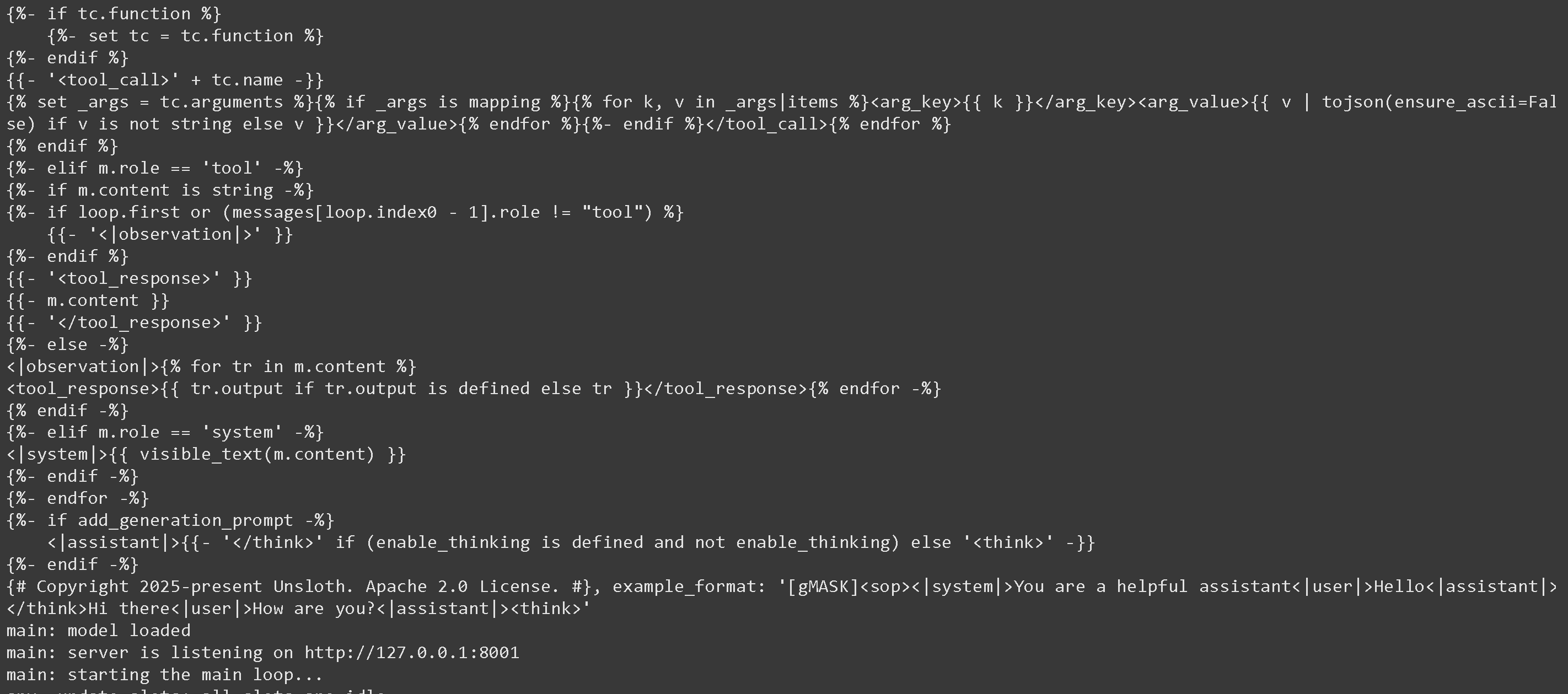
Und du erhältst:
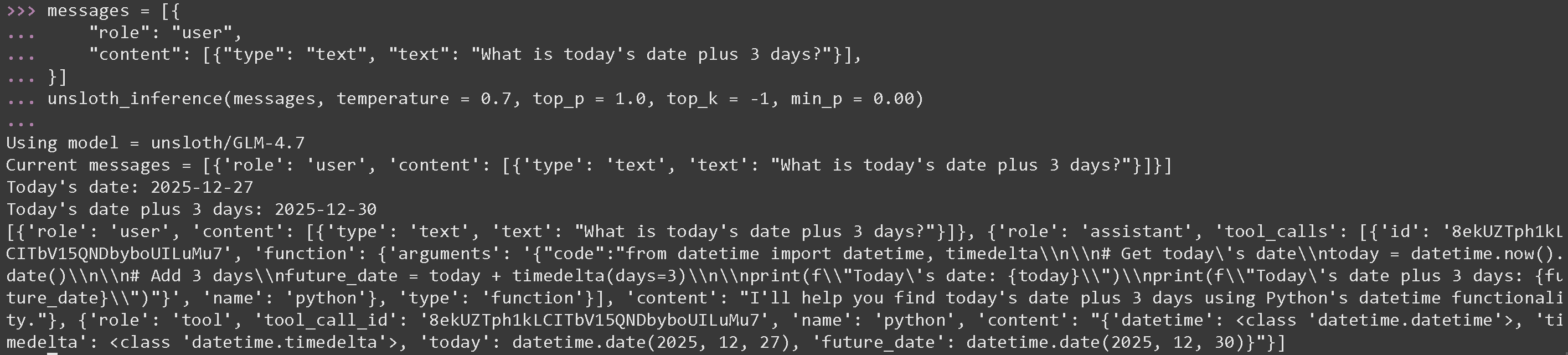
Jetzt in einem neuen Terminal und beim Ausführen von Python-Code, denk daran, [#tool-calling-setup](#tool-calling-setup "mention") Wir verwenden die optimalen Parameter von GLM 4.7: temperature = 0.7 und top\_p = 1.0
#### Tool-Aufruf für mathematische Operationen für GLM 4.7
{% code overflow="wrap" %}
```python
messages = [{
"role": "user",
"content": [{"type": "text", "text": "Was ist das heutige Datum plus 3 Tage?"}],
}]
unsloth_inference(messages, temperature = 0.7, top_p = 1.0, top_k = -1, min_p = 0.00)
```
{% endcode %}
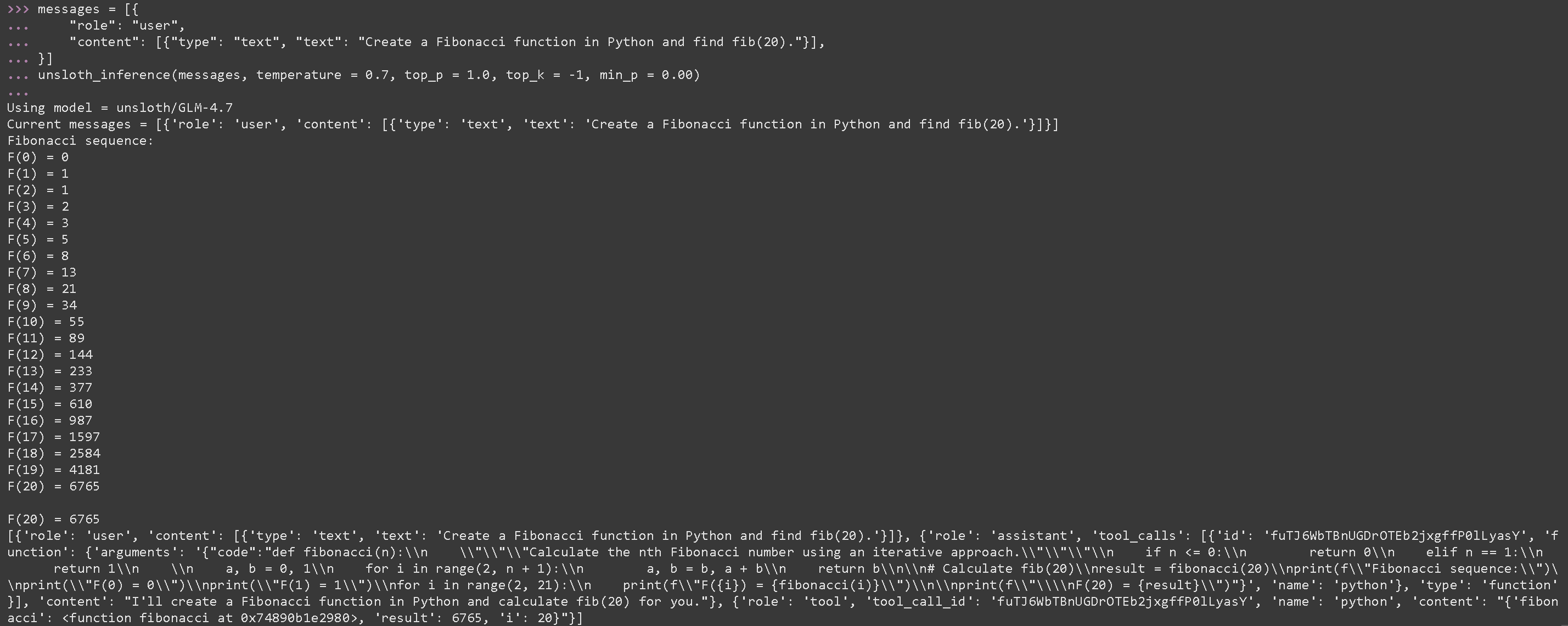
#### Tool-Aufruf zum Ausführen von generiertem Python-Code für GLM 4.7
{% code overflow="wrap" %}
```python
messages = [{
"role": "user",
"content": [{"type": "text", "text": "Erstelle eine Fibonacci-Funktion in Python und finde fib(20)."}],
}]
unsloth_inference(messages, temperature = 0.7, top_p = 1.0, top_k = -1, min_p = 0.00)
```
{% endcode %}
{% code expandable="true" %}
```python
import json, subprocess, random
from typing import Any
def add_number(a: float | str, b: float | str) -> float:
return float(a) + float(b)
def multiply_number(a: float | str, b: float | str) -> float:
return float(a) * float(b)
def subtract_number(a: float | str, b: float | str) -> float:
return float(a) - float(b)
def write_a_story() -> str:
return random.choice([
"Vor langer Zeit in einer weit, weit entfernten Galaxie...",
"Es gab 2 Freunde, die Faultiere und Code liebten...",
"Die Welt ging unter, weil sich jedes Faultier zu übermenschlicher Intelligenz entwickelte...",
"Ohne es einander zu wissen, programmierte ein Freund versehentlich ein Programm, das Faultiere weiterentwickelte...",
])
def terminal(command: str) -> str:
if "rm" in command or "sudo" in command or "dd" in command or "chmod" in command:
msg = "Befehle 'rm, sudo, dd, chmod' können nicht ausgeführt werden, da sie gefährlich sind"
print(msg); return msg
print(f"Führe Terminalbefehl `{command}` aus")
try:
return str(subprocess.run(command, capture_output = True, text = True, shell = True, check = True).stdout)
except subprocess.CalledProcessError as e:
return f"Befehl fehlgeschlagen: {e.stderr}"
def python(code: str) -> str:
data = {}
exec(code, data)
del data["__builtins__"]
return str(data)
MAP_FN = {
"add_number": add_number,
"multiply_number": multiply_number,
"subtract_number": subtract_number,
"write_a_story": write_a_story,
"terminal": terminal,
"python": python,
}
tools = [
{
"type": "function",
"function": {
"name": "add_number",
"description": "Addiere zwei Zahlen.",
"parameters": {
"type": "object",
"properties": {
"a": {
"type": "string",
"description": "Die erste Zahl.",
},
"b": {
"type": "string",
"description": "Die zweite Zahl.",
},
},
"required": ["a", "b"],
},
},
},
{
"type": "function",
"function": {
"name": "multiply_number",
"description": "Multipliziere zwei Zahlen.",
"parameters": {
"type": "object",
"properties": {
"a": {
"type": "string",
"description": "Die erste Zahl.",
},
"b": {
"type": "string",
"description": "Die zweite Zahl.",
},
},
"required": ["a", "b"],
},
},
},
{
"type": "function",
"function": {
"name": "subtract_number",
"description": "Subtrahiere zwei Zahlen.",
"parameters": {
"type": "object",
"properties": {
"a": {
"type": "string",
"description": "Die erste Zahl.",
},
"b": {
"type": "string",
"description": "Die zweite Zahl.",
},
},
"required": ["a", "b"],
},
},
},
{
"type": "function",
"function": {
"name": "write_a_story",
"description": "Schreibt eine zufällige Geschichte.",
"parameters": {
"type": "object",
"properties": {},
"required": [],
},
},
},
{
"type": "function",
"function": {
"name": "terminal",
"description": "Führe Operationen im Terminal aus.",
"parameters": {
"type": "object",
"properties": {
"command": {
"type": "string",
"description": "Der Befehl, den du ausführen möchtest, z. B. `ls`, `rm`, ...",
},
},
"required": ["command"],
},
},
},
{
"type": "function",
"function": {
"name": "python",
"description": "Rufe einen Python-Interpreter mit etwas Python-Code auf, der ausgeführt wird.",
"parameters": {
"type": "object",
"properties": {
"code": {
"type": "string",
"description": "Der auszuführende Python-Code",
},
},
"required": ["code"],
},
},
},
]
```
{% endcode %}
### :orange\_book: Devstral 2 Tool Calling
Wir laden zuerst [Devstral 2](/docs/de/modelle/tutorials/devstral-2.md) über etwas Python-Code herunter und starten es dann über llama-server in einem separaten Terminal (wie mit tmux):
```python
# !pip install huggingface_hub hf_transfer
import os
os.environ["HF_HUB_ENABLE_HF_TRANSFER"] = "1"
from huggingface_hub import snapshot_download
snapshot_download(
repo_id = "unsloth/Devstral-Small-2-24B-Instruct-2512-GGUF",
local_dir = "unsloth/Devstral-Small-2-24B-Instruct-2512-GGUF",
allow_patterns = ["*UD-Q4_K_XL*", "*mmproj-F16*"], # Für Q4_K_XL
)
```
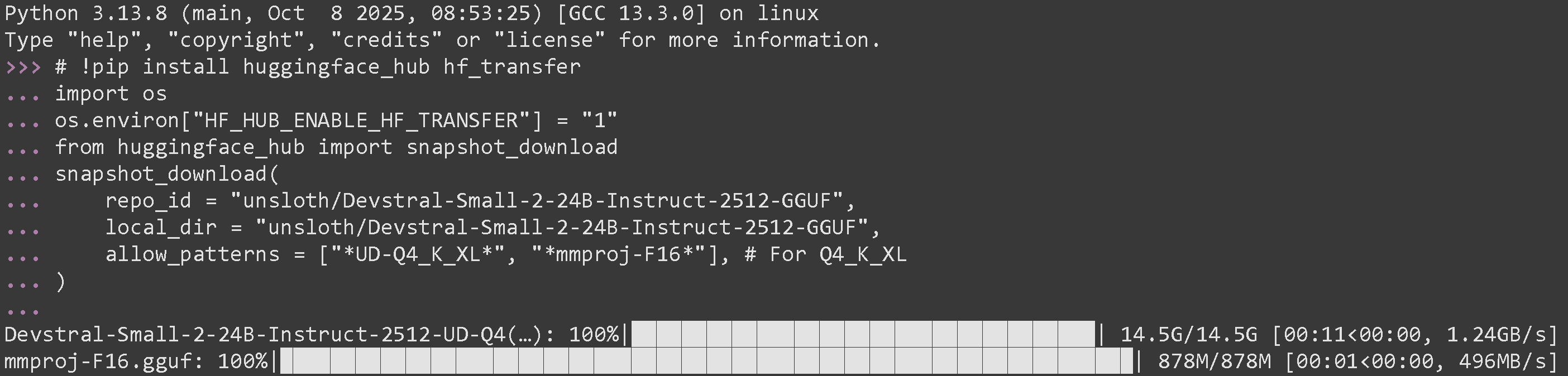
Wenn du es erfolgreich ausgeführt hast, solltest du Folgendes sehen:
Starte es nun über llama-server in einem neuen Terminal. Verwende bei Bedarf tmux:
{% code overflow="wrap" %}
```bash
./llama.cpp/llama-server \\
--model unsloth/Devstral-Small-2-24B-Instruct-2512-GGUF/Devstral-Small-2-24B-Instruct-2512-UD-Q4_K_XL.gguf \\
--mmproj unsloth/Devstral-Small-2-24B-Instruct-2512-GGUF/mmproj-F16.gguf \\
--alias "unsloth/Devstral-Small-2-24B-Instruct-2512" \\
--threads -1 \\
--fit on \
--prio 3 \\
--min-p 0.01 \\
--ctx-size 16384 \\
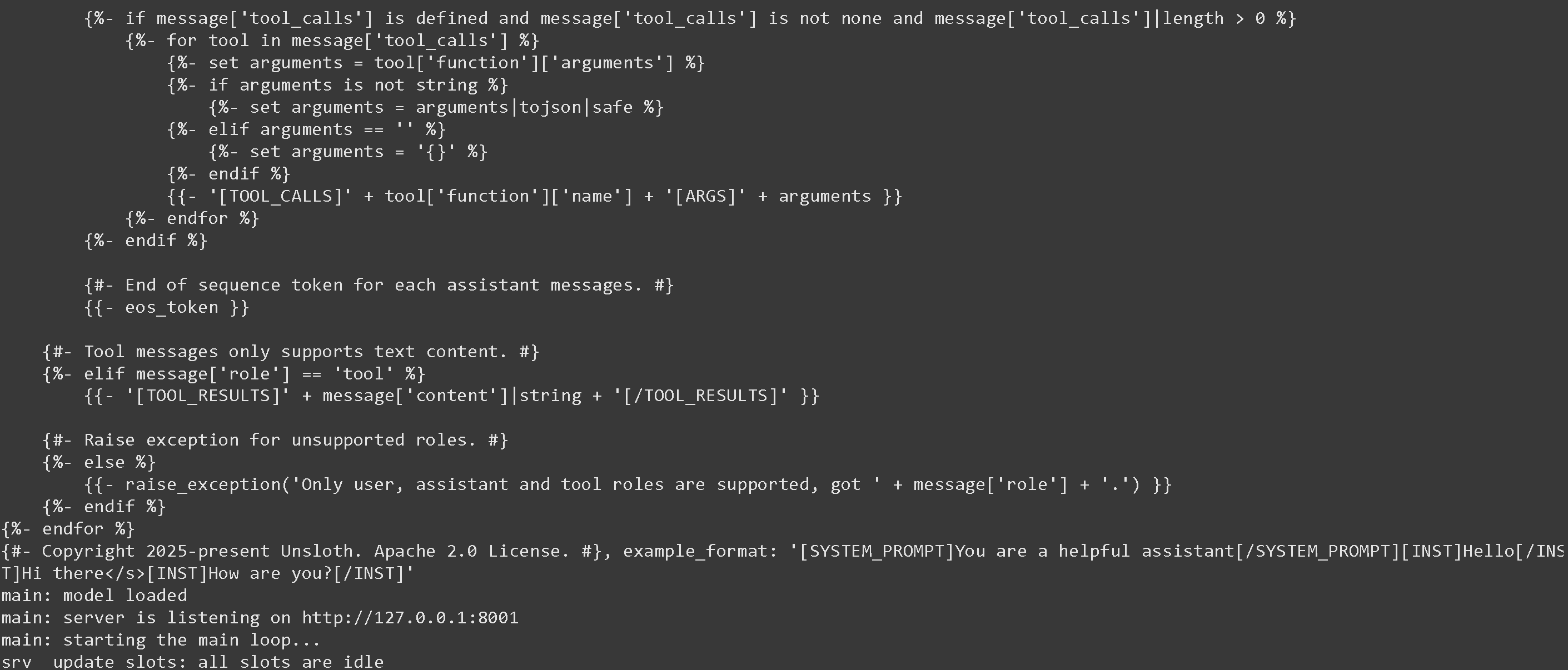
--port 8001 \
--jinja
```
{% endcode %}
Wenn es erfolgreich war, wirst du Folgendes sehen:
Wir rufen dann das Modell mit der folgenden Nachricht und nur mit den von Devstral vorgeschlagenen Parametern temperature = 0.15 auf. Denk daran, auszuführen [#tool-calling-setup](#tool-calling-setup "mention")
---
# Agent Instructions
This documentation is published with GitBook. GitBook is the documentation platform designed so that both humans and AI agents can read, navigate, and reason over technical content effectively. Learn more at gitbook.com.
## Querying This Documentation
If you need additional information that is not directly available in this page, you can query the documentation by asking a question.
Perform an HTTP GET request on the following URL with the `ask` and `goal` query parameters:
```
GET https://unsloth.ai/docs/de/grundlagen/tool-calling-guide-for-local-llms.md?ask=&goal=
```
`ask` is the immediate question: it should be specific, self-contained, and written in natural language.
`goal` is what the user is ultimately trying to achieve, the reason they need the answer. Sharing it helps GitBook give you a better, more relevant answer. A goal is most helpful when it describes the outcome the user wants rather than restating the question. For example, with `ask=how do I create an API token`, a goal like `automate deployments from our CI pipeline` lets GitBook tailor the answer to that use case.
The response will contain a direct answer to the question and relevant excerpts and sources from the documentation.
Use this mechanism when the answer is not explicitly present in the current page, you need clarification or additional context, or you want to retrieve related documentation sections.




.png?alt=media&token=689114b7-5b50-41c9-8678-88f8f5da87a7)