> For the complete documentation index, see [llms.txt](https://unsloth.ai/docs/llms.txt). Markdown versions of documentation pages are available by appending `.md` to page URLs; this page is available as [Markdown](https://unsloth.ai/docs/models/gpt-oss-how-to-run-and-fine-tune/tutorial-how-to-fine-tune-gpt-oss.md).
# Tutorial: How to Fine-tune gpt-oss
Learn step-by-step how to train OpenAI gpt-oss locally with Unsloth.
In this guide with screenshots, you'll learn to fine-tune your own custom gpt-oss model either [locally](#local-gpt-oss-fine-tuning) on your machine with [Unsloth](https://github.com/unslothai/unsloth) or for free using [Google Colab](#colab-gpt-oss-fine-tuning). We'll walk you through the entire process, from setup to running and saving your trained model.
{% hint style="success" %}
[**Aug 28 update**](/docs/models/gpt-oss-how-to-run-and-fine-tune/long-context-gpt-oss-training.md#introducing-unsloth-flex-attention-support)**:** You can now export/save your QLoRA fine-tuned gpt-oss model to llama.cpp, vLLM, HF etc.
We also introduced [Unsloth Flex Attention](/docs/models/gpt-oss-how-to-run-and-fine-tune/long-context-gpt-oss-training.md#introducing-unsloth-flex-attention-support) which enables **>8× longer context lengths**, **>50% less VRAM usage** and **>1.5× faster training** vs. all implementations. [Read more here](/docs/models/gpt-oss-how-to-run-and-fine-tune/long-context-gpt-oss-training.md#introducing-unsloth-flex-attention-support)
{% endhint %}
> **Quickstart:** Fine-tune gpt-oss-20b for free with our: [Colab notebook](https://colab.research.google.com/github/unslothai/notebooks/blob/main/nb/gpt-oss-\(20B\)-Fine-tuning.ipynb)
Unsloth gpt-oss fine-tuning, when compared to all other FA2 implementations, achieves 1.5× faster training, 70% reduction in VRAM use, and 10x longer context lengths - with no accuracy loss.
* **QLoRA requirements:** gpt-oss-20b = 14GB VRAM • gpt-oss-120b = 65GB VRAM.
* **BF16 LoRA requirements:** gpt-oss-20b = 44GB VRAM • gpt-oss-120b = 210GB VRAM.
Local GuideColab Guide
## 🌐 Colab gpt-oss Fine-tuning
This section covers fine-tuning gpt-oss using our Google Colab [notebooks](/docs/get-started/unsloth-notebooks.md). You can also save and use the gpt-oss notebook into your favorite code editor and follow our [local gpt-oss guide](#local-gpt-oss-fine-tuning).
{% stepper %}
{% step %}
#### Install Unsloth (in Colab)
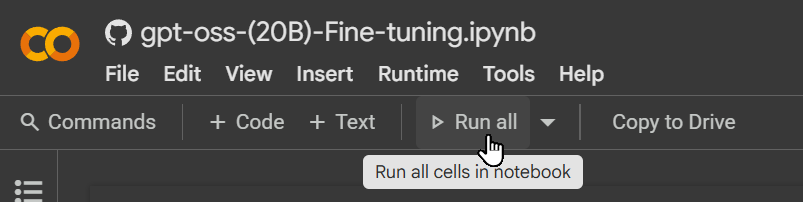
In Colab, run cells **from top to bottom**. Use **Run all** for the first pass. The first cell installs Unsloth (and related dependencies) and prints GPU/memory info. If a cell throws an error, simply re-run it.
{% endstep %}
{% step %}
#### Configuring gpt-oss and Reasoning Effort
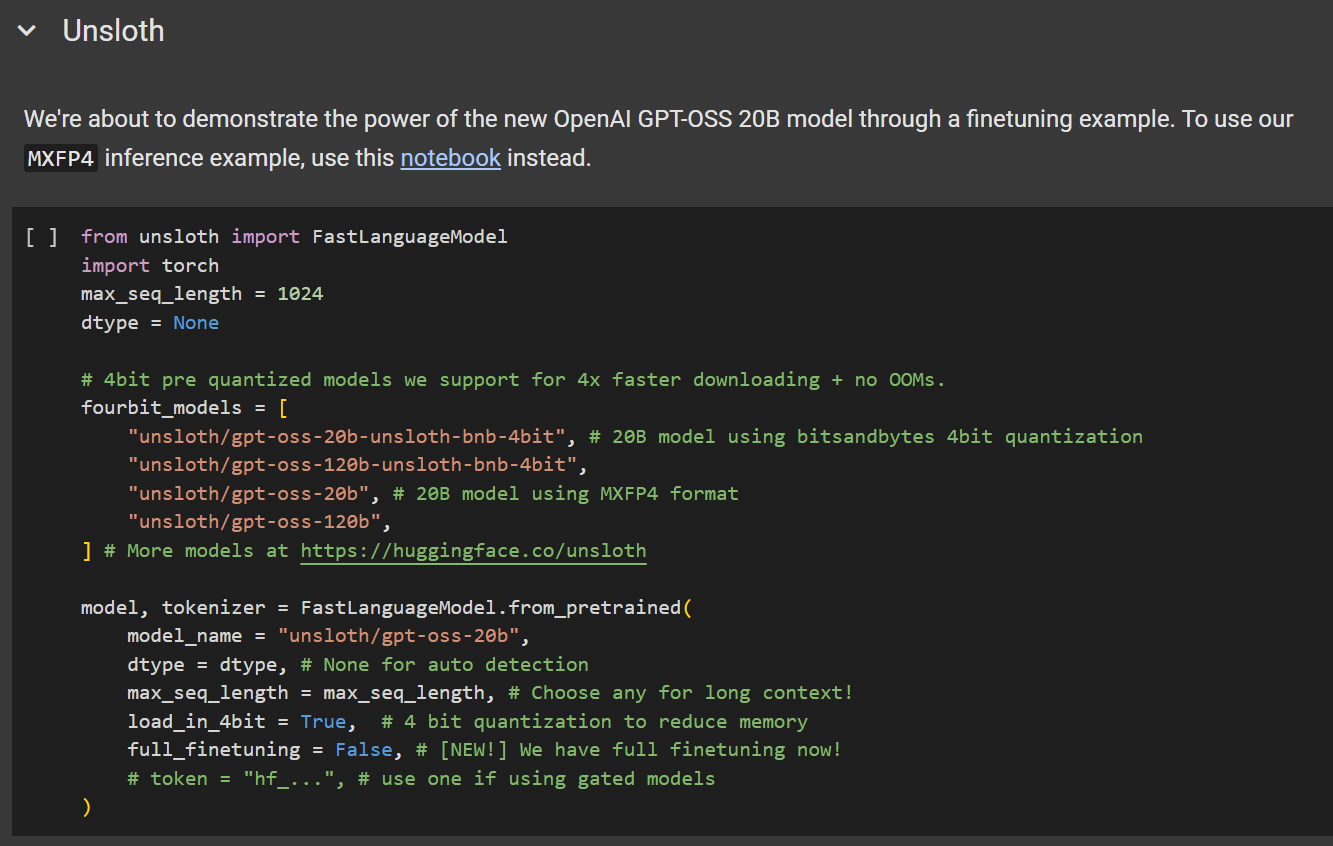
We’ll load **`gpt-oss-20b`** using Unsloth's [linearized version](/docs/models/gpt-oss-how-to-run-and-fine-tune.md#making-efficient-gpt-oss-fine-tuning-work) (as no other version will work).
Configure the following parameters:
* `max_seq_length = 1024`
* Recommended for quick testing and initial experiments.
* `load_in_4bit = True`
* Use `False` for LoRA training (note: setting this to `False` will need at least 43GB VRAM). You ***MUST*** also set **`model_name = "unsloth/gpt-oss-20b-BF16"`**
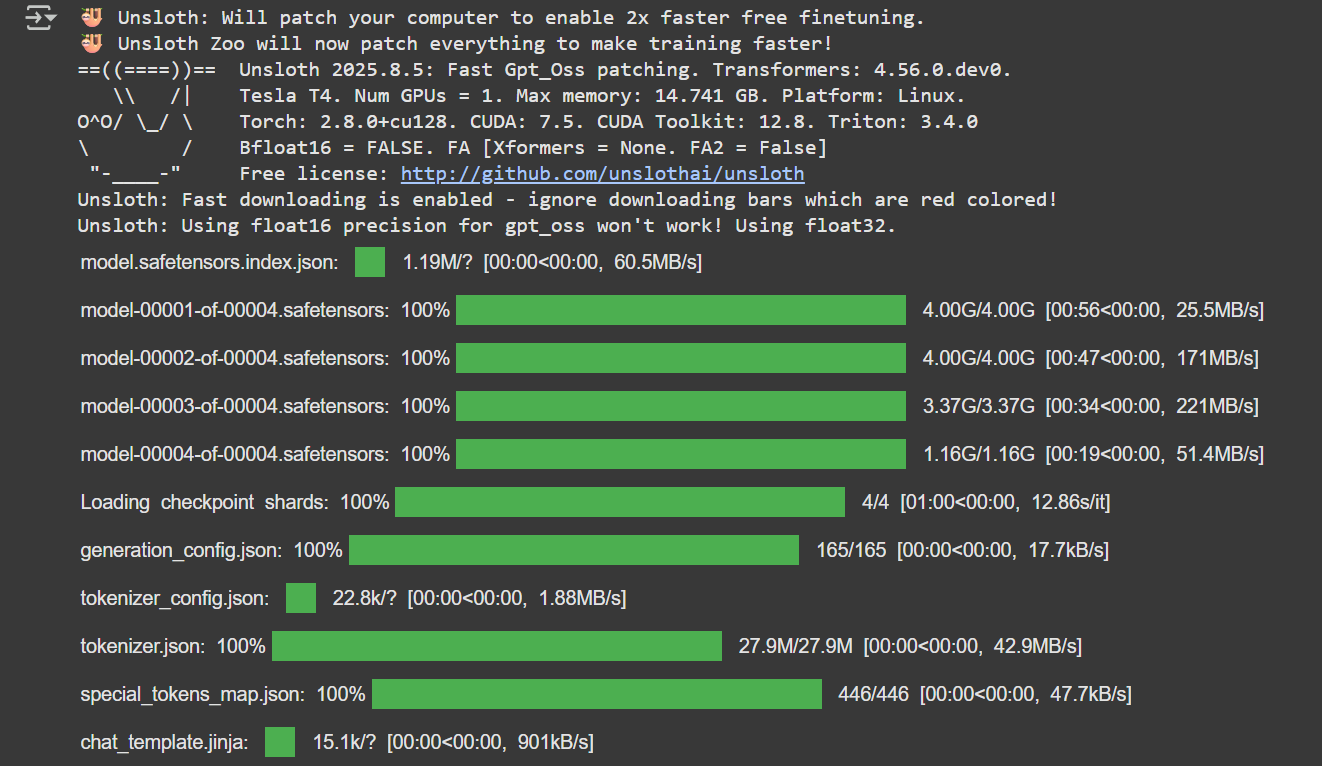
You should see output similar to the example below. Note: We explicitly change the `dtype` to `float32` to ensure correct training behavior.
{% endstep %}
{% step %}
#### Fine-tuning Hyperparameters (LoRA)
Now it's time to adjust your training hyperparameters. For a deeper dive into how, when, and what to tune, check out our [detailed hyperparameters guide](/docs/get-started/fine-tuning-llms-guide/lora-hyperparameters-guide.md).
{% hint style="info" %}
To avoid [overfitting](/docs/get-started/fine-tuning-llms-guide/lora-hyperparameters-guide.md#avoiding-overfitting-and-underfitting), monitor your training loss and avoid setting these values too high.
{% endhint %}
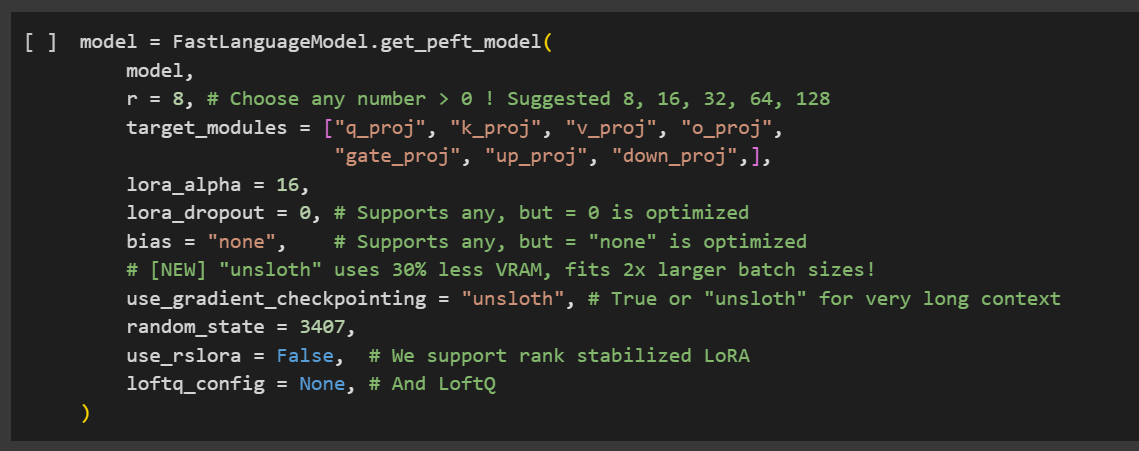
This step adds LoRA adapters for parameter-efficient fine-tuning. Only about 1% of the model’s parameters are trained, which makes the process significantly more efficient.
{% endstep %}
{% step %}
#### Try Inference
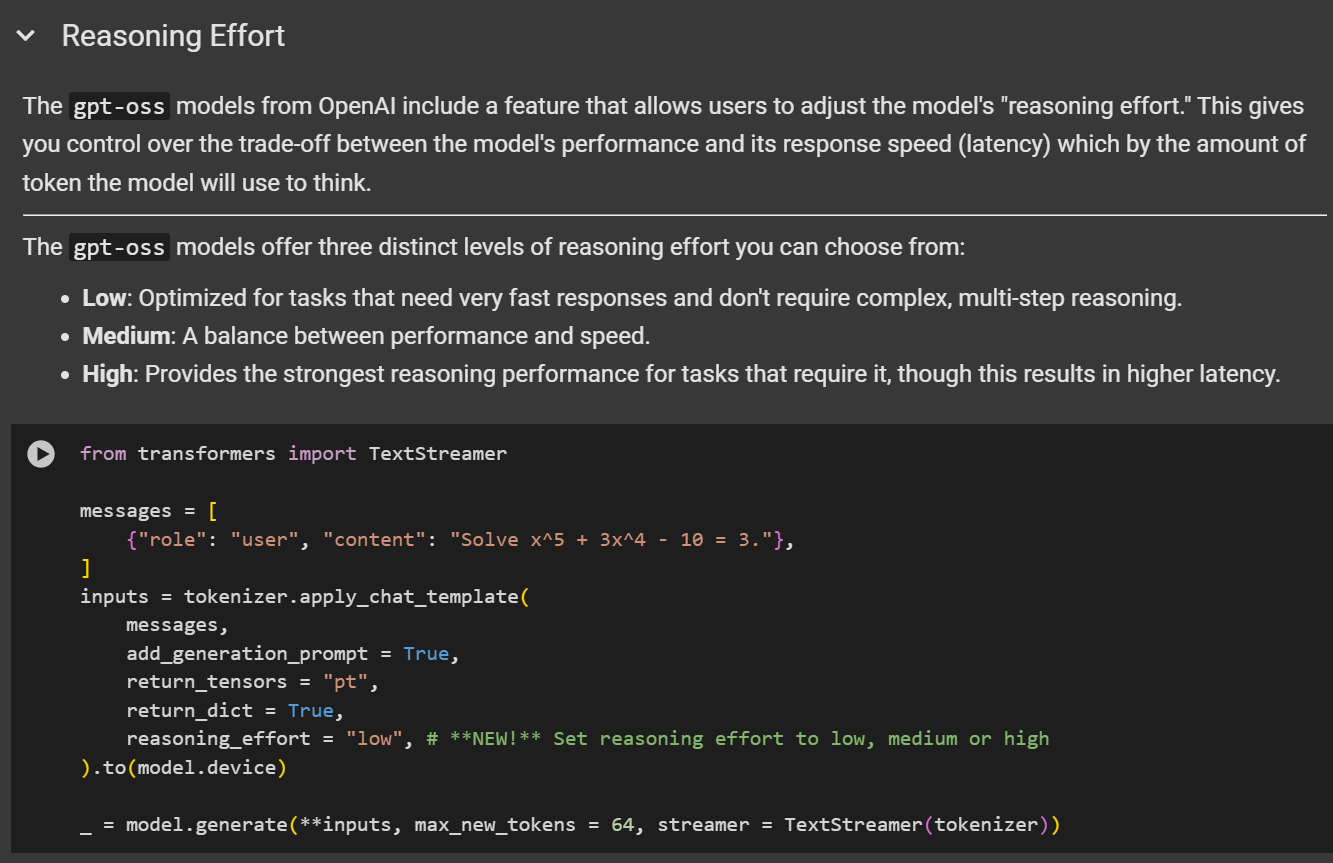
In the notebook, there's a section called *"Reasoning Effort"* that demonstrates gpt-oss inference running in Colab. You can skip this step, but you'll still need to run the model later once you've finished fine-tuning it.
{% endstep %}
{% step %}
#### Data Preparation
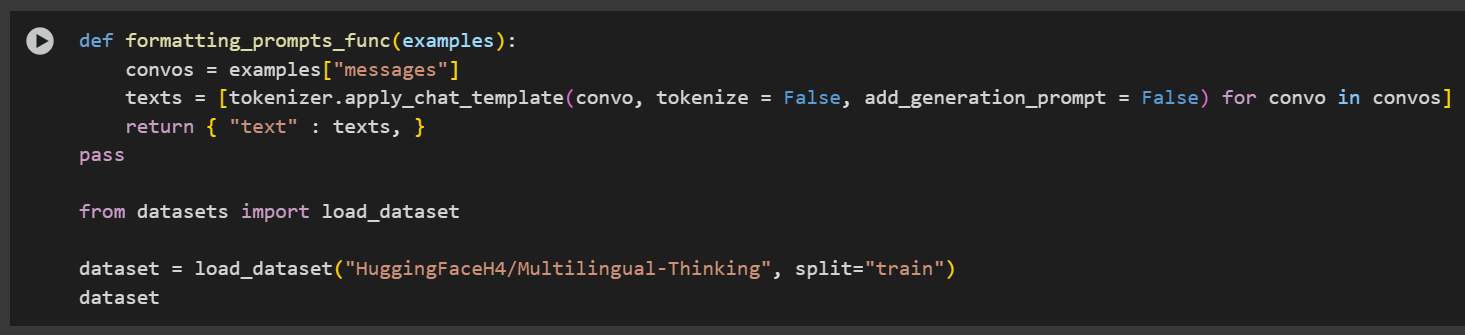
For this example, we will use the [`HuggingFaceH4/Multilingual-Thinking`](https://huggingface.co/datasets/HuggingFaceH4/Multilingual-Thinking). This dataset contains chain-of-thought reasoning examples derived from user questions translated from English into four additional languages.
This is the same dataset referenced in OpenAI's fine-tuning cookbook.
The goal of using a multilingual dataset is to help the model learn and generalize reasoning patterns across multiple languages.
gpt-oss introduces a reasoning effort system that controls how much reasoning the model performs. By default, the reasoning effort is set to `low`, but you can change it by setting the `reasoning_effort` parameter to `low`, `medium` or `high`.
Example:
```python
tokenizer.apply_chat_template(
text,
tokenize = False,
add_generation_prompt = False,
reasoning_effort = "medium",
)
```
To format the dataset, we apply a customized version of the gpt-oss prompt:
```python
from unsloth.chat_templates import standardize_sharegpt
dataset = standardize_sharegpt(dataset)
dataset = dataset.map(formatting_prompts_func, batched = True,)
```
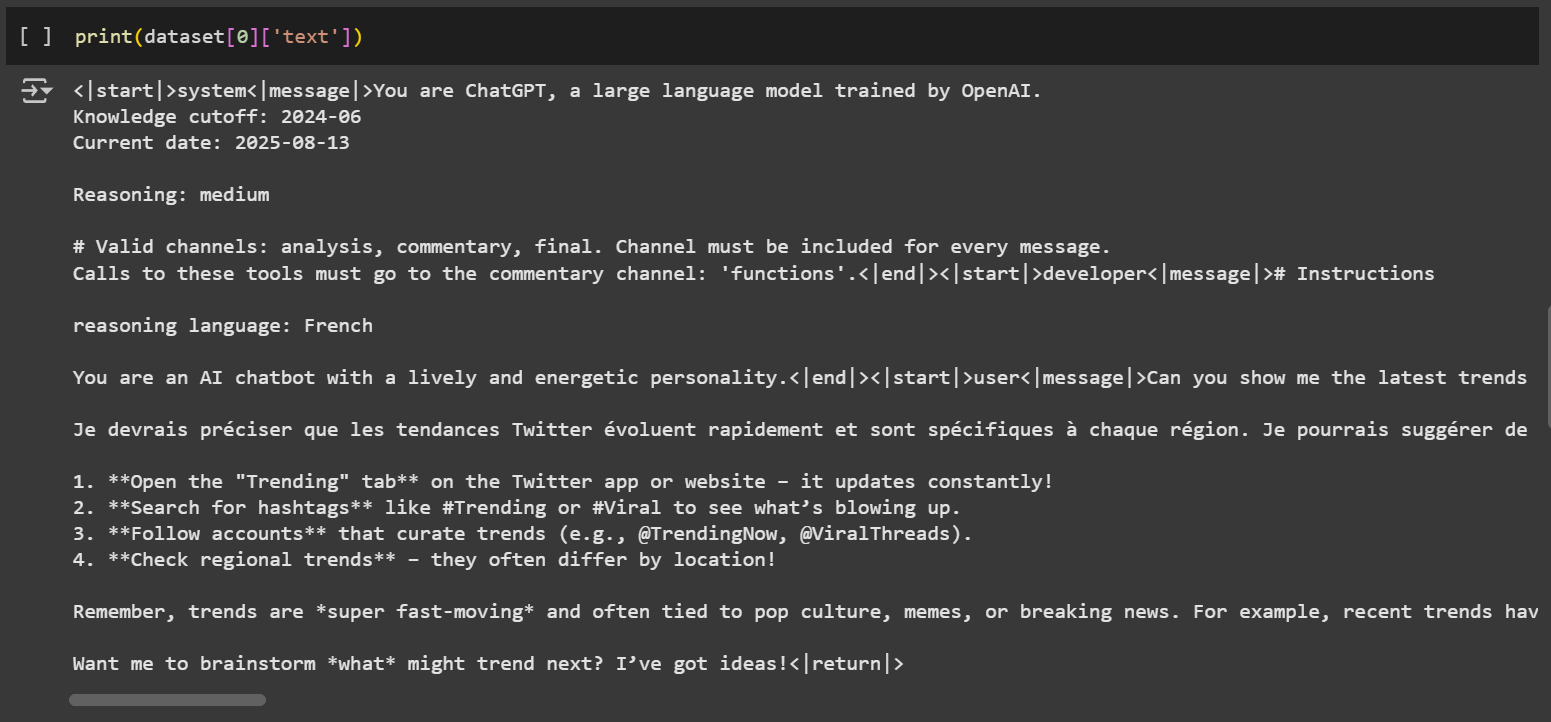
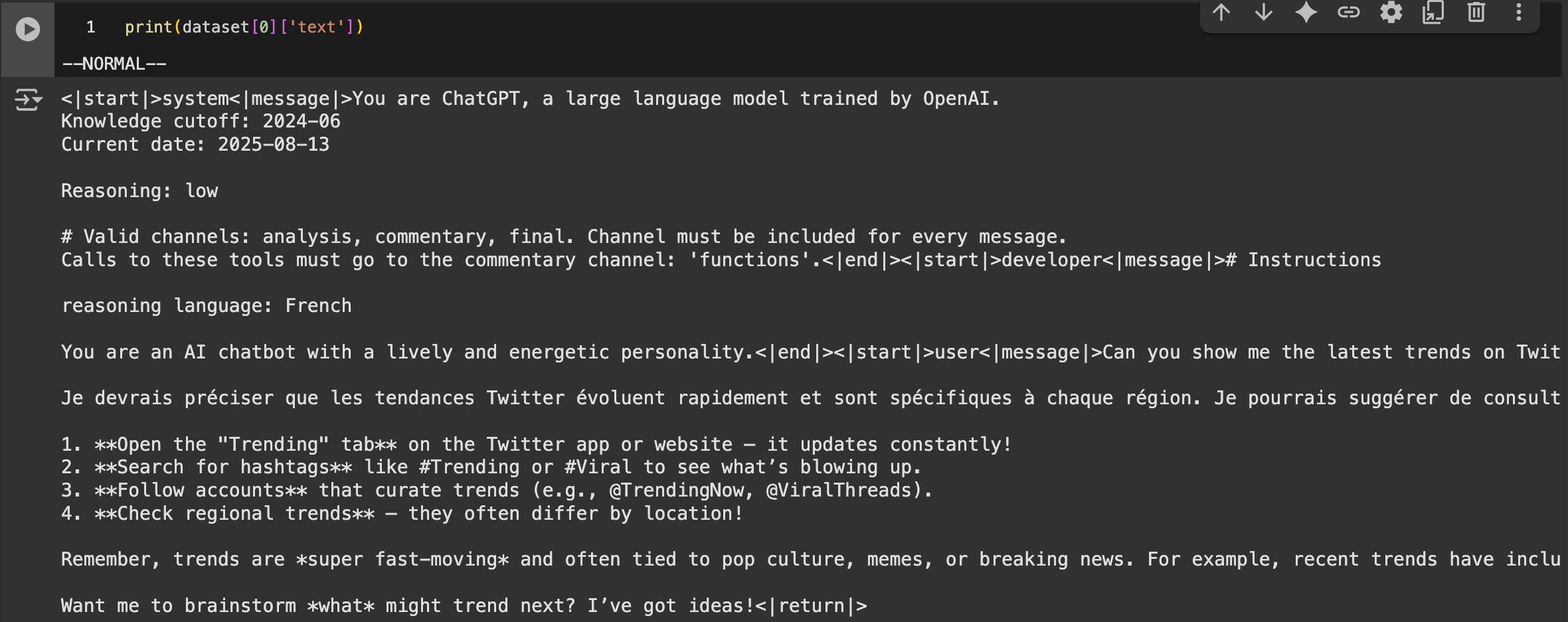
Let's inspect the dataset by printing the first example:
```notebook-python
print(dataset[0]['text'])
```
One unique feature of gpt-oss is its use of the [**OpenAI Harmony format**](https://github.com/openai/harmony)**,** which supports structured conversations, reasoning output, and tool calling. This format includes tags such as `<|start|>` , `<|message|>` , and `<|return|>` .
{% hint style="info" %}
🦥 Unsloth fixes the chat template to ensure it is correct. See this [tweet](https://x.com/danielhanchen/status/1953901104150065544) for technical details on our template fix.
{% endhint %}
Feel free to adapt the prompt and structure to suit your own dataset or use-case. For more guidance, refer to our [dataset guide](/docs/get-started/fine-tuning-llms-guide/datasets-guide.md).
{% endstep %}
{% step %}
#### Train the model
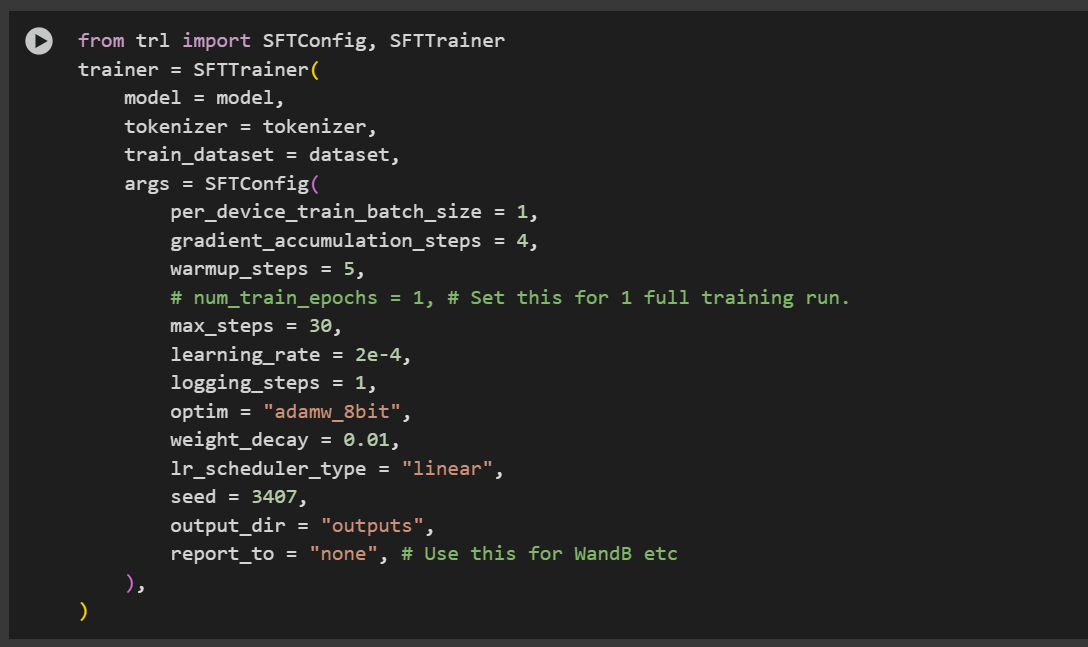
We've pre-selected training hyperparameters for optimal results. However, you can modify them based on your specific use case. Refer to our [hyperparameters guide](/docs/get-started/fine-tuning-llms-guide/lora-hyperparameters-guide.md).
In this example, we train for 60 steps to speed up the process. For a full training run, set `num_train_epochs=1` and disable the step limiting by setting `max_steps=None`.
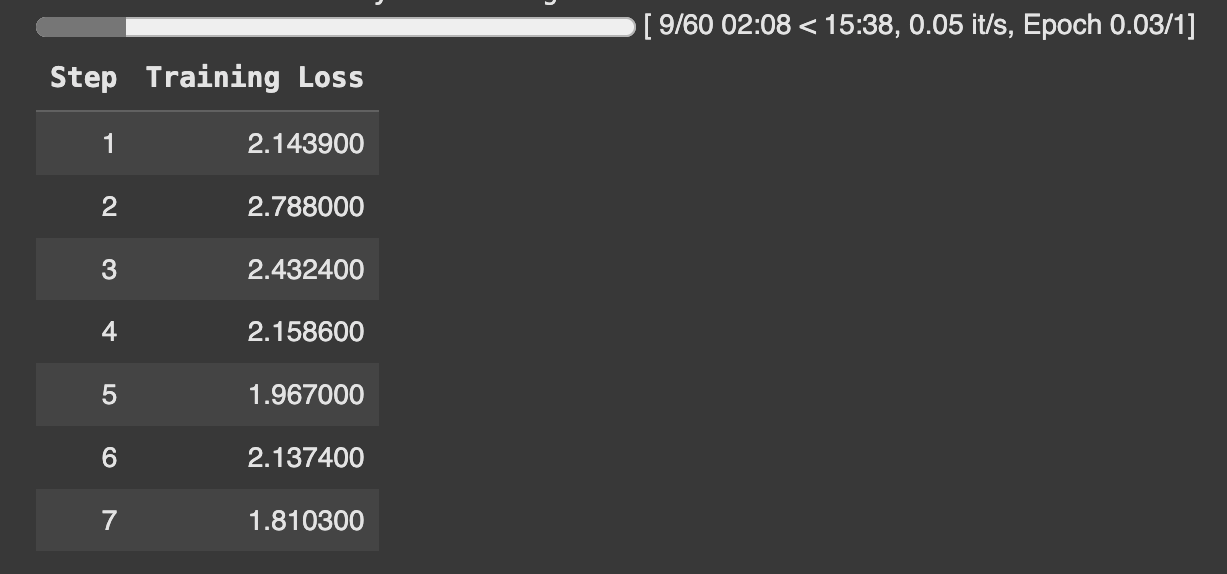
During training, monitor the loss to ensure that it is decreasing over time. This confirms that the training process is functioning correctly.
{% endstep %}
{% step %}
#### Inference: Run your trained model
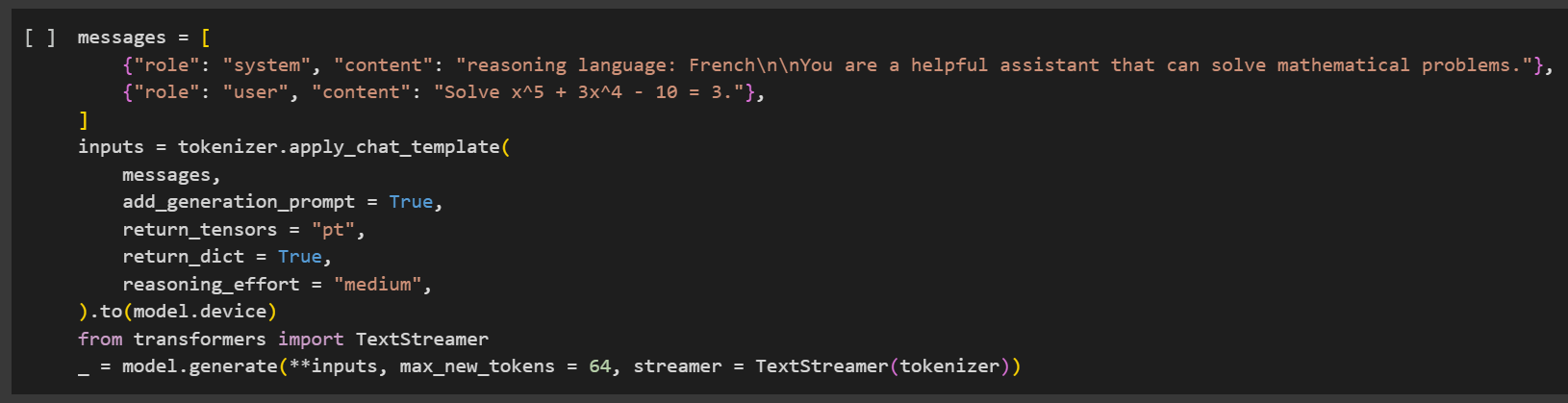
Now it's time to run inference with your fine-tuned model. You can modify the instruction and input, but leave the output blank.
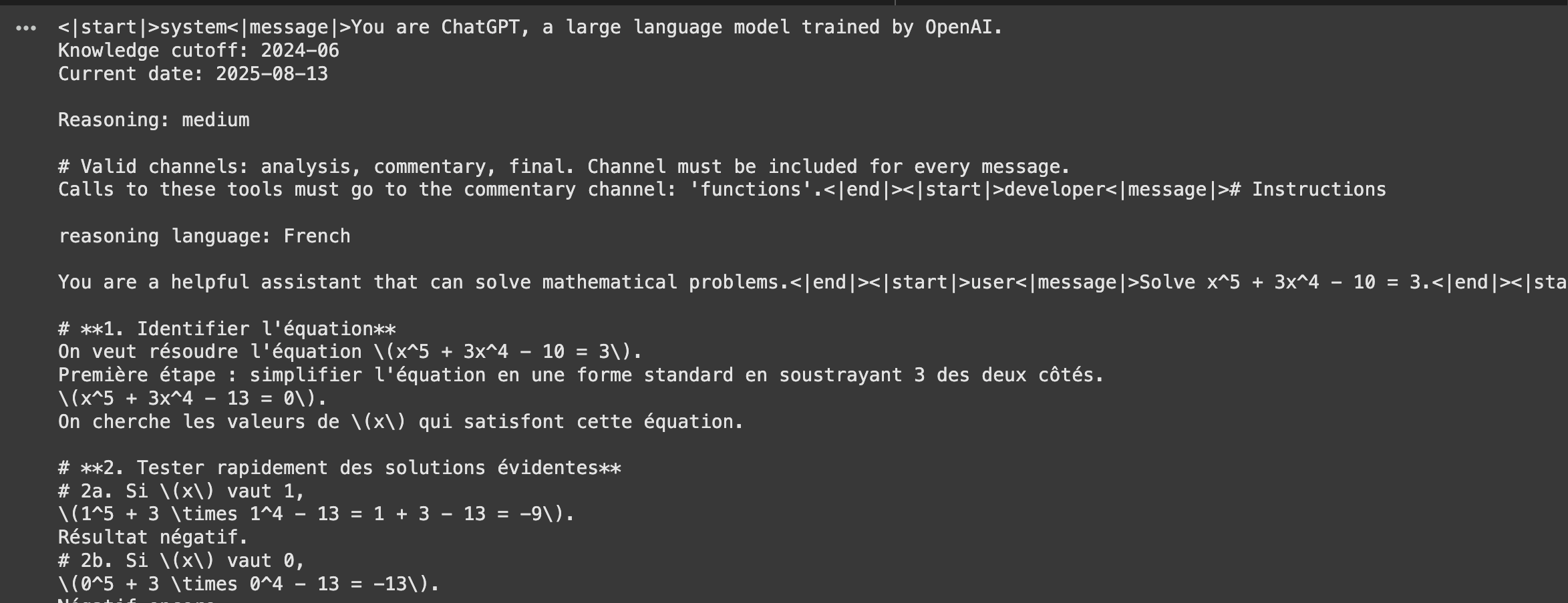
In this example, we test the model's ability to reason in French by adding a specific instruction to the system prompt, following the same structure used in our dataset.
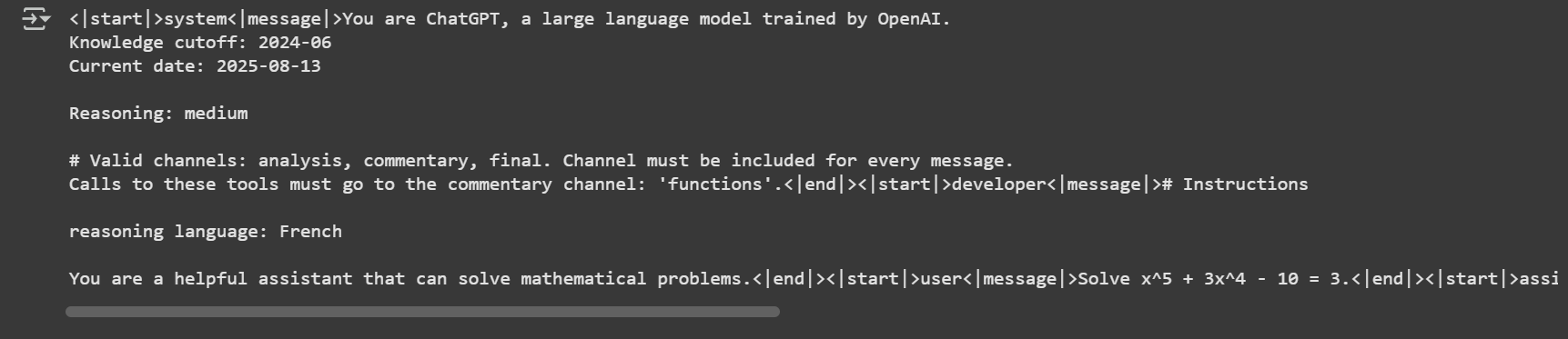
This should produce an output similar to:
{% endstep %}
{% step %}
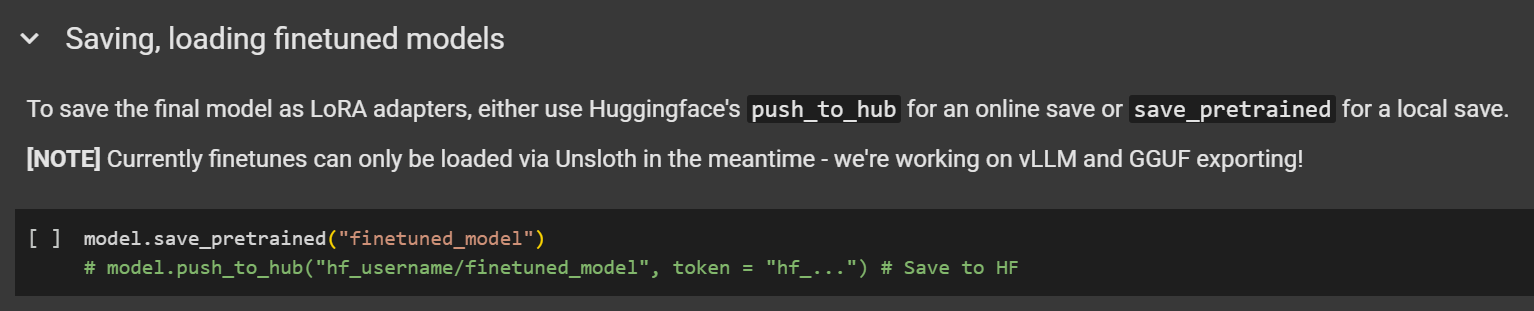
#### Save/export your model
To save your fine-tuned model, you can export your fine-tuned model both in **bf16 format ,** with our **on-demand dequantization of MXFP4** base models using `save_method="merged_16bit"`or in native **MXFP4** Safetensors format using `save_method="mxfp4"` .
The **MXFP4** native merge format offers significant performance improvements compared to the **bf16 format**: it uses up to 75% less disk space, reduces VRAM consumption by 50%, accelerates merging by 5-10x, and enables much faster conversion to **GGUF** format.
{% hint style="success" %}
New: Saving or merging QLoRA fine-tuned models to GGUF is now supported for use in other frameworks (e.g. Hugging Face, llama.cpp with GGUF).
{% endhint %}
After fine-tuning your gpt-oss model, you can merge it into **MXFP4** format with:
```python
model.save_pretrained_merged(save_directory, tokenizer, save_method="mxfp4)
```
If you prefer to merge the model and push to the hugging-face hub directly:
```python
model.push_to_hub_merged(repo_name, tokenizer=tokenizer, token= hf_token, save_method="mxfp4")
```
#### :sparkles: Saving to Llama.cpp
1. Obtain the latest `llama.cpp` on [GitHub here](https://github.com/ggml-org/llama.cpp). You can follow the build instructions below as well. Change `-DGGML_CUDA=ON` to `-DGGML_CUDA=OFF` if you don't have a GPU or just want CPU inference.
```bash
apt-get update
apt-get install pciutils build-essential cmake curl libcurl4-openssl-dev -y
git clone https://github.com/ggml-org/llama.cpp
cmake llama.cpp -B llama.cpp/build \
-DBUILD_SHARED_LIBS=OFF -DGGML_CUDA=ON -DLLAMA_CURL=ON
cmake --build llama.cpp/build --config Release -j --clean-first --target llama-cli llama-gguf-split
cp llama.cpp/build/bin/llama-* llama.cpp
```
2. Convert the **MXFP4** merged model:
```bash
python3 llama.cpp/convert_hf_to_gguf.py gpt-oss-finetuned-merged/ --outfile gpt-oss-finetuned-mxfp4.gguf
```
3. Run inference on the quantized model:
```bash
llama.cpp/llama-cli --model gpt-oss-finetuned-mxfp4.gguf \
--jinja -ngl 99 --threads -1 --ctx-size 16384 \
--temp 1.0 --top-p 1.0 --top-k 0 \
-p "The meaning to life and the universe is"
```
{% endstep %}
{% endstepper %}
## 🖥️ Local gpt-oss Fine-tuning
This chapter covers fine-tuning gpt-oss on your local device. While **gpt-oss-20b** fine-tuning can operate on just 14GB VRAM, we recommend having at least 16GB VRAM available to ensure stable and reliable training runs.
{% hint style="info" %}
We recommend downloading or incorporating elements from our Colab [notebooks](/docs/get-started/unsloth-notebooks.md) into your local setup for easier use.
{% endhint %}
{% stepper %}
{% step %}
#### Install Unsloth Locally
Ensure your device is [Unsloth compatible](/docs/get-started/fine-tuning-for-beginners/unsloth-requirements.md) and you can read our detailed [installation guide](/docs/get-started/install.md).
**You can also install Unsloth by using our** [**Docker image**](https://unsloth.ai/docs/models/qwen3-coder-next)**.**
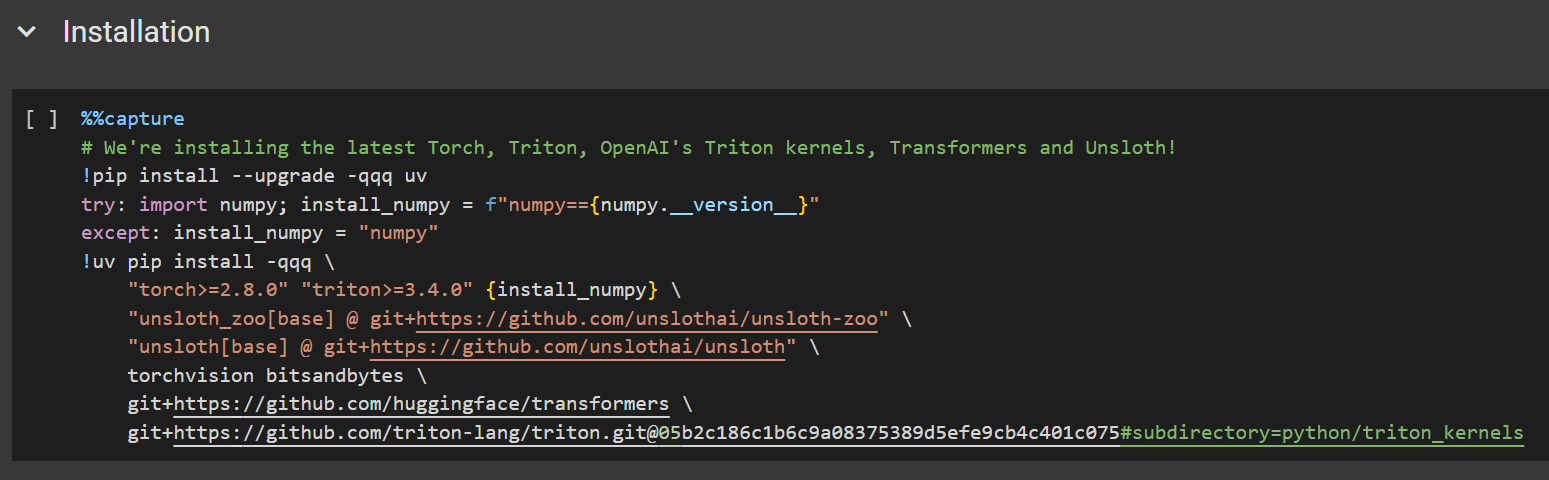
Note that `pip install unsloth` will not work for this setup, as we need to use the latest PyTorch, Triton and related packages. Install Unsloth using this specific command:
```python
# We're installing the latest Torch, Triton, OpenAI's Triton kernels, Transformers and Unsloth!
!pip install --upgrade -qqq uv
try: import numpy; install_numpy = f"numpy=={numpy.__version__}"
except: install_numpy = "numpy"
!uv pip install -qqq \
"torch>=2.8.0" "triton>=3.4.0" {install_numpy} \
"unsloth_zoo[base] @ git+https://github.com/unslothai/unsloth-zoo" \
"unsloth[base] @ git+https://github.com/unslothai/unsloth" \
torchvision bitsandbytes \
git+https://github.com/huggingface/transformers \
git+https://github.com/triton-lang/triton.git@05b2c186c1b6c9a08375389d5efe9cb4c401c075#subdirectory=python/triton_kernels
```
{% endstep %}
{% step %}
#### Configuring gpt-oss and Reasoning Effort
We’ll load **`gpt-oss-20b`** using Unsloth's [linearized version](/docs/models/gpt-oss-how-to-run-and-fine-tune.md#making-efficient-gpt-oss-fine-tuning-work) (as no other version will work for QLoRA fine-tuning). Configure the following parameters:
* `max_seq_length = 2048`
* Recommended for quick testing and initial experiments.
* `load_in_4bit = True`
* Use `False` for LoRA training (note: setting this to `False` will need at least 43GB VRAM). You ***MUST*** also set **`model_name = "unsloth/gpt-oss-20b-BF16"`**
from unsloth import FastLanguageModel
import torch
max_seq_length = 1024
dtype = None

# 4bit pre quantized models we support for 4x faster downloading + no OOMs.
fourbit_models = [
    "unsloth/gpt-oss-20b-unsloth-bnb-4bit", # 20B model using bitsandbytes 4bit quantization
    "unsloth/gpt-oss-120b-unsloth-bnb-4bit",
    "unsloth/gpt-oss-20b", # 20B model using MXFP4 format
    "unsloth/gpt-oss-120b",
] # More models at https://huggingface.co/unsloth

model, tokenizer = FastLanguageModel.from_pretrained(
    model_name = "unsloth/gpt-oss-20b",
    dtype = dtype, # None for auto detection
    max_seq_length = max_seq_length, # Choose any for long context!
    load_in_4bit = True,  # 4 bit quantization to reduce memory
    full_finetuning = False, # [NEW!] We have full finetuning now!
    # token = "hf_...", # use one if using gated models
)
You should see output similar to the example below. Note: We explicitly change the `dtype` to `float32` to ensure correct training behavior.
{% endstep %}
{% step %}
#### Fine-tuning Hyperparameters (LoRA)
Now it's time to adjust your training hyperparameters. For a deeper dive into how, when, and what to tune, check out our [detailed hyperparameters guide](/docs/get-started/fine-tuning-llms-guide/lora-hyperparameters-guide.md).
{% hint style="info" %}
To avoid [overfitting](/docs/get-started/fine-tuning-llms-guide/lora-hyperparameters-guide.md#avoiding-overfitting-and-underfitting), monitor your training loss and avoid setting these values too high.
{% endhint %}
This step adds LoRA adapters for parameter-efficient fine-tuning. Only about 1% of the model’s parameters are trained, which makes the process significantly more efficient.
```python
model = FastLanguageModel.get_peft_model(
model,
r = 8, # Choose any number > 0 ! Suggested 8, 16, 32, 64, 128
target_modules = ["q_proj", "k_proj", "v_proj", "o_proj",
"gate_proj", "up_proj", "down_proj",],
lora_alpha = 16,
lora_dropout = 0, # Supports any, but = 0 is optimized
bias = "none", # Supports any, but = "none" is optimized
# [NEW] "unsloth" uses 30% less VRAM, fits 2x larger batch sizes!
use_gradient_checkpointing = "unsloth", # True or "unsloth" for very long context
random_state = 3407,
use_rslora = False, # We support rank stabilized LoRA
loftq_config = None, # And LoftQ
)
```
{% endstep %}
{% step %}
#### Data Preparation
For this example, we will use the [`HuggingFaceH4/Multilingual-Thinking`](https://huggingface.co/datasets/HuggingFaceH4/Multilingual-Thinking). This dataset contains chain-of-thought reasoning examples derived from user questions translated from English into four additional languages.
This is the same dataset referenced in OpenAI's fine-tuning cookbook. The goal of using a multilingual dataset is to help the model learn and generalize reasoning patterns across multiple languages.
```python
def formatting_prompts_func(examples):
convos = examples["messages"]
texts = [tokenizer.apply_chat_template(convo, tokenize = False, add_generation_prompt = False) for convo in convos]
return { "text" : texts, }
pass
from datasets import load_dataset
dataset = load_dataset("HuggingFaceH4/Multilingual-Thinking", split="train")
dataset
```
gpt-oss introduces a reasoning effort system that controls how much reasoning the model performs. By default, the reasoning effort is set to `low`, but you can change it by setting the `reasoning_effort` parameter to `low`, `medium` or `high`.
Example:
```python
tokenizer.apply_chat_template(
text,
tokenize = False,
add_generation_prompt = False,
reasoning_effort = "medium",
)
```
To format the dataset, we apply a customized version of the gpt-oss prompt:
```python
from unsloth.chat_templates import standardize_sharegpt
dataset = standardize_sharegpt(dataset)
dataset = dataset.map(formatting_prompts_func, batched = True,)
```
Let's inspect the dataset by printing the first example:
```notebook-python
print(dataset[0]['text'])
```
One unique feature of gpt-oss is its use of the [**OpenAI Harmony format**](https://github.com/openai/harmony)**,** which supports structured conversations, reasoning output, and tool calling. This format includes tags such as `<|start|>` , `<|message|>` , and `<|return|>` .
{% hint style="info" %}
🦥 Unsloth fixes the chat template to ensure it is correct. See this [tweet](https://x.com/danielhanchen/status/1953901104150065544) for technical details on our template fix.
{% endhint %}
Feel free to adapt the prompt and structure to suit your own dataset or use-case. For more guidance, refer to our [dataset guide](/docs/get-started/fine-tuning-llms-guide/datasets-guide.md).
{% endstep %}
{% step %}
#### Train the model
We've pre-selected training hyperparameters for optimal results. However, you can modify them based on your specific use case. Refer to our [hyperparameters guide](/docs/get-started/fine-tuning-llms-guide/lora-hyperparameters-guide.md).
In this example, we train for 60 steps to speed up the process. For a full training run, set `num_train_epochs=1` and disable the step limiting by setting `max_steps=None`.
```python
from trl import SFTConfig, SFTTrainer
trainer = SFTTrainer(
model = model,
tokenizer = tokenizer,
train_dataset = dataset,
args = SFTConfig(
per_device_train_batch_size = 1,
gradient_accumulation_steps = 4,
warmup_steps = 5,
# num_train_epochs = 1, # Set this for 1 full training run.
max_steps = 30,
learning_rate = 2e-4,
logging_steps = 1,
optim = "adamw_8bit",
weight_decay = 0.01,
lr_scheduler_type = "linear",
seed = 3407,
output_dir = "outputs",
report_to = "none", # Use this for WandB etc
),
)
```
During training, monitor the loss to ensure that it is decreasing over time. This confirms that the training process is functioning correctly.
{% endstep %}
{% step %}
#### Inference: Run Your Trained Model
Now it's time to run inference with your fine-tuned model. You can modify the instruction and input, but leave the output blank.
In this example, we test the model's ability to reason in French by adding a specific instruction to the system prompt, following the same structure used in our dataset.
```python
messages = [
{"role": "system", "content": "reasoning language: French\n\nYou are a helpful assistant that can solve mathematical problems."},
{"role": "user", "content": "Solve x^5 + 3x^4 - 10 = 3."},
]
inputs = tokenizer.apply_chat_template(
messages,
add_generation_prompt = True,
return_tensors = "pt",
return_dict = True,
reasoning_effort = "medium",
).to(model.device)
from transformers import TextStreamer
_ = model.generate(**inputs, max_new_tokens = 2048, streamer = TextStreamer(tokenizer))
```
This should produce an output similar to:
{% endstep %}
{% step %}
#### Save and Export Your Model
To save your fine-tuned model, it can be exported in the Safetensors format with our new **on-demand dequantization of MXFP4** base models (like gpt-oss) during the LoRA merge process. This makes it possible to **export your fine-tuned model in bf16 format**.
{% hint style="success" %}
New: Saving or merging QLoRA fine-tuned models to GGUF is now supported for use in other frameworks (e.g. Hugging Face, llama.cpp with GGUF).
{% endhint %}
After fine-tuning your gpt-oss model, you can merge it into 16-bit format with:
```python
model.save_pretrained_merged(save_directory, tokenizer)
```
If you prefer to merge the model and push to the hugging-face hub directly:
```python
model.push_to_hub_merged(repo_name, tokenizer=tokenizer, token= hf_token)
```
#### :sparkles: Saving to Llama.cpp
1. Obtain the latest `llama.cpp` on [GitHub here](https://github.com/ggml-org/llama.cpp). You can follow the build instructions below as well. Change `-DGGML_CUDA=ON` to `-DGGML_CUDA=OFF` if you don't have a GPU or just want CPU inference.
```bash
apt-get update
apt-get install pciutils build-essential cmake curl libcurl4-openssl-dev -y
git clone https://github.com/ggml-org/llama.cpp
cmake llama.cpp -B llama.cpp/build \
-DBUILD_SHARED_LIBS=OFF -DGGML_CUDA=ON -DLLAMA_CURL=ON
cmake --build llama.cpp/build --config Release -j --clean-first --target llama-cli llama-gguf-split
cp llama.cpp/build/bin/llama-* llama.cp
```
2. Convert and quantize the merged model:
```bash
python3 llama.cpp/convert_hf_to_gguf.py gpt-oss-finetuned-merged/ --outfile gpt-oss-finetuned.gguf
llama.cpp/llama-quantize gpt-oss-finetuned.gguf gpt-oss-finetuned-Q8_0.gguf Q8_0
```
3. Run inference on the quantized model:
```bash
llama.cpp/llama-cli --model gpt-oss-finetuned-Q8_0.gguf \
--jinja -ngl 99 --threads -1 --ctx-size 16384 \
--temp 1.0 --top-p 1.0 --top-k 0 \
-p "The meaning to life and the universe is"
```
{% endstep %}
{% endstepper %}
### 🏁 And that's it!
You've fine-tuned gpt-oss with Unsloth. We're currently working on RL and GRPO implementations, as well as improved model saving and running, so stay tuned.
As always, feel free to drop by our [Discord](https://discord.com/invite/unsloth) or [Reddit](https://www.reddit.com/r/unsloth/) if you need any help.
## ❓FAQ (Frequently Asked Questions)
#### 1. Can I export my model to use in Hugging Face, llama.cpp GGUF or vLLM later?
Yes you can now [save/export your gpt-oss fine-tuned](/docs/models/gpt-oss-how-to-run-and-fine-tune/long-context-gpt-oss-training.md#new-saving-to-gguf-vllm-after-gpt-oss-training) model using Unsloth's new update!
#### 2. Can I do fp4 or MXFP4 training with gpt-oss?
No, currently no framework supports fp4 or MXFP4 training. Unsloth however is the only framework to support QLoRA 4-bit fine-tuning for the model, enabling more than 4x less VRAM use.
#### 3. Can I export my model to MXFP4 format after training?
No, currently no library or framework supports this.
#### 4. Can I do Reinforcement Learning (RL) or GRPO with gpt-oss?
Yes! Unsloth now supports RL for gpt-oss with GRPO/GSPO. We made it work on a free Kaggle notebook and achieved the fastest inference for RL. [Read more here](/docs/models/gpt-oss-how-to-run-and-fine-tune/gpt-oss-reinforcement-learning.md)
***
***Acknowledgements:** A huge thank you to* [*Eyera*](https://huggingface.co/Orenguteng) *for contributing to this guide!*
---
# Agent Instructions
This documentation is published with GitBook. GitBook is the documentation platform designed so that both humans and AI agents can read, navigate, and reason over technical content effectively. Learn more at gitbook.com.
## Querying This Documentation
If you need additional information that is not directly available in this page, you can query the documentation by asking a question.
Perform an HTTP GET request on the following URL with the `ask` and `goal` query parameters:
```
GET https://unsloth.ai/docs/models/gpt-oss-how-to-run-and-fine-tune/tutorial-how-to-fine-tune-gpt-oss.md?ask=&goal=
```
`ask` is the immediate question: it should be specific, self-contained, and written in natural language.
`goal` is what the user is ultimately trying to achieve, the reason they need the answer. Sharing it helps GitBook give you a better, more relevant answer. A goal is most helpful when it describes the outcome the user wants rather than restating the question. For example, with `ask=how do I create an API token`, a goal like `automate deployments from our CI pipeline` lets GitBook tailor the answer to that use case.
The response will contain a direct answer to the question and relevant excerpts and sources from the documentation.
Use this mechanism when the answer is not explicitly present in the current page, you need clarification or additional context, or you want to retrieve related documentation sections.