



🌠Qwen3-Coder-Next: How to Run Locally
Guide to run Qwen3-Coder-Next locally on your device!
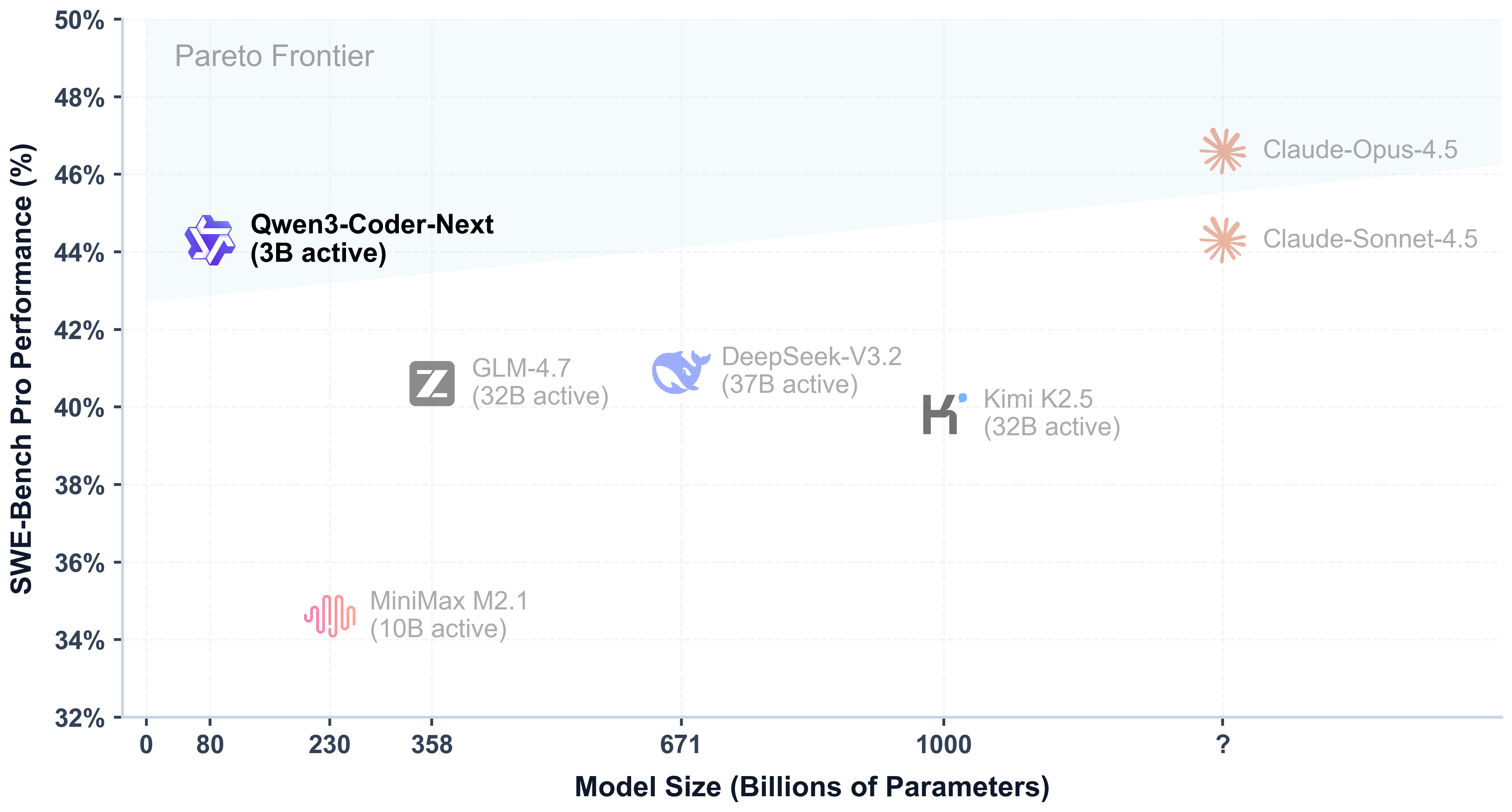
Qwen releases Qwen3-Coder-Next, an 80B MoE model (3B active parameters) with 256K context for fast agentic coding and local use. It is comparable to the performance of models with 10–20× more active parameters. The model excels at long-horizon reasoning, complex tool use, and recovery from execution failures.
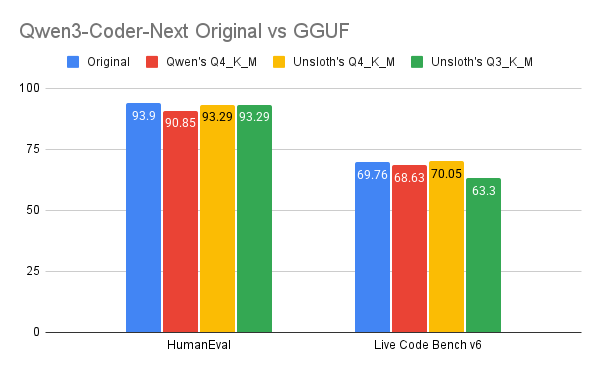
It runs on 46GB RAM/VRAM/unified memory (85GB for 8-bit), is non-reasoning for ultra-quick code responses. We introduce new MXFP4 quants for great quality and speed and you’ll also learn how to run the model on Codex & Claude Code.
Qwen3-Coder-Next Unsloth Dynamic GGUFs to run: unsloth/Qwen3-Coder-Next-GGUF
Run GGUF TutorialCodex & Claude Code
⚙️ Usage Guide
Don't have 46GB RAM or unified memory? No worries you can run our smaller quants like 3-bit. It is best to have the model size = to the sum of your compute ( disk space + RAM + VRAM ≥ size of quant). If your quant fully fits on your device, expect 20+ tokens/s. If it doesn't fit, it'll still work by offloading but it will be slower.
To achieve optimal performance, Qwen recommends these settings:
Temperature = 1.0Top_P = 0.95Top_K = 40Min_P = 0.01(llama.cpp's default is 0.05)
Supports up to 262,144 context natively but you can set it to 32,768 tokens for less memory use.
🖥️ Run Qwen3-Coder-Next
Depending on your use-case you will need to use different settings. Because this guide uses 4-bit, you will need around 46GB RAM/unified memory. We recommend using at least 3-bit precision for best performance.
NOTE: This model supports only non-thinking mode and does not generate <think></think> blocks in its output. So specifying enable_thinking=False is no longer required.
Llama.cpp Tutorial (GGUF):
Instructions to run in llama.cpp (note we will be using 4-bit to fit most devices):
Obtain the latest llama.cpp on GitHub here. You can follow the build instructions below as well. Change -DGGML_CUDA=ON to -DGGML_CUDA=OFF if you don't have a GPU or just want CPU inference.
You can directly pull from Hugging Face. You can increase the context to 256K if your RAM/VRAM can fit it. Using --fit on will also auto determine the context length.
You can use the recommended parameters: temperature=1.0, top_p=0.95, top_k=40
Download the model via (after installing pip install huggingface_hub). You can choose UD-Q4_K_XL or other quantized versions.
Then run the model in conversation mode:
Also, adjust context window as required, up to 262,144
NOTE: This model supports only non-thinking mode and does not generate <think></think> blocks in its output. So specifying enable_thinking=False is no longer required.
🦙Llama-server serving & deployment
To deploy Qwen3-Coder-Next for production, we use llama-server In a new terminal say via tmux. Then, deploy the model via:
Then in a new terminal, after doing pip install openai, we can run the model:
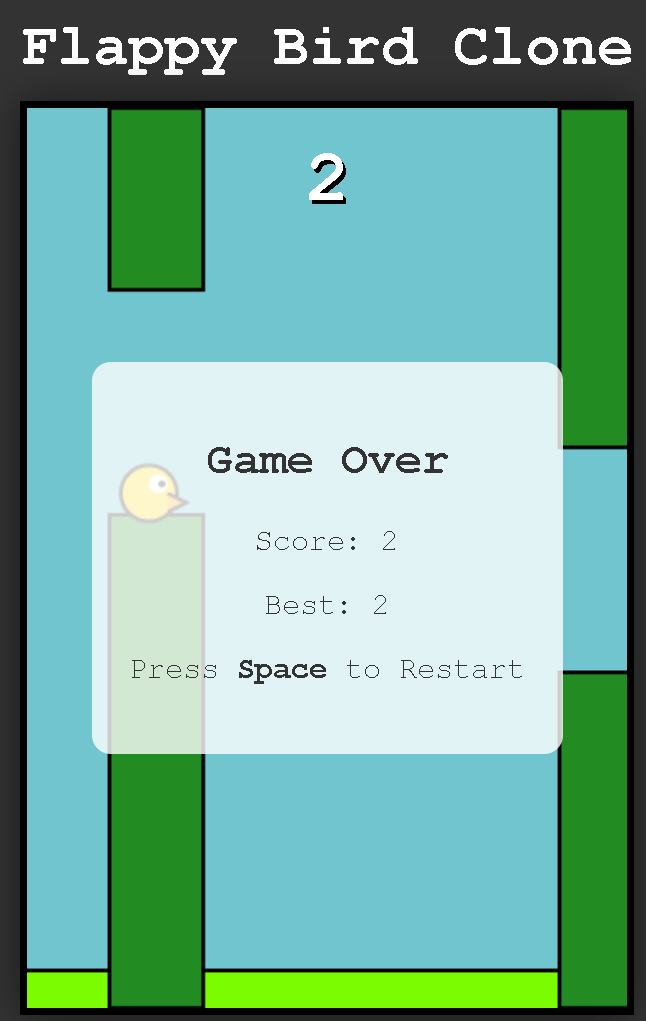
Which will output:
We extracted the HTML and ran it, and the example Flappy Bird game it generated worked well!

👾 OpenAI Codex & Claude Code
To run the model via local coding agentic workloads, you can follow our guide. Just change the model name 'GLM-4.7-Flash' to 'Qwen3-Coder-Next' and ensure you follow the correct Qwen3-Coder-Next parameters and usage instructions. Use the llama-server we just set up just then.
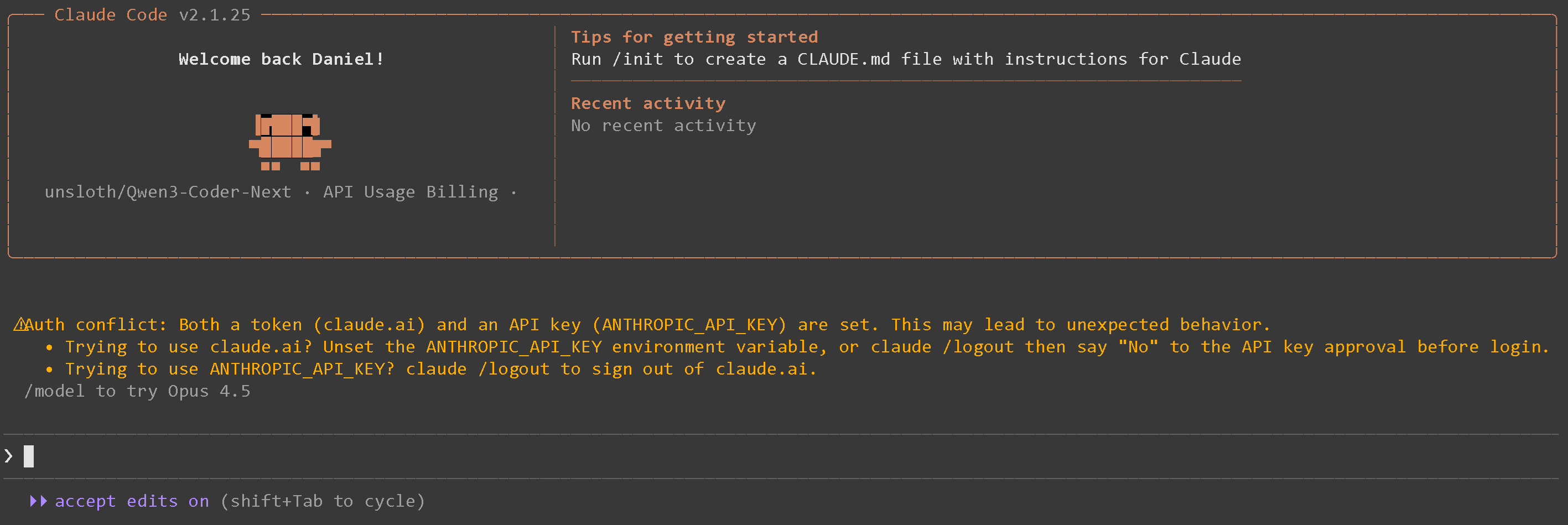
After following the instructions for Claude Code for example you will see:

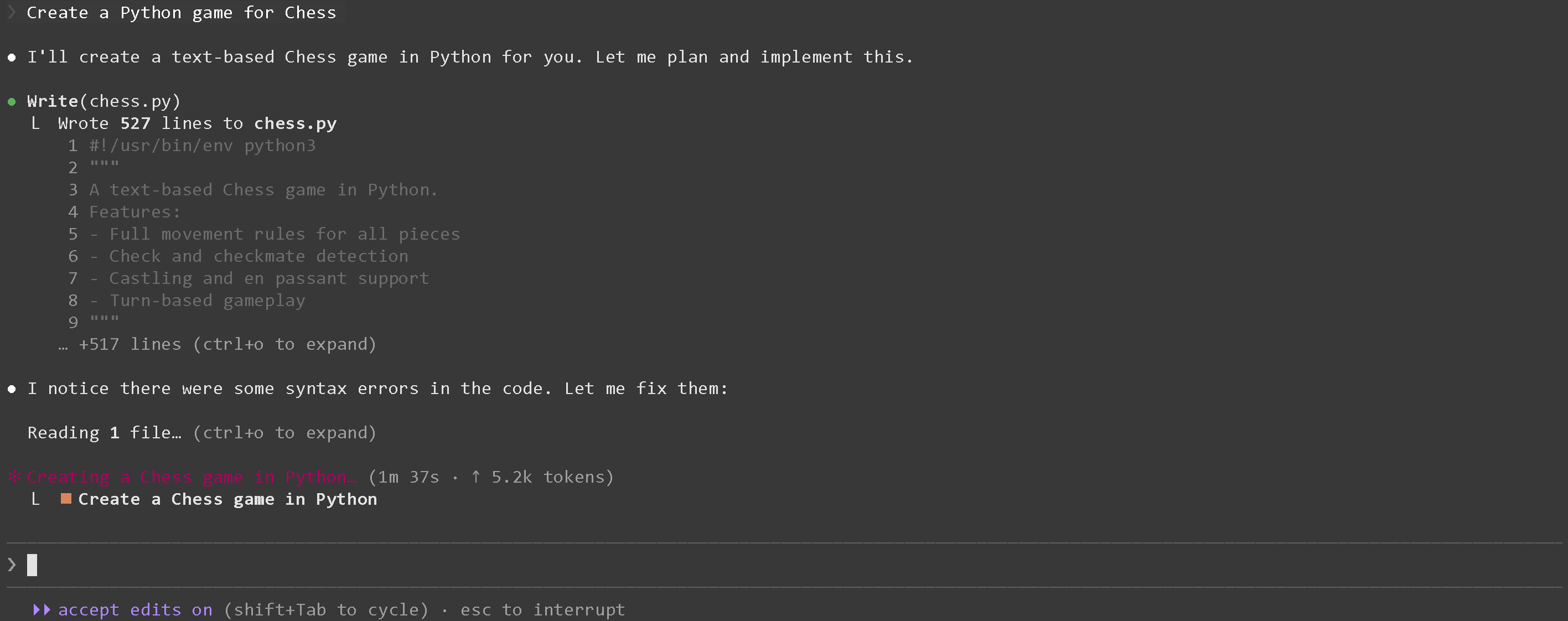
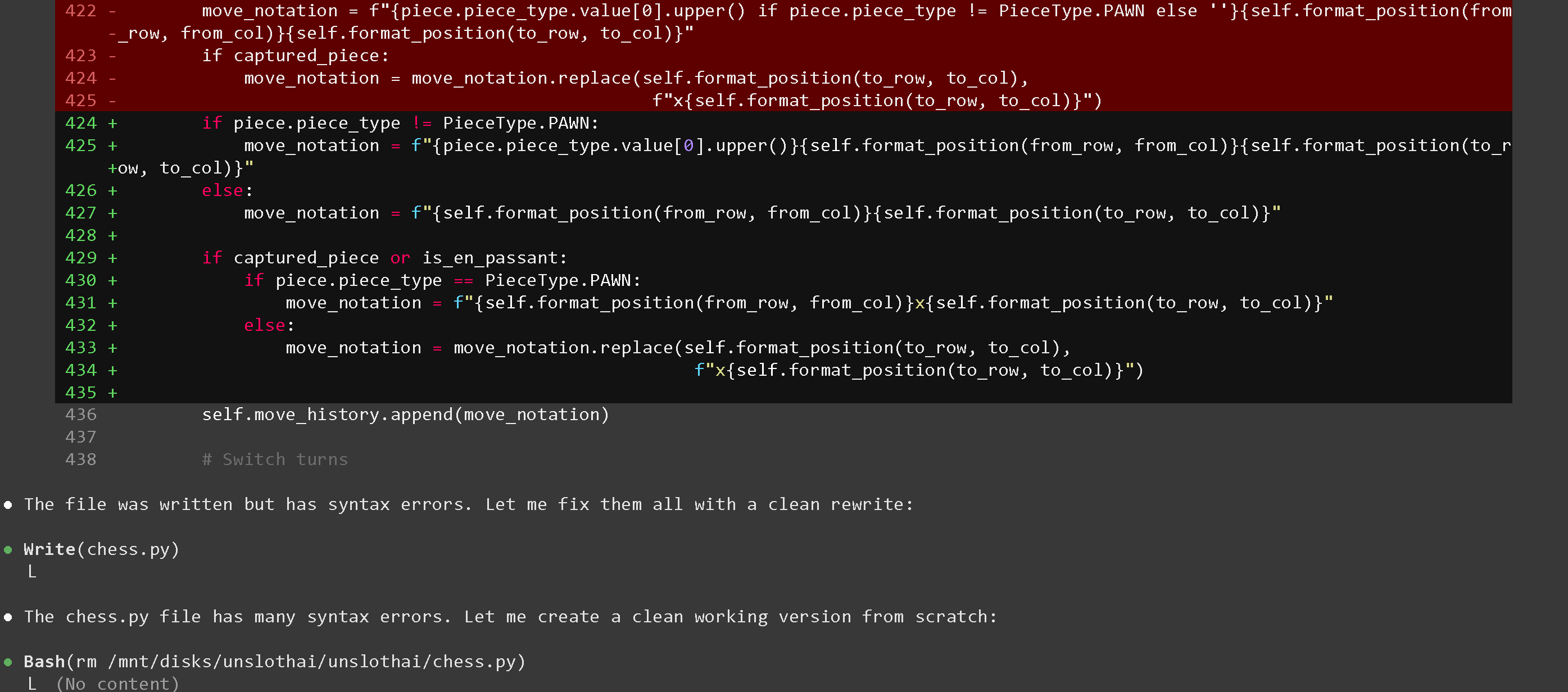
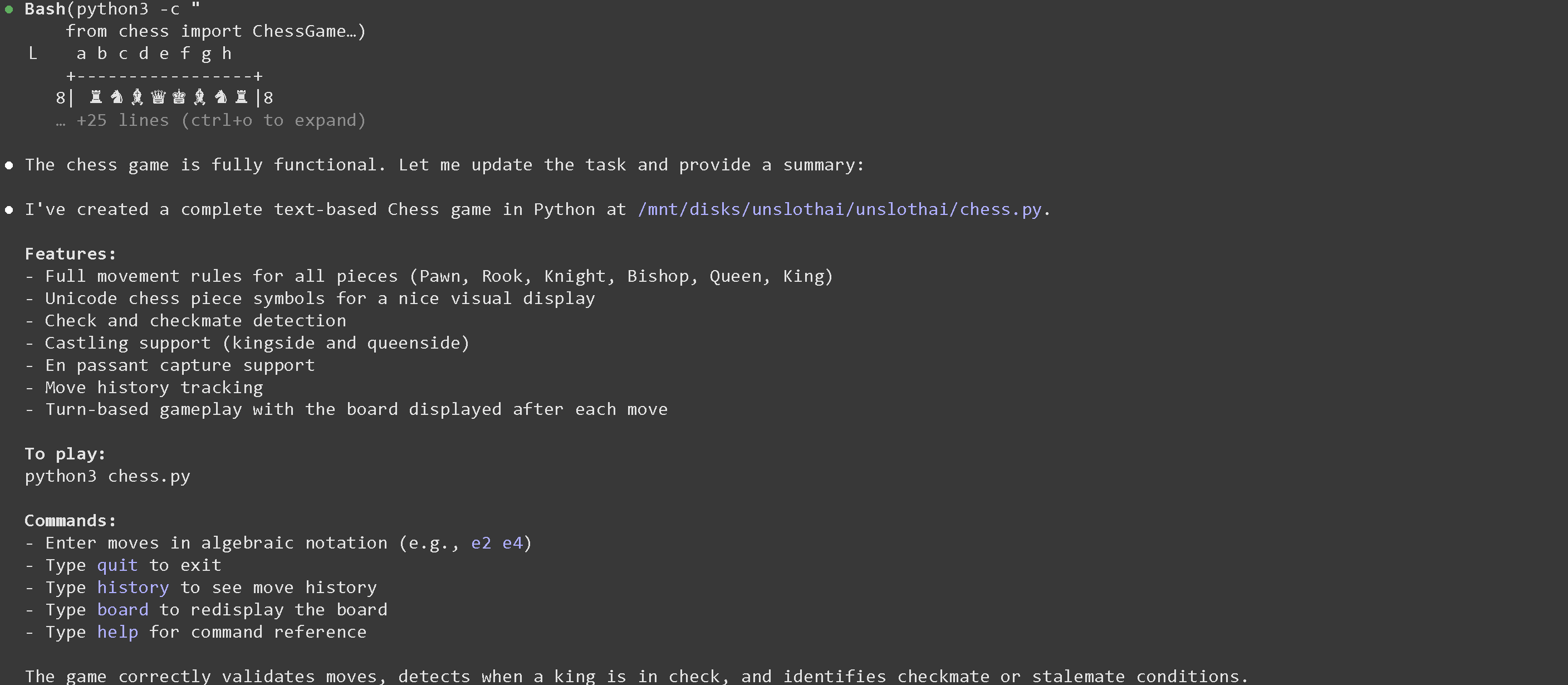
We can then ask say Create a Python game for Chess :


If you see API Error: 400 {"error":{"code":400,"message":"request (16582 tokens) exceeds the available context size (16384 tokens), try increasing it","type":"exceed_context_size_error","n_prompt_tokens":16582,"n_ctx":16384}} that means you need to increase the context length or see 📐How to fit long context

🛠️ Improving generation speed
If you have more VRAM, you can try offloading more MoE layers, or offloading whole layers themselves.
Normally, -ot ".ffn_.*_exps.=CPU" offloads all MoE layers to the CPU! This effectively allows you to fit all non MoE layers on 1 GPU, improving generation speeds. You can customize the regex expression to fit more layers if you have more GPU capacity.
If you have a bit more GPU memory, try -ot ".ffn_(up|down)_exps.=CPU" This offloads up and down projection MoE layers.
Try -ot ".ffn_(up)_exps.=CPU" if you have even more GPU memory. This offloads only up projection MoE layers.
You can also customize the regex, for example -ot "\.(6|7|8|9|[0-9][0-9]|[0-9][0-9][0-9])\.ffn_(gate|up|down)_exps.=CPU" means to offload gate, up and down MoE layers but only from the 6th layer onwards.
The latest llama.cpp release also introduces high throughput mode. Use llama-parallel. Read more about it here. You can also quantize the KV cache to 4bits for example to reduce VRAM / RAM movement, which can also make the generation process faster. The next section talks about KV cache quantization.
📐How to fit long context
To fit longer context, you can use KV cache quantization to quantize the K and V caches to lower bits. This can also increase generation speed due to reduced RAM / VRAM data movement. The allowed options for K quantization (default is f16) include the below.
--cache-type-k f32, f16, bf16, q8_0, q4_0, q4_1, iq4_nl, q5_0, q5_1
You should use the _1 variants for somewhat increased accuracy, albeit it's slightly slower. For eg q4_1, q5_1 So try out --cache-type-k q4_1
You can also quantize the V cache, but you will need to compile llama.cpp with Flash Attention support via -DGGML_CUDA_FA_ALL_QUANTS=ON, and use --flash-attn to enable it. After installing Flash Attention, you can then use --cache-type-v q4_1
Benchmarks
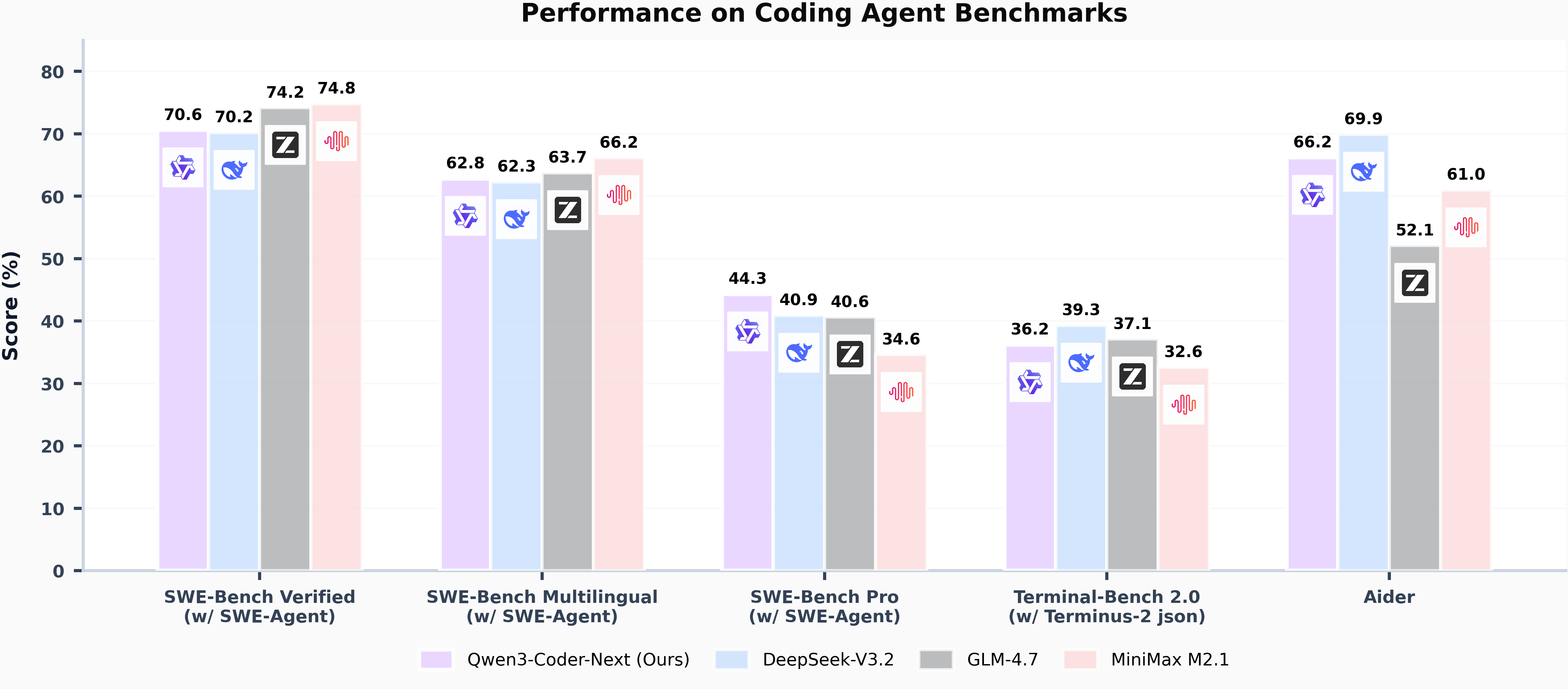
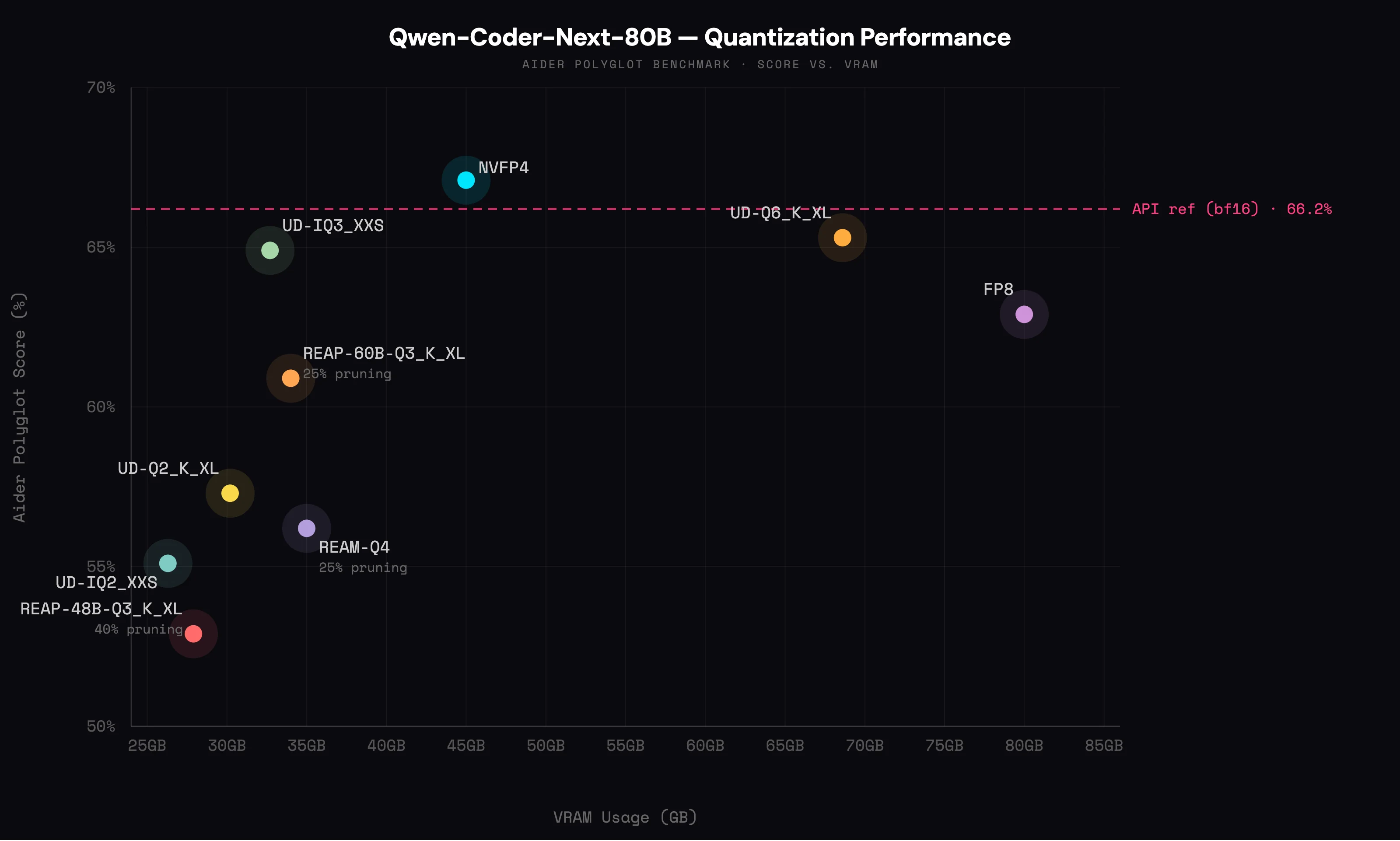
Qwen3-Coder-Next is the best performing model for its size, and its performance is comparable to models with 10–20× more active parameters.
SWE-Bench Verified (w/ SWE-Agent)
70.6
70.2
74.2
74.8
SWE-Bench Multilingual (w/ SWE-Agent)
62.8
62.3
63.7
66.2
SWE-Bench Pro (w/ SWE-Agent)
44.3
40.9
40.6
34.6
Terminal-Bench 2.0 (w/ Terminus-2 json)
36.2
39.3
37.1
32.6
Aider
66.2
69.9
52.1
61.0


Last updated
Was this helpful?