> For the complete documentation index, see [llms.txt](https://unsloth.ai/docs/llms.txt). Markdown versions of documentation pages are available by appending `.md` to page URLs; this page is available as [Markdown](https://unsloth.ai/docs/get-started/reinforcement-learning-rl-guide/tutorial-train-your-own-reasoning-model-with-grpo.md).
# Tutorial: Train your own Reasoning model with GRPO
Beginner's Guide to transforming a model like Llama 3.1 (8B) into a reasoning model by using Unsloth and GRPO.
DeepSeek developed [GRPO](https://unsloth.ai/blog/grpo) (Group Relative Policy Optimization) to train their R1 reasoning models.
### Quickstart
These instructions are for our pre-made Google Colab [notebooks](/docs/get-started/unsloth-notebooks.md). If you are installing Unsloth locally, you can also copy our notebooks inside your favorite code editor. We'll be using any of these notebooks:
| [**Qwen3.5 (4B)**](https://colab.research.google.com/github/unslothai/notebooks/blob/main/nb/Qwen3_5_\(4B\)_Vision_GRPO.ipynb) **- Vision - new** | [**gpt-oss-20b**](https://colab.research.google.com/github/unslothai/notebooks/blob/main/nb/gpt-oss-\(20B\)-GRPO.ipynb) **-** GSPO | [Gemma 3 (4B)](https://colab.research.google.com/github/unslothai/notebooks/blob/main/nb/Gemma3_\(4B\)-Vision-GRPO.ipynb) - Vision GSPO |
| ------------------------------------------------------------------------------------------------------------------------------------------------- | ---------------------------------------------------------------------------------------------------------------------------------------- | ----------------------------------------------------------------------------------------------------------------------------------------------- |
| [**Qwen3 (4B)**](https://colab.research.google.com/github/unslothai/notebooks/blob/main/nb/Qwen3_\(4B\)-GRPO.ipynb) - Advanced | [Qwen3-VL-8B](https://colab.research.google.com/github/unslothai/notebooks/blob/main/nb/Qwen3_VL_\(8B\)-Vision-GRPO.ipynb) - Vision GSPO | [Llama 3.2 (3B)](https://colab.research.google.com/github/unslothai/notebooks/blob/main/nb/Advanced_Llama3_2_\(3B\)_GRPO_LoRA.ipynb) - Advanced |
{% stepper %}
{% step %}
#### Install Unsloth
If you're using our Colab notebook, click **Runtime > Run all**. We'd highly recommend you checking out our [Fine-tuning Guide](/docs/get-started/fine-tuning-llms-guide.md) before getting started.
If installing locally, ensure you have the correct [requirements](/docs/get-started/fine-tuning-for-beginners/unsloth-requirements.md) and use `pip install unsloth` on Linux or follow our [Windows install ](/docs/get-started/install/windows-installation.md)instructions.
{% endstep %}
{% step %}
#### Learn about GRPO & Reward Functions
Before we get started, it is recommended to learn more about GRPO, reward functions and how they work. Read more about them including [tips & tricks](/docs/get-started/reinforcement-learning-rl-guide.md#basics-tips)[ here](/docs/get-started/reinforcement-learning-rl-guide.md#basics-tips).
You will also need enough VRAM. In general, model parameters = amount of VRAM you will need. In Colab, we are using their free 16GB VRAM GPUs which can train any model up to 16B in parameters.
{% endstep %}
{% step %}
#### Configure desired settings
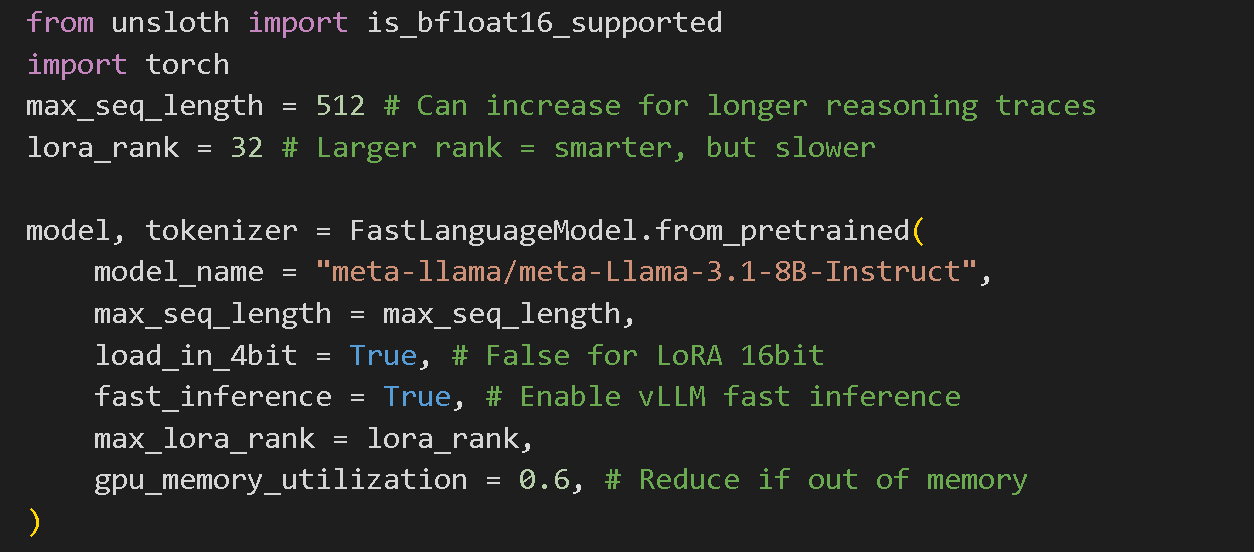
We have pre-selected optimal settings for the best results for you already and you can change the model to whichever you want listed in our [supported models](/docs/get-started/unsloth-model-catalog.md). Would not recommend changing other settings if you're a beginner.
{% hint style="success" %}
For **advanced GRPO** documentation on batching, generation and training parameters, [read our guide!](/docs/get-started/reinforcement-learning-rl-guide/advanced-rl-documentation.md)
{% endhint %}
{% endstep %}
{% step %}
#### Data preparation
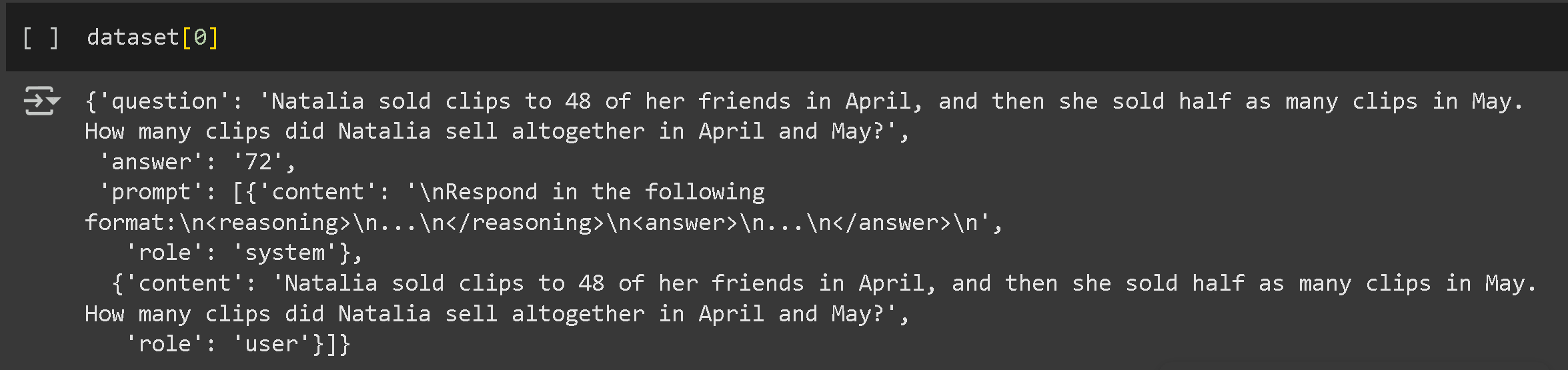
We have pre-selected OpenAI's [GSM8K](https://huggingface.co/datasets/openai/gsm8k) dataset which contains grade school math problems but you could change it to your own or any public one on Hugging Face. You can read more about [datasets here](/docs/get-started/fine-tuning-llms-guide/datasets-guide.md).
Your dataset should still have at least 2 columns for question and answer pairs. However the answer must not reveal the reasoning behind how it derived the answer from the question. See below for an example:
We'll structure the data to prompt the model to articulate its reasoning before delivering an answer. To start, we'll establish a clear format for both prompts and responses.
```
# Define the system prompt that instructs the model to use a specific format
SYSTEM_PROMPT = """
Respond in the following format:
...
...
"""
XML_COT_FORMAT = """\
{reasoning}
{answer}
"""
```
Now, to prepare the dataset:
```
import re
from datasets import load_dataset, Dataset
# Helper functions to extract answers from different formats
def extract_xml_answer(text: str) -> str:
answer = text.split("")[-1]
answer = answer.split("")[0]
return answer.strip()
def extract_hash_answer(text: str) -> str | None:
if "####" not in text:
return None
return text.split("####")[1].strip()
# Function to prepare the GSM8K dataset
def get_gsm8k_questions(split="train") -> Dataset:
data = load_dataset("openai/gsm8k", "main")[split]
data = data.map(
lambda x: {
"prompt": [
{"role": "system", "content": SYSTEM_PROMPT},
{"role": "user", "content": x["question"]},
],
"answer": extract_hash_answer(x["answer"]),
}
)
return data
dataset = get_gsm8k_questions()
```
The dataset is prepared by extracting the answers and formatting them as structured strings.
{% endstep %}
{% step %}
#### Reward Functions/Verifier
[Reward Functions/Verifiers](/docs/get-started/reinforcement-learning-rl-guide.md#reward-functions-verifier) lets us know if the model is doing well or not according to the dataset you have provided. Each generation run will be assessed on how it performs to the score of the average of the rest of generations. You can create your own reward functions however we have already pre-selected them for you with [Will's GSM8K](/docs/get-started/reinforcement-learning-rl-guide.md#gsm8k-reward-functions) reward functions. With this, we have 5 different ways which we can reward each generation.
You can input your generations into an LLM like ChatGPT 4o or Llama 3.1 (8B) and design a reward function and verifier to evaluate it. For example, feed your generations into a LLM of your choice and set a rule: "If the answer sounds too robotic, deduct 3 points." This helps refine outputs based on quality criteria. **See examples** of what they can look like [here](/docs/get-started/reinforcement-learning-rl-guide.md#reward-function-examples).
**Example Reward Function for an Email Automation Task:**
* **Question:** Inbound email
* **Answer:** Outbound email
* **Reward Functions:**
* If the answer contains a required keyword → **+1**
* If the answer exactly matches the ideal response → **+1**
* If the response is too long → **-1**
* If the recipient's name is included → **+1**
* If a signature block (phone, email, address) is present → **+1**
{% endstep %}
{% step %}
#### Train your model
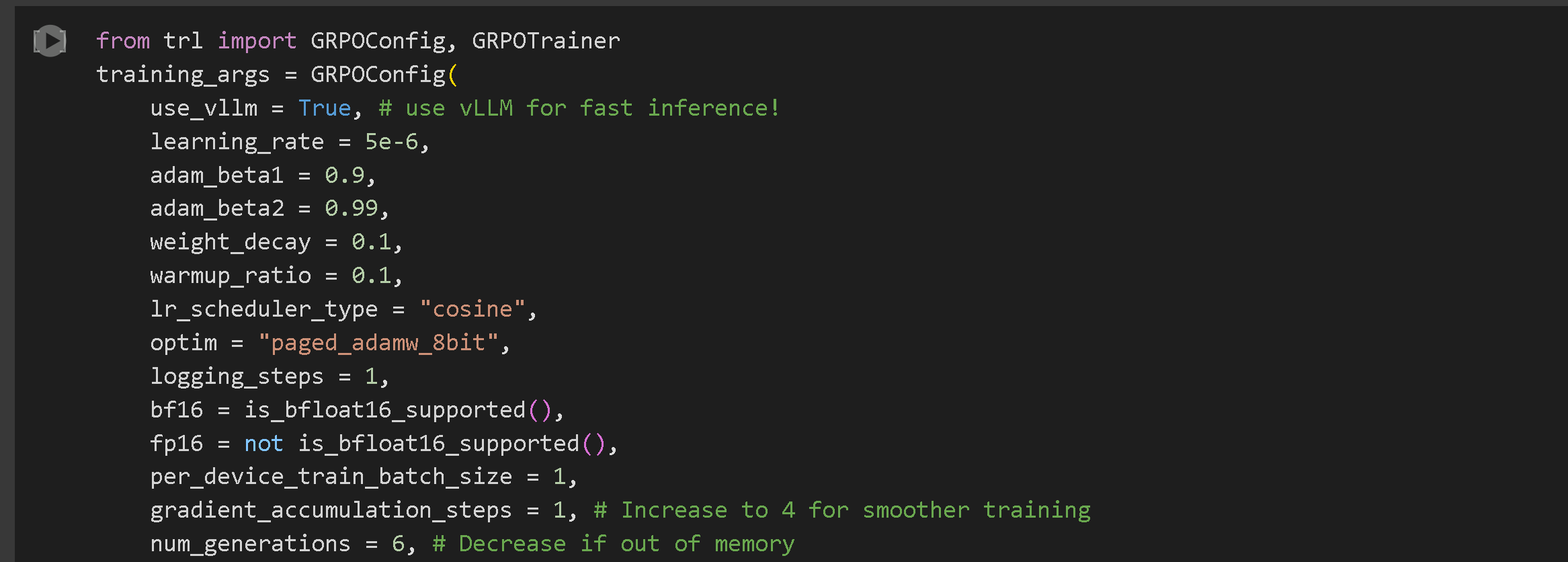
We have pre-selected hyperparameters for the most optimal results however you could change them. Read all about [parameters here](/docs/get-started/fine-tuning-llms-guide/lora-hyperparameters-guide.md). For **advanced GRPO** documentation on batching, generation and training parameters, [read our guide!](/docs/get-started/reinforcement-learning-rl-guide/advanced-rl-documentation.md)
The **GRPOConfig** defines key hyperparameters for training:
* `use_vllm`: Activates fast inference using vLLM.
* `learning_rate`: Determines the model's learning speed.
* `num_generations`: Specifies the number of completions generated per prompt.
* `max_steps`: Sets the total number of training steps.
{% hint style="success" %}
**NEW!** We now support DAPO, Dr. GRPO and most other new GRPO techniques. You can play with the following arguments in GRPOConfig to enable:
```python
epsilon=0.2,
epsilon_high=0.28, # one sided
delta=1.5 # two sided
loss_type='bnpo',
# or:
loss_type='grpo',
# or:
loss_type='dr_grpo',
# or:
loss_type='dapo',
mask_truncated_completions=True,
```
{% endhint %}
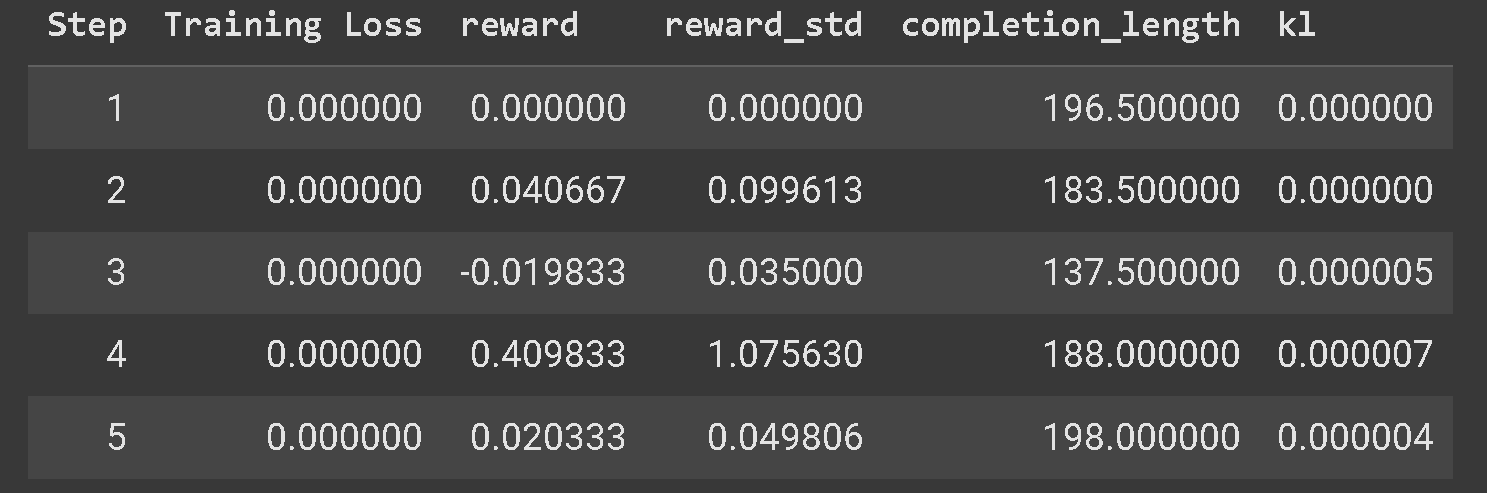
You should see the reward increase overtime. We would recommend you train for at least 300 steps which may take 30 mins however, for optimal results, you should train for longer.
{% hint style="warning" %}
If you're having issues with your GRPO model not learning, we'd highly recommend to use our [Advanced GRPO notebooks](/docs/get-started/unsloth-notebooks.md#grpo-reasoning-notebooks) as it has a much better reward function and you should see results much faster and frequently.
{% endhint %}
You will also see sample answers which allows you to see how the model is learning. Some may have steps, XML tags, attempts etc. and the idea is as trains it's going to get better and better because it's going to get scored higher and higher until we get the outputs we desire with long reasoning chains of answers.
{% endstep %}
{% step %}
#### Run & Evaluate your model
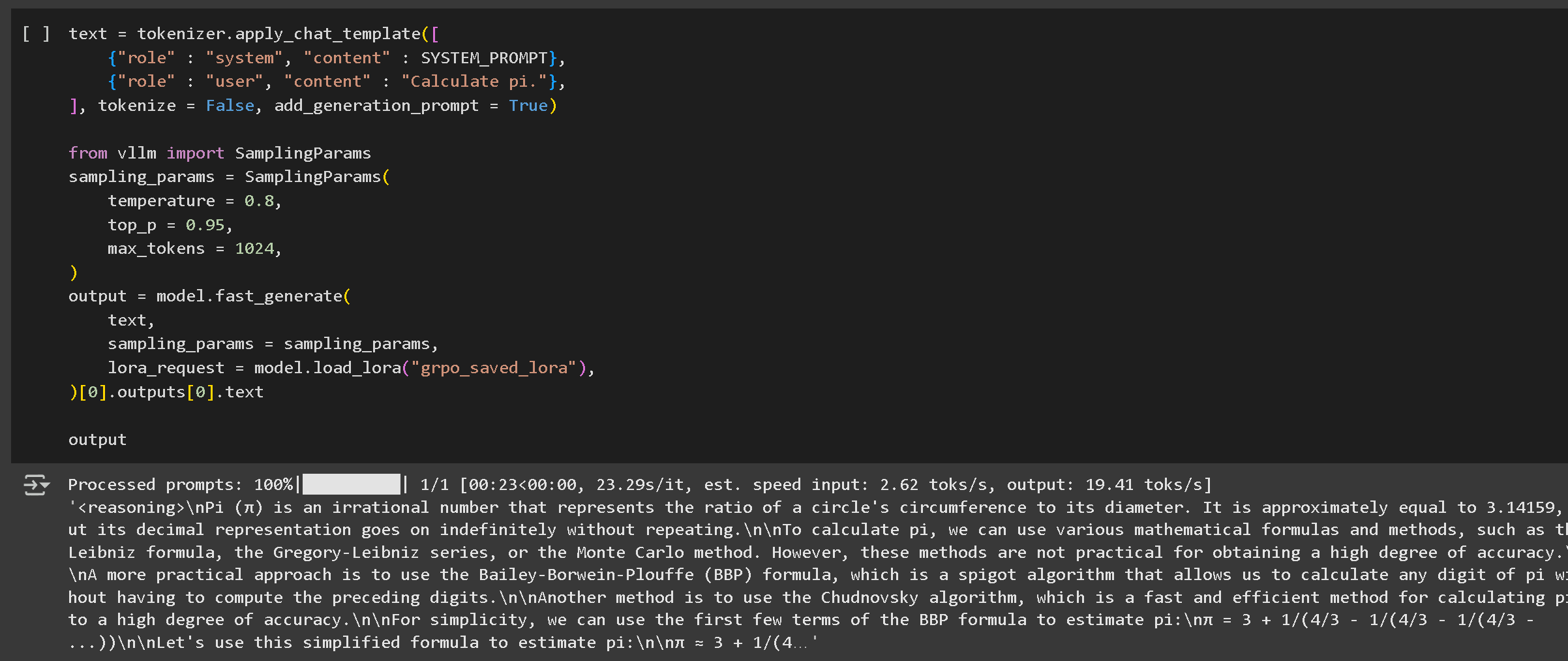
Run your model by clicking the play button. In the first example, there is usually no reasoning in the answer and in order to see the reasoning, we need to first save the LoRA weights we just trained with GRPO first using:
model.save_lora("grpo_saved_lora")
The first inference example run has no reasoning. You must load the LoRA and test it to reveal the reasoning.
Then we load the LoRA and test it. Our reasoning model is much better - it's not always correct, since we only trained it for an hour or so - it'll be better if we extend the sequence length and train for longer!
You can then save your model to GGUF, Ollama etc. by following our [guide here](https://unsloth.ai/docs/get-started/reinforcement-learning-rl-guide/pages/nw2c1elNySGBBav8WP9B#id-7.-running--saving-the-model).
If you are still not getting any reasoning, you may have either trained for too less steps or your reward function/verifier was not optimal.
{% endstep %}
{% step %}
#### Save your model
We have multiple options for saving your fine-tuned model, but we’ll focus on the easiest and most popular approaches which you can read more about [here](/docs/basics/inference-and-deployment.md)
**Saving in 16-bit Precision**
You can save the model with 16-bit precision using the following command:
```python
# Save to 16-bit precision
model.save_pretrained_merged("model", tokenizer, save_method="merged_16bit")
```
**Pushing to Hugging Face Hub**
To share your model, we’ll push it to the Hugging Face Hub using the `push_to_hub_merged` method. This allows saving the model in multiple quantization formats.
```python
# Push to Hugging Face Hub (requires a token)
model.push_to_hub_merged(
"your-username/model-name", tokenizer, save_method="merged_16bit", token="your-token"
)
```
**Saving in GGUF Format for llama.cpp**
Unsloth also supports saving in **GGUF format**, making it compatible with **llama.cpp** and **Ollama**.
```python
model.push_to_hub_gguf(
"your-username/model-name",
tokenizer,
quantization_method=["q4_k_m", "q8_0", "q5_k_m"],
token="your-token",
)
```
Once saved in GGUF format, the model can be easily deployed in lightweight environments using **llama.cpp** or used in other inference engines.
{% endstep %}
{% endstepper %}
## Video Tutorials
Here are some video tutorials created by amazing YouTubers who we think are fantastic!
{% embed url="" %}
{% columns %}
{% column width="50%" %}
{% embed url="" %}
Great to learn about how to prep your dataset and explanations behind Reinforcement Learning + GRPO basics
{% endembed %}
{% embed url="" %}
{% endcolumn %}
{% column width="50%" %}
{% embed url="" %}
{% embed url="" %}
Local GRPO on your own device
{% endembed %}
{% endcolumn %}
{% endcolumns %}
---
# Agent Instructions
This documentation is published with GitBook. GitBook is the documentation platform designed so that both humans and AI agents can read, navigate, and reason over technical content effectively. Learn more at gitbook.com.
## Querying This Documentation
If you need additional information that is not directly available in this page, you can query the documentation by asking a question.
Perform an HTTP GET request on the following URL with the `ask` and `goal` query parameters:
```
GET https://unsloth.ai/docs/get-started/reinforcement-learning-rl-guide/tutorial-train-your-own-reasoning-model-with-grpo.md?ask=&goal=
```
`ask` is the immediate question: it should be specific, self-contained, and written in natural language.
`goal` is what the user is ultimately trying to achieve, the reason they need the answer. Sharing it helps GitBook give you a better, more relevant answer. A goal is most helpful when it describes the outcome the user wants rather than restating the question. For example, with `ask=how do I create an API token`, a goal like `automate deployments from our CI pipeline` lets GitBook tailor the answer to that use case.
The response will contain a direct answer to the question and relevant excerpts and sources from the documentation.
Use this mechanism when the answer is not explicitly present in the current page, you need clarification or additional context, or you want to retrieve related documentation sections.


%20(1)%20(1).png?alt=media)