> For the complete documentation index, see [llms.txt](https://unsloth.ai/docs/llms.txt). Markdown versions of documentation pages are available by appending `.md` to page URLs; this page is available as [Markdown](https://unsloth.ai/docs/jp/ji-ben/vision-fine-tuning.md).
# ビジョンのファインチューニング
Unsloth を使ってビジョン/マルチモーダル LLM をファインチューニングする方法を学びます
ビジョンモデルをファインチューニングすると、物体/動きの検出など、通常のLLMでは得意でない特定のタスクでモデルの性能を高められます。 **また、** [**VLMをRLで**](/docs/jp/meru/reinforcement-learning-rl-guide/vision-reinforcement-learning-vlm-rl.md)**.** ビジョンのファインチューニング向けの無料ノートブックを多数用意しています:
* [**Qwen3-VL**](/docs/jp/moderu/tutorials/qwen3-how-to-run-and-fine-tune/qwen3-vl-how-to-run-and-fine-tune.md) **(8B) ビジョン:** [**ノートブック**](https://colab.research.google.com/github/unslothai/notebooks/blob/main/nb/Qwen3_VL_\(8B\)-Vision.ipynb)
* [**Ministral 3**](/docs/jp/moderu/tutorials/ministral-3.md): 一般的なQ\&A向けのビジョンファインチューニング: [ノートブック](https://colab.research.google.com/github/unslothai/notebooks/blob/main/nb/Pixtral_\(12B\)-Vision.ipynb)\
一般的なQ\&Aデータセットに、より専門的なデータセットを組み合わせることで、ファインチューニング時にベースモデルの能力を忘れにくくできます。
* **Gemma 3 (4B) ビジョン:** [ノートブック](https://colab.research.google.com/github/unslothai/notebooks/blob/main/nb/Gemma3_\(4B\)-Vision.ipynb)
* **Llama 3.2 Vision** 放射線画像診断向けのファインチューニング: [ノートブック](https://colab.research.google.com/github/unslothai/notebooks/blob/main/nb/Llama3.2_\(11B\)-Vision.ipynb)\
X線、CTスキャン、超音波をより速く分析するのに、医療従事者をどう支援できるか。
* **Qwen2.5 VL** 手書きをLaTeXに変換するためのファインチューニング: [ノートブック](https://colab.research.google.com/github/unslothai/notebooks/blob/main/nb/Qwen2.5_VL_\(7B\)-Vision.ipynb)\
これにより、複雑な数式を手入力することなく、LaTeXとして簡単に転記できます。
{% hint style="info" %}
データセット内の画像サイズがすべて同じであるようにするのが最善です。学習に時間がかかりすぎたり、リソースを使いすぎたりしないよう、300〜1000pxの寸法を使用してください。
{% endhint %}
### ビジョン/テキストのみのファインチューニングを無効化
ビジョンモデルをファインチューニングするために、今ではモデルのどの部分をファインチューニングするかを選択できるようになりました。ビジョン層のみ、言語層のみ、あるいはアテンション/MLP層のみを選択できます。デフォルトではすべて有効になっています。
```python
model = FastVisionModel.get_peft_model(
model,
finetune_vision_layers = True, # vision レイヤーをファインチューニングしないなら False
finetune_language_layers = True, # language レイヤーをファインチューニングしないなら False
finetune_attention_modules = True, # attention レイヤーをファインチューニングしないなら False
finetune_mlp_modules = True, # MLP レイヤーをファインチューニングしないなら False
r = 16, # 大きいほど精度は高くなるが、過学習する可能性あり
lora_alpha = 16, # 少なくとも alpha == r を推奨
lora_dropout = 0,
bias = "none",
random_state = 3407,
use_rslora = False, # rank stabilized LoRA をサポートしています
loftq_config = None, # そして LoftQ も
target_modules = "all-linear", # 今は任意です! 必要ならリストを指定できます
modules_to_save=[
"lm_head",
"embed_tokens",
],
)
```
### ビジョン用データコレーター
ビジョン用データセット専用の特別なデータコレーターがあります:
{% code overflow="wrap" %}
```python
from unsloth.trainer import UnslothVisionDataCollator
from trl import SFTTrainer, SFTConfig
trainer = SFTTrainer(
model = model,
tokenizer = tokenizer,
data_collator = UnslothVisionDataCollator(model, tokenizer),
train_dataset = dataset,
args = SFTConfig(...),
)
```
{% endcode %}
そして、データコレーターの引数は次のとおりです:
{% code expandable="true" %}
```python
class UnslothVisionDataCollator:
def __init__(
self,
model,
processor,
max_seq_length = None, # [オプション] これは `FastVisionModel.from_pretrained(max_seq_length = ...)` から自動取得します
formatting_func = None, # テキストを変換する関数
resize = "min", # (10, 10) または "min" でモデルのデフォルト image_size に合わせてリサイズ、または "max"
# リサイズせず、画像をそのまま保持
ignore_index = -100, # [オプション] デフォルトは -100
# from unsloth.chat_templates import train_on_responses_only
# trainer = train_on_responses_only(
# trainer,
# instruction_part = "<|start_header_id|>user<|end_header_id|>\n\n",
# response_part = "<|start_header_id|>assistant<|end_header_id|>\n\n",
# )
train_on_responses_only = False, # LLMの train_on_responses_only と同等
instruction_part = None, # train_on_responses_only(instruction_part = ...) と同等
response_part = None, # train_on_responses_only(response_part = ...) と同等
force_match = True, # 改行も一致させます!
num_proc = None, # [オプション] GPUの数を自動選択します
completion_only_loss = True, # [オプション] パディングされたビジョントークンを無視します - 常に True にすべきです!
pad_to_multiple_of = None, # [オプション] データコレーターのパディング用
resize_dimension = 0, # 0、1、'max'、'min' が指定可能
# (max は高さと幅の最大値に基づいてリサイズし、min は最小サイズ、0 は最初の次元など)
snap_to_patch_size = False, # [オプション] 画像をパッチサイズの倍数に強制します
)
```
{% endcode %}
### マルチ画像学習
マルチ画像でモデルをファインチューニングまたは学習するために、最も簡単な変更は次の置き換えです:
```python
ds_converted = ds.map(
convert_to_conversation,
)
```
を次のように:
```python
ds_converted = [convert_to_conversation(sample) for sample in dataset]
```
map を使うと、データセットの標準化と Arrow の処理ルールが適用されますが、これらは厳密で定義がより複雑になることがあります。
### ビジョンファインチューニング用データセット
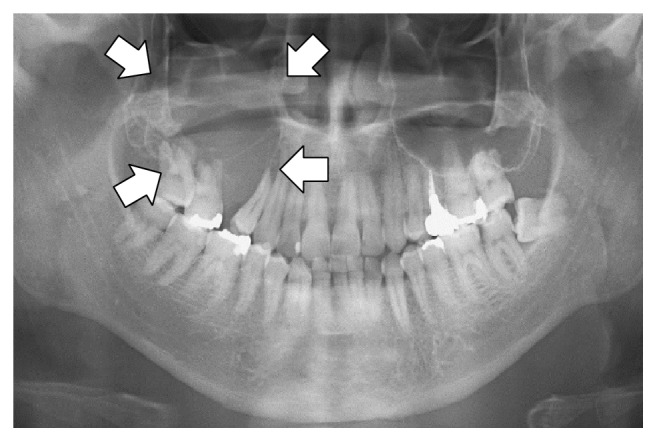
ビジョンまたはマルチモーダルモデルをファインチューニングするためのデータセットは、標準的な質問と回答のペアに似ています [datasets ](/docs/jp/meru/fine-tuning-llms-guide/datasets-guide.md)が、今回は画像入力も含まれます。例えば、 [Llama 3.2 Vision ノートブック](https://colab.research.google.com/github/unslothai/notebooks/blob/main/nb/Llama3.2_\(11B\)-Vision.ipynb#scrollTo=vITh0KVJ10qX) では放射線画像のケースを使って、AIが医療従事者によるX線、CTスキャン、超音波の分析をより効率的に支援できることを示しています。
ROCO放射線画像データセットのサンプル版を使用します。データセットにアクセスできます [こちら](https://www.google.com/url?q=https%3A%2F%2Fhuggingface.co%2Fdatasets%2Funsloth%2FRadiology_mini)。このデータセットには、医療状態や疾患を示すX線、CTスキャン、超音波が含まれています。各画像には、それを説明する専門家によるキャプションが付いています。目的は、VLMをファインチューニングして、医療従事者にとって有用な分析ツールにすることです。
データセットを見て、最初の例が何を示しているか確認しましょう:
```
Dataset({
features: ['image', 'image_id', 'caption', 'cui'],
num_rows: 1978
})
```
| 画像 | キャプション |
| --------------------------------------------------------------------------------------------------------------------------------------------------------------------------------------------------------------------------------------------------------------------------------- | --------------------------------------------- |
|