# NVIDIA DGX SparkとUnslothでLLMをファインチューニング

Unslothは最大 **200Bのパラメータ** を持つLLMのローカルファインチューニングをNVIDIA DGX™ Spark上で可能にします。128 GBのユニファイドメモリにより、次のような大規模モデルをトレーニングできます： **gpt-oss-120b**、およびDGX Spark上で直接推論を実行またはデプロイできます。

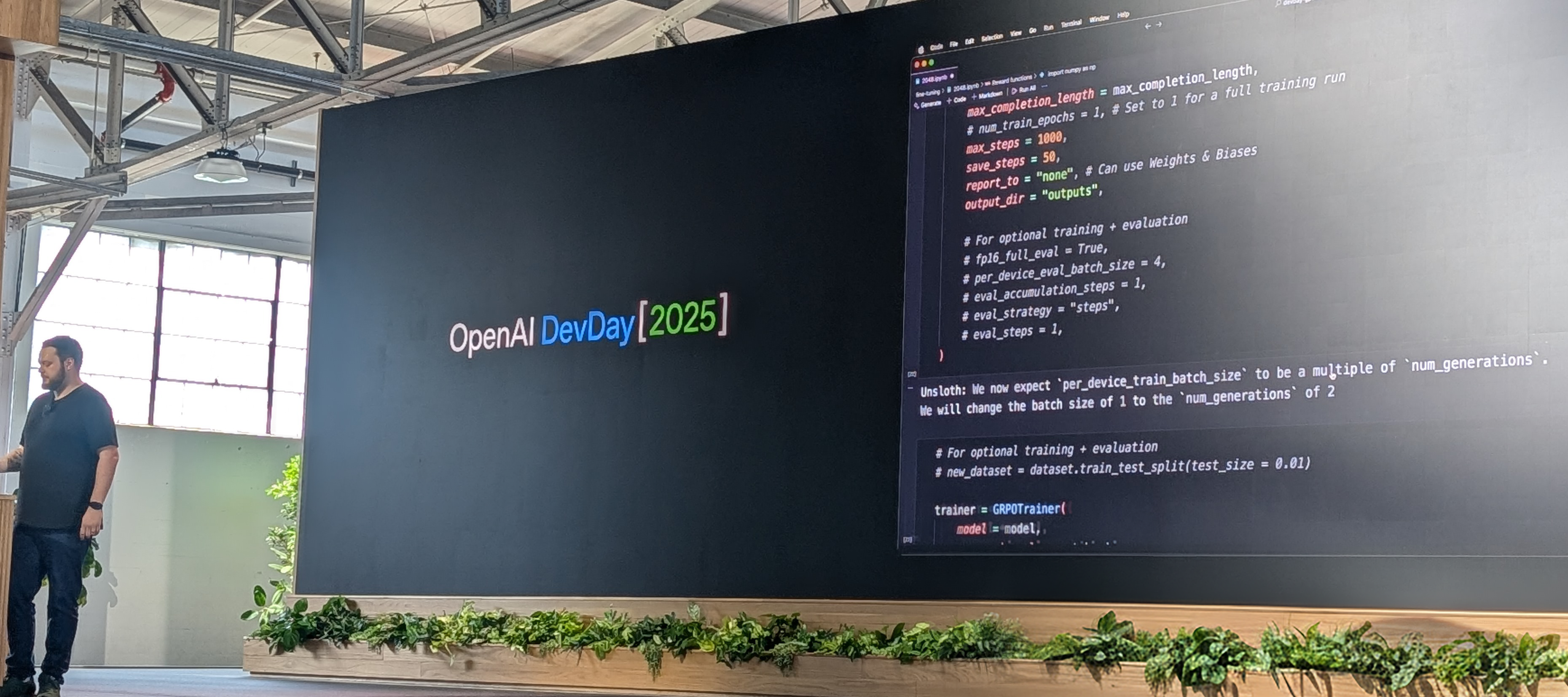
で示されているように [OpenAI DevDay](https://x.com/UnslothAI/status/1976284209842118714)、gpt-oss-20bはDGX Spark上でRLとUnslothを用いて2048を自動で勝利するように訓練されました。DGX Spark上のDockerコンテナまたは仮想環境でUnslothを使用してトレーニングできます。

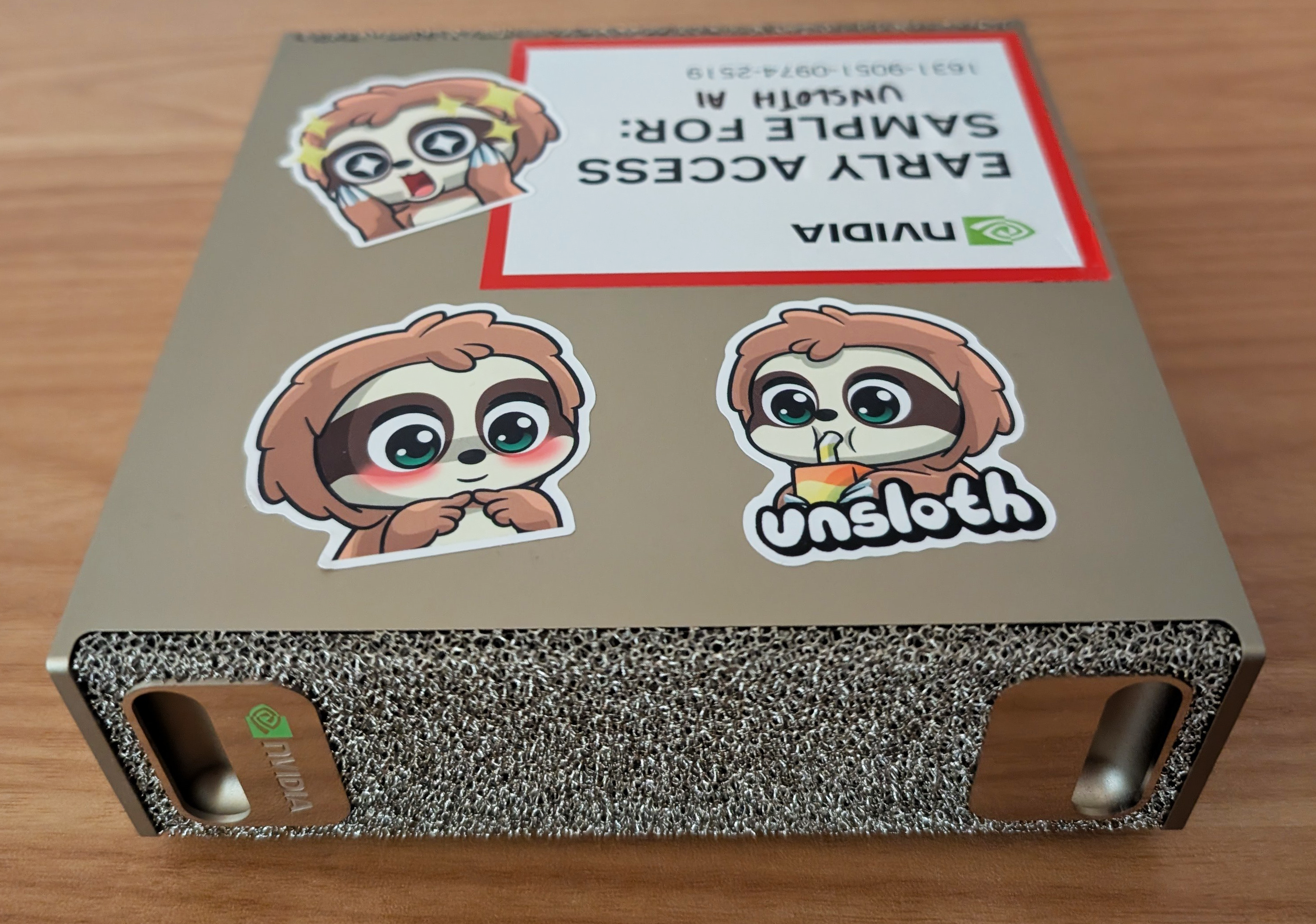
<div align="center" data-full-width="false"><figure><img src="/files/bb9e624c8e3f80baead11a264cc59b446e7441bb" alt="" width="375"><figcaption></figcaption></figure> <figure><img src="/files/cfca3441dbd0d737fda6c4b1433aa7052bc8b7cc" alt="" width="375"><figcaption></figcaption></figure></div>

このチュートリアルでは、DGX SparkにUnslothをインストールした後、Unslothノートブックを使ってRLでgpt-oss-20bをトレーニングします。gpt-oss-120bはおおよそ **68GB** のユニファイドメモリを使用します。

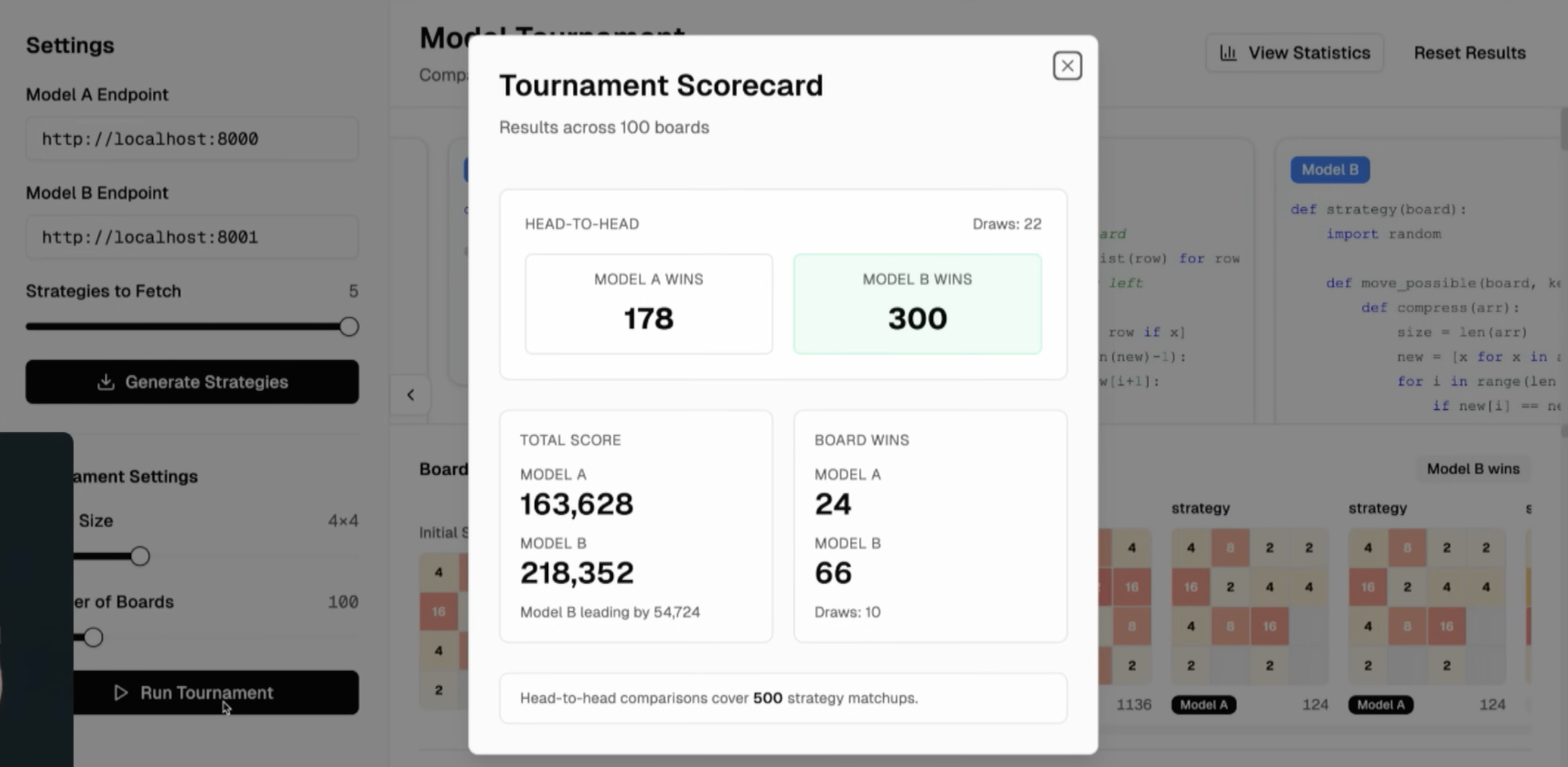
1,000ステップおよび4時間のRLトレーニングの後、gpt-ossモデルは2048で元のモデルを大きく上回り、さらに長いトレーニングで結果はさらに改善されます。

<div><figure><img src="/files/cbfe447b415335f97cf3ff076a4bc021a5bca61d" alt="" width="375"><figcaption><p>UnslothがOpenAI DevDay 2025で紹介された様子を視聴できます <a href="https://youtu.be/1HL2YHRj270?si=8SR6EChF34B1g-5r&#x26;t=1080">ここ</a>.</p></figcaption></figure> <figure><img src="/files/33b6d4e828b730b5ddf09f8cd40ece291914ca83" alt="" width="375"><figcaption><p>RLで訓練されたgpt-ossは2048で一貫して優れた性能を発揮します。</p></figcaption></figure></div>

### ⚡ ステップバイステップチュートリアル

{% stepper %}
{% step %}
**DGX Spark用Unsloth Dockerイメージから始める**

まず、DGX Spark用Dockerfileを使用してDockerイメージをビルドします。Dockerfileは [こちらで見つけることができます](https://raw.githubusercontent.com/unslothai/notebooks/main/Dockerfile_DGX_Spark)。または、DGX Sparkのターミナルで以下を実行できます：

```bash
sudo apt update && sudo apt install -y wget
wget -O Dockerfile "https://raw.githubusercontent.com/unslothai/notebooks/main/Dockerfile_DGX_Spark"
```

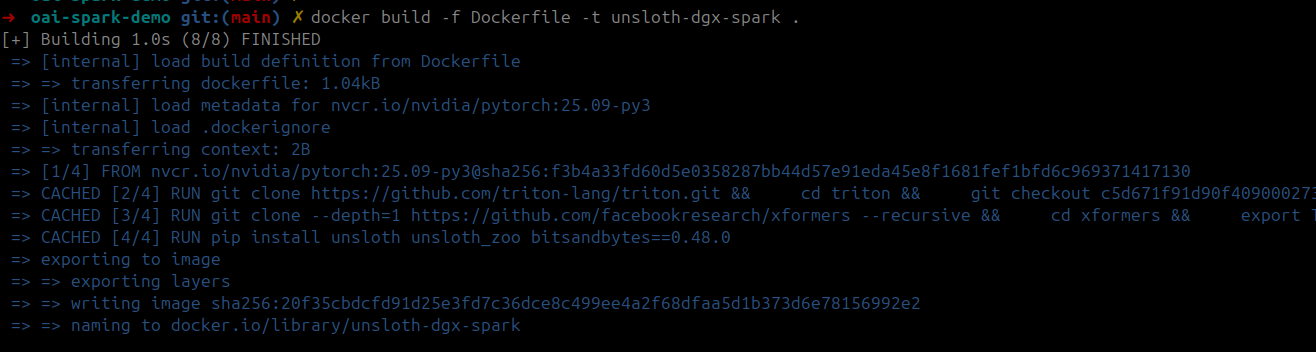
次に、保存したDockerfileを使ってトレーニング用Dockerイメージをビルドします：

```bash
docker build -f Dockerfile -t unsloth-dgx-spark .
```

<figure><img src="/files/7bc428bf0f832816f8ab6515ddab66223ced921d" alt="" width="563"><figcaption></figcaption></figure>

<details>

<summary>DGX Spark用の完全なDockerfileを見るにはここをクリックできます</summary>

```python
FROM nvcr.io/nvidia/pytorch:25.09-py3

# CUDAの環境変数を設定
ENV CUDA_HOME=/usr/local/cuda-13.0/
ENV CUDA_PATH=$CUDA_HOME
ENV PATH=$CUDA_HOME/bin:$PATH
ENV LD_LIBRARY_PATH=$CUDA_HOME/lib64:$LD_LIBRARY_PATH
ENV C_INCLUDE_PATH=$CUDA_HOME/include:$C_INCLUDE_PATH
ENV CPLUS_INCLUDE_PATH=$CUDA_HOME/include:$CPLUS_INCLUDE_PATH

# 最新のBlackwellサポートのためにソースからtritonをインストール
RUN git clone https://github.com/triton-lang/triton.git && \
    cd triton && \
    git checkout c5d671f91d90f40900027382f98b17a3e04045f6 && \
    pip install -r python/requirements.txt && \
    pip install . && \
    cd ..

# Blackwellサポートのためにソースからxformersをインストール
RUN git clone --depth=1 https://github.com/facebookresearch/xformers --recursive && \
    cd xformers && \
    export TORCH_CUDA_ARCH_LIST="12.1" && \
    python setup.py install && \
    cd ..

# unslothおよびその他の依存関係をインストール
RUN pip install unsloth unsloth_zoo bitsandbytes==0.48.0 transformers==4.56.2 trl==0.22.2

# シェルを起動
CMD ["/bin/bash"]
```

</details>
{% endstep %}

{% step %}
**コンテナを起動**

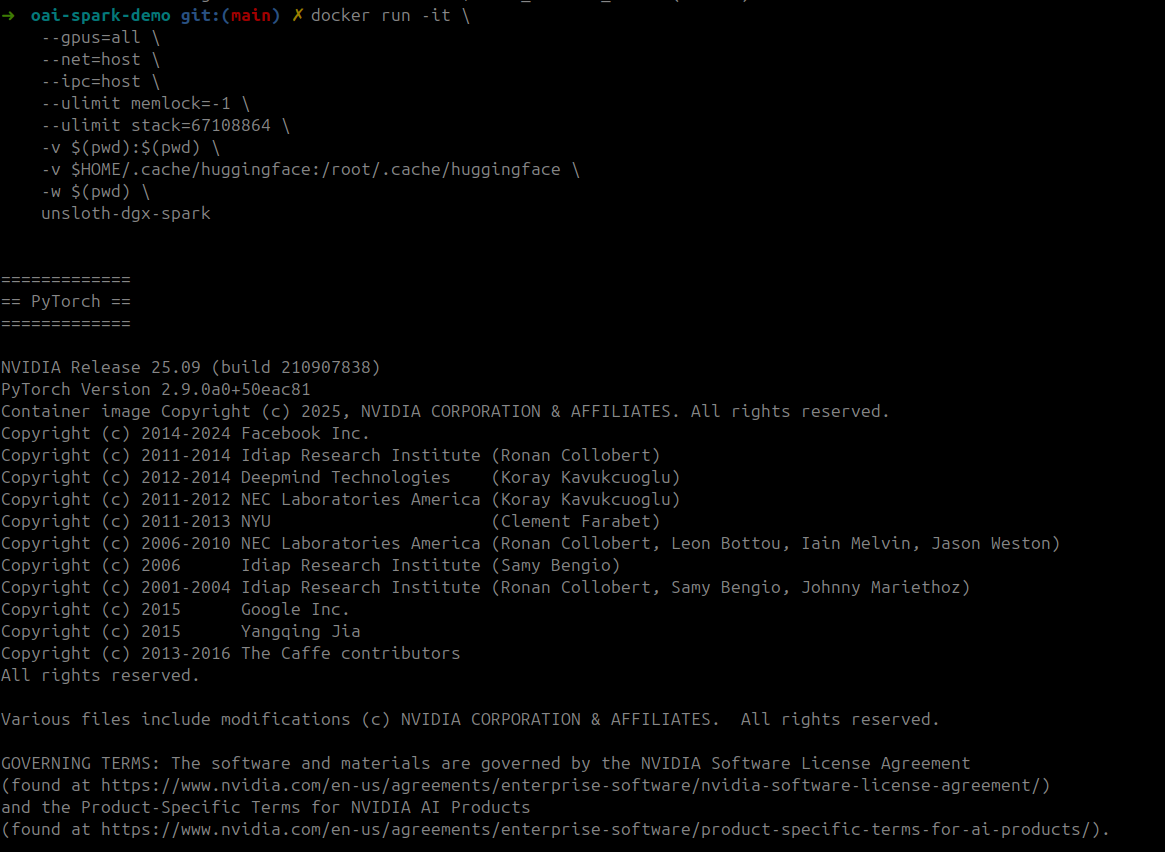
GPUアクセスとボリュームマウントでトレーニングコンテナを起動：

```bash
docker run -it \
    --gpus=all \
    --net=host \
    --ipc=host \
    --ulimit memlock=-1 \
    --ulimit stack=67108864 \
    -v $(pwd):$(pwd) \
    -v $HOME/.cache/huggingface:/root/.cache/huggingface \
    -w $(pwd) \
    unsloth-dgx-spark
```

<div><figure><img src="/files/1c3e2069cd03c4f8d6959c3edaa63b35416e0552" alt=""><figcaption></figcaption></figure> <figure><img src="/files/cd78193cd9e3ad21c21e53f4b2c3c34b3504d621" alt=""><figcaption></figcaption></figure></div>
{% endstep %}

{% step %}
**Jupyterを起動してノートブックを実行**

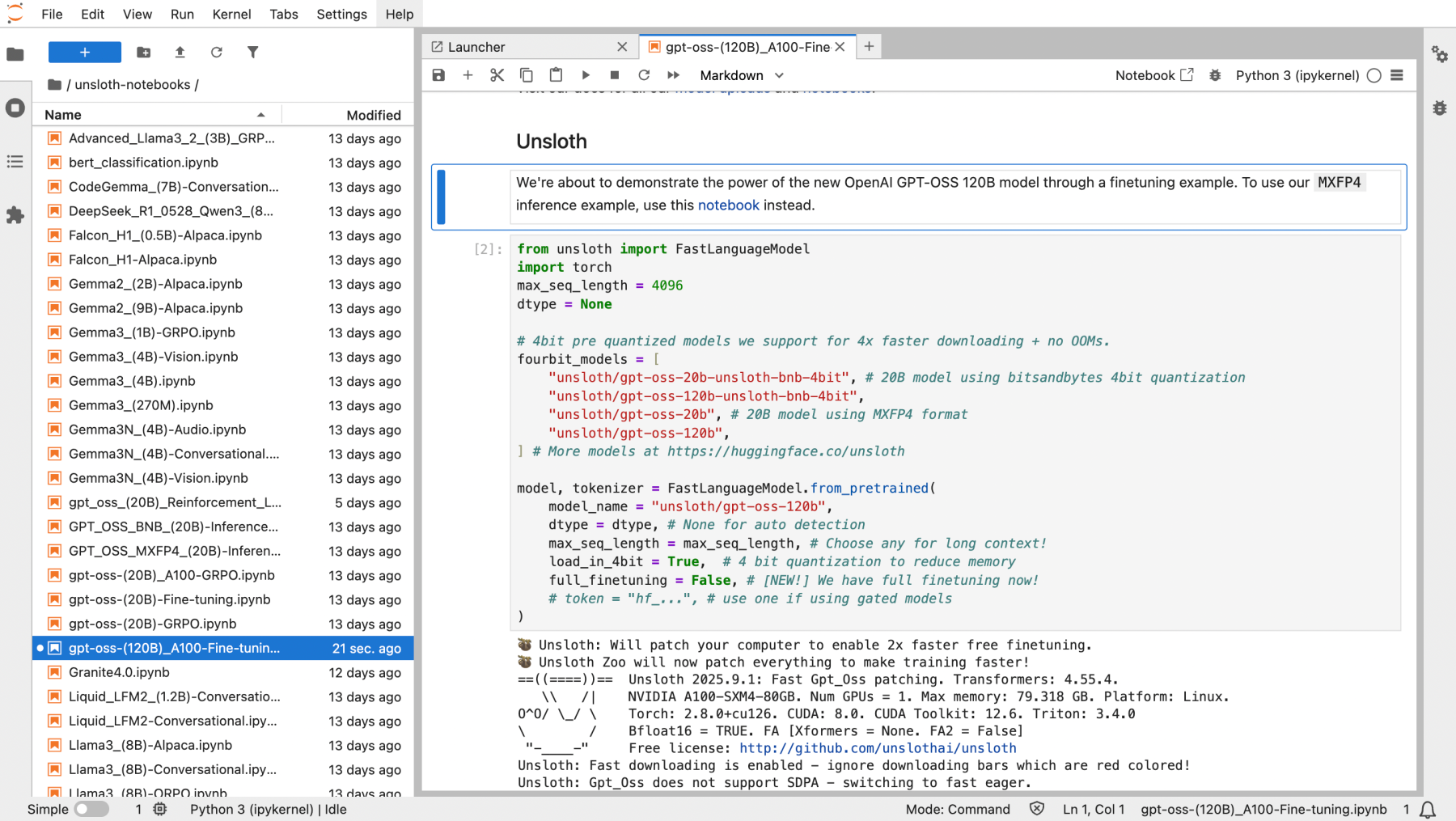
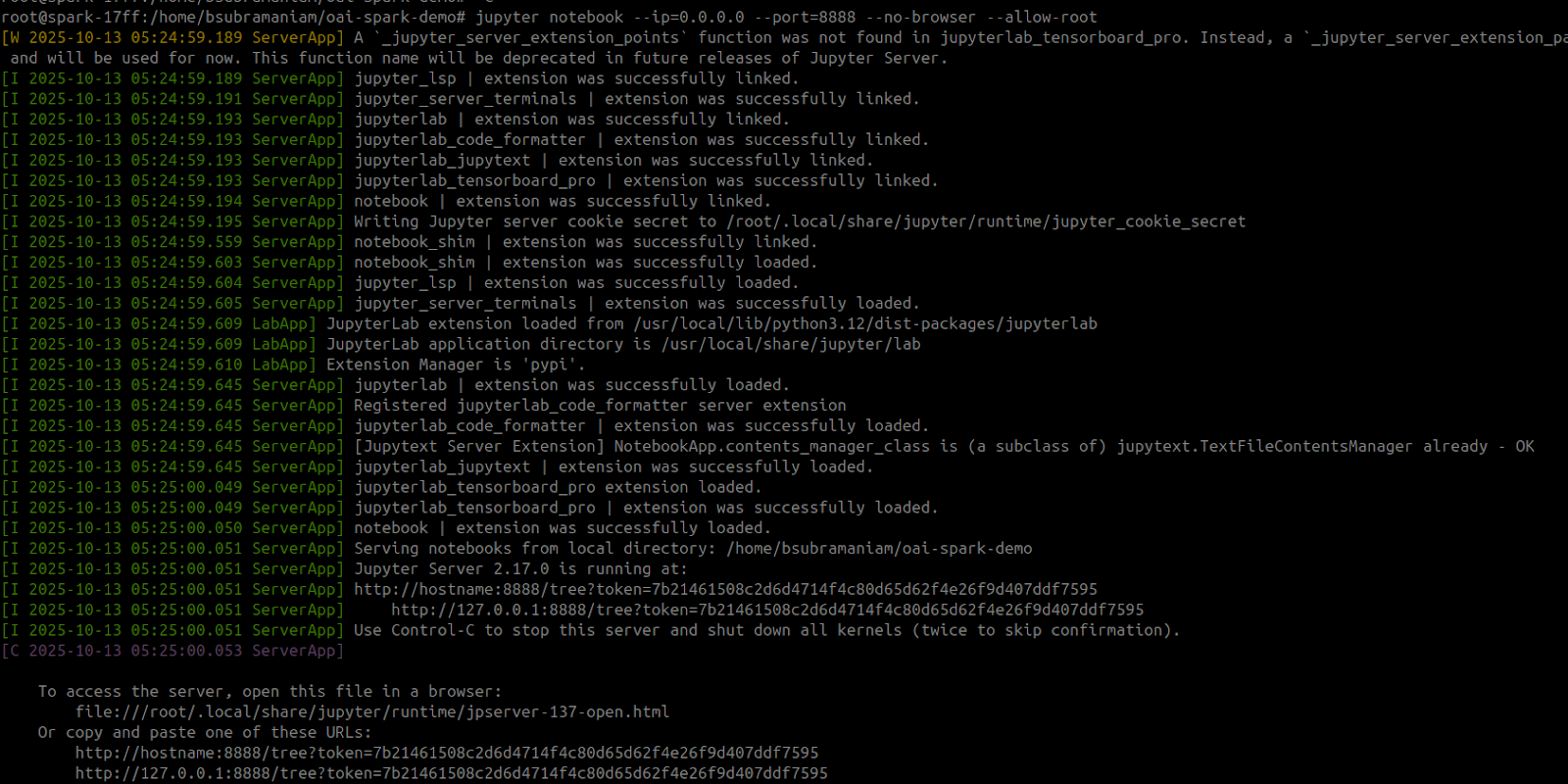
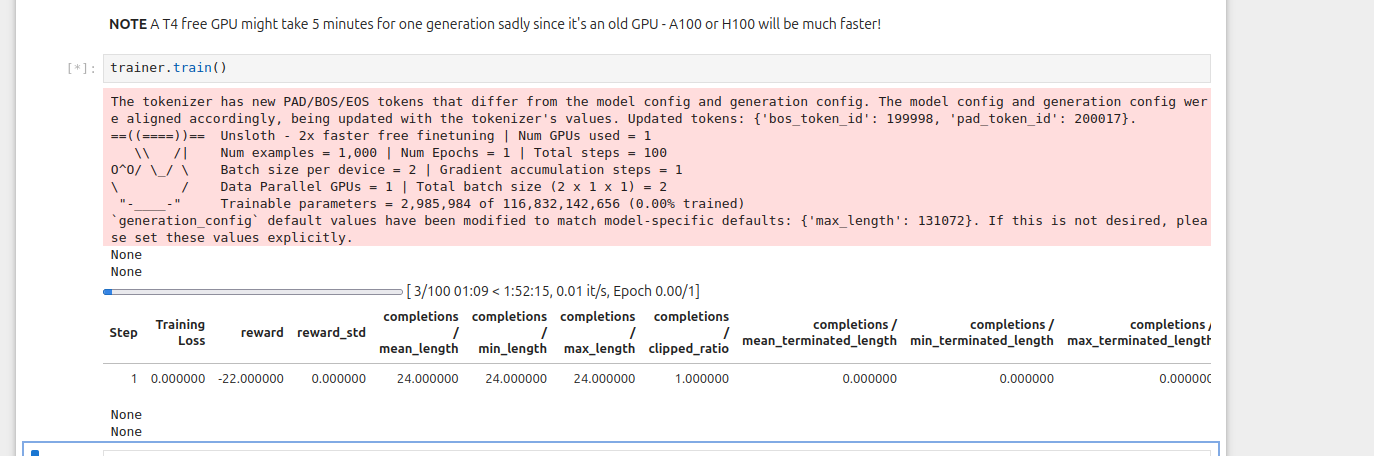
コンテナ内でJupyterを起動し、必要なノートブックを実行します。Reinforcement Learning gpt-oss 20bを使用して2048に勝つノートブックを使用できます [ノートブックはこちら](https://github.com/unslothai/notebooks/blob/main/nb/gpt_oss_\(20B\)_Reinforcement_Learning_2048_Game_DGX_Spark.ipynb)。実際、すべての [Unslothノートブック](https://docs.unsloth.ai/get-started/unsloth-notebooks) は、インストールセルを削除するだけでDGX Sparkで動作します（含まれている **120b** ノートブックも同様です）。

<figure><img src="/files/cfca3441dbd0d737fda6c4b1433aa7052bc8b7cc" alt="" width="563"><figcaption></figcaption></figure>

以下のコマンドはRLノートブックを実行するためにも使用できます。Jupyter Notebookを起動したら、“`gpt_oss_20B_RL_2048_Game.ipynb`”

```bash
NOTEBOOK_URL="https://raw.githubusercontent.com/unslothai/notebooks/refs/heads/main/nb/gpt_oss_(20B)_Reinforcement_Learning_2048_Game_DGX_Spark.ipynb"
wget -O "gpt_oss_20B_RL_2048_Game.ipynb" "$NOTEBOOK_URL"

jupyter notebook --ip=0.0.0.0 --port=8888 --no-browser --allow-root
```

<figure><img src="/files/f1fad8afff4cf3043ff9a30a1206ca169e2c89d8" alt="" width="563"><figcaption></figcaption></figure>

Unslothはファインチューニング後にモデルを [保存して実行する](/docs/jp/ji-ben/inference-and-deployment.md) ことも可能なので、ファインチューニング後にローカルで直接DGX Sparkにデプロイできます。
{% endstep %}
{% endstepper %}

多大な感謝を [Lakshmi Ramesh](https://www.linkedin.com/in/rlakshmi24/) および [Barath Anandan](https://www.linkedin.com/in/barathsa/) に、UnslothのDGX SparkローンチとDockerイメージ構築の支援をしてくれたNVIDIAへ。

### ユニファイドメモリの使用状況

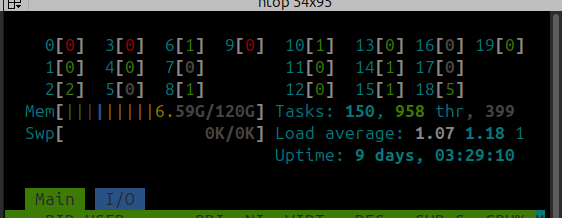
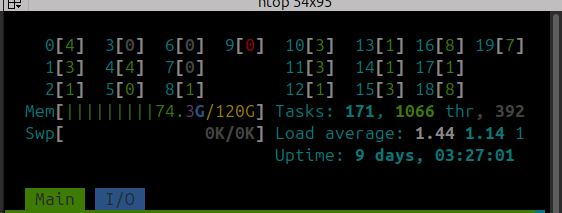
gpt-oss-120bのQLoRA 4ビットファインチューニングはおおよそ **68GB** のユニファイドメモリを使用します。ユニファイドメモリの使用状況は次のように表示されるべきです **前** （左）および **その後に** （右）のトレーニング：

<div><figure><img src="/files/7b9fc08cbf343d447a76b819e11cc164f2937209" alt=""><figcaption></figcaption></figure> <figure><img src="/files/8d0f260f49d0283440e167474a8f5cbd7a13a0cb" alt=""><figcaption></figcaption></figure></div>

以上です！NVIDIA DGX Spark上で完全にローカルにLLMをトレーニングおよび実行して楽しんでください！

### ビデオチュートリアル

に感謝します [AnythingLLM](https://github.com/Mintplex-Labs/anything-llm) がDGX SparkでのUnslothを使った素晴らしいファインチューニングチュートリアルを提供してくれました：

{% embed url="<https://www.youtube.com/watch?t=962s&v=zs-J9sKxvoM>" %}


---

# Agent Instructions: Querying This Documentation

If you need additional information that is not directly available in this page, you can query the documentation dynamically by asking a question.

Perform an HTTP GET request on the current page URL with the `ask` query parameter:

```
GET https://unsloth.ai/docs/jp/burogu/fine-tuning-llms-with-nvidia-dgx-spark-and-unsloth.md?ask=<question>
```

The question should be specific, self-contained, and written in natural language.
The response will contain a direct answer to the question and relevant excerpts and sources from the documentation.

Use this mechanism when the answer is not explicitly present in the current page, you need clarification or additional context, or you want to retrieve related documentation sections.