# Unsloth Studio 介绍

今天，我们发布 **Unsloth Studio** （Beta）：一个开源、无需编程的网页界面，用于在一个统一的 **本地** 界面中训练、运行和导出开源模型。

<a href="/pages/1bc06634f9646051a40b3ee9c1e88ef2179a0bc2#quickstart" class="button primary" data-icon="bolt">快速入门</a><a href="/pages/1bc06634f9646051a40b3ee9c1e88ef2179a0bc2#features" class="button secondary" data-icon="star">功能</a><a href="https://github.com/unslothai/unsloth" class="button secondary" data-icon="github">Github</a>

* **在本地运行 GGUF** 和 safetensor 模型于 **Mac**、Windows、Linux。
* 以少 70% 的 VRAM 将 500+ 个模型训练速度提升 2 倍（且不损失准确率）
* 运行并训练文本、视觉、TTS 音频、嵌入模型

{% hint style="success" %}
**要了解最新更新，请查看我们的** [**新更新日志页面**](/docs/zh/xin/changelog.md)**!** ✨
{% endhint %}

<div><figure><img src="/files/7c79c09bd1c712a3be5b7de3811eff5210dfdee7" alt=""><figcaption></figcaption></figure> <figure><img src="/files/1240bc5686ae5e124c52778575a841252fcc40be" alt=""><figcaption></figcaption></figure></div>

* **MacOS** 和 **CPU** 适用于 [聊天](#run-models-locally) GGUF 推理和 [数据配方](/docs/zh/xin/studio/data-recipe.md)。MLX 训练即将推出。
* 无需数据集。 [**自动创建数据集**](/docs/zh/xin/studio/data-recipe.md) ，来源于 **PDF、CSV、JSON、DOCX、TXT** 文件。
* [导出或保存](/docs/zh/xin/studio/export.md) 你的模型为 GGUF、16 位 safetensor 等格式。
* [**自我修复工具调用**](/docs/zh/xin/studio/chat.md#auto-healing-tool-calling) / 高级 [**网页搜索**](/docs/zh/xin/studio/chat.md#advanced-web-search) + [**代码执行**](/docs/zh/xin/studio/chat.md#code-execution)
* [自动推理设置](/docs/zh/xin/studio/chat.md#auto-parameter-tuning)，编辑聊天模板，将 Unsloth 作为 [**API 端点**](#unsloth-as-an-api-endpoint).

## ⭐ 功能

{% columns %}
{% column %}

### **在本地运行模型**

[搜索并运行 GGUF](/docs/zh/xin/studio/chat.md) 和 safetensor 模型，支持自我修复 [工具调用](#execute-code--heal-tool-calling)、高级 [网页搜索](/docs/zh/xin/studio/chat.md#advanced-web-search), [自动推理](/docs/zh/xin/studio/chat.md#auto-parameter-tuning) 设置， [**代码执行**](/docs/zh/xin/studio/chat.md#code-execution) （Bash + Python）， [API](/docs/zh/ji-chu/api.md)。上传图片、文档、音频、代码。

[并排对战模型](/docs/zh/xin/studio.md#model-arena)。由 llama.cpp + Hugging Face 提供支持，Unsloth 支持 **多 GPU 推理、** 自动卸载与装载，并适配大多数模型。
{% endcolumn %}

{% column %}

<div data-with-frame="true"><figure><img src="/files/f8801eb887a6a996de4f745df66b4617f383d216" alt=""><figcaption></figcaption></figure></div>
{% endcolumn %}
{% endcolumns %}

{% columns %}
{% column %}

### 执行代码 + 修复工具调用

Unsloth Studio 让 LLM 运行 Bash 和 Python，而不仅仅是 JavaScript。它还像 Claude Artifacts 一样对程序进行沙箱隔离，因此模型可以测试代码、生成文件，并通过真实计算验证答案。

例如，Qwen3.5-4B 搜索了 20+ 个网站并引用了来源，网页搜索发生在其思考轨迹内部。
{% endcolumn %}

{% column %}

<div data-with-frame="true"><figure><img src="/files/6273055e6bbde016134838582519f00de2201635" alt=""><figcaption></figcaption></figure></div>
{% endcolumn %}
{% endcolumns %}

{% columns %}
{% column %}

### 作为 API 端点的 Unsloth

你现在可以通过以下工具使用本地 LLM： [Claude Code](/docs/zh/ji-chu/claude-code.md) 和 [Codex](/docs/zh/ji-chu/codex.md) ，只需将其连接到 [Unsloth 的 API 端点](/docs/zh/ji-chu/api.md)。这意味着你可以直接在这些工具中运行 Qwen 和 Gemma 模型，并使用 Unsloth 的推理能力，其中包括自我修复工具调用、网页搜索等功能。
{% endcolumn %}

{% column %}

<div data-with-frame="true"><figure><img src="/files/7242dbe4fc4c5504066ca1aac435bcfd34e8bb74" alt=""><figcaption></figcaption></figure></div>
{% endcolumn %}
{% endcolumns %}

{% columns %}
{% column %}

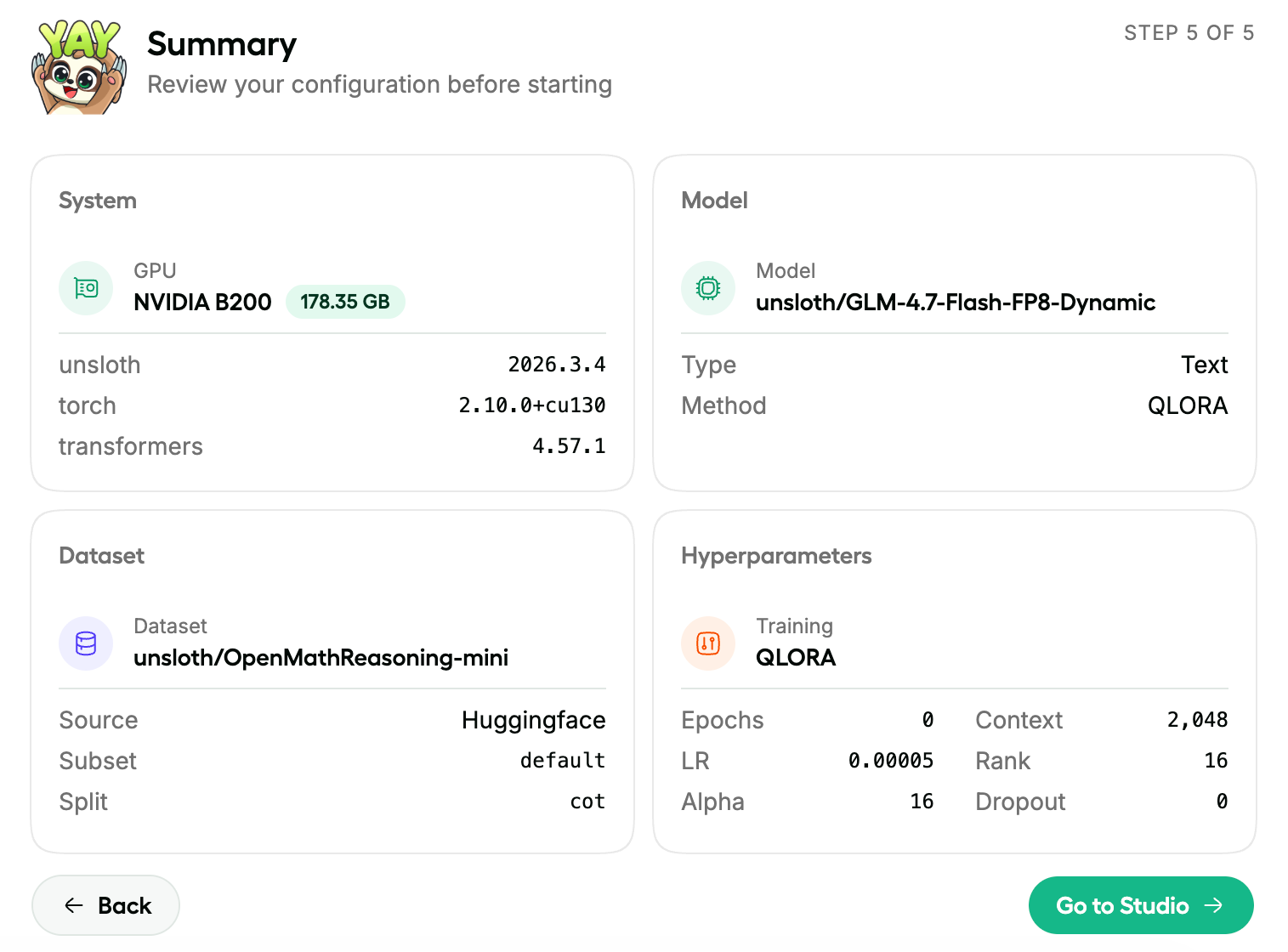
### **无需编程的训练**

[上传 PDF、CSV、JSON](#data-recipes) 文档或 YAML 配置，即可在 NVIDIA 上立即开始训练。Unsloth 的内核可优化 LoRA、FP8、FFT、PT，覆盖 500+ 个文本、视觉、TTS/音频和嵌入模型。

微调最新的 LLM，例如 [Qwen3.5](/docs/zh/mo-xing/qwen3.5/fine-tune.md) 和 NVIDIA [Nemotron 3](/docs/zh/mo-xing/nemotron-3.md). [多 GPU](/docs/zh/ji-chu/multi-gpu-training-with-unsloth.md) 会自动工作，新版本也即将到来。
{% endcolumn %}

{% column %}

<div data-with-frame="true"><figure><img src="/files/d842710e2218bb4093516fe96927bacd629b2a5b" alt=""><figcaption></figcaption></figure></div>
{% endcolumn %}
{% endcolumns %}

{% columns %}
{% column %}

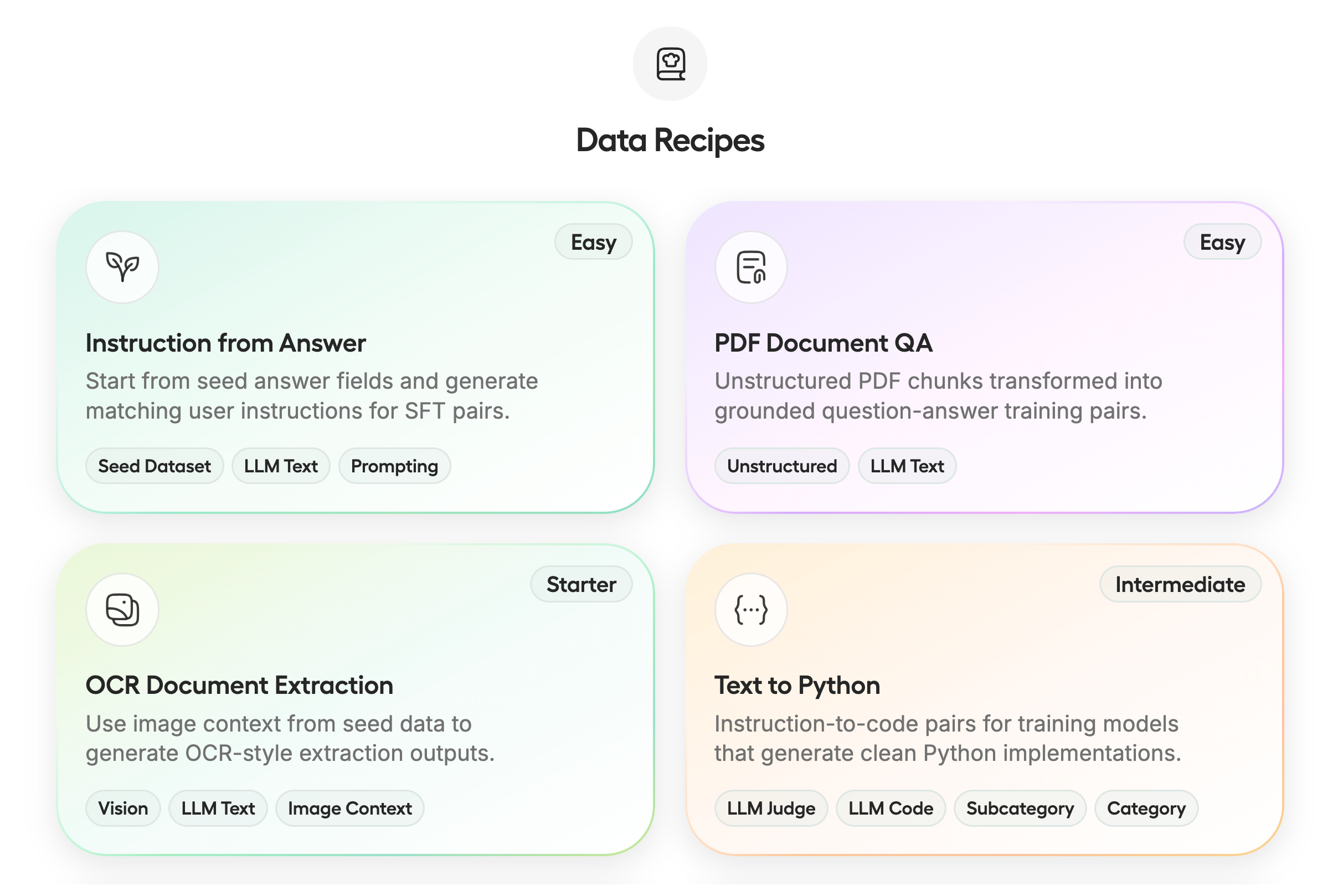
### 数据配方

[**数据配方**](/docs/zh/xin/studio/data-recipe.md) 通过图节点工作流将你的文档转换为可用/合成数据集。上传 PDF、CSV 和 JSON 等非结构化或结构化文件。由 NVIDIA Nemo 驱动的 Unsloth Data Recipes [数据设计器](https://github.com/NVIDIA-NeMo/DataDesigner)可自动将文档转换为你所需的格式。
{% endcolumn %}

{% column %}

<div data-with-frame="true"><figure><img src="/files/767f9357d0662055b63acc65bd2018173eb273f9" alt=""><figcaption></figcaption></figure></div>
{% endcolumn %}
{% endcolumns %}

{% columns %}
{% column %}

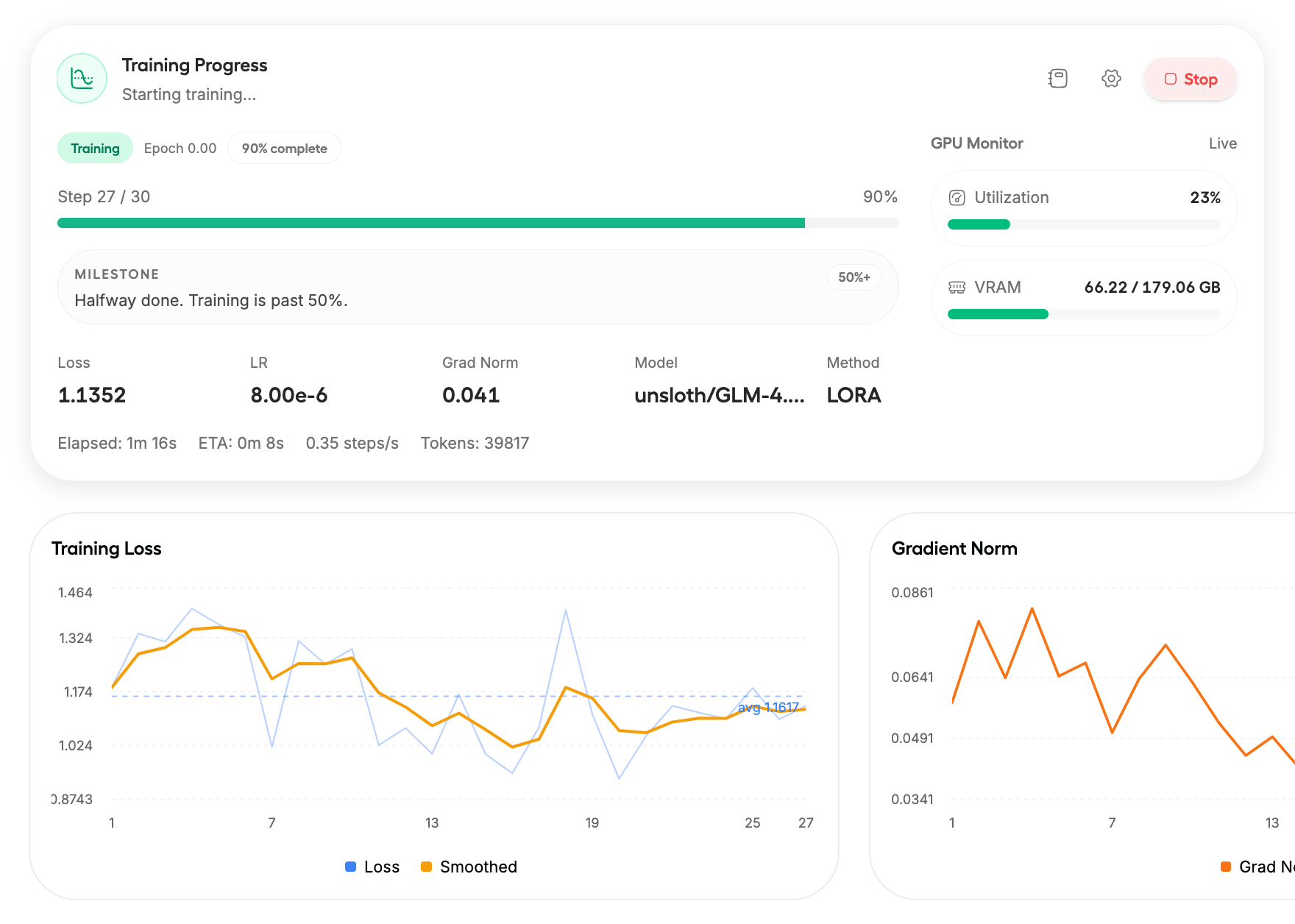
### 可观测性

获得 [完全可见性](/docs/zh/xin/studio/start.md#training-progress) 并全面控制你的训练运行。实时跟踪训练损失、梯度范数和 GPU 利用率，并按需自定义。

你甚至可以在手机等其他设备上查看训练进度。
{% endcolumn %}

{% column %}

<div data-with-frame="true"><figure><img src="/files/ba1a5301f0191ea2638a38ea3e7593e03ab95f60" alt=""><figcaption></figcaption></figure></div>
{% endcolumn %}
{% endcolumns %}

{% columns %}
{% column %}

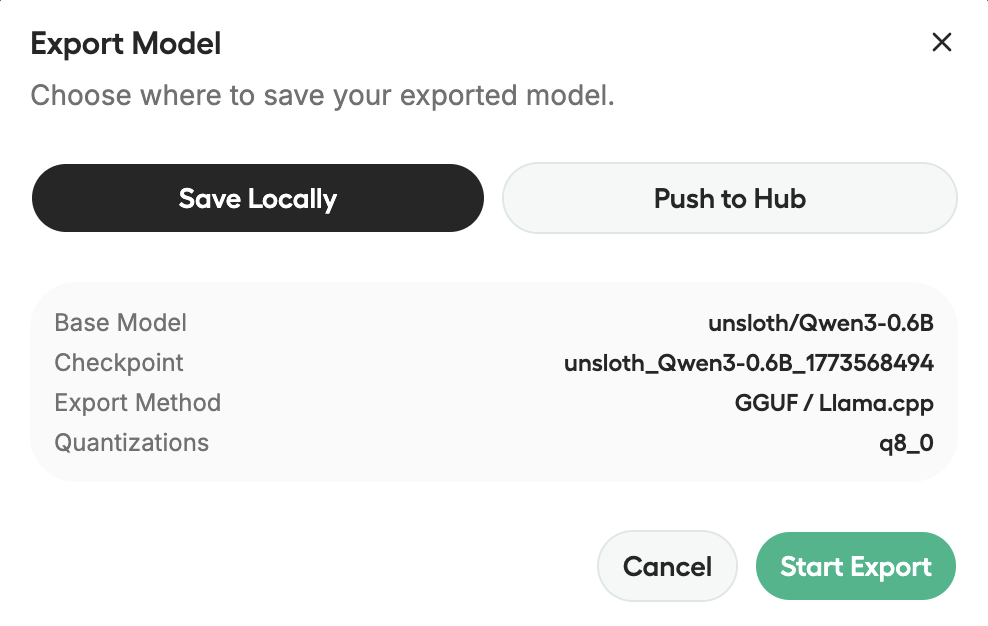
### 导出 / 保存模型

[**导出任何模型**](/docs/zh/xin/studio/export.md)，包括你微调后的模型，导出为 safetensors 或 GGUF，以便与 llama.cpp、vLLM、Ollama、LM Studio 等一起使用。

保存你的训练历史记录，因此你可以回顾运行、再次导出并进行实验。
{% endcolumn %}

{% column %}

<div data-with-frame="true"><figure><img src="/files/cf5ca2ab921c9f17a85140ab2db69ead4dcf8f28" alt=""><figcaption></figcaption></figure></div>
{% endcolumn %}
{% endcolumns %}

{% columns %}
{% column %}

### 模型竞技场

与 2 个不同的 [模型聊天并比较](/docs/zh/xin/studio/chat.md#model-arena) ，例如基础模型和微调模型，看看它们的输出有何不同。

只需先加载你的第一个 GGUF/模型，然后加载第二个，就搞定了！推理会先为一个模型加载，然后再为第二个模型加载。
{% endcolumn %}

{% column %}

<div align="center" data-with-frame="true"><figure><img src="/files/8c7b2f00c739a7786f502122730f81d86c763ba5" alt=""><figcaption></figcaption></figure></div>
{% endcolumn %}
{% endcolumns %}

{% columns %}
{% column %}

### 隐私优先 + 安全

Unsloth Studio 可 100% 离线并在本地计算机上使用。其基于令牌的身份验证，包括加密密码和 JWT 访问/刷新流程，可保护你的数据安全。

你可以使用之前从 HF 等处下载的现有/旧模型或 GGUF。请阅读 [此处说明](/docs/zh/xin/studio/chat.md#using-old-existing-gguf-models).
{% endcolumn %}

{% column %}

<div data-with-frame="true"><figure><img src="/files/54b44af1e96f5a67bf8bc6b1d04b3b86756009a9" alt=""><figcaption></figcaption></figure></div>
{% endcolumn %}
{% endcolumns %}

{% hint style="warning" %}
请注意，这里是 **BETA** 版本的 Unsloth Studio。未来几天和几周内将会有许多改进、修复和新功能。
{% endhint %}

## ⚡ 快速入门

Unsloth Studio 可在 Windows、Linux、WSL 和 MacOS 上运行（目前仅限聊天）。

* **CPU：** Unsloth 在没有 GPU 的情况下仍然可用，但仅适用于 [聊天](#run-models-locally) 推理和 [数据配方](/docs/zh/xin/studio/data-recipe.md).
* **训练：** 可运行于 **NVIDIA**：RTX 30、40、50、Blackwell、DGX Spark/Station 等 + **Intel** GPU
* **Mac：** 类似 CPU——聊天和 [数据配方](/docs/zh/xin/studio/data-recipe.md) 目前仅可用于。 **MLX** 训练即将非常快推出。
* **AMD：** 聊天可用。使用 [Unsloth Core](/docs/zh/kai-shi-shi-yong/install/amd.md)进行训练。Studio 支持即将推出。
* **即将推出：** 对以下平台的训练支持 **Apple MLX** 和 **AMD。**
* **多 GPU：** 已经可用，重大升级正在路上。

使用下面相同的安装命令进行更新：

### **MacOS、Linux、WSL：**

```bash
curl -fsSL https://unsloth.ai/install.sh | sh
```

### **Windows PowerShell：**

```bash
irm https://unsloth.ai/install.ps1 | iex
```

#### 启动 Unsloth

```bash
unsloth studio -H 0.0.0.0 -p 8888
```

### Docker：

使用我们的官方 **Docker 镜像**: [`unsloth/unsloth`](https://hub.docker.com/r/unsloth/unsloth) ，目前可在 Windows、WSL 和 Linux 上运行。MacOS 支持即将推出。

{% code overflow="wrap" expandable="true" %}

```bash
docker run -d -e JUPYTER_PASSWORD="mypassword" \
  -p 8888:8888 -p 8000:8000 -p 2222:22 \
  -v $(pwd)/work:/workspace/work \
  --gpus all \
  unsloth/unsloth
```

{% endcode %}

{% hint style="success" %}
**由于预编译的 llama.cpp 二进制文件，首次安装现在应快 6 倍，且体积减少 50%。**
{% endhint %}

**有关安装和卸载的更多详情，请访问** [**Unsloth Studio 安装**](/docs/zh/xin/studio/install.md) **部分。**

{% content-ref url="/pages/ef666f465ed5ec55124d17ba90cfb169b4efa95f" %}
[Installation](/docs/zh/xin/studio/install.md)
{% endcontent-ref %}

### <i class="fa-google">:google:</i> Google Colab 笔记本

我们创建了一个 [免费的 Google Colab 笔记本](https://colab.research.google.com/github/unslothai/unsloth/blob/main/studio/Unsloth_Studio_Colab.ipynb) ，这样你就可以在 Colab 的 T4 GPU 上探索 Unsloth 的所有功能。你可以训练并运行参数量最高达 22B 的大多数模型，并切换到更大的 GPU 以运行更大的模型。只需点击“Run all”，安装完成后界面就会弹出。

{% columns %}
{% column %}
{% embed url="<https://colab.research.google.com/github/unslothai/unsloth/blob/main/studio/Unsloth_Studio_Colab.ipynb>" %}

安装完成后，滚动到 **启动 Unsloth Studio** 并点击 **打开 Unsloth Studio** ，位于左侧显示的白色框中：

**继续向下滚动即可看到实际界面。**
{% endcolumn %}

{% column %}

<div data-with-frame="true"><figure><img src="/files/23d7b9394cb33ccc206be2027b143e6290680aea" alt=""><figcaption></figcaption></figure></div>
{% endcolumn %}
{% endcolumns %}

{% hint style="warning" %}
有时 Studio 链接可能会返回错误。这是因为你可能禁用了 cookies，或者正在使用广告拦截器或 Mozilla。你仍然可以通过向下滚动到按钮下方来访问界面。
{% endhint %}

## <i class="fa-seedling">:seedling:</i> 工作流程

以下是 Unsloth Studio 的常见工作流程，帮助你快速上手：

1. 从 [安装说明](/docs/zh/xin/studio/install.md).
2. 启动 Studio
3. 从本地文件或受支持的集成中加载模型。
4. 从 PDF、CSV 或 JSONL 文件导入训练数据，或从零开始构建数据集。 [数据配方](/docs/zh/xin/studio/data-recipe.md).
5. 在
6. 使用推荐预设开始训练，或自行自定义配置。
7. [保存或导出](/docs/zh/xin/studio.md#export-save-models) 到你已经使用的本地技术栈中。

你可以阅读我们对 Unsloth Studio 各部分的单独深度解析：

{% columns %}
{% column width="50%" %}
{% content-ref url="/pages/12f6b822ad28322267b74accad74f665b341f5a4" %}
[Get Started](/docs/zh/xin/studio/start.md)
{% endcontent-ref %}

{% content-ref url="/pages/f7c3389bdba9af3050e66a941596d827cdb11e0b" %}
[Model Export](/docs/zh/xin/studio/export.md)
{% endcontent-ref %}
{% endcolumn %}

{% column width="50%" %}
{% content-ref url="/pages/7223afcfd2df87e1fe32a963c0b5ef0e45f563c5" %}
[Data Recipes](/docs/zh/xin/studio/data-recipe.md)
{% endcontent-ref %}

{% content-ref url="/pages/5c2325084ff65c0303d8ec102b689868935855d3" %}
[Studio Chat](/docs/zh/xin/studio/chat.md)
{% endcontent-ref %}
{% endcolumn %}
{% endcolumns %}

## <i class="fa-video">:video:</i> 视频教程

{% hint style="warning" %}
视频中展示的 Unsloth Studio 版本较旧，不能反映当前版本。
{% endhint %}

{% columns fullWidth="false" %}
{% column %}
{% embed url="<https://www.youtube.com/watch?v=mmbkP8NARH4>" fullWidth="false" %}

以下是 NVIDIA 制作的视频教程，帮助你开始使用 Studio：
{% endcolumn %}

{% column %}
{% embed url="<https://youtu.be/1lEDuRJWHh4?si=GHaS77ZZPOGjn3GJ>" %}

如何安装 Unsloth Studio 视频教程
{% endcolumn %}
{% endcolumns %}

## <i class="fa-comments-question">:comments-question:</i> 常见问题

**Unsloth 会收集或存储数据吗？**\
Unsloth 不会收集使用遥测数据。Unsloth 只会收集兼容性所需的最少硬件信息，例如 GPU 类型和设备（如 Mac）。Unsloth Studio 100% 离线并在本地运行。

**我如何使用之前从 Hugging Face 下载的旧/现有模型？**\
是的，你可以使用之前从 Hugging Face 等处下载的现有/旧模型或 GGUF。现在它们应该会被 Unsloth 自动检测，否则请阅读我们的 [此处说明](/docs/zh/xin/studio/chat.md#using-old-existing-gguf-models).

**为什么 Unsloth 中的推理有时更慢？**\
Unsloth 与其他本地推理应用一样，基于 llama.cpp，因此速度应该大致相同。有时 Unsloth 变慢可能是因为你开启了网页搜索、代码执行或自我修复工具调用。所有这些功能都可能使推理变慢。如果在关闭所有功能后速度差异仍然较慢，请提交 GitHub issue！

**Unsloth Studio 支持与 OpenAI 兼容的 API 吗？**\
是的，请查看我们的 [API 端点指南](/docs/zh/ji-chu/api.md).

**Unsloth 现在是否采用 AGPL-3.0 许可？**\
Unsloth 使用 Apache 2.0 和 AGPL-3.0 的双重许可模式。核心 Unsloth 包仍在 [**Apache 2.0**](https://github.com/unslothai/unsloth?tab=Apache-2.0-1-ov-file)许可下，而某些可选组件，例如 Unsloth Studio UI 则采用 [**AGPL-3.0**](https://github.com/unslothai/unsloth?tab=AGPL-3.0-2-ov-file).

许可。这种结构有助于支持 Unsloth 的持续开发，同时保持项目开源，并使更广泛的生态系统持续成长。

**Studio 只支持 LLM 吗？**\
不。Studio 支持一系列受支持的 `transformers` 兼容模型家族，包括文本、多模态模型、 [文本转语音](/docs/zh/ji-chu/text-to-speech-tts-fine-tuning.md)、音频、 [嵌入](/docs/zh/ji-chu/embedding-finetuning.md)以及 BERT 风格模型。

**我可以使用自己的训练配置吗？**\
可以。导入 YAML 配置后，Studio 会预填相关设置。

**我该如何调整上下文长度？**\
使用 llama.cpp 的智能自动上下文后，已经不再需要调整上下文长度，因为它只会使用你需要的上下文，而不会额外加载任何内容。不过，我们很快仍会添加此功能，以防你想使用它。

**使用此界面需要训练模型吗？**\
不需要，你可以直接下载任何 GGUF 或模型，而无需对任何模型进行微调。

#### Unsloth 的未来

我们正努力让开源 AI 尽可能易于获取。接下来针对 Unsloth 和 Unsloth Studio，我们将发布对以下内容的官方支持：多 GPU、Apple Silicon/MLX 和 AMD。提醒一下，这仍是 Unsloth Studio 的 BETA 版本，因此请期待未来几周内会有大量公告和改进。我们也正与 NVIDIA 密切合作推进多 GPU 支持，以提供尽可能最佳且最简单的体验。

#### 致谢

非常感谢 NVIDIA 和 Hugging Face 成为我们发布的一部分。也感谢所有 Unsloth Studio 的早期 beta 测试者，我们非常感激你们投入的时间和反馈。我们还要感谢 llama.cpp、PyTorch 以及 open model labs 提供了使 Unsloth Studio 成为可能的基础设施。


---

# Agent Instructions: Querying This Documentation

If you need additional information that is not directly available in this page, you can query the documentation dynamically by asking a question.

Perform an HTTP GET request on the current page URL with the `ask` query parameter:

```
GET https://unsloth.ai/docs/zh/xin/studio.md?ask=<question>
```

The question should be specific, self-contained, and written in natural language.
The response will contain a direct answer to the question and relevant excerpts and sources from the documentation.

Use this mechanism when the answer is not explicitly present in the current page, you need clarification or additional context, or you want to retrieve related documentation sections.