> For the complete documentation index, see [llms.txt](https://unsloth.ai/docs/llms.txt). Markdown versions of documentation pages are available by appending `.md` to page URLs; this page is available as [Markdown](https://unsloth.ai/docs/zh/kuai-su-kai-shi/install/amd.md).

# 使用 Unsloth 指南在 AMD GPU 上微调 LLM

了解如何使用 Unsloth 在 AMD GPU 上微调大型语言模型（LLM）。

在 AMD 硬件上微调 LLM 的速度最高可提升 2 倍，内存占用减少约 70%，无需 NVIDIA。Unsloth 支持 Windows 和 Linux 上的 AMD Radeon RDNA 3/3.5/4（RX 6000–9000 系列），以及包括 MI300X（192GB）在内的数据中心 GPU。

{% stepper %}
{% step %}

#### **一行安装程序**

在 AMD 上安装 Unsloth，最简单的方法是下载我们的 [桌面应用](/docs/zh/desktop.md).

<a href="https://unsloth.ai/download/windows" class="button secondary" data-icon="windows">下载 Windows 版</a><a href="https://unsloth.ai/download/linux" class="button secondary" data-icon="linux">下载 Linux 版</a>\
\
手动安装：

**Linux：**

```bash
curl -fsSL https://unsloth.ai/install.sh | sh
```

**Windows（PowerShell）：**

```powershell
irm https://unsloth.ai/install.ps1 | iex
```

下面的手动步骤适用于希望在 AMD 上安装 Unsloth Python 库及其所需依赖的用户。
{% endstep %}

{% step %}

#### **创建新的隔离环境（可选）**

下面的步骤适用于 Linux。在 Windows 上，请使用上面的桌面应用或 PowerShell 安装程序：它们会为你安装 AMD 的 Windows 版 PyTorch。

为了不破坏任何系统包，请创建一个隔离环境。提醒一下，请检查你的 Python 版本！它可能是 `python3`, `python3.12`, `python3.13` 等。Python 3.10 到 3.13 均可。

{% code overflow="wrap" %}

```bash
apt update && apt install python3.13-venv -y
python3.13 -m venv unsloth_env
source unsloth_env/bin/activate
pip install uv
```

{% endcode %}
{% endstep %}

{% step %}

#### **安装 PyTorch**

PyPI 只有 NVIDIA（CUDA）版的 PyTorch，因此请先从与你的 ROCm 版本匹配的 PyTorch 索引安装 ROCm 版本。通过以下命令检查： `amd-smi version` （ `ROCm 版本：` 这一行），然后：

{% code overflow="wrap" %}

```bash
uv pip install "torch<2.15" torchvision torchaudio \
    --index-url https://download.pytorch.org/whl/rocm7.2 --upgrade --force-reinstall
```

{% endcode %}

将 `rocm7.2` 替换为你的 ROCm 版本。可用的索引标签有 `rocm6.0` 改为 `rocm6.4` 和 `rocm7.0` 改为 `rocm7.2`。ROCm 6.5 到 6.9 使用 `rocm6.4`，而 ROCm 7.3 或更新版本使用 `rocm7.2`。需要 ROCm 6.0 或更高版本。

或者让此命令为你自动选择标签：

{% code overflow="wrap" %}

```bash
ROCM_VER="$(amd-smi version 2>/dev/null | sed -n 's/.*ROCm version: \([0-9]*\.[0-9]*\).*/\1/p' | head -n 1)"
[ -n "$ROCM_VER" ] || ROCM_VER="$(cut -d. -f1,2 /opt/rocm/.info/version 2>/dev/null)"
case "$ROCM_VER" in
    6.[0-4]|7.[0-2]) ROCM_TAG="rocm$ROCM_VER" ;;
    6.*) ROCM_TAG="rocm6.4" ;;
    *) ROCM_TAG="rocm7.2" ;;
esac
echo "ROCm ${ROCM_VER:-unknown}: using $ROCM_TAG"
uv pip install "torch<2.15" torchvision torchaudio \
    --index-url "https://download.pytorch.org/whl/$ROCM_TAG" --upgrade --force-reinstall
```

{% endcode %}

<div data-with-frame="true"><figure><img src="https://2657992854-files.gitbook.io/~/files/v0/b/gitbook-x-prod.appspot.com/o/spaces%2FxhOjnexMCB3dmuQFQ2Zq%2Fuploads%2FTVWdHJi4m8thLmCwOocd%2Fimage.png?alt=media&amp;token=c3c2dc1d-a405-4998-96ec-8dc320e3e4ce" alt="" width="563"><figcaption></figcaption></figure></div>
{% endstep %}

{% step %}

#### **安装 Unsloth**

PyPI 上的 Unsloth 依赖于 `torch`，因此普通安装可能会把你刚安装的 ROCm 版 PyTorch 替换为 PyPI 上的 CUDA 版。为防止这种情况，请锁定你已安装的 PyTorch，并使用 `uv pip` （而不是直接使用 `pip`):

{% code overflow="wrap" %}

```bash
uv pip freeze | grep -E '^(torch|torchvision|torchaudio)==' > torch-pins.txt
echo "triton ; sys_platform == 'never'" >> torch-pins.txt
echo "xformers ; sys_platform == 'never'" >> torch-pins.txt
uv pip install "unsloth[amd]" --overrides torch-pins.txt
```

{% endcode %}

`torch-pins.txt` 应列出一行 `torch==...+rocm...` 。最后两行可防止 PyPI 的 `triton` 安装到随 PyTorch 一起提供的 Triton 之上，并跳过 PyPI 的 `xformers`，它仅为 NVIDIA GPU 构建。

<div data-with-frame="true"><figure><img src="https://2657992854-files.gitbook.io/~/files/v0/b/gitbook-x-prod.appspot.com/o/spaces%2FxhOjnexMCB3dmuQFQ2Zq%2Fuploads%2Fe0HmhIq3WvgX4hMh5B8N%2Fimage.png?alt=media&amp;token=8376914f-e8b8-4a84-bee9-83c80ed5ad92" alt="" width="547"><figcaption></figcaption></figure></div>

**更新 Unsloth**

仅升级 Unsloth，并使用相同的锁定：

{% code overflow="wrap" %}

```bash
uv pip install --upgrade-package unsloth --upgrade-package unsloth-zoo "unsloth[amd]" --overrides torch-pins.txt
```

{% endcode %}

不要运行 `uv pip install -U unsloth` 或 `--force-reinstall` 而不使用这些锁定：两者都会再次从 PyPI 解析 PyTorch，并用 CUDA 版本替换你的 ROCm 版本。如果这已经发生， `import unsloth` 报告检测到 AMD GPU 但没有可用的 HIP 加速器：请重新运行上面的 PyTorch 步骤，然后再运行这一步。
{% endstep %}

{% step %}

#### **开始使用 Unsloth 进行微调！**

就这样。请在我们的 [**Unsloth Notebooks**](/docs/zh/kuai-su-kai-shi/unsloth-notebooks.md) 页面中试试一些示例！

你可以查看我们专门的 [微调](/docs/zh/kuai-su-kai-shi/fine-tuning-llms-guide.md) 或 [强化学习](/docs/zh/kuai-su-kai-shi/reinforcement-learning-rl-guide.md) 指南。下面还有一个简短示例：

**1. 设置环境变量**

{% code overflow="wrap" %}

```bash
export HF_HUB_DISABLE_XET=1            # 解决 AMD 上的 HuggingFace 下载问题
```

{% endcode %}

**2. 加载并配置模型**

{% code overflow="wrap" %}

```python
from unsloth import FastModel

model, tokenizer = FastModel.from_pretrained(
    model_name = "unsloth/gemma-4-26b-a4b-it",
    max_seq_length = 2048,
    load_in_4bit = True,
)

model = FastModel.get_peft_model(
    model,
    r = 16,
    lora_alpha = 16,
    target_modules = ["q_proj", "k_proj", "v_proj", "o_proj"],
)
```

{% endcode %}

**3. 训练**

{% code overflow="wrap" %}

```python
from trl import SFTTrainer, SFTConfig

trainer = SFTTrainer(
    model = model,
    tokenizer = tokenizer,
    train_dataset = dataset,
    formatting_func = formatting_func,
    args = SFTConfig(
        per_device_train_batch_size = 1,
        gradient_accumulation_steps = 4,
        max_steps = 60,
        output_dir = "outputs",
        report_to = "none",
    ),
)

trainer_stats = trainer.train()
```

{% endcode %}

<div data-with-frame="true"><figure><img src="https://2657992854-files.gitbook.io/~/files/v0/b/gitbook-x-prod.appspot.com/o/spaces%2FxhOjnexMCB3dmuQFQ2Zq%2Fuploads%2FwIcg0yj5i1hSyHDLyMYG%2Fimage.png?alt=media&amp;token=a6cbe0c7-fdbf-4feb-ad7b-7ac55ba91872" alt="" width="375"><figcaption></figcaption></figure></div>

***注意：** 默认情况下，AMD GPU 上未安装 Flash Attention 2，因此 Unsloth 改为使用 PyTorch 内置的 SDPA attention。该警告可以安全忽略。*
{% endstep %}
{% endstepper %}

### :1234: 在 AMD GPU 上进行强化学习

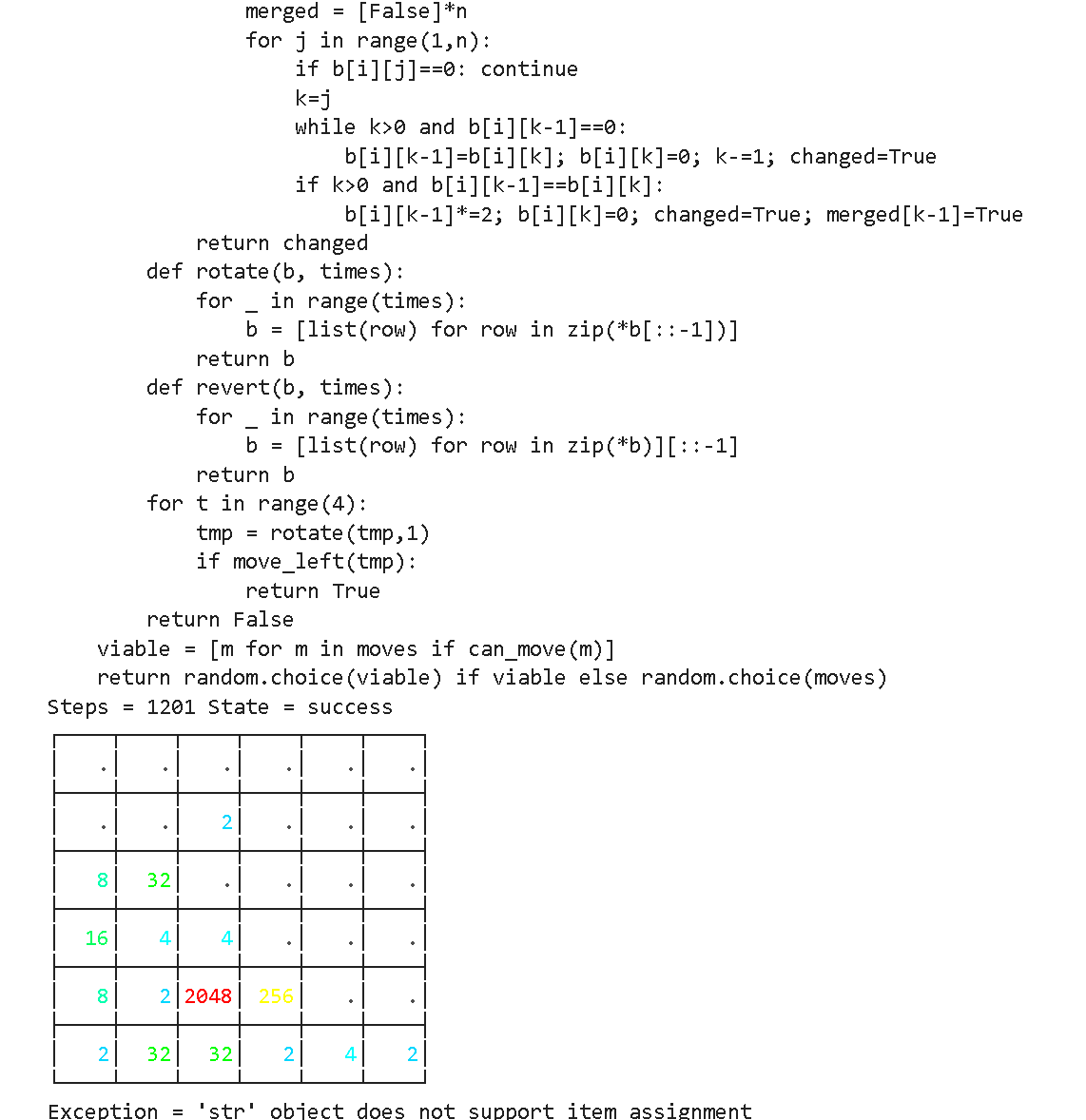
你可以使用我们的 :ledger:[gpt-oss RL 自动赢 2048](https://github.com/unslothai/notebooks/blob/main/nb/AMD-gpt_oss_\(20B\)_Reinforcement_Learning_2048_Game_BF16.ipynb) 示例，在 MI300X（192GB）GPU 上运行。目标是自动玩 2048 游戏，并通过 RL 获胜。LLM（gpt-oss 20b）会自动设计赢得 2048 游戏的策略，我们对获胜策略给予高奖励，对失败策略给予低奖励。

{% columns %}
{% column %}

<figure><img src="https://2657992854-files.gitbook.io/~/files/v0/b/gitbook-x-prod.appspot.com/o/spaces%2FxhOjnexMCB3dmuQFQ2Zq%2Fuploads%2Fgit-blob-2bc5a2e25a51781fd945ab9e87e73821ed4eb6c9%2Fimage.png?alt=media" alt=""><figcaption></figcaption></figure>
{% endcolumn %}

{% column %}
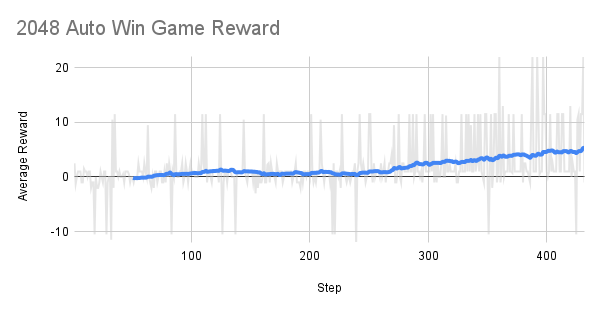
大约在 300 步左右后，随时间变化的奖励开始上升！

RL 的目标是最大化平均奖励，以赢得 2048 游戏。

<figure><img src="https://2657992854-files.gitbook.io/~/files/v0/b/gitbook-x-prod.appspot.com/o/spaces%2FxhOjnexMCB3dmuQFQ2Zq%2Fuploads%2Fgit-blob-8d7ea897fd57156a796e4f74aa2e3b60afe9d405%2F2048%20Auto%20Win%20Game%20Reward.png?alt=media" alt=""><figcaption></figcaption></figure>
{% endcolumn %}
{% endcolumns %}

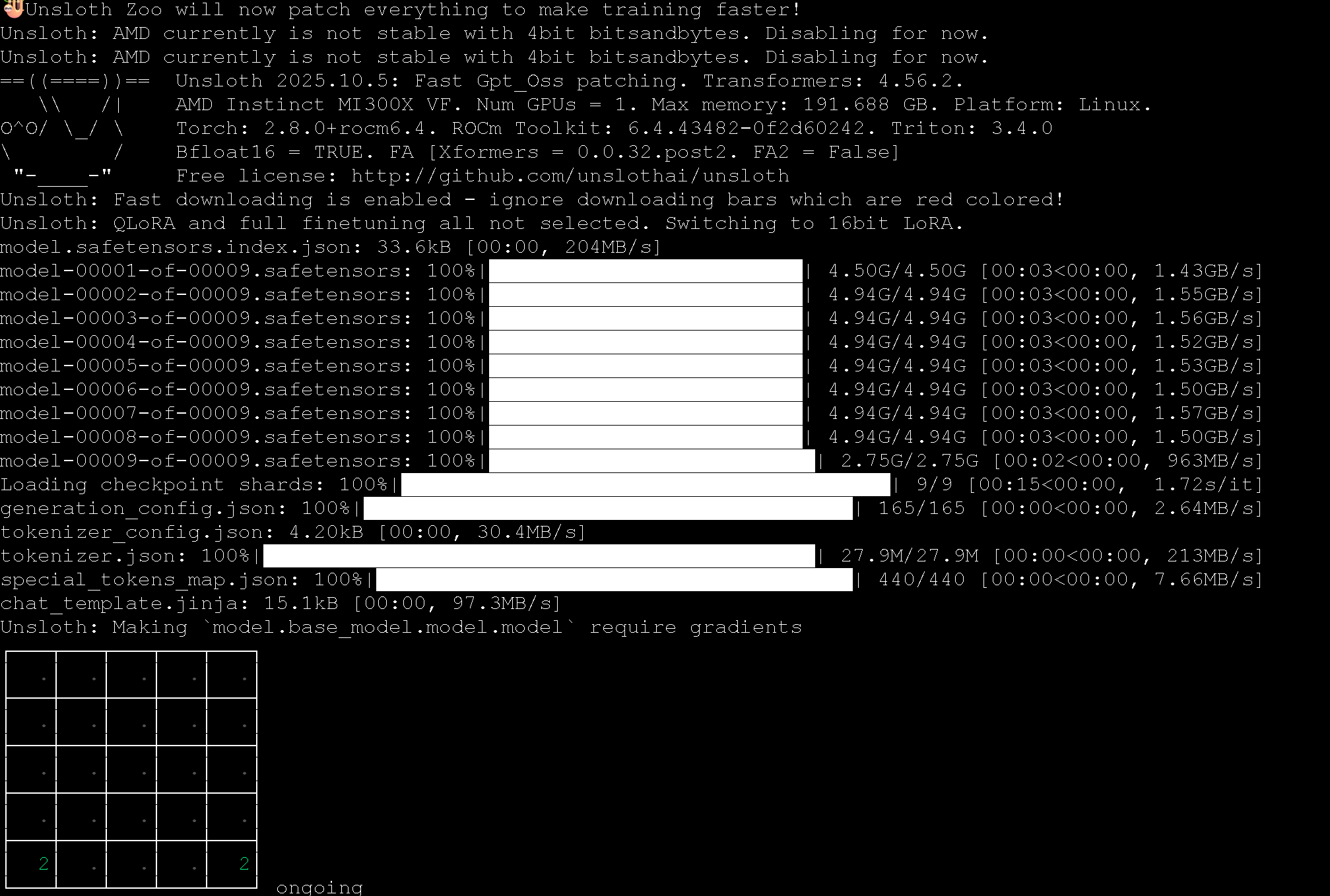
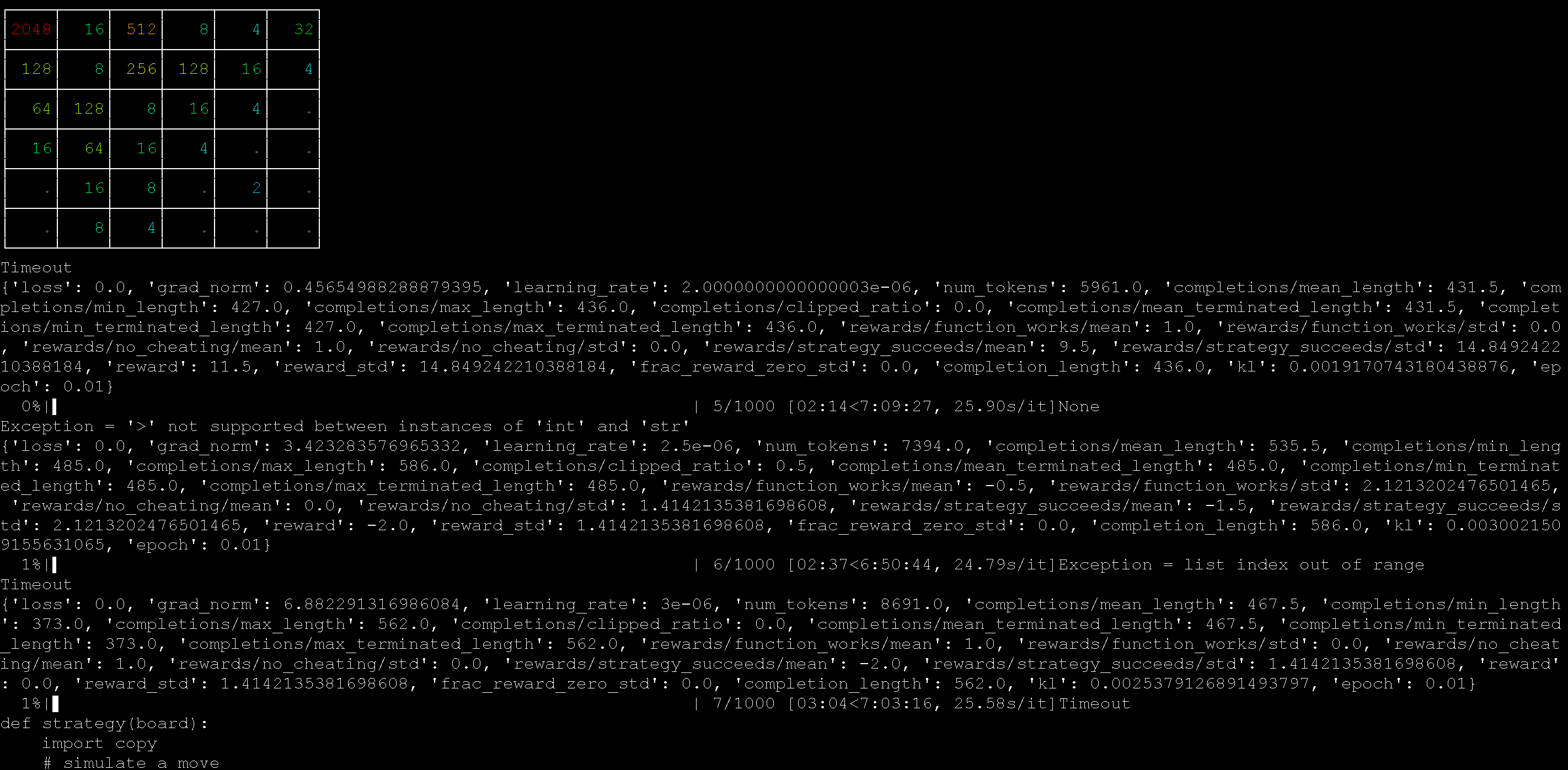
我们使用一台 AMD MI300X 机器（192GB）通过 Unsloth 运行了 2048 RL 示例，效果很好！

<div><figure><img src="https://2657992854-files.gitbook.io/~/files/v0/b/gitbook-x-prod.appspot.com/o/spaces%2FxhOjnexMCB3dmuQFQ2Zq%2Fuploads%2Fgit-blob-174890aa5f63632ebe6f3f212f1ced0d0e8dc381%2FScreenshot%202025-10-17%20052504.png?alt=media" alt=""><figcaption></figcaption></figure> <figure><img src="https://2657992854-files.gitbook.io/~/files/v0/b/gitbook-x-prod.appspot.com/o/spaces%2FxhOjnexMCB3dmuQFQ2Zq%2Fuploads%2Fgit-blob-f907ba596705496515fdfb39b49d649697317ca7%2FScreenshot%202025-10-17%20052641.png?alt=media" alt=""><figcaption></figcaption></figure></div>

你也可以使用我们的 :ledger:[自动内核生成 RL 笔记本](https://github.com/unslothai/notebooks/blob/main/nb/AMD-gpt_oss_\(20B\)_GRPO_BF16.ipynb) 同样使用 gpt-oss，在 Python 中自动创建矩阵乘法内核。该笔记本还设计了多种方法来对抗奖励黑客。

{% columns %}
{% column width="50%" %}
我们用于自动创建这些内核的提示词是：

{% code overflow="wrap" %}

````
仅使用原生 Python 代码创建一个新的快速矩阵乘法函数。
你将得到一个由数字列表组成的列表。
请按下面的格式，用反引号输出你的新函数：
```
python
def matmul(A, B):
    return ...
```
````

{% endcode %}
{% endcolumn %}

{% column width="50%" %}
例如，RL 过程会学习如何在 Python 内部应用 Strassen 算法来加速矩阵乘法。

<figure><img src="https://2657992854-files.gitbook.io/~/files/v0/b/gitbook-x-prod.appspot.com/o/spaces%2FxhOjnexMCB3dmuQFQ2Zq%2Fuploads%2Fgit-blob-ddb993e5d2c986794ede1f2b0d08897469b78506%2Fimage%20(1)%20(1)%20(1)%20(1)%20(1)%20(1).png?alt=media" alt="" width="375"><figcaption></figcaption></figure>
{% endcolumn %}
{% endcolumns %}

### :books:AMD 免费一键笔记本

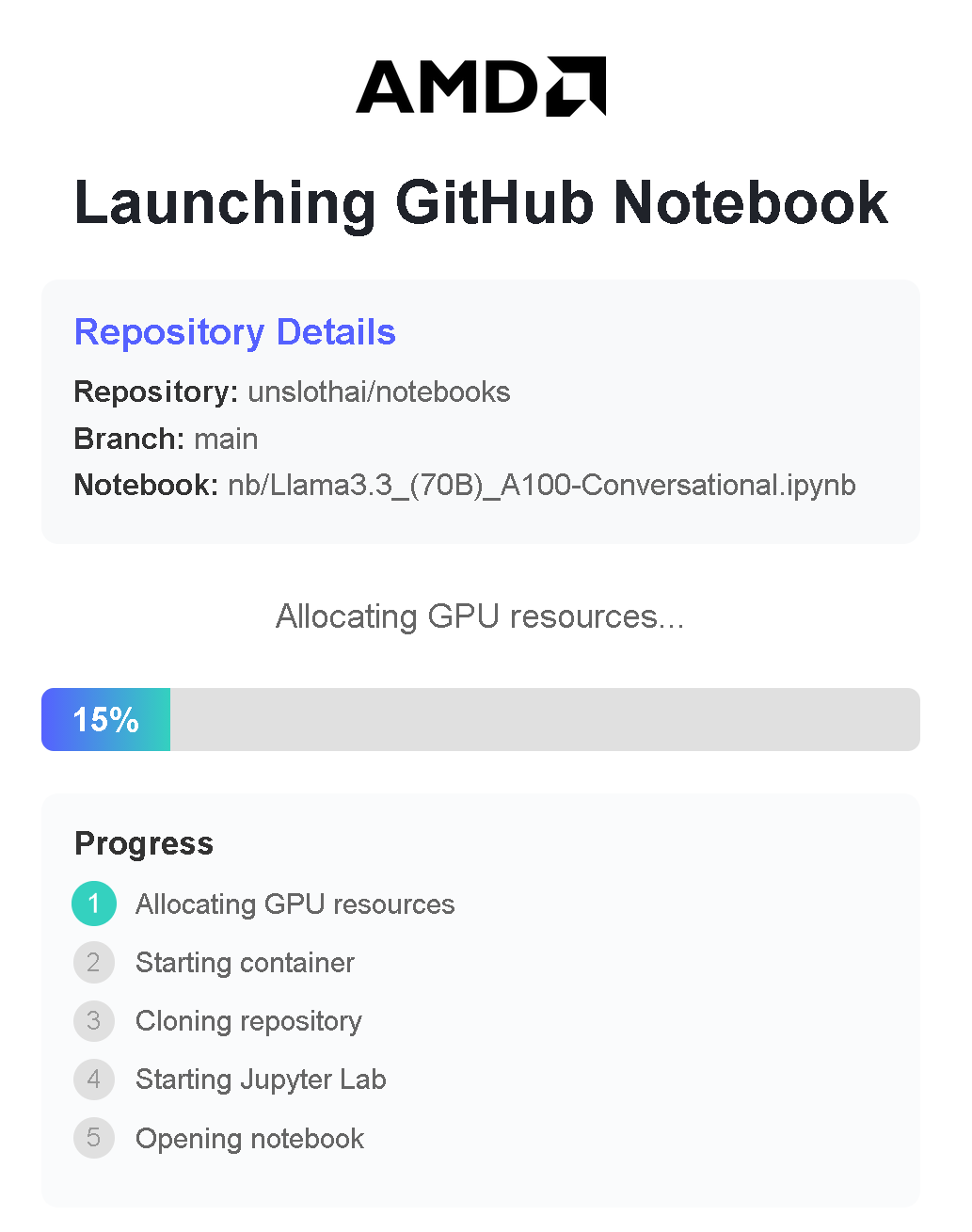
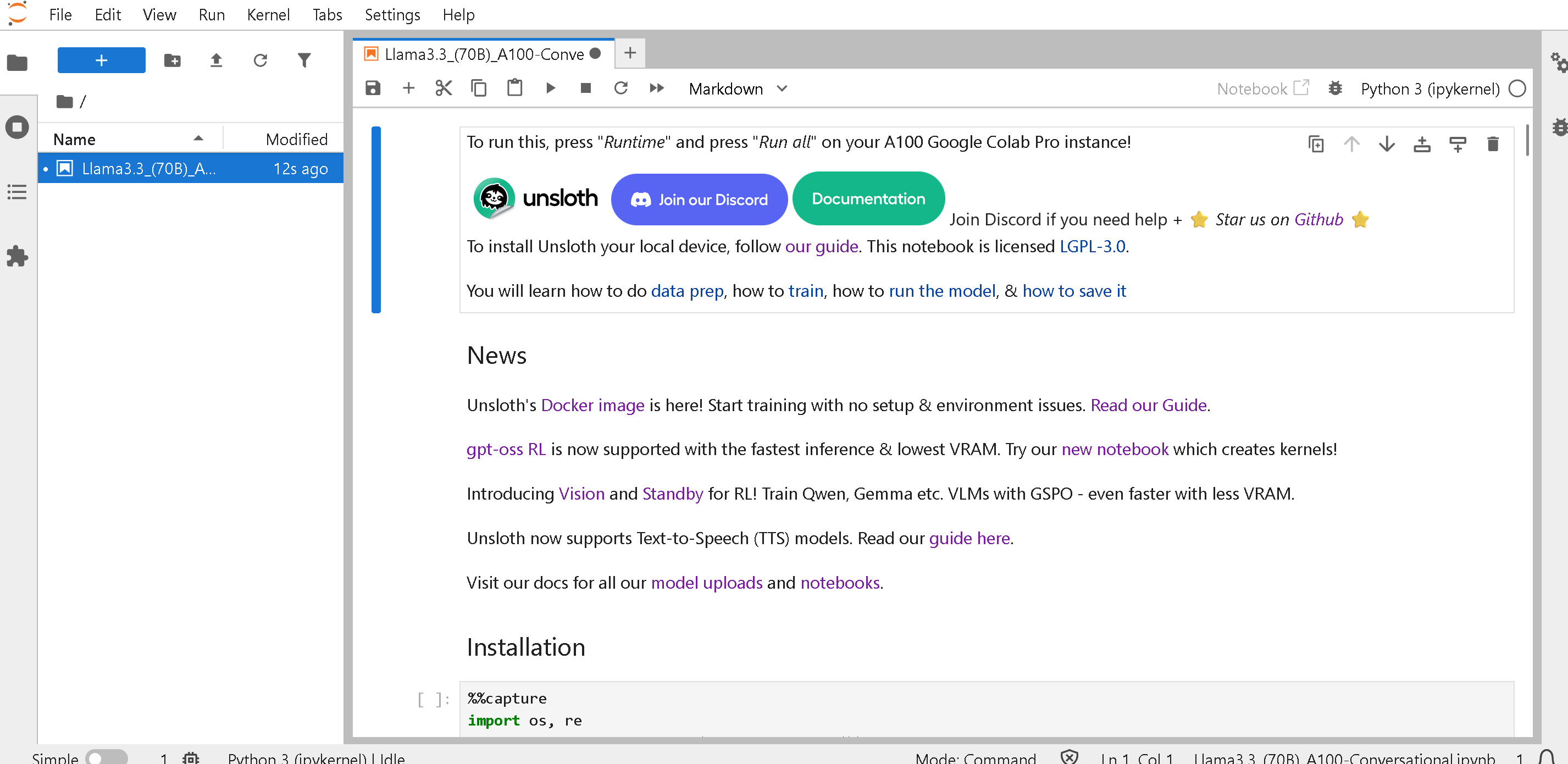
AMD 提供配备以下内容的一键笔记本： **免费的 192GB 显存 MI300X GPU** 通过其 Dev Cloud。完全免费训练大模型（无需注册或信用卡）：

* [Qwen3（32B）](https://amd-ai-academy.com/github/unslothai/notebooks/blob/main/nb/Qwen3_\(32B\)_A100-Reasoning-Conversational.ipynb)
* [Llama 3.3（70B）](https://amd-ai-academy.com/github/unslothai/notebooks/blob/main/nb/AMD-Llama3.3_\(70B\)_A100-Conversational.ipynb)
* [Qwen3（14B）](https://amd-ai-academy.com/github/unslothai/notebooks/blob/main/nb/AMD-Qwen3_\(14B\)-Reasoning-Conversational.ipynb)
* [Mistral v0.3（7B）](https://amd-ai-academy.com/github/unslothai/notebooks/blob/main/nb/AMD-Mistral_v0.3_\(7B\)-Alpaca.ipynb)
* [GPT OSS MXFP4（20B）](https://amd-ai-academy.com/github/unslothai/notebooks/blob/main/nb/AMD-GPT_OSS_MXFP4_\(20B\)-Inference.ipynb) - 推理
* [Gemma4（E2B）](https://amd-ai-academy.com/github/unslothai/notebooks/blob/main/nb/Gemma4_\(E2B\)_Reinforcement_Learning_Sudoku_Game.ipynb) - RL 数独
* Unsloth Studio

{% embed url="<https://oneclickamd.ai/github/unslothai/notebooks/blob/main/nb/gpt_oss_(20B)_Reinforcement_Learning_2048_Game_BF16.ipynb>" %}

你可以通过在前面添加以下内容来使用任何 Unsloth 笔记本： <https://amd-ai-academy.com/github/unslothai/notebooks/blob/main/nb> 在 [Unsloth 笔记本](/docs/zh/kuai-su-kai-shi/unsloth-notebooks.md) 通过将链接从 <https://github.com/unslothai/notebooks/blob/main/nb/AMD-gpt_oss_(20B)_Reinforcement_Learning_2048_Game_BF16.ipynb>\
改为 <https://amd-ai-academy.com/github/unslothai/notebooks/blob/main/nb/AMD-Gemma4_(E2B)_Reinforcement_Learning_Sudoku_Game.ipynb>

{% columns %}
{% column width="33.33333333333333%" %}

<figure><img src="https://2657992854-files.gitbook.io/~/files/v0/b/gitbook-x-prod.appspot.com/o/spaces%2FxhOjnexMCB3dmuQFQ2Zq%2Fuploads%2F7NNi4jLKvmZoRnLel9Kg%2Fimage.png?alt=media&amp;token=0379eda9-569c-4614-afb5-ffec463a7676" alt=""><figcaption></figcaption></figure>
{% endcolumn %}

{% column width="66.66666666666667%" %}

<figure><img src="https://2657992854-files.gitbook.io/~/files/v0/b/gitbook-x-prod.appspot.com/o/spaces%2FxhOjnexMCB3dmuQFQ2Zq%2Fuploads%2FRfKS1GAW7BqL9lGNTcxh%2Fimage.png?alt=media&amp;token=3a8aeb01-62a7-4d55-89a9-98526052e305" alt=""><figcaption></figcaption></figure>
{% endcolumn %}
{% endcolumns %}


---

# Agent Instructions
This documentation is published with GitBook. GitBook is the documentation platform designed so that both humans and AI agents can read, navigate, and reason over technical content effectively. Learn more at gitbook.com.

## Querying This Documentation
If you need additional information that is not directly available in this page, you can query the documentation by asking a question.

Perform an HTTP GET request on the following URL with the `ask` and `goal` query parameters:

```
GET https://unsloth.ai/docs/zh/kuai-su-kai-shi/install/amd.md?ask=<question>&goal=<user_goal>
```

`ask` is the immediate question: it should be specific, self-contained, and written in natural language.
`goal` is what the user is ultimately trying to achieve, the reason they need the answer. Sharing it helps GitBook give you a better, more relevant answer. A goal is most helpful when it describes the outcome the user wants rather than restating the question. For example, with `ask=how do I create an API token`, a goal like `automate deployments from our CI pipeline` lets GitBook tailor the answer to that use case.

The response will contain a direct answer to the question and relevant excerpts and sources from the documentation.

Use this mechanism when the answer is not explicitly present in the current page, you need clarification or additional context, or you want to retrieve related documentation sections.