# llama-server 与 OpenAI 端点部署指南

我们将部署 Devstral-2 - 请参见 [Devstral 2](/docs/zh/mo-xing/tutorials/devstral-2.md) 以获取有关该模型的更多详情。&#x20;

获取最新的 `llama.cpp` 默认开启 [GitHub 仓库](https://github.com/ggml-org/llama.cpp)。你也可以按照下面的构建说明进行。将 `-DGGML_CUDA=ON` 到 `-DGGML_CUDA=OFF` 改为适用于没有 GPU 或只想进行 CPU 推理的情况。 **对于 Apple Mac / Metal 设备**，设置 `-DGGML_CUDA=OFF` 然后照常继续——Metal 支持默认开启。

{% code overflow="wrap" %}

```bash
apt-get update
apt-get install pciutils build-essential cmake curl libcurl4-openssl-dev -y
git clone https://github.com/ggml-org/llama.cpp
cmake llama.cpp -B llama.cpp/build \
    -DBUILD_SHARED_LIBS=OFF -DGGML_CUDA=ON -DLLAMA_CURL=ON
cmake --build llama.cpp/build --config Release -j --clean-first --target llama-cli llama-mtmd-cli llama-server llama-gguf-split
cp llama.cpp/build/bin/llama-* llama.cpp
```

{% endcode %}

{% hint style="info" %}
在使用 `--jinja` llama-server 时，如果支持工具，它会附加以下系统消息： `请以 JSON 格式回复，使用 tool_call（调用工具的请求）或 response 来回复用户的请求` 。这有时会导致微调出现问题！请参见 [llama.cpp 仓库](https://github.com/ggml-org/llama.cpp/blob/12ee1763a6f6130ce820a366d220bbadff54b818/common/chat.cpp#L849) 了解更多细节。
{% endhint %}

首先下载 Devstral 2：

{% code overflow="wrap" %}

```python
# !pip install huggingface_hub hf_transfer
import os
os.environ["HF_HUB_ENABLE_HF_TRANSFER"] = "1"
from huggingface_hub import snapshot_download
snapshot_download(
    repo_id = "unsloth/Devstral-2-123B-Instruct-2512-GGUF",
    local_dir = "Devstral-2-123B-Instruct-2512-GGUF",
    allow_patterns = ["*UD-Q2_K_XL*", "*mmproj-F16*"],
)
```

{% endcode %}

要将 Devstral 2 部署到生产环境，我们使用 `llama-server` 在一个新终端中，例如通过 tmux，使用以下命令部署模型：

{% code overflow="wrap" %}

```bash
./llama.cpp/llama-server \\
    --model Devstral-Small-2-24B-Instruct-2512-GGUF/Devstral-Small-2-24B-Instruct-2512-UD-Q4_K_XL.gguf \
    --mmproj Devstral-Small-2-24B-Instruct-2512-GGUF/mmproj-F16.gguf \
    --alias "unsloth/Devstral-Small-2-24B-Instruct-2512" \
    --threads -1 \
    --n-gpu-layers 999 \
    --prio 3 \\
    --min-p 0.01 \
    --ctx-size 16384 \\
    --port 8001 \\
    --jinja
```

{% endcode %}

当你运行上面的命令时，你会得到：

<figure><img src="/files/007bab08be9f35e0d6394832c3ae39c1cf2c788b" alt=""><figcaption></figcaption></figure>

然后在新的终端中，在执行 `pip install openai`后，执行：

{% code overflow="wrap" %}

```python
from openai import OpenAI
import json
openai_client = OpenAI(
    base_url = "http://127.0.0.1:8001/v1",
    api_key = "sk-no-key-required",
)
completion = openai_client.chat.completions.create(
    model = "unsloth/Devstral-Small-2-24B-Instruct-2512",
    messages = [{"role": "user", "content": "2+2 等于多少？"},],
)
print(completion.choices[0].message.content)
```

{% endcode %}

这会简单地打印 4。\
\
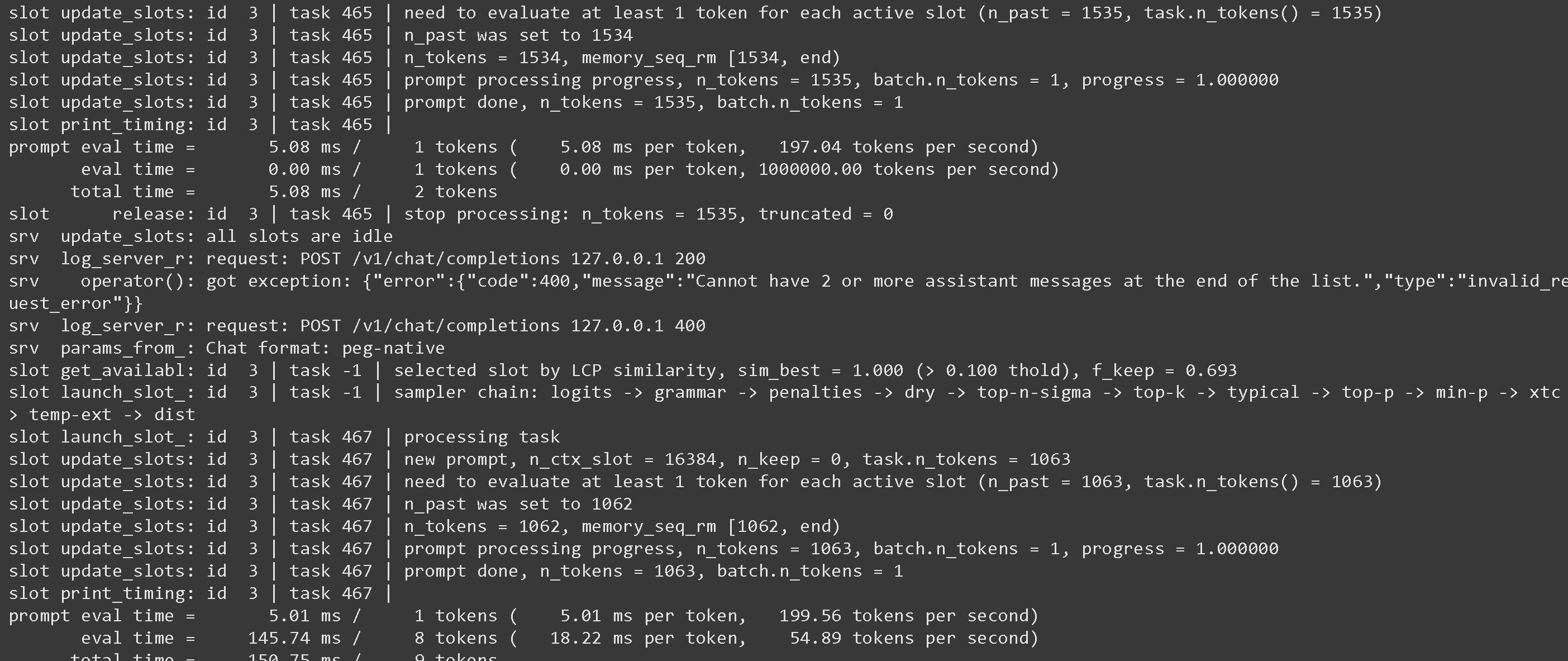
你可以回到 llama-server 界面，你可能会看到一些统计信息，可能会很有意思：

<figure><img src="/files/450826ee026d407c70a91bf1de88bff6233c35c3" alt=""><figcaption></figcaption></figure>

关于使用 speculative decoding 等参数，请参见 <https://github.com/ggml-org/llama.cpp/blob/master/tools/server/README.md>

## :grey\_question:Llama-server 的怪癖

* 在使用 `--jinja` llama-server 时，如果支持工具，它会附加以下系统消息： `请以 JSON 格式回复，使用 tool_call（调用工具的请求）或 response 来回复用户的请求` 。这有时会导致微调出现问题！请参见 [llama.cpp 仓库](https://github.com/ggml-org/llama.cpp/blob/12ee1763a6f6130ce820a366d220bbadff54b818/common/chat.cpp#L849) 以了解更多详情。\
  \
  你可以通过使用以下方式停止它 `--no-jinja` 但这样 `工具` 就不再受支持。\
  \
  例如，FunctionGemma 默认使用：

  <pre class="language-notebook-python" data-overflow="wrap"><code class="lang-notebook-python">你是一个可以使用以下函数进行函数调用的模型
  </code></pre>

  但由于 llama-server 附加了一条额外消息，我们得到：

  <pre class="language-notebook-python" data-overflow="wrap"><code class="lang-notebook-python">你是一个可以使用以下函数进行函数调用的模型\n\n请以 JSON 格式回复，使用 `tool_call`（调用工具的请求）或 `response` 来回复用户的请求
  </code></pre>

  我们已将该问题报告给 <https://github.com/ggml-org/llama.cpp/issues/18323> 而且 llama.cpp 开发者正在着手修复！\
  \
  与此同时，对于所有微调，请务必专门添加用于工具调用的提示词！

## :toolbox:使用 llama-server 进行工具调用

查看 [Tool Calling Guide](/docs/zh/ji-chu/tool-calling-guide-for-local-llms.md) 关于如何进行工具调用！


---

# Agent Instructions: Querying This Documentation

If you need additional information that is not directly available in this page, you can query the documentation dynamically by asking a question.

Perform an HTTP GET request on the current page URL with the `ask` query parameter:

```
GET https://unsloth.ai/docs/zh/ji-chu/inference-and-deployment/llama-server-and-openai-endpoint.md?ask=<question>
```

The question should be specific, self-contained, and written in natural language.
The response will contain a direct answer to the question and relevant excerpts and sources from the documentation.

Use this mechanism when the answer is not explicitly present in the current page, you need clarification or additional context, or you want to retrieve related documentation sections.