> For the complete documentation index, see [llms.txt](https://unsloth.ai/docs/llms.txt). Markdown versions of documentation pages are available by appending `.md` to page URLs; this page is available as [Markdown](https://unsloth.ai/docs/new/studio/security.md).

# Security in Unsloth

Unsloth uses a range of security measures across Unsloth Studio and Unsloth Desktop to help protect/safeguard users. Key safeguards are outlined below.

### 1. Hugging Face repository security scanners

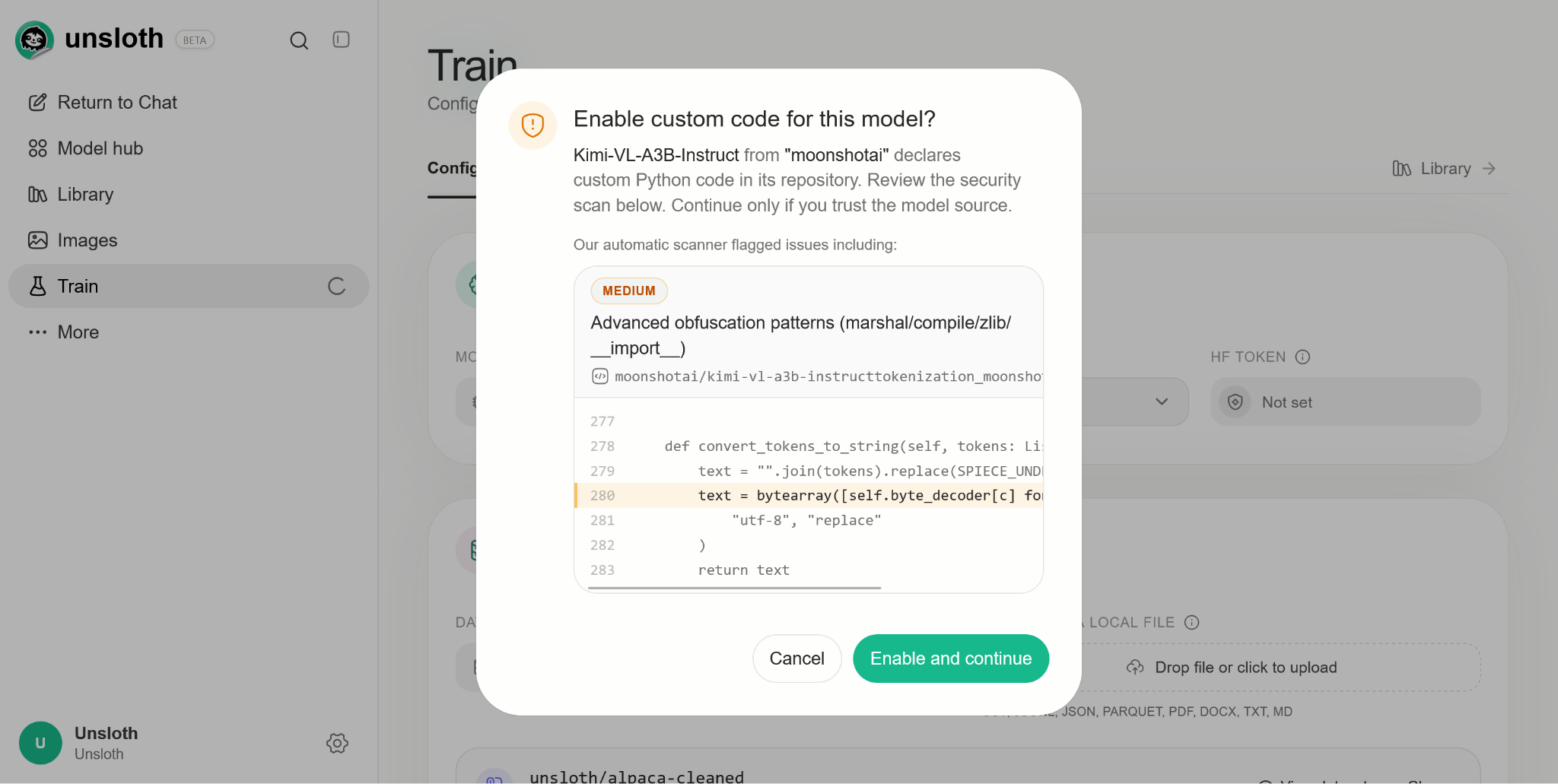
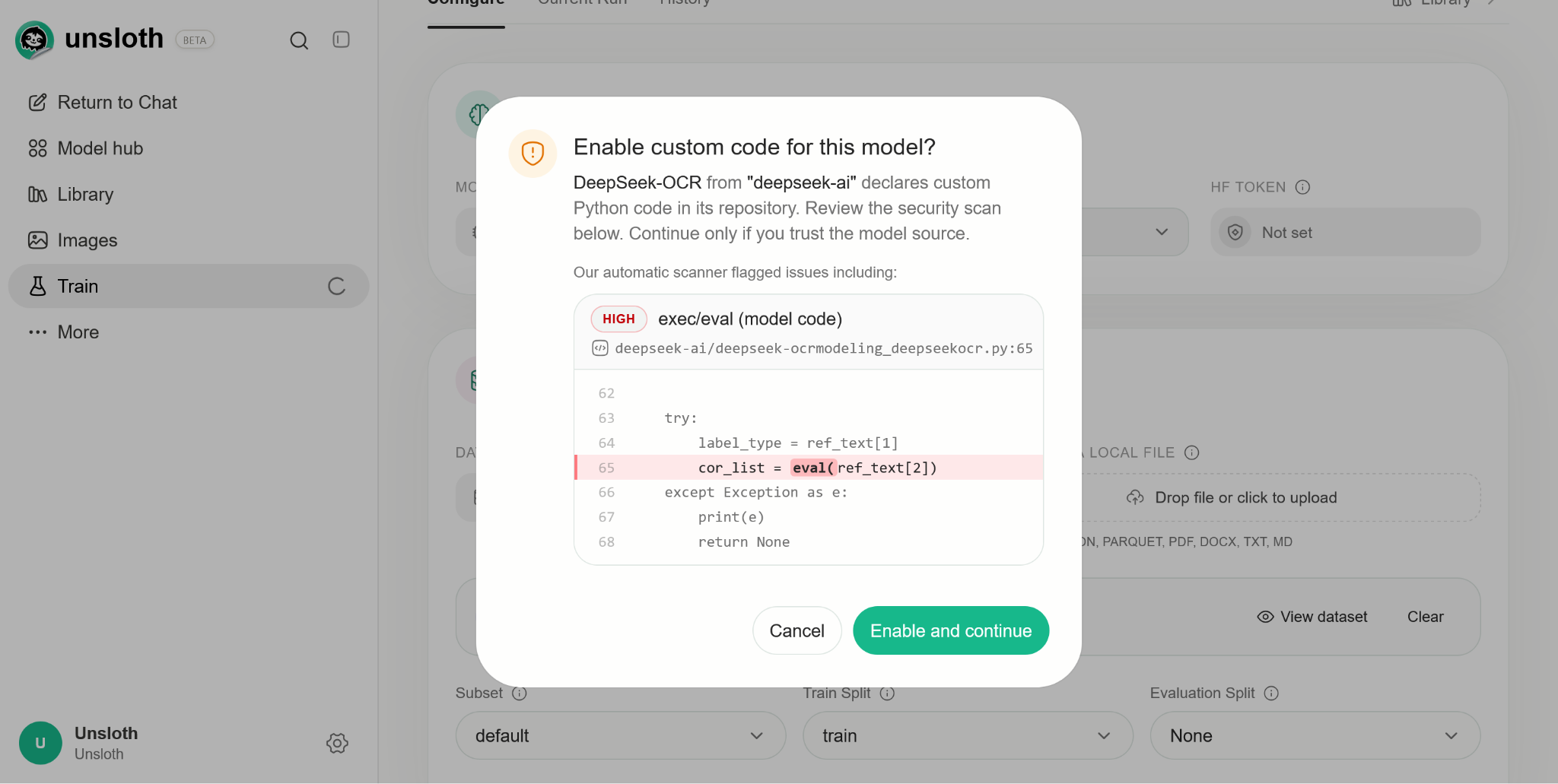
All Hugging Face repositories are scanned. Reverse shells, cloud-metadata access, and credential theft are blocked outright. For example, `deepseek-ai/deepseek-ocr` and `moonshotai/Kimi-VL-A3B-Instruct` both need permission before running `trust_remote_code = True`:

<figure><img src="https://3215535692-files.gitbook.io/~/files/v0/b/gitbook-x-prod.appspot.com/o/spaces%2FxhOjnexMCB3dmuQFQ2Zq%2Fuploads%2FV42Li7ASTlRoaVBuCi8r%2Fsecurity-01-deepseek-remote-code.png?alt=media" alt="DeepSeek-OCR custom-code approval dialog with a high-severity exec/eval scanner flag"><figcaption><p>The upstream DeepSeek-OCR example asks for permission and shows an exec/eval finding in model code.</p></figcaption></figure>

<figure><img src="https://3215535692-files.gitbook.io/~/files/v0/b/gitbook-x-prod.appspot.com/o/spaces%2FxhOjnexMCB3dmuQFQ2Zq%2Fuploads%2FcjbNPE46ghs02GlCeawS%2Fsecurity-02-kimi-remote-code.png?alt=media" alt="Kimi-VL-A3B-Instruct custom-code approval dialog with a scanner flag"><figcaption><p>The Kimi-VL-A3B-Instruct example asks for permission and shows the scanner's advanced-obfuscation-pattern flag.</p></figcaption></figure>

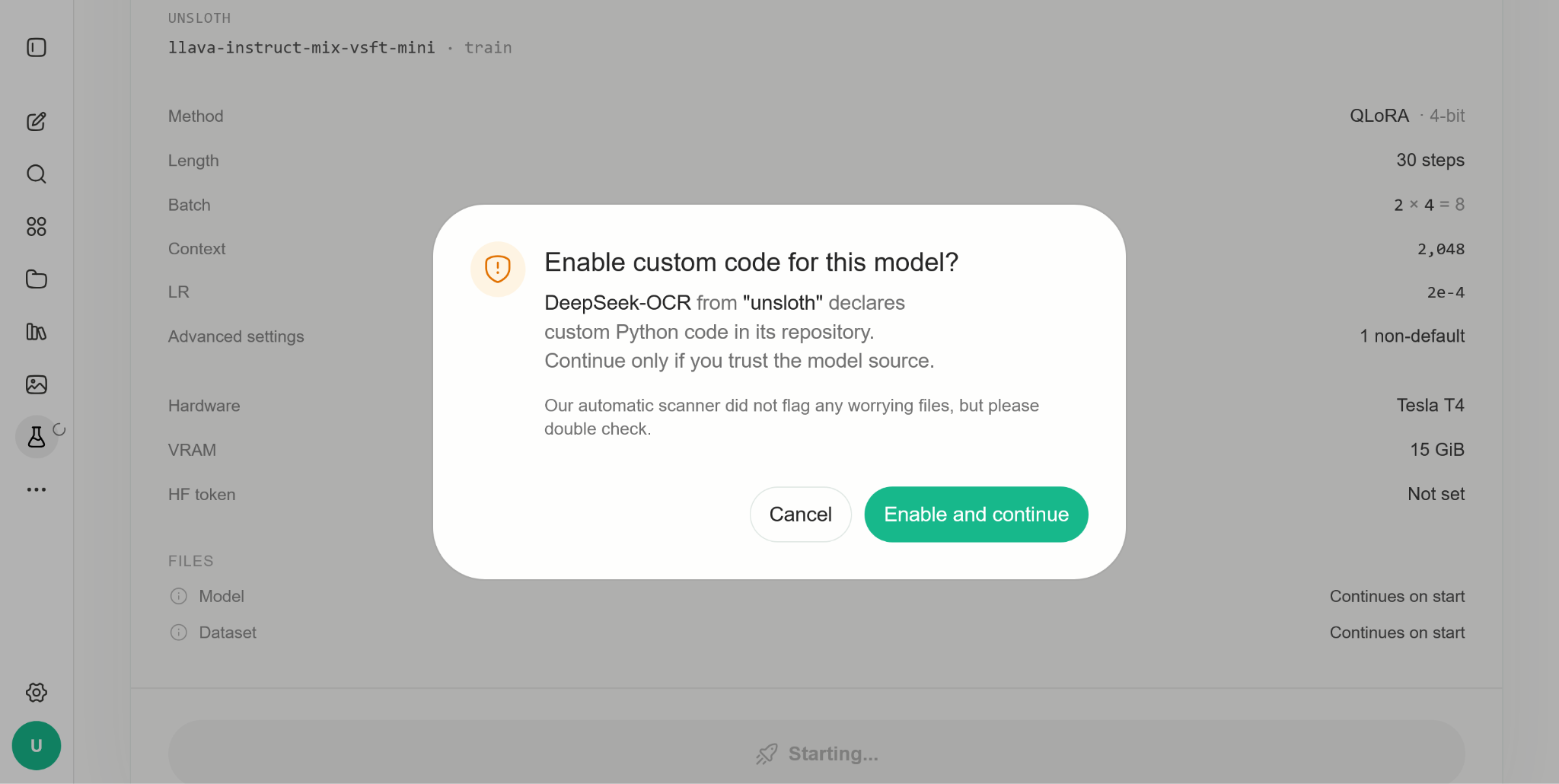
We removed `eval` calls and other problematic code sections and provide `unsloth/DeepSeek-OCR` and `unsloth/DeepSeek-OCR-2`, for example:

<figure><img src="https://3215535692-files.gitbook.io/~/files/v0/b/gitbook-x-prod.appspot.com/o/spaces%2FxhOjnexMCB3dmuQFQ2Zq%2Fuploads%2Fb01XsCClbvFsVel1FcOL%2Fsecurity-03-unsloth-deepseek.png?alt=media" alt="Unsloth DeepSeek-OCR custom-code approval dialog with no worrying files flagged"><figcaption><p>The adapted Unsloth DeepSeek-OCR repository still asks for custom-code permission, even when the scanner does not flag worrying files.</p></figcaption></figure>

### 2. Malware scanners

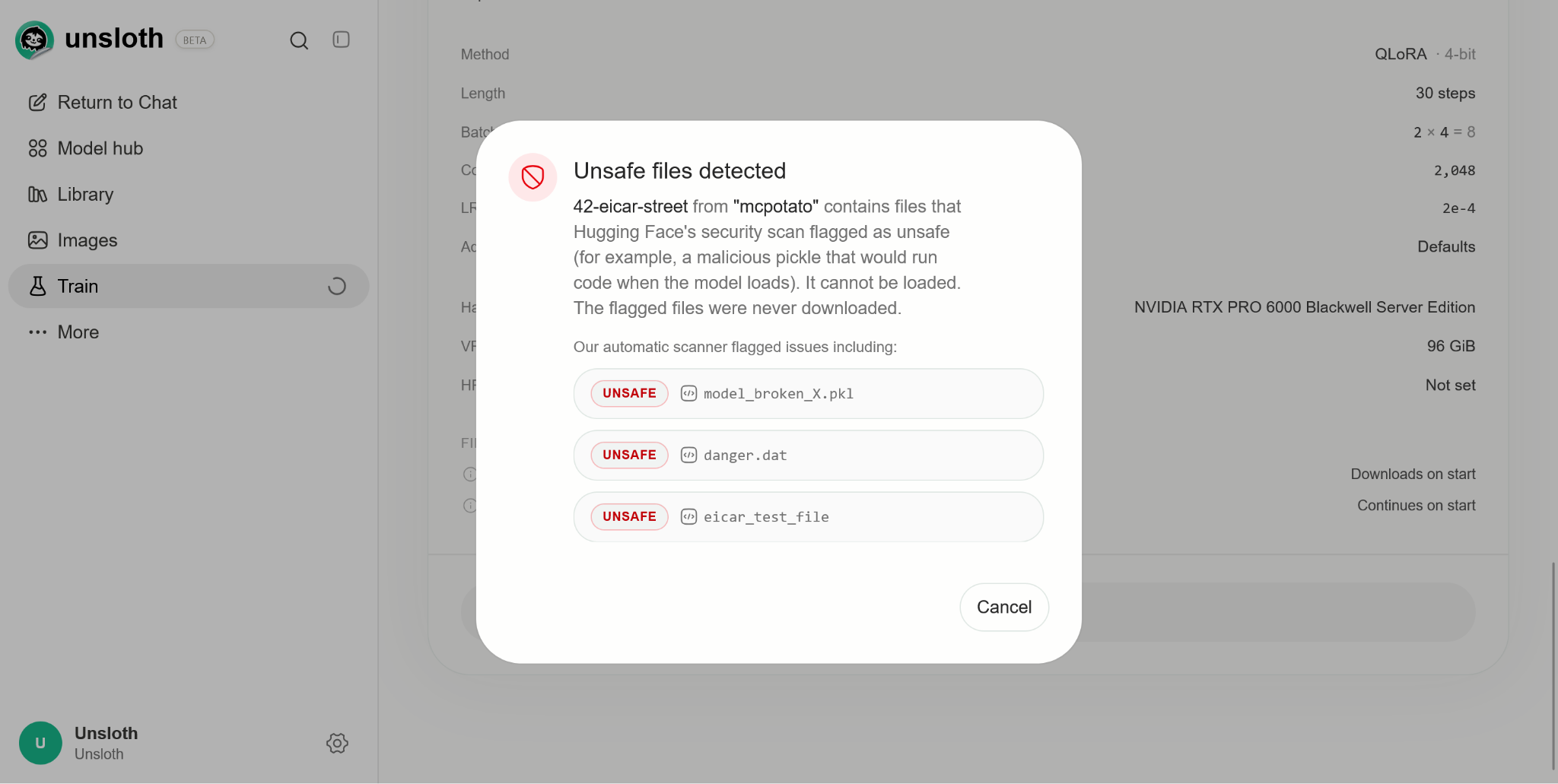
Unsloth checks Hugging Face's security-scan status for a model. For example, `mcpotato/42-eicar-street` is blocked from loading and shows why:

<figure><img src="https://3215535692-files.gitbook.io/~/files/v0/b/gitbook-x-prod.appspot.com/o/spaces%2FxhOjnexMCB3dmuQFQ2Zq%2Fuploads%2FjqiNuBgoc5OqUFfcfY0W%2Fsecurity-04-malware-block.png?alt=media" alt="Unsafe-files dialog blocking mcpotato/42-eicar-street and listing flagged files"><figcaption><p>The malware warning blocks the model and explains that the flagged files were never downloaded.</p></figcaption></figure>

### 3. Failed-login limits

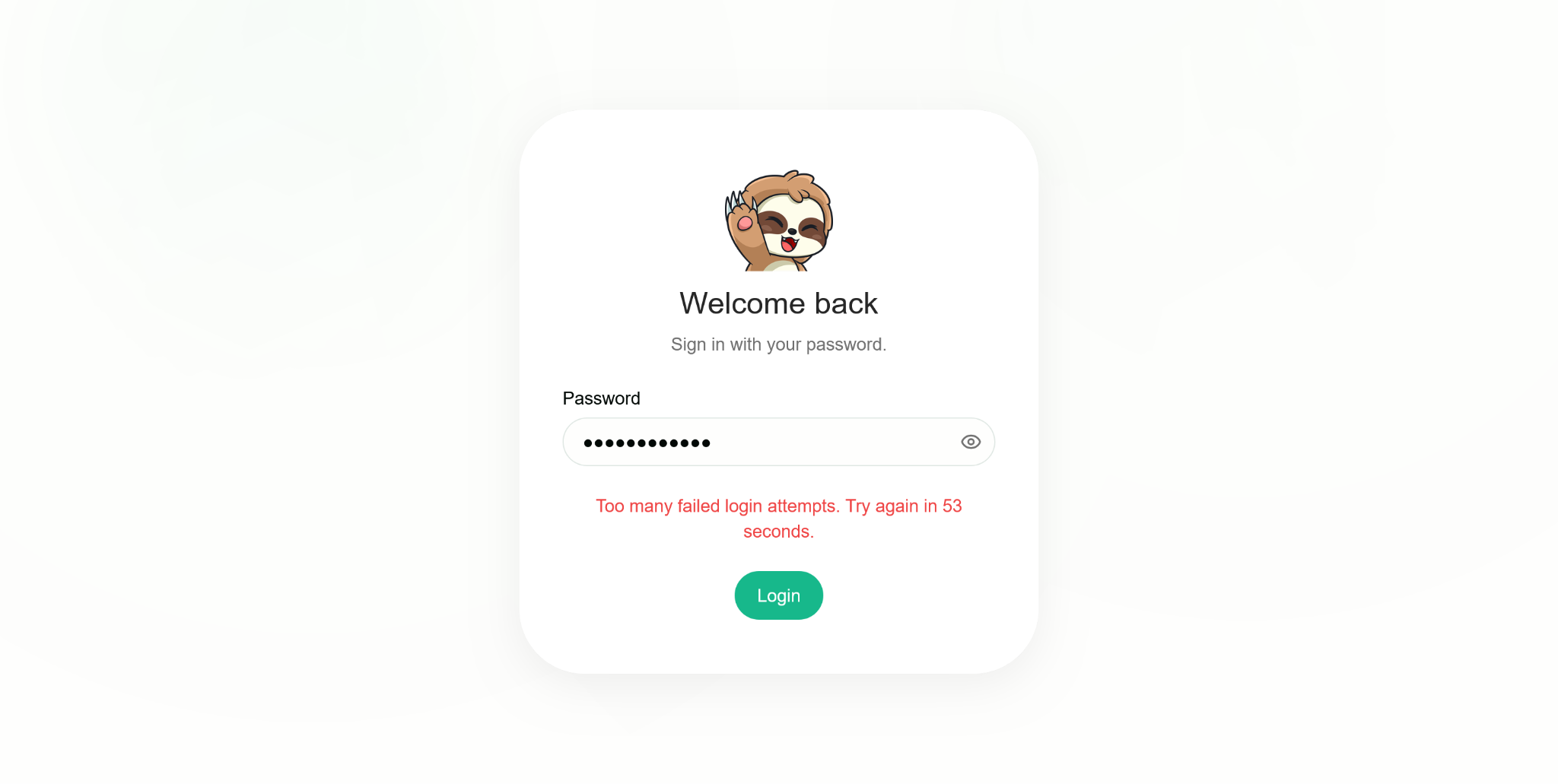
Unsloth limits failed login attempts.

<figure><img src="https://3215535692-files.gitbook.io/~/files/v0/b/gitbook-x-prod.appspot.com/o/spaces%2FxhOjnexMCB3dmuQFQ2Zq%2Fuploads%2F3uHp3NutN8szExxV7lZr%2Fsecurity-05-login-limit.png?alt=media" alt="Unsloth sign-in screen showing a cooldown after too many failed login attempts"><figcaption><p>Failed-login rate limiting presents a retry countdown; this example shows 53 seconds remaining.</p></figcaption></figure>

### 4. HTTPS remote access

`unsloth studio --secure` serves an HTTPS-only endpoint through a Cloudflared tunnel.

The [remote-access guide](/docs/basics/how-to-serve-local-llms-anywhere-secure-remote-access-with-cloudflare-and-unsloth.md) distinguishes this from starting a tunnel on an already-running wildcard-bound server: the latter can leave the raw network port reachable.

The guide also warns that server-side tools run as your user, and that an API-key holder with network access can execute code on the machine. It recommends `--disable-tools` when exposing Unsloth. Keep access credentials private and review the full guide before enabling remote access. HTTPS encrypts the connection; it does not make privileged tool access harmless.

### 5. Operating-system sandboxes

Unsloth uses **bubblewrap** on Linux, **Seatbelt** on macOS, and **MXC** on Windows.

### 6. Passwords

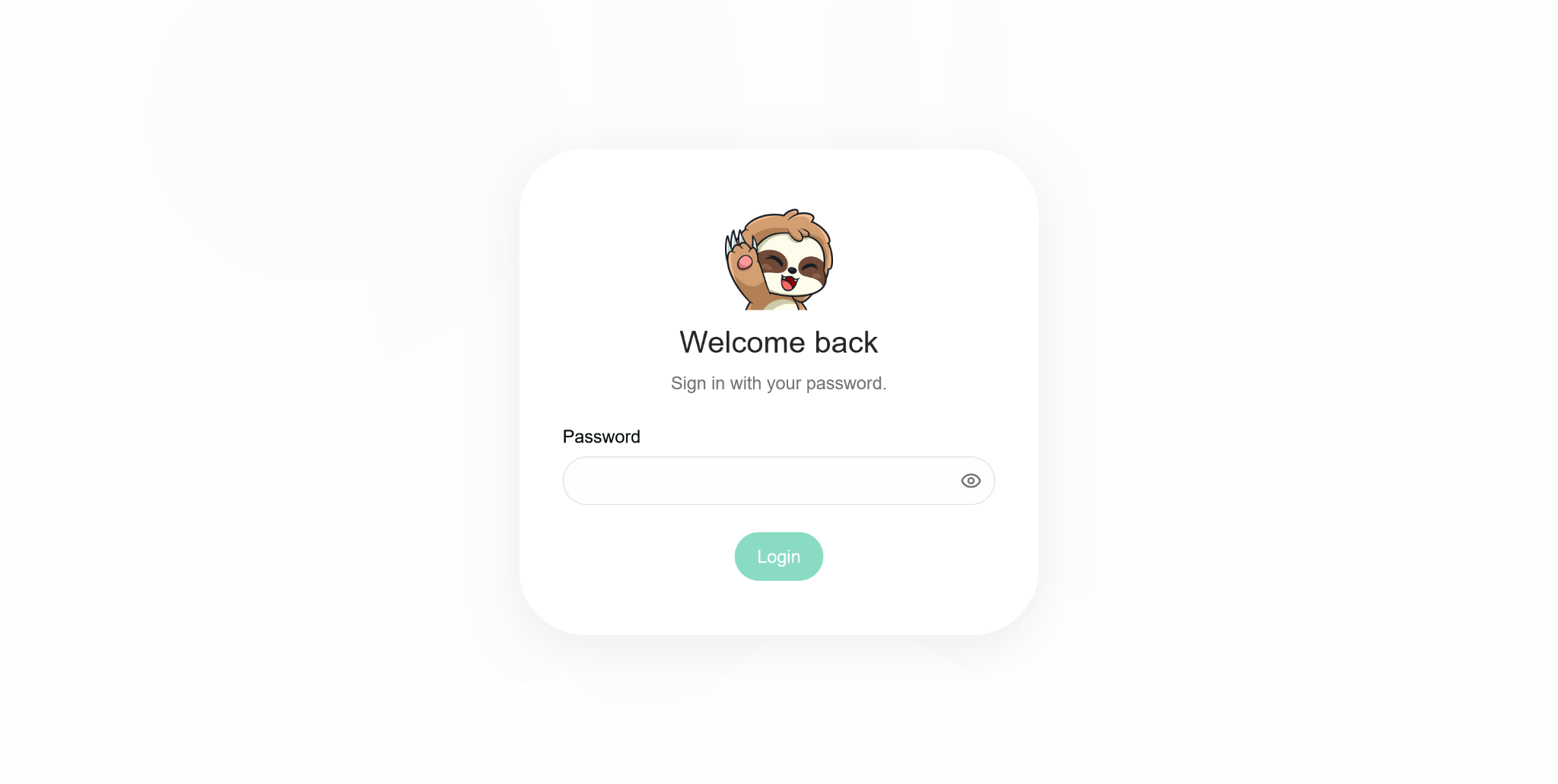
Passwords use salted PBKDF2-HMAC-SHA256. The first-run administrator password is randomly generated, and the account must change it on first login.

<figure><img src="https://3215535692-files.gitbook.io/~/files/v0/b/gitbook-x-prod.appspot.com/o/spaces%2FxhOjnexMCB3dmuQFQ2Zq%2Fuploads%2FC5ncbwkNXCXRGsrKKtTm%2Fsecurity-06-password-login.png?alt=media" alt="Unsloth password sign-in screen"><figcaption><p>The password sign-in screen included in the security-practices document.</p></figcaption></figure>

### 7. Encrypted API keys

Saved provider credentials are encrypted. API keys typed into the browser are encrypted with a per-install RSA key.

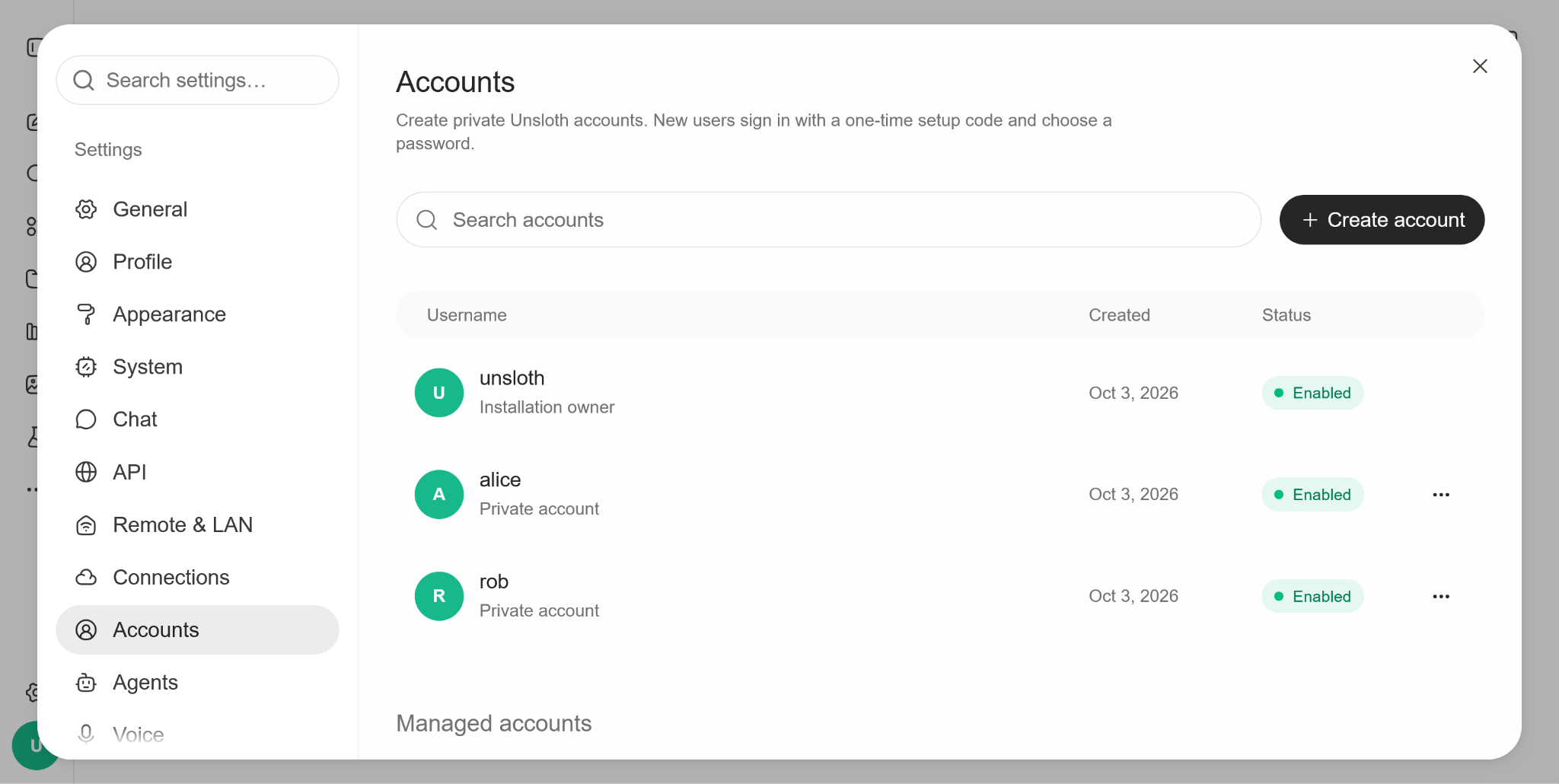
### 8. Multi-account isolation

Managed accounts can only reach their own folders, have no access to the owner's Hugging Face token, need the owner's grant to use models, and are blocked from running repository code.

<figure><img src="https://3215535692-files.gitbook.io/~/files/v0/b/gitbook-x-prod.appspot.com/o/spaces%2FxhOjnexMCB3dmuQFQ2Zq%2Fuploads%2FjxPTtS99YYycwpYCK4ny%2Fsecurity-07-managed-accounts.png?alt=media" alt="Accounts settings showing an installation owner and separate private accounts"><figcaption><p>Accounts settings distinguish the installation owner from managed private accounts.</p></figcaption></figure>

### 9. Sandboxed artifacts

HTML and MCP artifacts render in sandboxed frames with their own Content Security Policy (CSP).

### 10. PyTorch model loading

The PyTorch 2.6+ minimum means that `.bin` weights load with `weights_only=True`.

### 11. Approval modes

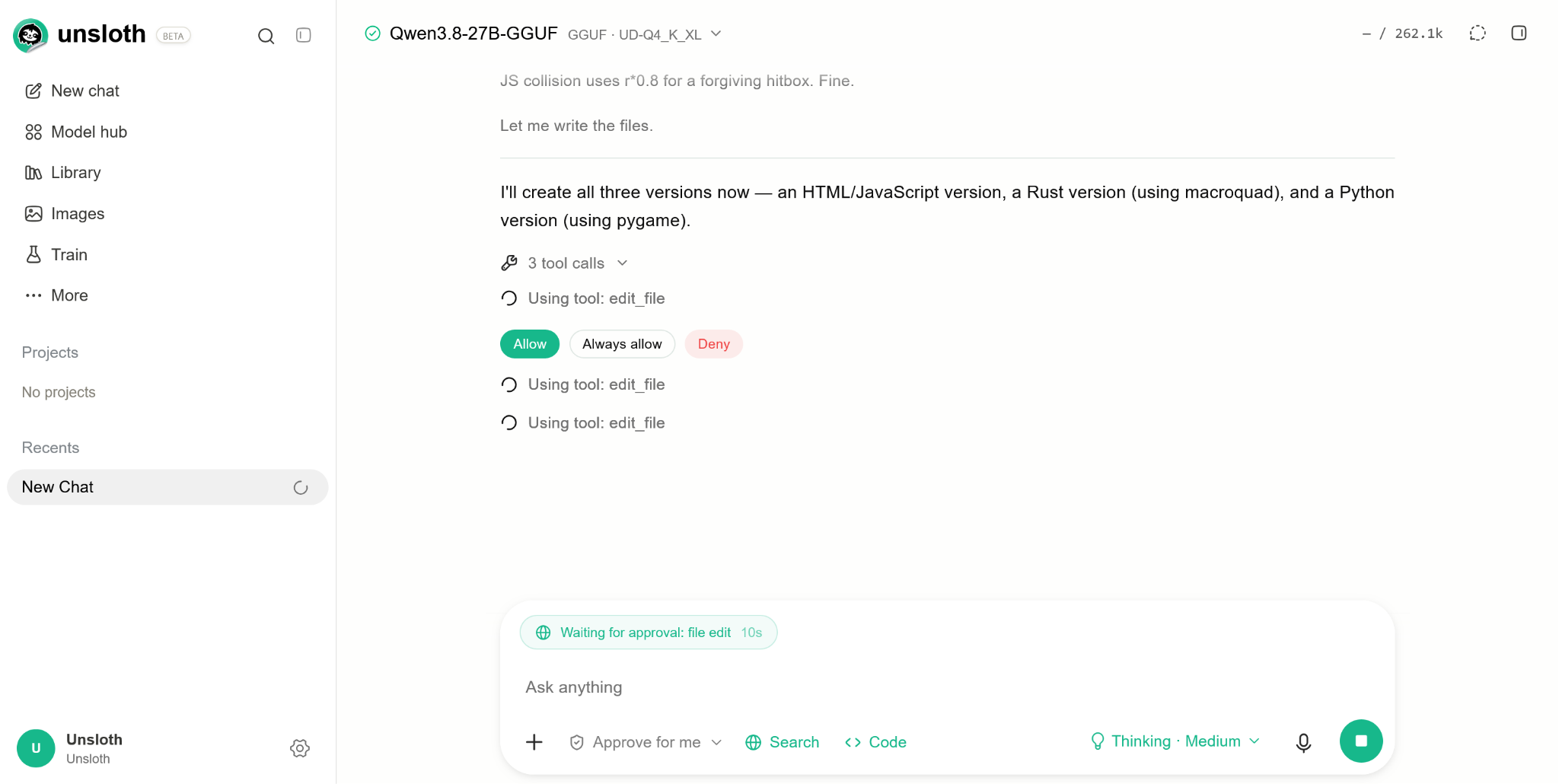
Unsloth provides `ask`, `auto`, and `full` approval modes. The `auto` mode flags network and filesystem imports for approval, and file paths need approval. Dangerous shell commands are blocked.

<figure><img src="https://3215535692-files.gitbook.io/~/files/v0/b/gitbook-x-prod.appspot.com/o/spaces%2FxhOjnexMCB3dmuQFQ2Zq%2Fuploads%2F3QjAxThLgzRROgxtrFki%2Fsecurity-08-tool-approval.png?alt=media" alt="File-edit tool call waiting for approval with Allow, Always allow, and Deny controls"><figcaption><p>A file-edit tool call waits for approval, with Allow, Always allow, and Deny controls.</p></figcaption></figure>

### 12. npm minimum release age

The npm setting `min-release-age=7` refuses packages published in the last seven days.

### 13. Installation-script allowlist

An `allowScripts` list specifies the only packages allowed to run installation scripts. CI fails on anything unreviewed.

### 14. Codex Security and iterative reviews

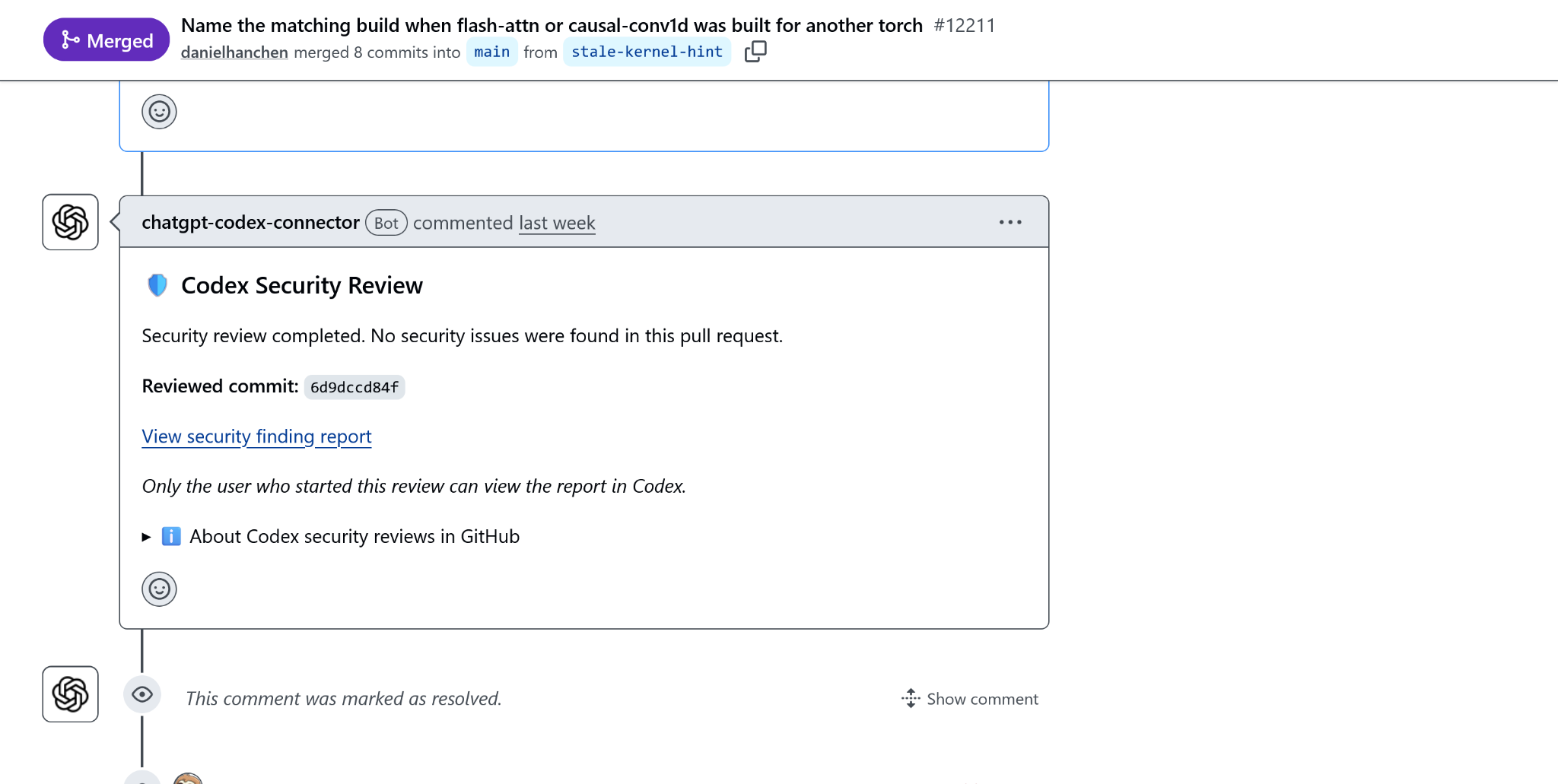
Codex Security and iterative Codex reviews are used throughout development to catch security issues and bugs:

<figure><img src="https://3215535692-files.gitbook.io/~/files/v0/b/gitbook-x-prod.appspot.com/o/spaces%2FxhOjnexMCB3dmuQFQ2Zq%2Fuploads%2FgMgORmGSKJG6j1xUAxdO%2Fsecurity-09-codex-review.png?alt=media" alt="Codex Security review on a merged GitHub pull request"><figcaption><p>An example Codex Security review attached to a pull request. The displayed outcome applies to that reviewed commit.</p></figcaption></figure>

### 15. Lockfiles and reproducible npm installation

Lockfiles and `npm ci` are used everywhere, and the installer upgrades users to npm 11 or newer.

### 16. CI hardening

`lockfile_supply_chain_audit.py` refuses lockfiles that show signs of Shai-Hulud-style injection before any `npm ci` or `cargo fetch`.

`scan_npm_packages.py` and `scan_packages.py` scan npm tarballs and PyPI packages, including credential reads inside installation scripts.

Code linters guard against unsafe loaders and dynamic execution, with baselines. The compiled-code path also has a dynamic-execution allowlist.

### 17. Dependency audits

Unsloth uses `pip-audit`, `npm audit` including signature checks, and `cargo audit`.

### 18. Code analysis and dependency-update cooldowns

Unsloth uses **CodeQL** and **Semgrep**, alongside **Dependabot** with three- to seven-day cooldowns.

### 19. Pinned GitHub Actions

GitHub Actions are pinned to commit SHAs, with none on mutable tags.

### 20. llama.cpp release verification

Prebuilt llama.cpp binaries are checked against release SHA-256 digests. A separate workflow audits Windows llama.cpp signatures.

### 21. VirusTotal release scanning

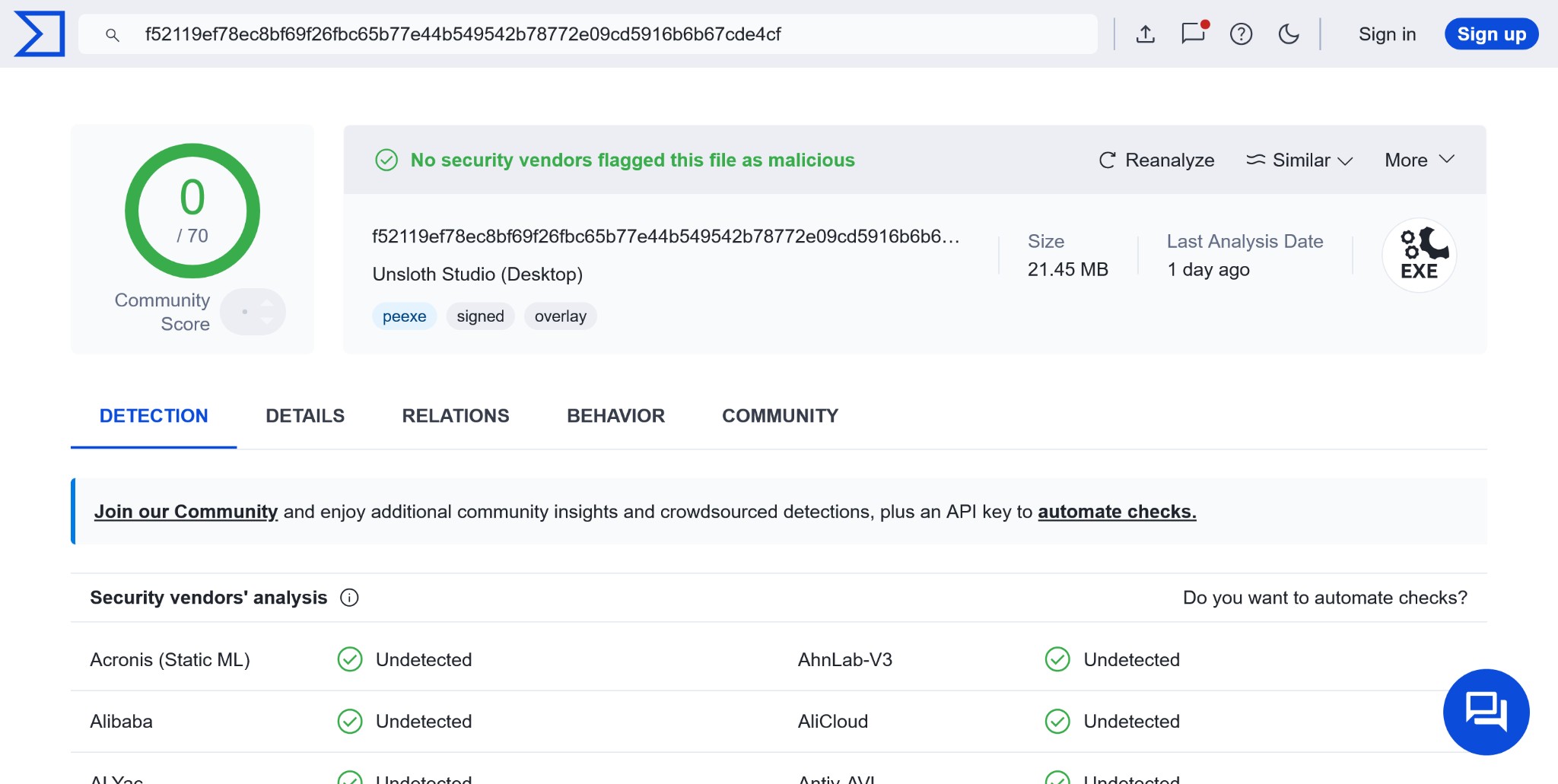
All Desktop releases are scanned with VirusTotal.

<figure><img src="https://3215535692-files.gitbook.io/~/files/v0/b/gitbook-x-prod.appspot.com/o/spaces%2FxhOjnexMCB3dmuQFQ2Zq%2Fuploads%2FbAF1S0JxrvtmGrArUIwf%2Fsecurity-10-virustotal.png?alt=media" alt="VirusTotal scan result for Unsloth Studio Desktop showing zero detections out of 70 vendors"><figcaption><p>The supplied Desktop-release example shows 0 detections out of 70 vendors at the time of the scan.</p></figcaption></figure>

### Using these controls

Security checks reduce risk; they do not establish that a model, dependency, code snippet, or release artifact is safe in every situation. Review code-execution requests carefully, keep Unsloth and its dependencies up to date, and use the least permissive approval mode that meets your needs. Screenshots show specific examples; scan outcomes apply to the files or commits shown.


---

# Agent Instructions
This documentation is published with GitBook. GitBook is the documentation platform designed so that both humans and AI agents can read, navigate, and reason over technical content effectively. Learn more at gitbook.com.

## Querying This Documentation
If you need additional information that is not directly available in this page, you can query the documentation dynamically by asking a question.

Perform an HTTP GET request on the current page URL with the `ask` query parameter, and the optional `goal` query parameter:

```
GET https://unsloth.ai/docs/new/studio/security.md?ask=<question>&goal=<endgoal>
```

`ask` is the immediate question: it should be specific, self-contained, and written in natural language.
`goal` is optional and describes the broader end goal you are ultimately trying to accomplish on behalf of the user. GitBook uses it to tailor the answer towards what is most useful for that goal.

The response will contain a direct answer to the question and relevant excerpts and sources from the documentation.

Use this mechanism when the answer is not explicitly present in the current page, you need clarification or additional context, or you want to retrieve related documentation sections.