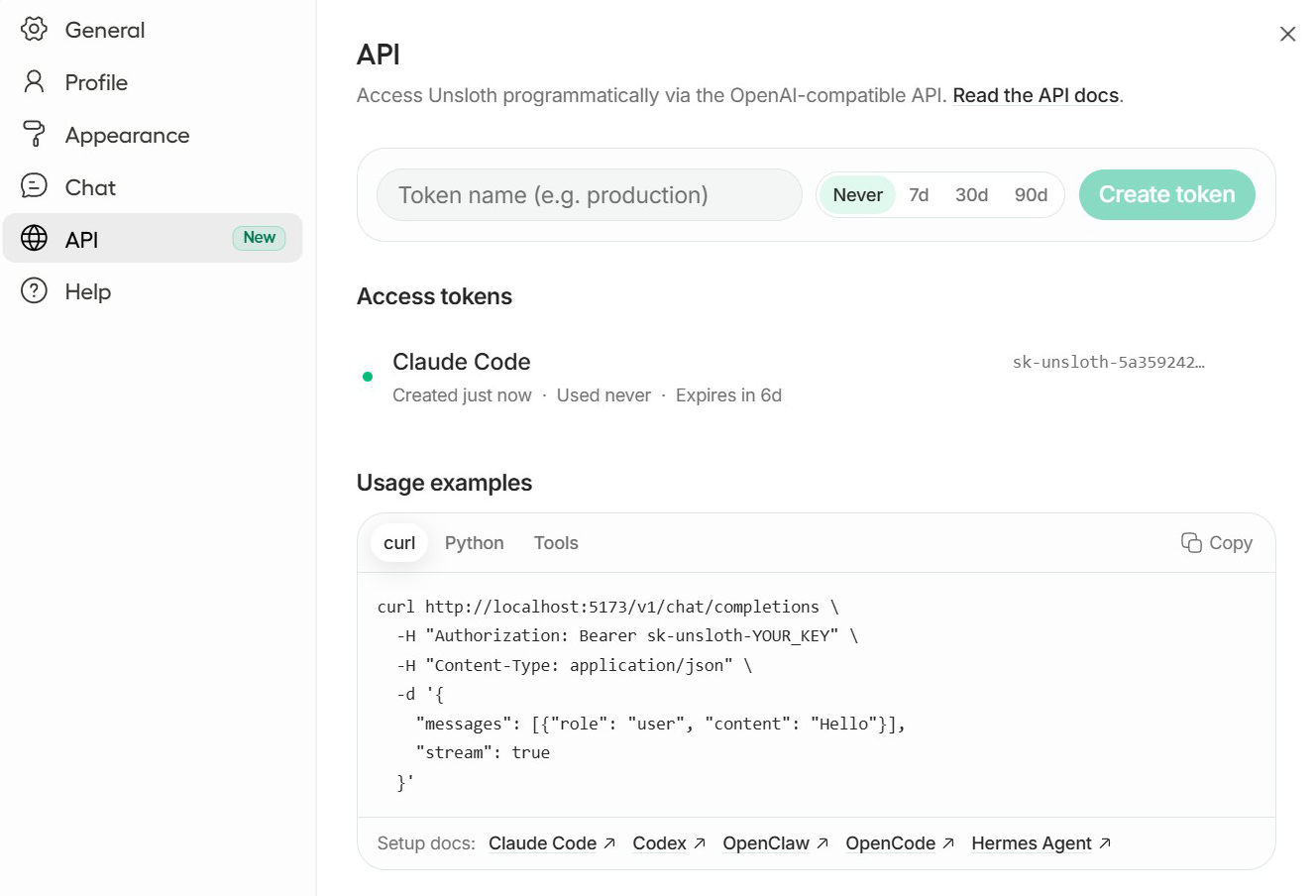
`.
* **Even better tool-calling and websearch** with reduced errors.
* Updated documentation with lots of new info on [deleting models, uninstalling](/docs/new/studio/install.md#uninstall) etc.
* **Cleaner, smarter install and setup logging across Windows and Linux.** Output is now easier to read with consistent formatting, quieter by default for a smoother experience, and supports richer `--verbose` diagnostics when you want full technical detail.
* You can now view your training history!
{% endupdate %}
{% update date="2026-03-25" tags="new-releases,fixes,improvements" %}
## First Release post Unsloth Studio
Hey guys, this is our first release since we launched Unsloth Studio. Lots of new features and fixes:
* **You can now update Unsloth Studio!** Please update via the same install commands.
* **Windows** CPU or GPU now works seamlessly. Please reinstall!
* **App shortcuts**. Once installed, you can now launch in Windows, MacOS and Linux via a shortcut icon in the Start / Launch and Desktop.
* **Pre-compiled `llama.cpp` binaries** and `mamba_ssm` - 6x faster installs! Also <300MB in size for binaries.
* **50% reduced installation sizes** (-7GB or more savings), 2x faster installs and faster resolving. 50% smaller pypi sizes.
* **Tool calling improved.** Better llama.cpp parsing, no raw tool markup in chat, faster inference, a new Tool Outputs panel, timers.
* MacOS and CPU now have [Data Recipes](/docs/new/studio/data-recipe.md) enabled with multi-file uploading.
* **AMD support preliminary for Linux** only machines - auto detects.
* **Settings sidebar redesign.** Settings are now grouped into **Model, Sampling, Tools, and Preferences**
* **Context length** now adjustable. Keep in mind this is not needed as llama.cpp smartly uses the exact context you need via `--fit on`
* **Multi-file upload.** Data recipes now support multiple drag-and-drop uploads for PDF, DOCX, TXT, and MD, with backend extraction, saved uploads, and improved previews.
* **Colab** with free T4 GPUs with Unsloth Studio now fixed! [Try it here](https://colab.research.google.com/github/unslothai/unsloth/blob/main/studio/Unsloth_Studio_Colab.ipynb). Due to pre-compiled binaries, it's also 20x faster!
* **Better chat observability.** Unsloth now shows `llama-server` timings and usage, a context-window usage bar, and richer source hover cards.
* **Better UX overall** - clickable links, better LaTeX parsing, tool / code / web tooltips for default cards and much more!
* **LiteLLM -** Unsloth Studio and Unsloth were **NOT** affected by the recent LiteLLM compromise. Nemo Data Designer used LiteLLM only up to `1.80`, not the affected `1.82.7` or `1.82.8`, and has since removed it entirely.
* We now have a new one line install command, just run:
curl -fsSL https://unsloth.ai/install.sh | sh
#### **Fixes:**
* **Windows/setup improvements.** Fixed silent Windows exits, Anaconda/conda-forge startup crashes, broken non-NVIDIA Windows installs, and missing early CUDA/stale-venv setup checks.
* **System prompts fixed.** They work again for non-GGUF text and vision inference.
* **Persistent system prompts and presets.** Custom system prompts and chat presets now persist across reloads and page changes.
* **GGUF export expanded.** Full fine-tunes, not just LoRA/PEFT, can now export to GGUF. Base model resolution is more reliable, and unsupported export options are disabled in the UI.
* **Chat scroll/layout fixes.** Fixed scroll-position issues during generation, thinking-panel layout shift, and viewport jumps when collapsing reasoning panels.
* **Smarter port conflict detection.** Unsloth now detects loopback conflicts, can identify the blocking process when possible, and gives clearer fallback-port messages.
{% endupdate %}
{% update date="2026-03-17" tags="fixes,improvements" %}
## New Tool calling + Windows Stability
* Claude Artifacts works so HTML can be executed like a snake game inside the chat
* +30% more accurate tool calls esp for small models + Timer for tool calls
* Tool + Web Search outputs can be saved + Toggle auto healing tool on/off
* Many bug fixes - Windows CPU works, Mac more seamless, faster and smaller installs
{% endupdate %}
{% endupdates %}
---
# Agent Instructions
This documentation is published with GitBook. GitBook is the documentation platform designed so that both humans and AI agents can read, navigate, and reason over technical content effectively. Learn more at gitbook.com.
## Querying This Documentation
If you need additional information that is not directly available in this page, you can query the documentation by asking a question.
Perform an HTTP GET request on the following URL with the `ask` and `goal` query parameters:
```
GET https://unsloth.ai/docs/new/changelog.md?ask=&goal=
```
`ask` is the immediate question: it should be specific, self-contained, and written in natural language.
`goal` is what the user is ultimately trying to achieve, the reason they need the answer. Sharing it helps GitBook give you a better, more relevant answer. A goal is most helpful when it describes the outcome the user wants rather than restating the question. For example, with `ask=how do I create an API token`, a goal like `automate deployments from our CI pipeline` lets GitBook tailor the answer to that use case.
The response will contain a direct answer to the question and relevant excerpts and sources from the documentation.
Use this mechanism when the answer is not explicitly present in the current page, you need clarification or additional context, or you want to retrieve related documentation sections.