> For the complete documentation index, see [llms.txt](https://unsloth.ai/docs/llms.txt). Markdown versions of documentation pages are available by appending `.md` to page URLs; this page is available as [Markdown](https://unsloth.ai/docs/models/tutorials/qwen3-how-to-run-and-fine-tune/qwen3-vl-how-to-run-and-fine-tune.md).
# Qwen3-VL: How to Run Guide
Learn to fine-tune and run Qwen3-VL locally with Unsloth.
Qwen3-VL is Qwen’s new vision models with **instruct** and **thinking** versions. The 2B, 4B, 8B and 32B models are dense, while 30B and 235B are MoE. The 235B thinking LLM delivers SOTA vision and coding performance rivaling GPT-5 (high) and Gemini 2.5 Pro.\
\
Qwen3-VL has vision, video and OCR capabilities as well as 256K context (can be extended to 1M).\
\
[Unsloth](https://github.com/unslothai/unsloth) supports **Qwen3-VL fine-tuning and** [**RL**](/docs/get-started/reinforcement-learning-rl-guide/vision-reinforcement-learning-vlm-rl.md). Train Qwen3-VL (8B) for free with our [notebooks](#fine-tuning-qwen3-vl).
Running Qwen3-VLFine-tuning Qwen3-VL
## 🖥️ **Running Qwen3-VL**
To run the model in llama.cpp, vLLM, Ollama etc., here are the recommended settings:
### :gear: Recommended Settings
Qwen recommends these settings for both models (they're a bit different for Instruct vs Thinking):
| Instruct Settings: | Thinking Settings: |
| ------------------------------------------------------------------------ | ------------------------------------------------------------------------ |
| **Temperature = 0.7** | **Temperature = 1.0** |
| **Top\_P = 0.8** | **Top\_P = 0.95** |
| **presence\_penalty = 1.5** | **presence\_penalty = 0.0** |
| Output Length = 32768 (up to 256K) | Output Length = 40960 (up to 256K) |
| Top\_K = 20 | Top\_K = 20 |
Qwen3-VL also used the below settings for their benchmarking numbers, as mentioned [on GitHub](https://github.com/QwenLM/Qwen3-VL/tree/main?tab=readme-ov-file#generation-hyperparameters).
{% columns %}
{% column %}
Instruct Settings:
```bash
export greedy='false'
export seed=3407
export top_p=0.8
export top_k=20
export temperature=0.7
export repetition_penalty=1.0
export presence_penalty=1.5
export out_seq_length=32768
```
{% endcolumn %}
{% column %}
Thinking Settings:
```bash
export greedy='false'
export seed=1234
export top_p=0.95
export top_k=20
export temperature=1.0
export repetition_penalty=1.0
export presence_penalty=0.0
export out_seq_length=40960
```
{% endcolumn %}
{% endcolumns %}
### :bug:Chat template bug fixes
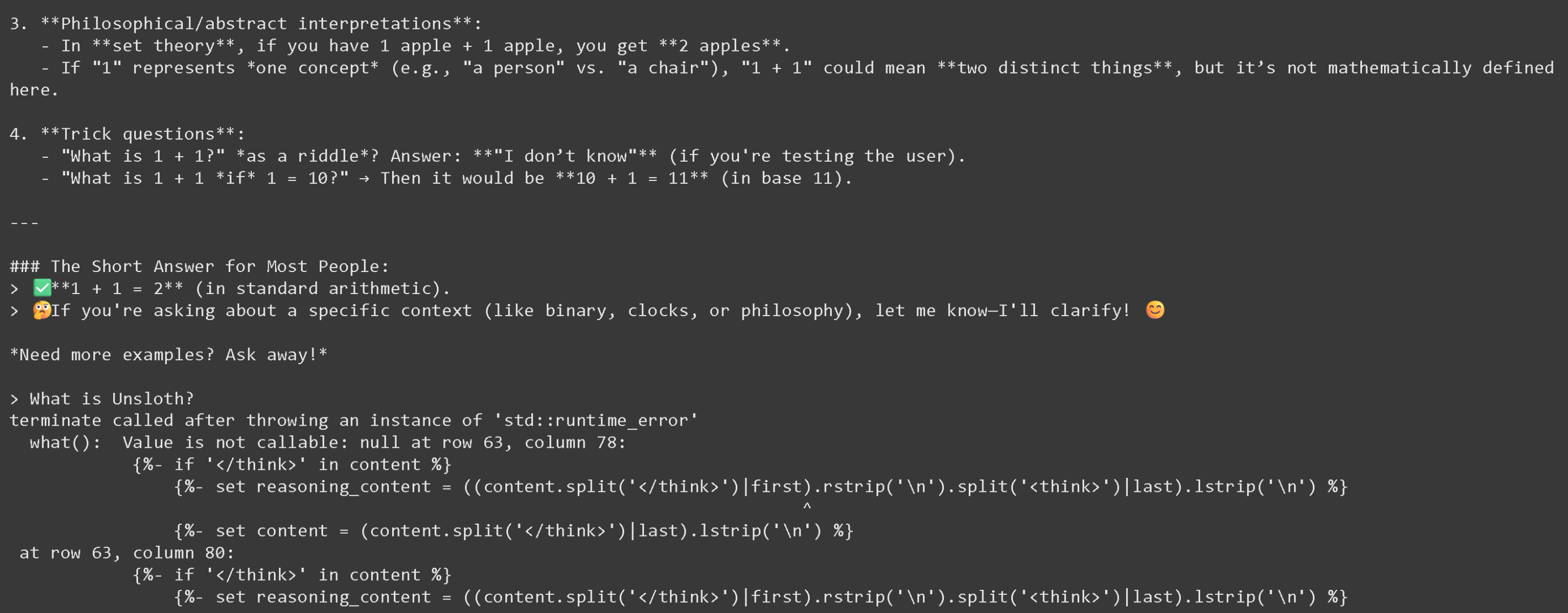
At Unsloth, we care about accuracy the most, so we investigated why after the 2nd turn of running the Thinking models, llama.cpp would break, as seen below:
{% columns %}
{% column %}
{% endcolumn %}
{% column %}
The error code:
```
terminate called after throwing an instance of 'std::runtime_error'
what(): Value is not callable: null at row 63, column 78:
{%- if '' in content %}
{%- set reasoning_content = ((content.split('')|first).rstrip('\n').split('')|last).lstrip('\n') %}
^
```
{% endcolumn %}
{% endcolumns %}
We have successfully fixed the Thinking chat template for the VL models so we re-uploaded all Thinking quants and Unsloth's quants. They should now all work after the 2nd conversation - **other quants will fail to load after the 2nd conversation.**
### **Qwen3-VL Unsloth uploads**:
Qwen3-VL is now supported for GGUFs by llama.cpp as of 30th October 2025, so you can run them locally!
| Dynamic GGUFs (to run) | 4-bit BnB Unsloth Dynamic | 16-bit full-precision |
| ----------------------------------------------------------------------------------------------------------------------------------------------------------------------------------------------------------------------------------------------------------------------------------------------------------------------------------------------------------------------------------------------------------------------------------------------------------------------------------------------------------------------------------------------------------------------------------------------------------------------------------------------------------------------------------------------------------------------------------------------------------------------------------------------------------------------------------------------------------------------------------------------------------------------------------------------------------------------------------------------------------------------------------------------------------------------------------------------------------------------------------------------------------------------------------------- | --------------------------------------------------------------------------------------------------------------------------------------------------------------------------------------------------------------------------------------------------------------------------------------------------------------------------------------------------------------------------------------------------------------------------------------------------------------------------------------------------------------------------------------------------------------------------------------------------------------------------------------------------------------------------------------------------------------------------------------------------------------------------------------------------------------------------------------------------------------------- | --------------------------------------------------------------------------------------------------------------------------------------------------------------------------------------------------------------------------------------------------------------------------------------------------------------------------------------------------------------------------------------------------------------------------------------------------------------------------------------------------------------------------------------------------------------------------------------------------------------------------------------------------------------------------------------------------------------------------------------------------------------------------------------------------------------------------------------------------------------------------------------------------------------------------------------------------------------------------------------------------------------------------------------- |
|
|
### 📖 Llama.cpp: Run Qwen3-VL Tutorial
1. Obtain the latest `llama.cpp` on [GitHub here](https://github.com/ggml-org/llama.cpp). You can follow the build instructions below as well. Change `-DGGML_CUDA=ON` to `-DGGML_CUDA=OFF` if you don't have a GPU or just want CPU inference. **For Apple Mac / Metal devices**, set `-DGGML_CUDA=OFF` then continue as usual - Metal support is on by default.
```bash
apt-get update
apt-get install pciutils build-essential cmake curl libcurl4-openssl-dev -y
git clone https://github.com/ggml-org/llama.cpp
cmake llama.cpp -B llama.cpp/build \
-DBUILD_SHARED_LIBS=OFF -DGGML_CUDA=ON -DLLAMA_CURL=ON
cmake --build llama.cpp/build --config Release -j --clean-first
cp llama.cpp/build/bin/llama-* llama.cpp
```
2. **Let's first get an image!** You can also upload images as well. We shall use , which is just our mini logo showing how finetunes are made with Unsloth:
3. Let's download this image
{% code overflow="wrap" %}
```bash
wget https://raw.githubusercontent.com/unslothai/unsloth/refs/heads/main/images/unsloth%20made%20with%20love.png -O unsloth.png
```
{% endcode %}
4. Let's get the 2nd image at
{% code overflow="wrap" %}
```bash
wget https://files.worldwildlife.org/wwfcmsprod/images/Sloth_Sitting_iStock_3_12_2014/story_full_width/8l7pbjmj29_iStock_000011145477Large_mini__1_.jpg -O picture.png
```
{% endcode %}
5. Then, let's use llama.cpp's auto model downloading feature, try this for the 8B Instruct model:
```bash
./llama.cpp/llama-mtmd-cli \
-hf unsloth/Qwen3-VL-8B-Instruct-GGUF:UD-Q4_K_XL \
--n-gpu-layers 99 \
--jinja \
--top-p 0.8 \
--top-k 20 \
--temp 0.7 \
--min-p 0.0 \
--flash-attn on \
--presence-penalty 1.5 \
--ctx-size 8192
```
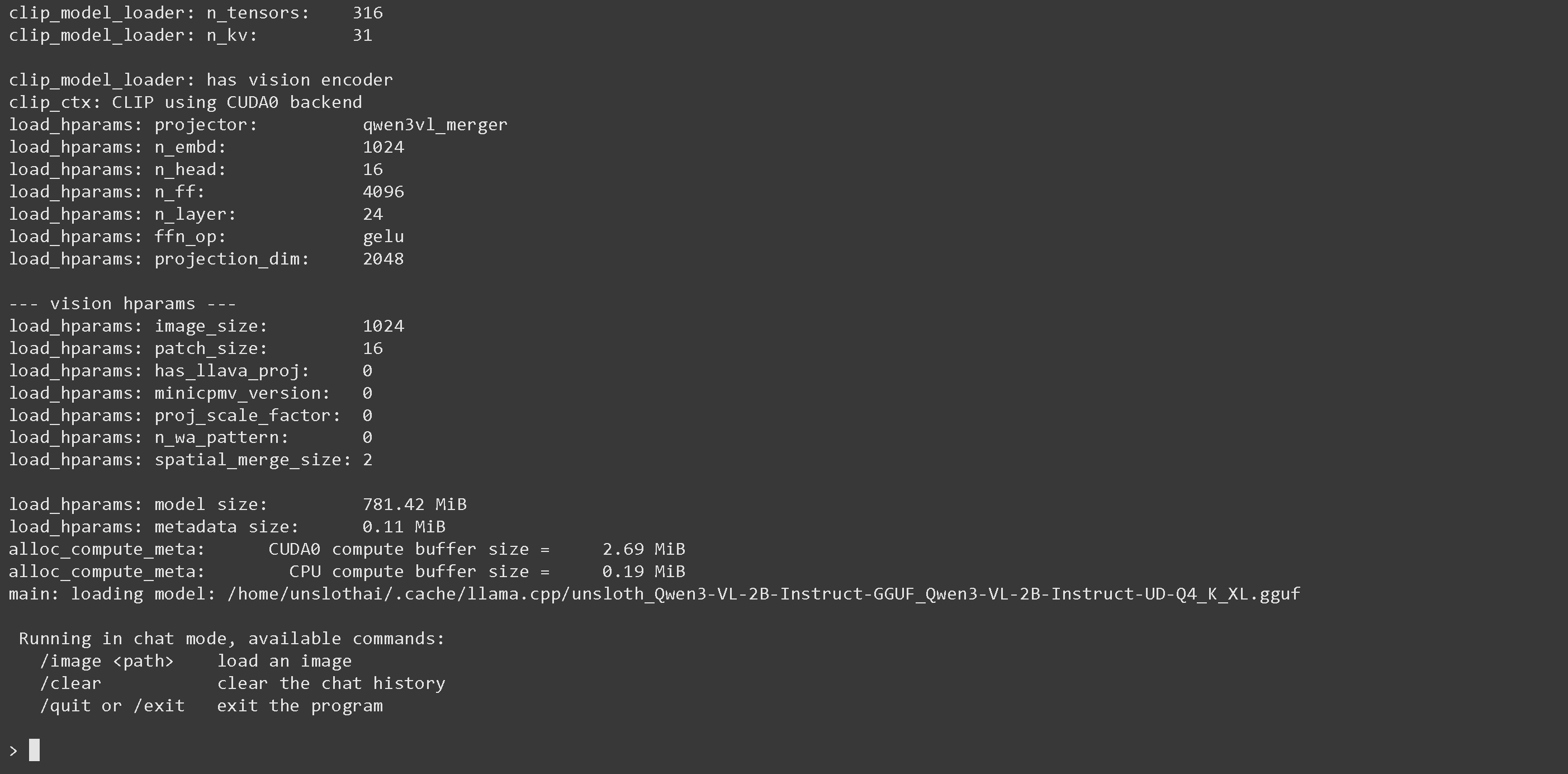
6. Once in, you will see the below screen:
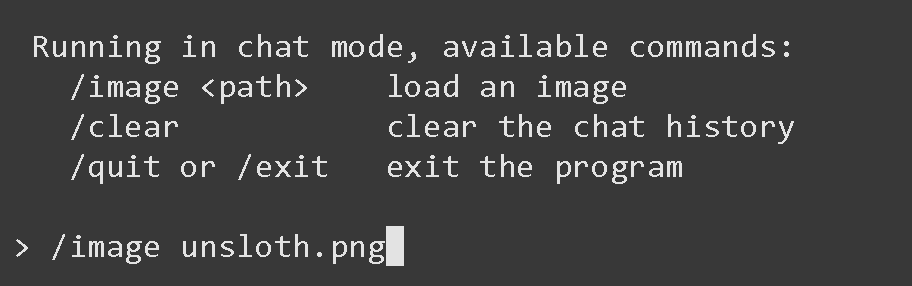
7. Load up the image via `/image PATH` ie `/image unsloth.png` then press ENTER
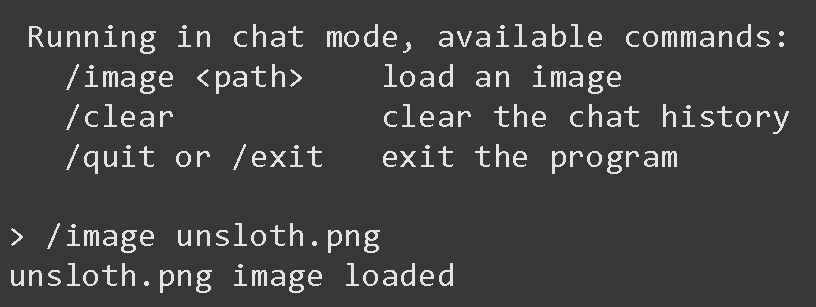
8. When you hit ENTER, it'll say "unsloth.png image loaded"
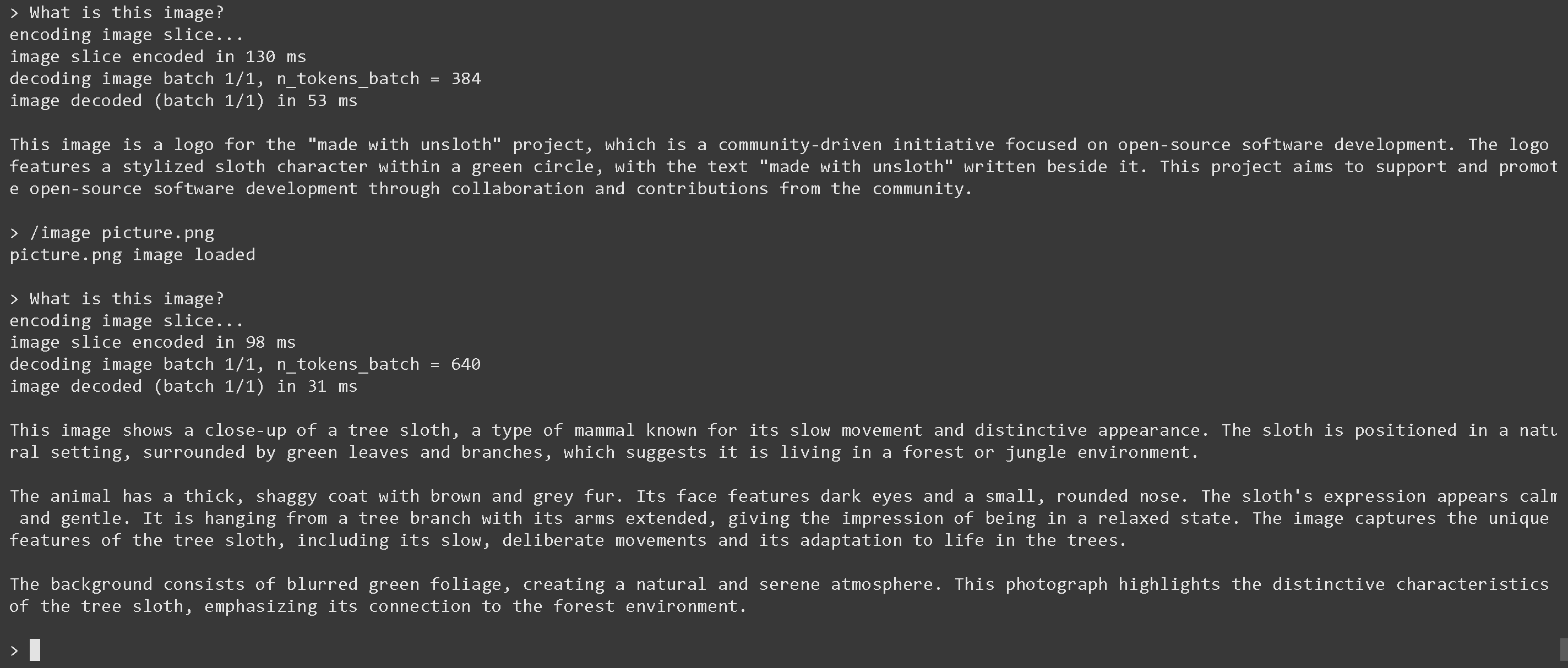
9. Now let's ask a question like "What is this image?":
10. Now load in picture 2 via `/image picture.png` then hit ENTER and ask "What is this image?"
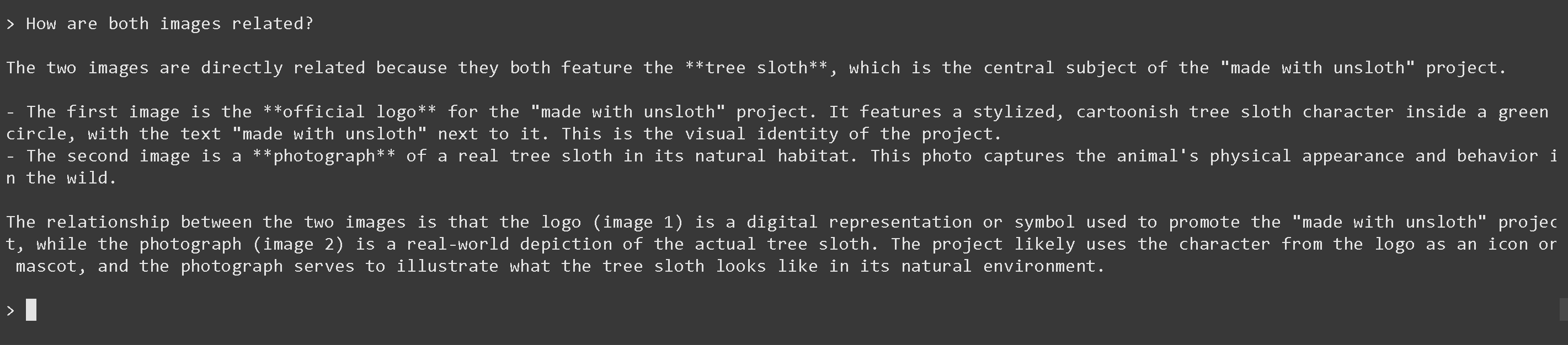
11. And finally let's ask how are both images are related (it works!)
{% code overflow="wrap" %}
```
The two images are directly related because they both feature the **tree sloth**, which is the central subject of the "made with unsloth" project.
- The first image is the **official logo** for the "made with unsloth" project. It features a stylized, cartoonish tree sloth character inside a green circle, with the text "made with unsloth" next to it. This is the visual identity of the project.
- The second image is a **photograph** of a real tree sloth in its natural habitat. This photo captures the animal's physical appearance and behavior in the wild.
The relationship between the two images is that the logo (image 1) is a digital representation or symbol used to promote the "made with unsloth" project, while the photograph (image 2) is a real-world depiction of the actual tree sloth. The project likely uses the character from the logo as an icon or mascot, and the photograph serves to illustrate what the tree sloth looks like in its natural environment.
```
{% endcode %}
12. You can also download the model via (after installing `pip install huggingface_hub hf_transfer` ) HuggingFace's `snapshot_download` which is useful for large model downloads, **since llama.cpp's auto downloader might lag.** You can choose Q4\_K\_M, or other quantized versions.
```python
# !pip install huggingface_hub hf_transfer
import os
os.environ["HF_HUB_ENABLE_HF_TRANSFER"] = "1"
from huggingface_hub import snapshot_download
snapshot_download(
repo_id = "unsloth/Qwen3-VL-8B-Instruct-GGUF", # Or "unsloth/Qwen3-VL-8B-Thinking-GGUF"
local_dir = "unsloth/Qwen3-VL-8B-Instruct-GGUF", # Or "unsloth/Qwen3-VL-8B-Thinking-GGUF"
allow_patterns = ["*UD-Q4_K_XL*", "*mmproj-F16*"],
)
```
13. Run the model and try any prompt. **For Instruct:**
```bash
./llama.cpp/llama-mtmd-cli \
--model unsloth/Qwen3-VL-8B-Instruct-GGUF/Qwen3-VL-8B-Instruct-UD-Q4_K_XL.gguf \
--mmproj unsloth/Qwen3-VL-8B-Instruct-GGUF/mmproj-F16.gguf \
--n-gpu-layers 99 \
--jinja \
--top-p 0.8 \
--top-k 20 \
--temp 0.7 \
--min-p 0.0 \
--flash-attn on \
--presence-penalty 1.5 \
--ctx-size 8192
```
14. **For Thinking**:
```bash
./llama.cpp/llama-mtmd-cli \
--model unsloth/Qwen3-VL-8B-Thinking-GGUF/Qwen3-VL-8B-Thinking-UD-Q4_K_XL.gguf \
--mmproj unsloth/Qwen3-VL-8B-Thinking-GGUF/mmproj-F16.gguf \
--n-gpu-layers 99 \
--jinja \
--top-p 0.95 \
--top-k 20 \
--temp 1.0 \
--min-p 0.0 \
--flash-attn on \
--presence-penalty 0.0 \
--ctx-size 8192
```
### :magic\_wand:Running Qwen3-VL-235B-A22B and Qwen3-VL-30B-A3B
For Qwen3-VL-235B-A22B, we will use llama.cpp for optimized inference and a plethora of options.
1. We're following similar steps to above however this time we'll also need to perform extra steps because the model is so big.
2. Download the model via (after installing `pip install huggingface_hub hf_transfer` ). You can choose UD-Q2\_K\_XL, or other quantized versions..
```python
# !pip install huggingface_hub hf_transfer
import os
os.environ["HF_HUB_ENABLE_HF_TRANSFER"] = "1"
from huggingface_hub import snapshot_download
snapshot_download(
repo_id = "unsloth/Qwen3-VL-235B-A22B-Instruct-GGUF",
local_dir = "unsloth/Qwen3-VL-235B-A22B-Instruct-GGUF",
allow_patterns = ["*UD-Q2_K_XL*", "*mmproj-F16*"],
)
```
3. Run the model and try a prompt. Set the correct parameters for Thinking vs. Instruct.
**Instruct:**
{% code overflow="wrap" %}
```bash
./llama.cpp/llama-mtmd-cli \
--model unsloth/Qwen3-VL-235B-A22B-Instruct-GGUF/UD-Q2_K_XL/Qwen3-VL-235B-A22B-Instruct-UD-Q2_K_XL-00001-of-00002.gguf \
--mmproj unsloth/Qwen3-VL-235B-A22B-Instruct-GGUF/mmproj-F16.gguf
--jinja \
--top-p 0.8 \
--top-k 20 \
--temp 0.7 \
--min-p 0.0 \
--flash-attn on \
--presence-penalty 1.5 \
--ctx-size 8192 \
```
{% endcode %}
**Thinking:**
{% code overflow="wrap" %}
```bash
./llama.cpp/llama-mtmd-cli \
--model unsloth/Qwen3-VL-235B-A22B-Thinking-GGUF/UD-Q2_K_XL/Qwen3-VL-235B-A22B-Thinking-UD-Q2_K_XL-00001-of-00002.gguf \
--mmproj unsloth/Qwen3-VL-235B-A22B-Thinking-GGUF/mmproj-F16.gguf \
--n-gpu-layers 99 \
--jinja \
--top-p 0.95 \
--top-k 20 \
--temp 1.0 \
--min-p 0.0 \
--flash-attn on \
--presence-penalty 0.0 \
--ctx-size 8192 \
-ot ".ffn_.*_exps.=CPU"
```
{% endcode %}
4. Edit, `--ctx-size 16384` for context length, `--n-gpu-layers 99` for GPU offloading on how many layers. Try adjusting it if your GPU goes out of memory. Also remove it if you have CPU only inference.
{% hint style="success" %}
**Use `--fit on` introduced 15th Dec 2025 for maximum usage of your GPU and CPU.**
Optionally, use `-ot ".ffn_.*_exps.=CPU"` to offload all MoE layers to the CPU! This effectively allows you to fit all non MoE layers on 1 GPU, improving generation speeds. You can customize the regex expression to fit more layers if you have more GPU capacity.
{% endhint %}
### 🐋 Docker: Run Qwen3-VL
If you already have Docker desktop, to run Unsloth's models from Hugging Face, run the command below and you're done:
```bash
docker model pull hf.co/unsloth/Qwen3-VL-8B-Instruct-GGUF:UD-Q4_K_XL
```
Or you can run Docker's uploaded Qwen3-VL models:
```bash
docker model run ai/qwen3-vl
```
## 🦥 **Fine-tuning Qwen3-VL**
Unsloth supports fine-tuning and reinforcement learning (RL) Qwen3-VL including the larger 32B and 235B models. This includes support for fine-tuning for video and object detection. As usual, Unsloth makes Qwen3-VL models train 1.7x faster with 60% less VRAM and 8x longer context lengths with no accuracy degradation.\
\
We made two Qwen3-VL (8B) training notebooks which you can train free on Colab:
* [Normal SFT fine-tuning notebook](https://colab.research.google.com/github/unslothai/notebooks/blob/main/nb/Qwen3_VL_\(8B\)-Vision.ipynb)
* [GRPO/GSPO RL notebook](https://colab.research.google.com/github/unslothai/notebooks/blob/main/nb/Qwen3_VL_\(8B\)-Vision-GRPO.ipynb)
{% hint style="success" %}
**Saving Qwen3-VL to GGUF now works as llama.cpp just supported it!**
If you want to use any other Qwen3-VL model, just change the 8B model to the 2B, 32B etc. one.
{% endhint %}
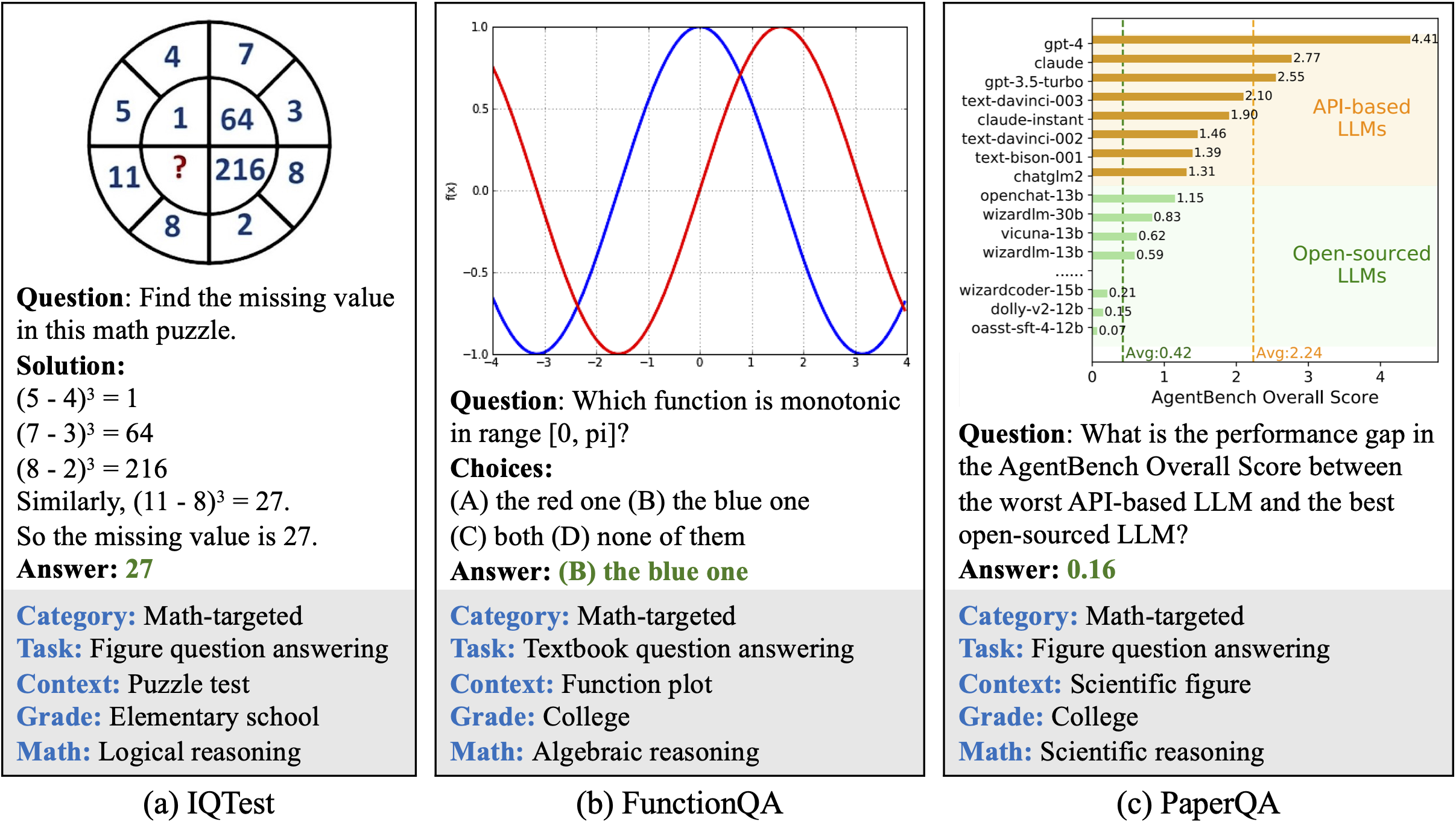
The goal of the GRPO notebook is to make a vision language model solve maths problems via RL given an image input like below:
This Qwen3-VL support also integrates our latest update for even more memory efficient + faster RL including our [Standby feature](/docs/get-started/reinforcement-learning-rl-guide/memory-efficient-rl.md#unsloth-standby), which uniquely limits speed degradation compared to other implementations. You can read more about how to train vision LLMs with RL with our [VLM GRPO guide](/docs/get-started/reinforcement-learning-rl-guide/vision-reinforcement-learning-vlm-rl.md).
### Multi-image training
In order to fine-tune or train Qwen3-VL with multi-images the most straightforward change is to swap
```python
ds_converted = ds.map(
convert_to_conversation,
)
```
with:
```python
ds_converted = [convert_to_converation(sample) for sample in dataset]
```
Using map kicks in dataset standardization and arrow processing rules which can be strict and more complicated to define.
---
# Agent Instructions
This documentation is published with GitBook. GitBook is the documentation platform designed so that both humans and AI agents can read, navigate, and reason over technical content effectively. Learn more at gitbook.com.
## Querying This Documentation
If you need additional information that is not directly available in this page, you can query the documentation by asking a question.
Perform an HTTP GET request on the following URL with the `ask` and `goal` query parameters:
```
GET https://unsloth.ai/docs/models/tutorials/qwen3-how-to-run-and-fine-tune/qwen3-vl-how-to-run-and-fine-tune.md?ask=&goal=
```
`ask` is the immediate question: it should be specific, self-contained, and written in natural language.
`goal` is what the user is ultimately trying to achieve, the reason they need the answer. Sharing it helps GitBook give you a better, more relevant answer. A goal is most helpful when it describes the outcome the user wants rather than restating the question. For example, with `ask=how do I create an API token`, a goal like `automate deployments from our CI pipeline` lets GitBook tailor the answer to that use case.
The response will contain a direct answer to the question and relevant excerpts and sources from the documentation.
Use this mechanism when the answer is not explicitly present in the current page, you need clarification or additional context, or you want to retrieve related documentation sections.