# IBM Granite 4.1 - How to Run Locally
IBM releases Granite-4.1 models with 3 sizes: **3B**, **8B** and **30B**. Granite-4.1 is a long-context dense model family, built for instruction following, tool calling, chat, RAG and coding use cases. The models are highly competitive for their sizes and were trained on 15T tokens.
Learn how to run Unsloth Granite-4.1 Dynamic GGUFs or fine-tune/RL the model. You can fine-tune Granite-4.1 with our free notebook for a support agent use-case.
**Granite-4.1 model family:**
* **Granite-4.1-3B Dense:** Lightweight and efficient for local, edge and high-volume tasks. Great for quick classification, extraction, simple RAG, function calling and fine-tuning on smaller GPUs.
* **Granite-4.1-8B Dense:** A balanced model for local assistants, RAG, coding, multilingual chat and tool-use workflows. This is a great default pick if you want stronger quality while keeping memory use practical.
* **Granite-4.1-30B Dense:** The strongest Granite-4.1 model. Best for more demanding enterprise assistants, long-context tasks, complex RAG, coding, multilingual workflows and agentic tool-calling use cases.
### ⚙️ Usage Guide
Use these settings for deterministic, instruction-following responses:
`temperature=0.0`, `top_p=1.0`, `top_k=0`
* Temperature of `0.0`
* Top\_K = `0`
* Top\_P = `1.0`
* Recommended minimum context: `16,384`
* Maximum context length window: `131,072` tokens
Chat template:
```
<|start_of_role|>system<|end_of_role|>You are a helpful assistant. Please ensure responses are professional, accurate, and safe.<|end_of_text|>
<|start_of_role|>user<|end_of_role|>Please list one IBM Research laboratory located in the United States. You should only output its name and location.<|end_of_text|>
<|start_of_role|>assistant<|end_of_role|>IBM Research - Almaden, San Jose, California<|end_of_text|>
```
#### Unsloth Granite-4.1 uploads
* `unsloth/granite-4.1-3b-GGUF`
* `unsloth/granite-4.1-8b-GGUF`
* `unsloth/granite-4.1-30b-GGUF`
## Run Granite-4.1 Tutorials
Run in Unsloth StudioRun in llama.cpp
{% hint style="warning" %}
Do NOT use **CUDA 13.2** as you may get gibberish outputs. NVIDIA is working on a fix.
{% endhint %}
### 🦥 Unsloth Studio Guide
For this tutorial, we will be using [Unsloth Studio](https://unsloth.ai/docs/new/studio), which is our new web UI for running and training LLMs. With Unsloth Studio, you can run models and input **audio**, image and text locally on **Mac, Windows**, and Linux and:
{% columns %}
{% column %}
* Search, download, [run GGUFs](https://unsloth.ai/docs/new/studio#run-models-locally) and safetensor models
* **Compare** models **side-by-side**
* [**Self-healing** tool calling](https://unsloth.ai/docs/new/studio#execute-code--heal-tool-calling) + **web search**
* [**Code execution**](https://unsloth.ai/docs/new/studio#run-models-locally) (Python, Bash)
* [Automatic inference](https://unsloth.ai/docs/new/studio#model-arena) parameter tuning (temp, top-p, etc.)
* [Train LLMs](https://unsloth.ai/docs/new/studio#no-code-training) 2x faster with 70% less VRAM
{% endcolumn %}
{% column %}
{% endcolumn %}
{% endcolumns %}
{% stepper %}
{% step %}
#### Install Unsloth
**MacOS, Linux, WSL:**
```bash
curl -fsSL https://unsloth.ai/main/install.sh | sh
```
**Windows PowerShell:**
```bash
irm https://unsloth.ai/install.ps1 | iex
```
{% endstep %}
{% step %}
#### Setup Unsloth Studio (one time)
Setup automatically installs Node.js (via nvm), builds the frontend, installs all Python dependencies, and builds llama.cpp with CUDA support.
{% hint style="info" %}
**WSL users:** you will be prompted for your `sudo` password to install build dependencies (`cmake`, `git`, `libcurl4-openssl-dev`).
{% endhint %}
{% endstep %}
{% step %}
#### Launch Unsloth
**MacOS, Linux, WSL:**
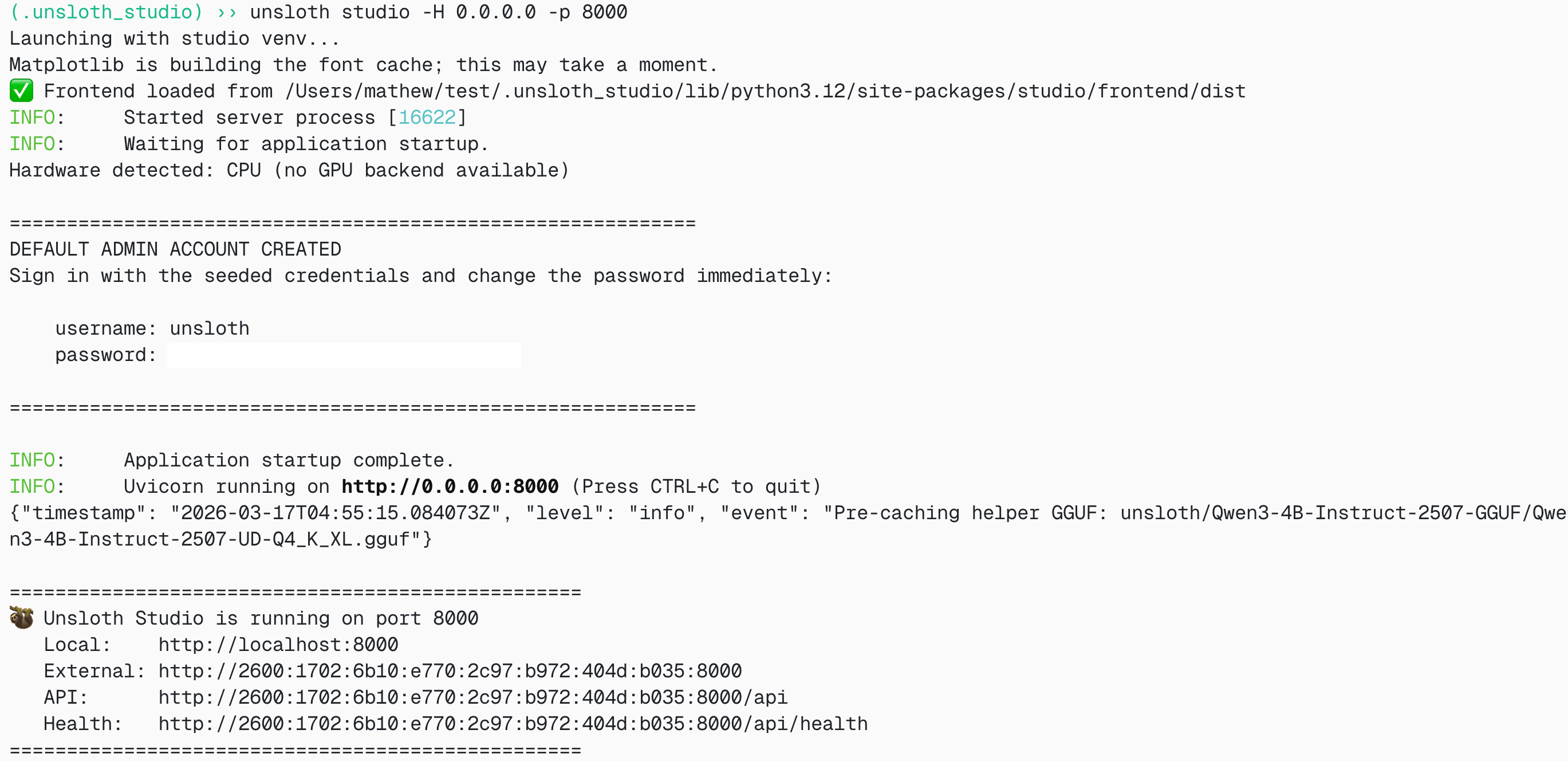
```bash
source unsloth_studio/bin/activate
unsloth studio -H 0.0.0.0 -p 8888
```
**Windows Powershell:**
```bash
& .\unsloth_studio\Scripts\unsloth.exe studio -H 0.0.0.0 -p 8888
```
**Then open `http://localhost:8888` in your browser.**
{% endstep %}
{% step %}
#### Search and download Granite 4.1
On first launch you will need to create a password to secure your account and sign in again later. Then go to the [Studio Chat](https://unsloth.ai/docs/new/studio/chat) tab and search for Granite 4.1 in the search bar and download your desired model and quant.
{% endstep %}
{% step %}
#### Run Granite 4.1
Inference parameters should be auto-set when using Unsloth Studio, however you can still change it manually. You can also edit the context length, chat template and other settings.
For more information, you can view our [Unsloth Studio inference guide](https://unsloth.ai/docs/new/studio/chat).
{% endstep %}
{% endstepper %}
### 🦙 Llama.cpp Tutorial
1. Obtain the latest `llama.cpp`. You can follow the build instructions below as well. Change `-DGGML_CUDA=ON` to `-DGGML_CUDA=OFF` if you don't have a GPU or just want CPU inference. For Apple Mac / Metal devices, set `-DGGML_CUDA=OFF` then continue as usual — Metal support is on by default.
```shell
apt-get update
apt-get install pciutils build-essential cmake curl libcurl4-openssl-dev -y
git clone https://github.com/ggml-org/llama.cpp
cmake llama.cpp -B llama.cpp/build \
-DBUILD_SHARED_LIBS=OFF -DGGML_CUDA=ON -DLLAMA_CURL=ON
cmake --build llama.cpp/build --config Release -j --clean-first --target llama-cli llama-server llama-gguf-split
cp llama.cpp/build/bin/llama-* llama.cpp
```
2. If you want to use `llama.cpp` directly to load models, you can do the below. `UD-Q4_K_XL` is the quantization type. You can also change it to other quantized versions like `Q4_K_M`, `Q5_K_M`, `Q8_0` or BF16 full precision if available.
```shell
./llama.cpp/llama-cli \
-hf unsloth/granite-4.1-30b-GGUF:UD-Q4_K_XL
```
3. OR download the model via Hugging Face after installing `huggingface_hub` and `hf_transfer`.
```python
# !pip install huggingface_hub hf_transfer
import os
os.environ["HF_HUB_ENABLE_HF_TRANSFER"] = "1"
from huggingface_hub import snapshot_download
snapshot_download(
repo_id = "unsloth/granite-4.1-30b-GGUF",
local_dir = "unsloth/granite-4.1-30b-GGUF",
allow_patterns = ["*UD-Q4_K_XL*"],
)
```
4. Run Unsloth's Flappy Bird test.
```shell
./llama.cpp/llama-cli \
--model unsloth/granite-4.1-30b-GGUF/granite-4.1-30b-UD-Q4_K_XL.gguf \
--n-gpu-layers 99 \
--seed 3407 \
--prio 2 \
--temp 0.0 \
--top-k 0 \
--top-p 1.0 \
-p "Create a single-file Python pygame implementation of Flappy Bird."
```
Edit `--threads 32` for the number of CPU threads, `--ctx-size 16384` for context length, and `--n-gpu-layers 99` for GPU offloading. Try adjusting GPU layers if your GPU goes out of memory. Remove `--n-gpu-layers` if you are using CPU-only inference.
5. For conversation mode:
```shell
./llama.cpp/llama-cli \
--model unsloth/granite-4.1-30b-GGUF/granite-4.1-30b-UD-Q4_K_XL.gguf \
--conversation \
--n-gpu-layers 99 \
--seed 3407 \
--prio 2 \
--temp 0.0 \
--top-k 0 \
--top-p 1.0
```
### Fine-tuning Granite-4.1 in Unsloth
Unsloth supports Granite-4.1 models including 3B, 8B and 30B for fine-tuning. Training is 2x faster, uses less VRAM and supports longer context lengths. Granite-4.1-3B and Granite-4.1-8B are the best starting points for local fine-tuning, while Granite-4.1-30B is the strongest model for higher-accuracy enterprise workflows.
* Granite-4.1 free fine-tuning notebook
* Granite-4.1 support agent notebook
* Granite-4.1 GRPO / RL notebook
This notebook trains a model to become a support agent that understands customer interactions, complete with analysis and recommendations. This setup allows you to train a bot that provides real-time assistance to support agents.
We also show you how to train a model using data stored in a Google Sheet.
#### Unsloth config for Granite-4.1
If you have an old version of Unsloth and/or are fine-tuning locally, install the latest version of Unsloth:
```python
!pip install --upgrade unsloth
```
```python
from unsloth import FastLanguageModel
import torch
model, tokenizer = FastLanguageModel.from_pretrained(
model_name = "unsloth/granite-4.1-8b",
max_seq_length = 2048, # Context length - can be longer, but uses more memory
dtype = None, # None for auto detection
load_in_4bit = True, # 4bit uses much less memory
load_in_8bit = False, # A bit more accurate, uses 2x memory
full_finetuning = False, # We have full finetuning now!
# token = "hf_...", # use one if using gated models
)
```
To force reinstall the latest Unsloth and Unsloth Zoo:
```shell
pip install --upgrade --force-reinstall --no-cache-dir unsloth unsloth_zoo
```
You can change the model name to any Granite-4.1 model:
```python
model_name = "unsloth/granite-4.1-3b"
model_name = "unsloth/granite-4.1-8b"
model_name = "unsloth/granite-4.1-30b"
```
For the 30B model, use a larger GPU or multi-GPU setup, and reduce `max_seq_length` or increase quantization if you run out of memory.
---
# Agent Instructions: Querying This Documentation
If you need additional information that is not directly available in this page, you can query the documentation dynamically by asking a question.
Perform an HTTP GET request on the current page URL with the `ask` query parameter:
```
GET https://unsloth.ai/docs/models/ibm-granite-4.1.md?ask=
```
The question should be specific, self-contained, and written in natural language.
The response will contain a direct answer to the question and relevant excerpts and sources from the documentation.
Use this mechanism when the answer is not explicitly present in the current page, you need clarification or additional context, or you want to retrieve related documentation sections.