> For the complete documentation index, see [llms.txt](https://unsloth.ai/docs/llms.txt). Markdown versions of documentation pages are available by appending `.md` to page URLs; this page is available as [Markdown](https://unsloth.ai/docs/jp/xin-zhe/studio/export.md).
# Unsloth Studioでモデルをエクスポートする
safetensorまたはLoRAのモデルファイルをGGUFや他の形式にエクスポートする方法を学びましょう。
使用 [Unsloth Studio](/docs/jp/xin-zhe/studio.md) を使って、モデルを GGUF、Safetensors、または LoRA にエクスポート、保存、変換し、Unsloth、llama.cpp、Ollama、vLLM などでのデプロイ、共有、ローカル推論に利用できます。学習済みチェックポイントをエクスポートするか、既存の任意のモデルを変換できます。
{% stepper %}
{% step %}
### 学習実行を選択
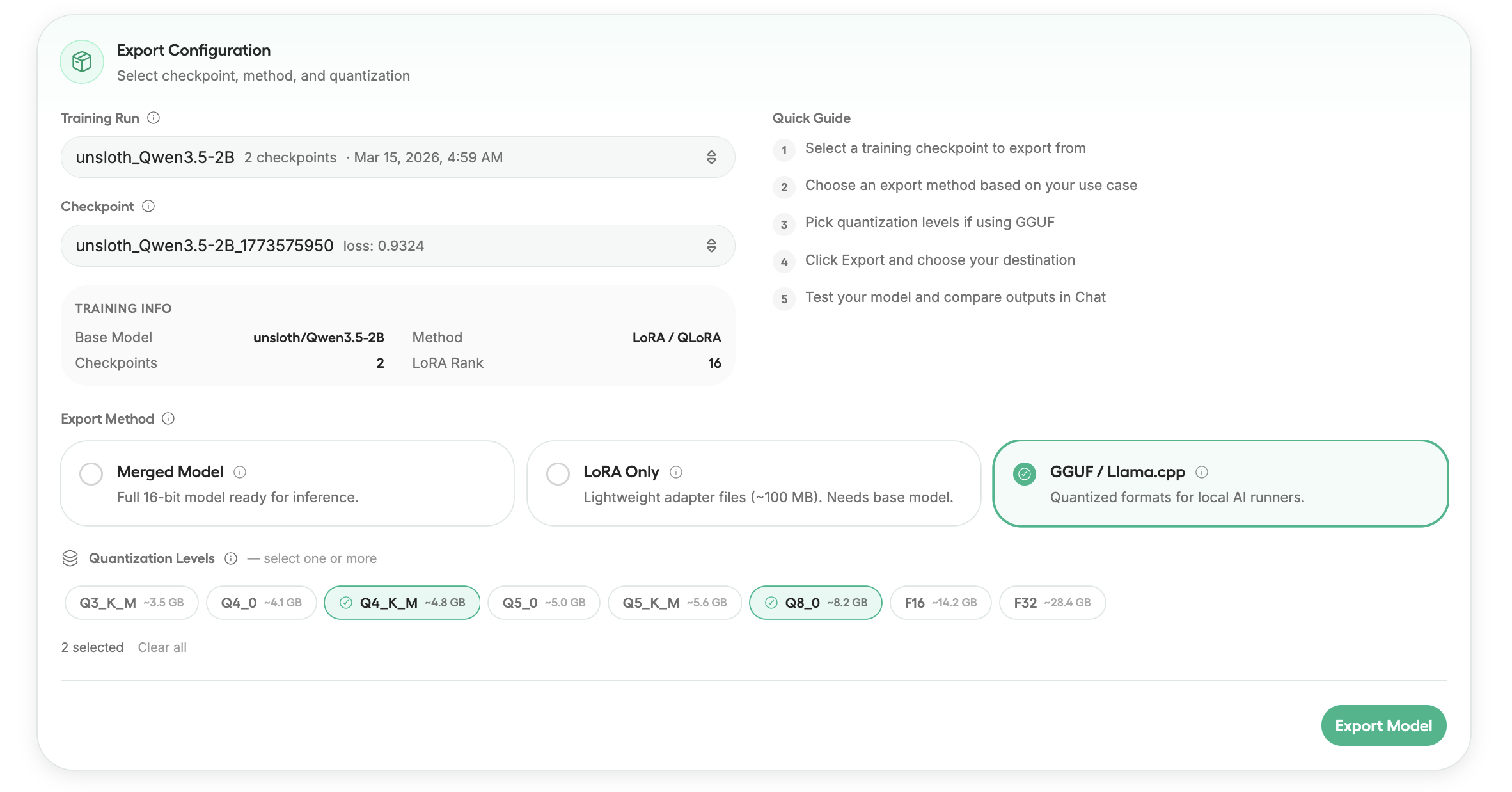
まず、エクスポート元の学習実行を選択します。各実行は完全な学習セッションを表し、複数のチェックポイントを含む場合があります。
実行を選択した後、エクスポートするチェックポイントを選択します。チェックポイントは、学習中に作成されたモデルの保存版です。
{% endstep %}
{% step %}
### チェックポイントを選択
後のチェックポイントは通常、最終的に学習されたモデルを表しますが、必要に応じて任意のチェックポイントをエクスポートできます。
{% endstep %}
{% step %}
### エクスポート方法
ワークフローに応じて、マージ済みモデル、LoRA アダプターの重み、またはローカル推論用の GGUF モデルをエクスポートできます。
各エクスポート方法は、実行または共有の方法に応じて異なるバージョンのモデルを生成します。下の表では、各オプションが何をエクスポートするかを説明しています。
| エクスポート種類 | 説明 |
| ---------------- | ----------------------------------------------------------------------- |
| マージ済みモデル | **16ビットモデル** に LoRA アダプターをベースの重みにマージしたもの。 |
| LoRA のみ | エクスポート **アダプターの重みのみ**をエクスポートします。元のベースモデルが必要です。 |
| GGUF / llama.cpp | モデルを変換 **GGUF 形式** へ、Unsloth / llama.cpp **/** Ollama / LM Studio 推論用に。 |
| {% endstep %} | |
{% step %}
### エクスポート / ローカル保存
モデルをエクスポートするとき、生成されたファイルの保存先を選択できます。モデルは自分のマシンに直接ダウンロードすることも、ホスティングや共有のために Hugging Face Hub にプッシュすることもできます。
エクスポートされたモデルファイルを自分のマシンに直接保存します。このオプションは、モデルをローカルで実行したり、ファイルを手動で配布したり、ローカル推論ツールと統合したりする場合に便利です。
{% endstep %}
{% step %}
### Hub にプッシュ
エクスポートしたモデルを Hugging Face Hub にアップロードします。これにより、中央リポジトリからモデルをホスト、共有、デプロイできます。
モデルを公開するには、Hugging Face の書き込みトークンが必要です。
{% hint style="success" %}
すでに Hugging Face CLI で認証済みの場合は、書き込みトークンを空欄のままにできます。
{% endhint %}
{% endstep %}
{% endstepper %}
---
# Agent Instructions
This documentation is published with GitBook. GitBook is the documentation platform designed so that both humans and AI agents can read, navigate, and reason over technical content effectively. Learn more at gitbook.com.
## Querying This Documentation
If you need additional information that is not directly available in this page, you can query the documentation dynamically by asking a question.
Perform an HTTP GET request on the current page URL with the `ask` query parameter, and the optional `goal` query parameter:
```
GET https://unsloth.ai/docs/jp/xin-zhe/studio/export.md?ask=&goal=
```
`ask` is the immediate question: it should be specific, self-contained, and written in natural language.
`goal` is optional and describes the broader end goal you are ultimately trying to accomplish on behalf of the user. GitBook uses it to tailor the answer towards what is most useful for that goal.
The response will contain a direct answer to the question and relevant excerpts and sources from the documentation.
Use this mechanism when the answer is not explicitly present in the current page, you need clarification or additional context, or you want to retrieve related documentation sections.