> For the complete documentation index, see [llms.txt](https://unsloth.ai/docs/llms.txt). Markdown versions of documentation pages are available by appending `.md` to page URLs; this page is available as [Markdown](https://unsloth.ai/docs/jp/shii/studio/security.md).

# Unsloth におけるセキュリティ

Unsloth は、ユーザーの保護・安全確保を支援するため、Unsloth Studio と Unsloth Desktop 全体でさまざまなセキュリティ対策を採用しています。主な保護策を以下に示します。

### 1. オペレーティングシステムのサンドボックス

Unsloth は **bubblewrap** を Linux で使い、 **Seatbelt** macOS では **MXC** Windows では。参照 [Unsloth におけるサンドボックス化](/docs/jp/shii/studio/unsloth-niokerusandobokkusu.md) 詳細については

<figure><img src="https://735611837-files.gitbook.io/~/files/v0/b/gitbook-x-prod.appspot.com/o/spaces%2FxhOjnexMCB3dmuQFQ2Zq%2Fuploads%2Fopx5w9JIwYNWGi2VWD0S%2Fimage.png?alt=media&amp;token=8091a99d-fd15-47bf-89c3-45a5c558c660" alt=""><figcaption></figcaption></figure>

### 2. Hugging Face リポジトリのセキュリティスキャナー

すべての Hugging Face リポジトリがスキャンされます。リバースシェル、クラウドメタデータへのアクセス、認証情報の窃取は完全にブロックされます。たとえば、 `deepseek-ai/deepseek-ocr` そして `moonshotai/Kimi-VL-A3B-Instruct` どちらも実行前に許可が必要です `trust_remote_code = True`:

<figure><img src="https://735611837-files.gitbook.io/~/files/v0/b/gitbook-x-prod.appspot.com/o/spaces%2FxhOjnexMCB3dmuQFQ2Zq%2Fuploads%2FV42Li7ASTlRoaVBuCi8r%2Fsecurity-01-deepseek-remote-code.png?alt=media" alt="DeepSeek-OCR custom-code approval dialog with a high-severity exec/eval scanner flag"><figcaption><p>上流の DeepSeek-OCR の例では許可を求め、モデルコード内の exec/eval の検出結果を表示します。</p></figcaption></figure>

<figure><img src="https://735611837-files.gitbook.io/~/files/v0/b/gitbook-x-prod.appspot.com/o/spaces%2FxhOjnexMCB3dmuQFQ2Zq%2Fuploads%2FcjbNPE46ghs02GlCeawS%2Fsecurity-02-kimi-remote-code.png?alt=media" alt="Kimi-VL-A3B-Instruct custom-code approval dialog with a scanner flag"><figcaption><p>Kimi-VL-A3B-Instruct の例では許可を求め、スキャナーの高度な難読化パターンのフラグを表示します。</p></figcaption></figure>

削除しました `eval` の呼び出しやその他の問題のあるコード箇所を削除し、提供します `unsloth/DeepSeek-OCR` そして `unsloth/DeepSeek-OCR-2`、たとえば:

<figure><img src="https://735611837-files.gitbook.io/~/files/v0/b/gitbook-x-prod.appspot.com/o/spaces%2FxhOjnexMCB3dmuQFQ2Zq%2Fuploads%2Fb01XsCClbvFsVel1FcOL%2Fsecurity-03-unsloth-deepseek.png?alt=media" alt="Unsloth DeepSeek-OCR custom-code approval dialog with no worrying files flagged"><figcaption><p>適応済みの Unsloth DeepSeek-OCR リポジトリでは、スキャナーが懸念のあるファイルにフラグを立てない場合でも、カスタムコードの許可を求めます。</p></figcaption></figure>

### 3. マルウェアスキャナー

Unsloth は、モデルに対する Hugging Face のセキュリティスキャンのステータスを確認します。たとえば、 `mcpotato/42-eicar-street` は読み込みをブロックされ、その理由が表示されます:

<figure><img src="https://735611837-files.gitbook.io/~/files/v0/b/gitbook-x-prod.appspot.com/o/spaces%2FxhOjnexMCB3dmuQFQ2Zq%2Fuploads%2FjqiNuBgoc5OqUFfcfY0W%2Fsecurity-04-malware-block.png?alt=media" alt="Unsafe-files dialog blocking mcpotato/42-eicar-street and listing flagged files"><figcaption><p>マルウェア警告はモデルをブロックし、フラグが付いたファイルが一度もダウンロードされなかったことを説明します。</p></figcaption></figure>

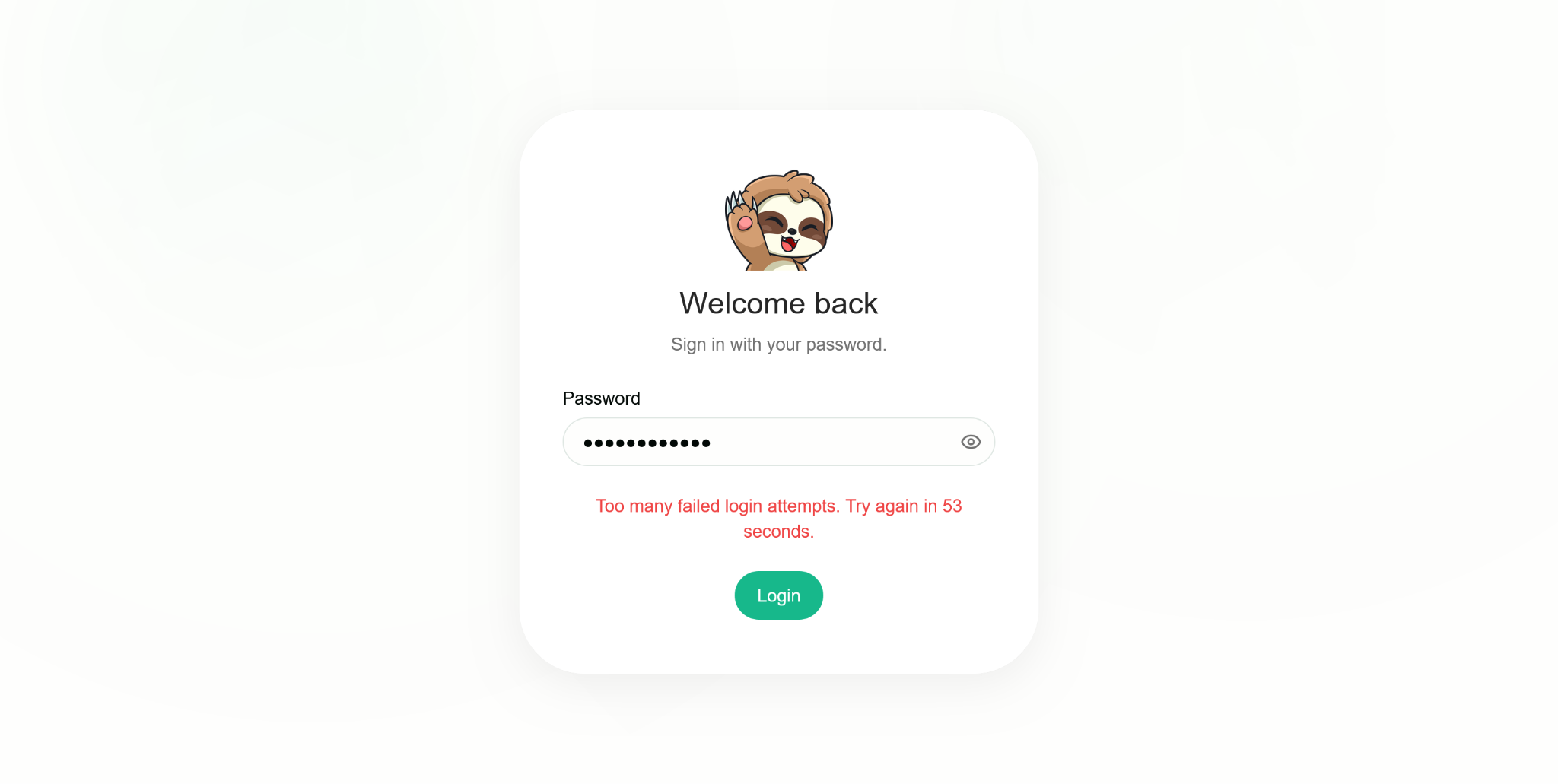
### 4. ログイン失敗回数の制限

Unsloth はログイン失敗の試行回数を制限します。

<figure><img src="https://735611837-files.gitbook.io/~/files/v0/b/gitbook-x-prod.appspot.com/o/spaces%2FxhOjnexMCB3dmuQFQ2Zq%2Fuploads%2F3uHp3NutN8szExxV7lZr%2Fsecurity-05-login-limit.png?alt=media" alt="Unsloth sign-in screen showing a cooldown after too many failed login attempts"><figcaption><p>ログイン失敗時のレート制限では再試行までのカウントダウンが表示されます。この例では残り 53 秒です。</p></figcaption></figure>

### 5. HTTPS リモートアクセス

`unsloth studio --secure` Cloudflared トンネルを介して HTTPS 専用エンドポイントを提供します。

その [リモートアクセスガイド](/docs/jp/ji-chu/cloudflaretounslothniyorunarimtoakusesuderkarullmwodokokarademosuru.md) これは、すでにワイルドカードバインドされた稼働中サーバーでトンネルを開始することとは区別されます。後者では、生のネットワークポートに到達可能な状態が残る場合があります。

このガイドではさらに、サーバー側ツールはあなたのユーザー権限で実行されること、またネットワークアクセスを持つ API キーの保持者はマシン上でコードを実行できることを警告しています。推奨されるのは `--disable-tools` Unsloth を公開する際は。アクセス認証情報は非公開に保ち、リモートアクセスを有効にする前にガイド全体を確認してください。HTTPS は接続を暗号化しますが、特権的なツールアクセスを無害にするものではありません。

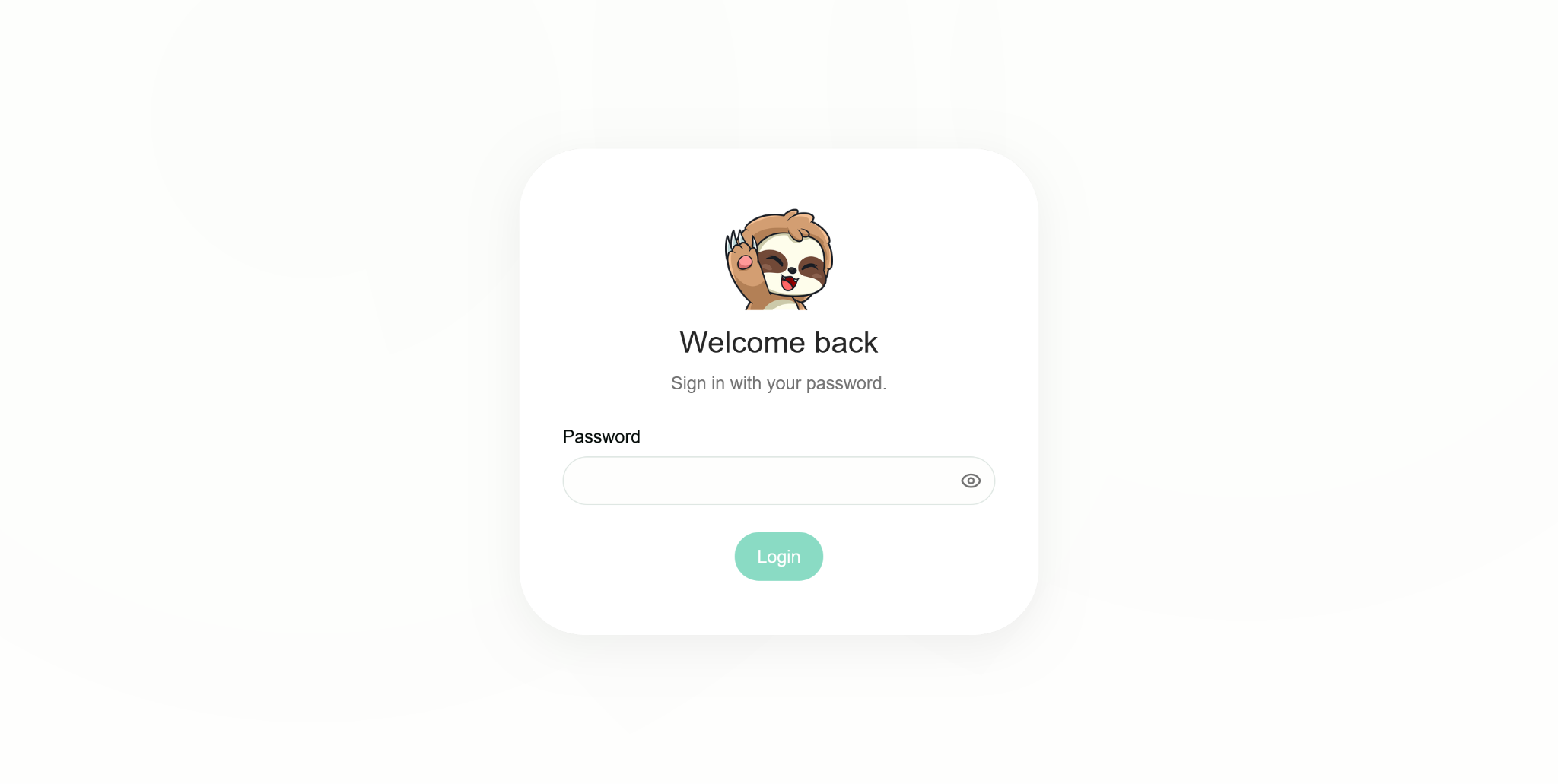
### 6. パスワード

パスワードにはソルト付き PBKDF2-HMAC-SHA256 が使用されます。初回実行時の管理者パスワードはランダムに生成され、アカウントは初回ログイン時に変更する必要があります。

<figure><img src="https://735611837-files.gitbook.io/~/files/v0/b/gitbook-x-prod.appspot.com/o/spaces%2FxhOjnexMCB3dmuQFQ2Zq%2Fuploads%2FC5ncbwkNXCXRGsrKKtTm%2Fsecurity-06-password-login.png?alt=media" alt="Unsloth password sign-in screen"><figcaption><p>セキュリティ実践ドキュメントに含まれるパスワードサインイン画面。</p></figcaption></figure>

### 7. 暗号化された API キー

保存されたプロバイダー認証情報は暗号化されます。ブラウザーに入力した API キーは、インストールごとの RSA キーで暗号化されます。

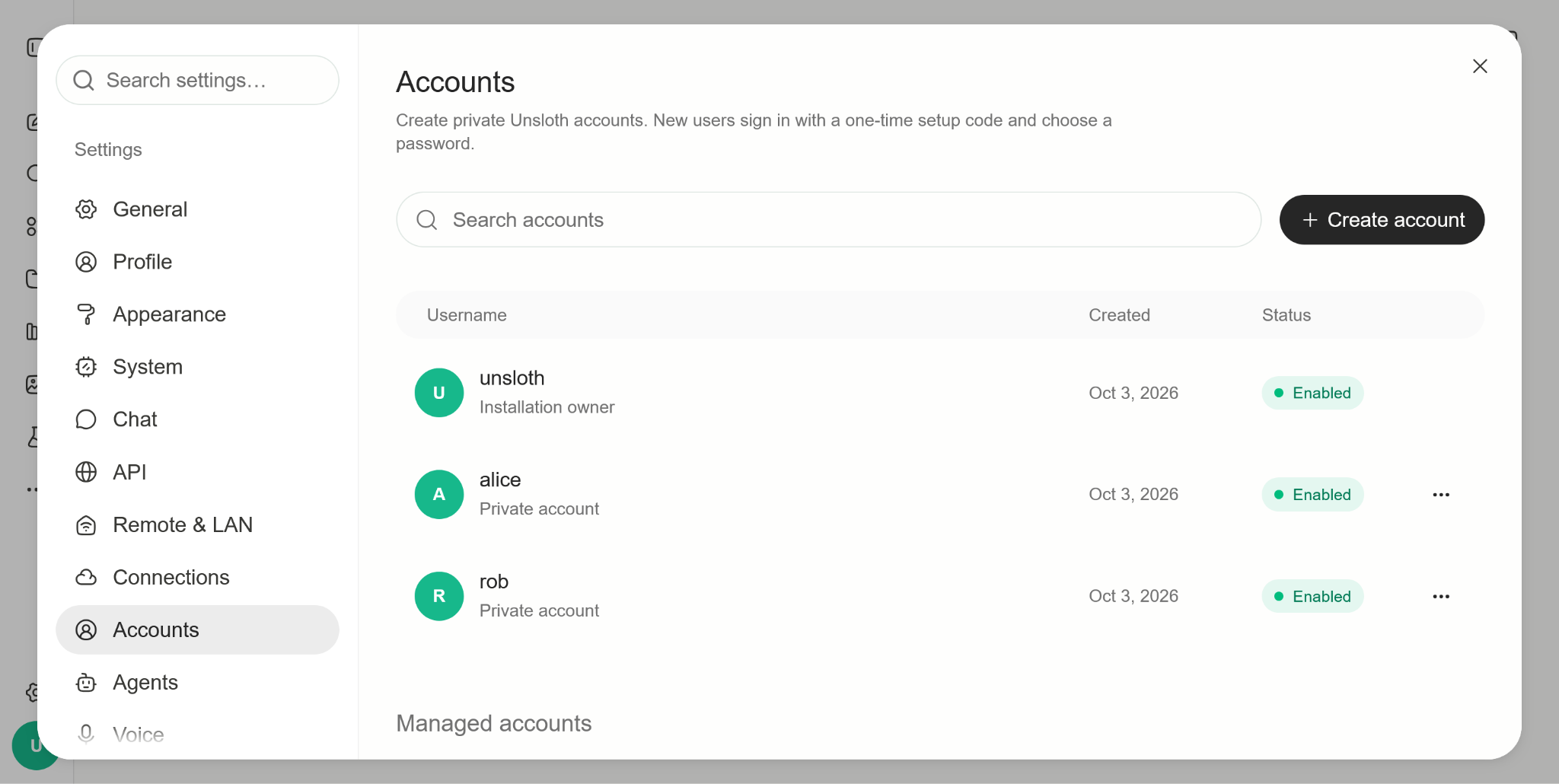
### 8. マルチアカウント分離

管理対象アカウントは自身のフォルダーにのみアクセスでき、所有者の Hugging Face トークンにはアクセスできず、モデルを使用するには所有者の許可が必要であり、リポジトリコードの実行はブロックされます。

<figure><img src="https://735611837-files.gitbook.io/~/files/v0/b/gitbook-x-prod.appspot.com/o/spaces%2FxhOjnexMCB3dmuQFQ2Zq%2Fuploads%2FjxPTtS99YYycwpYCK4ny%2Fsecurity-07-managed-accounts.png?alt=media" alt="Accounts settings showing an installation owner and separate private accounts"><figcaption><p>アカウント設定では、インストール所有者と管理対象のプライベートアカウントが区別されます。</p></figcaption></figure>

### 9. サンドボックス化されたアーティファクト

HTML および MCP アーティファクトは、独自のコンテンツセキュリティポリシー（CSP）を持つサンドボックス化されたフレーム内でレンダリングされます。

### 10. PyTorch モデルの読み込み

PyTorch 2.6 以降が最低要件であるため、 `.bin` 重みは次の設定で読み込まれます `weights_only=True`.

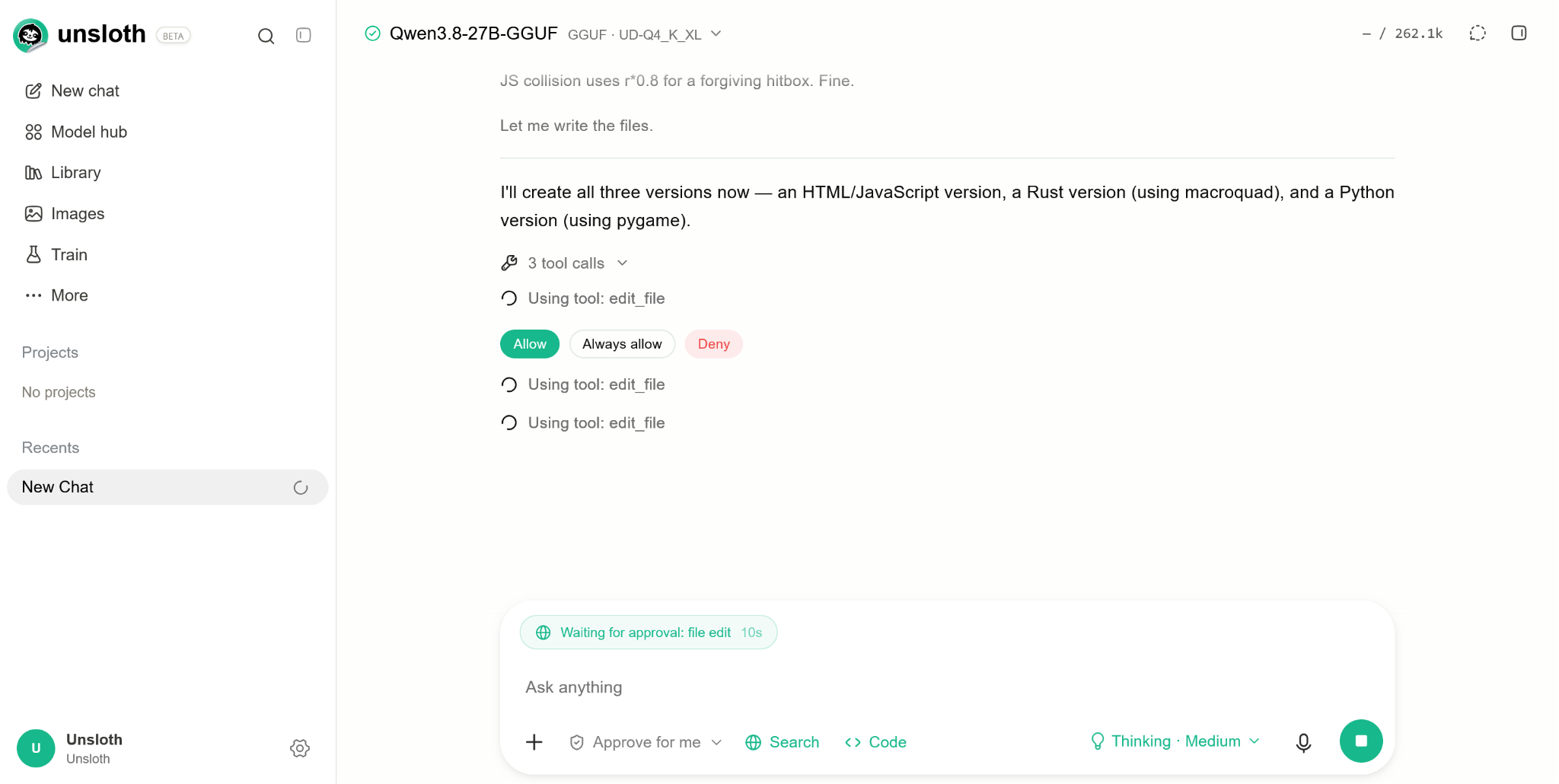
### 11. 承認モード

Unsloth は次を提供します `確認`, `auto`と `完全` 承認モード。 `auto` モードでは、ネットワークおよびファイルシステムのインポートに承認フラグが付き、ファイルパスにも承認が必要です。危険なシェルコマンドはブロックされます。

<figure><img src="https://735611837-files.gitbook.io/~/files/v0/b/gitbook-x-prod.appspot.com/o/spaces%2FxhOjnexMCB3dmuQFQ2Zq%2Fuploads%2F3QjAxThLgzRROgxtrFki%2Fsecurity-08-tool-approval.png?alt=media" alt="File-edit tool call waiting for approval with Allow, Always allow, and Deny controls"><figcaption><p>ファイル編集ツールの呼び出しは、［許可］、［常に許可］、［拒否］のコントロールとともに承認を待機します。</p></figcaption></figure>

### 12. npm の最小公開期間

npm の設定 `min-release-age=7` は、過去 7 日間に公開されたパッケージを拒否します。

### 13. インストールスクリプトの許可リスト

ある `allowScripts` リストには、インストールスクリプトの実行を許可される唯一のパッケージが指定されます。レビューされていないものがあれば、CI は失敗します。

### 14. Codex Security と反復的レビュー

セキュリティ上の問題やバグを検出するため、開発全体を通じて Codex Security と反復的な Codex レビューが使用されています:

<figure><img src="https://735611837-files.gitbook.io/~/files/v0/b/gitbook-x-prod.appspot.com/o/spaces%2FxhOjnexMCB3dmuQFQ2Zq%2Fuploads%2FgMgORmGSKJG6j1xUAxdO%2Fsecurity-09-codex-review.png?alt=media" alt="Codex Security review on a merged GitHub pull request"><figcaption><p>プルリクエストに添付された Codex Security レビューの例。表示されている結果は、そのレビュー対象コミットに適用されます。</p></figcaption></figure>

### 15. ロックファイルと再現可能な npm インストール

ロックファイルと `npm ci` はあらゆる場所で使用され、インストーラーはユーザーを npm 11 以降にアップグレードします。

### 16. CI の強化

`lockfile_supply_chain_audit.py` は、Shai-Hulud 型のインジェクションの兆候を示すロックファイルを、いかなる `npm ci` または `cargo fetch`.

`scan_npm_packages.py` そして `scan_packages.py` は、インストールスクリプト内での認証情報の読み取りを含め、npm tarball と PyPI パッケージをスキャンします。

コードリンターはベースラインとともに、安全でないローダーや動的実行を防止します。コンパイル済みコードのパスにも、動的実行の許可リストがあります。

### 17. 依存関係の監査

Unsloth は `pip-audit`, `npm audit` 署名チェックを含む、および `cargo audit`.

### 18. コード分析と依存関係更新のクールダウン

Unsloth は **CodeQL** そして **Semgrep**、および **Dependabot** には 3 ～ 7 日間のクールダウンが設定されています。

### 19. 固定された GitHub Actions

GitHub Actions はコミット SHA に固定されており、変更可能なタグは使用されていません。

### 20. llama.cpp リリースの検証

ビルド済みの llama.cpp バイナリは、リリースの SHA-256 ダイジェストと照合されます。別のワークフローで Windows 版 llama.cpp の署名を監査します。

### 21. VirusTotal によるリリーススキャン

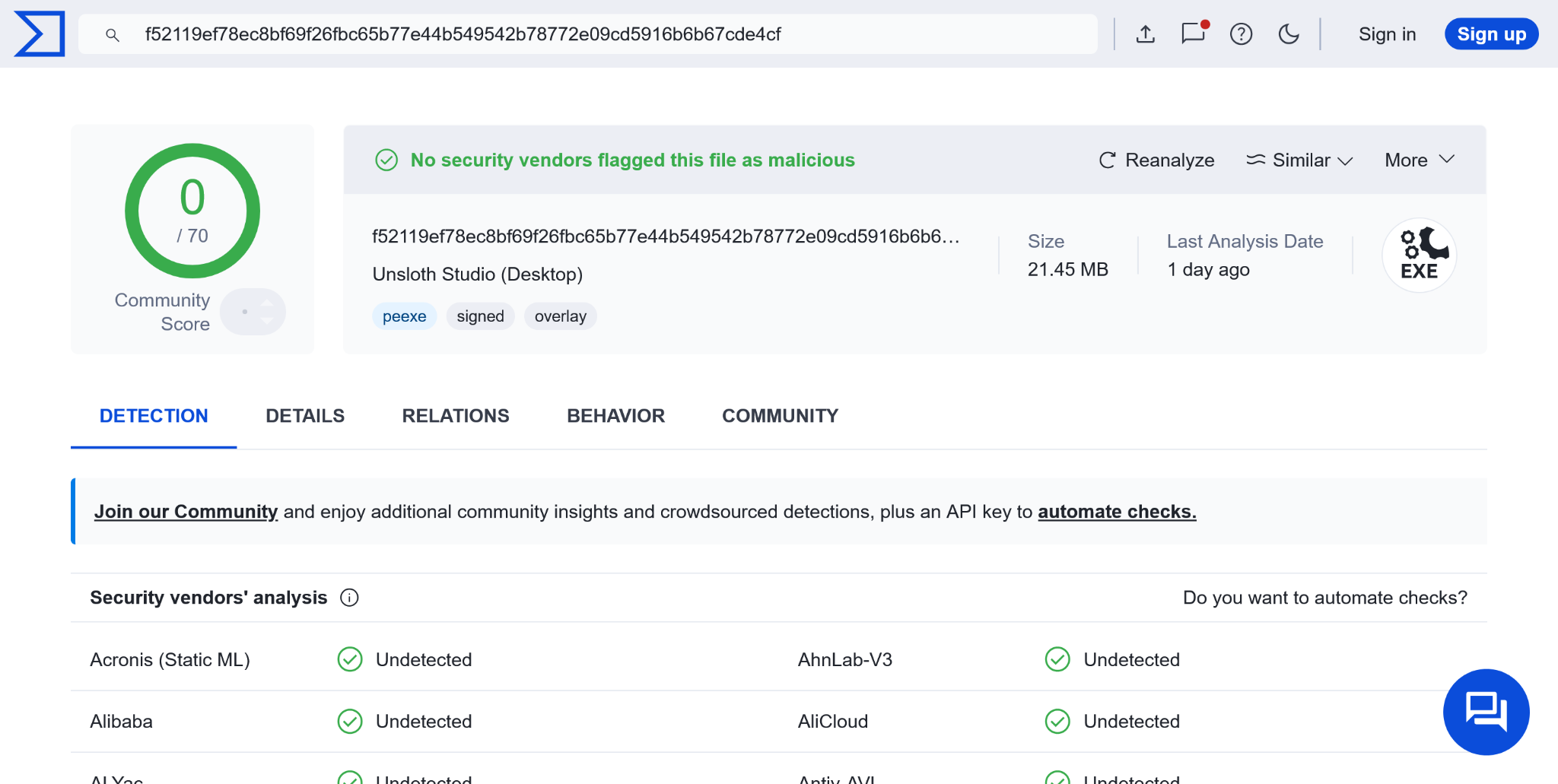
すべての Desktop リリースは VirusTotal でスキャンされます。

<figure><img src="https://735611837-files.gitbook.io/~/files/v0/b/gitbook-x-prod.appspot.com/o/spaces%2FxhOjnexMCB3dmuQFQ2Zq%2Fuploads%2FbAF1S0JxrvtmGrArUIwf%2Fsecurity-10-virustotal.png?alt=media" alt="VirusTotal scan result for Unsloth Studio Desktop showing zero detections out of 70 vendors"><figcaption><p>提供された Desktop リリースの例では、スキャン時点で 70 ベンダー中 0 件の検出が示されています。</p></figcaption></figure>

### これらの対策を使用して

セキュリティチェックはリスクを軽減しますが、モデル、依存関係、コードスニペット、またはリリースアーティファクトがあらゆる状況で安全であることを保証するものではありません。コード実行の要求を慎重に確認し、Unsloth とその依存関係を常に最新の状態に保ち、ニーズを満たす範囲で最も制限的な承認モードを使用してください。スクリーンショットは特定の例を示しており、スキャン結果は表示されているファイルまたはコミットに適用されます。


---

# Agent Instructions
This documentation is published with GitBook. GitBook is the documentation platform designed so that both humans and AI agents can read, navigate, and reason over technical content effectively. Learn more at gitbook.com.

## Querying This Documentation
If you need additional information that is not directly available in this page, you can query the documentation by asking a question.

Perform an HTTP GET request on the following URL with the `ask` and `goal` query parameters:

```
GET https://unsloth.ai/docs/jp/shii/studio/security.md?ask=<question>&goal=<user_goal>
```

`ask` is the immediate question: it should be specific, self-contained, and written in natural language.
`goal` is what the user is ultimately trying to achieve, the reason they need the answer. Sharing it helps GitBook give you a better, more relevant answer. A goal is most helpful when it describes the outcome the user wants rather than restating the question. For example, with `ask=how do I create an API token`, a goal like `automate deployments from our CI pipeline` lets GitBook tailor the answer to that use case.

The response will contain a direct answer to the question and relevant excerpts and sources from the documentation.

Use this mechanism when the answer is not explicitly present in the current page, you need clarification or additional context, or you want to retrieve related documentation sections.