> For the complete documentation index, see [llms.txt](https://unsloth.ai/docs/llms.txt). Markdown versions of documentation pages are available by appending `.md` to page URLs; this page is available as [Markdown](https://unsloth.ai/docs/jp/moderu/nemotron-3-ultra.md).
# NVIDIA Nemotron 3 Ultra - ローカルでの実行方法
Nemotron-3-Ultra-550B-A55Bをデバイス上でローカル実行しましょう!
NVIDIA Nemotron 3 Ultra はオープン **550Bパラメータ、55Bアクティブ** 最先端推論モデルであり、NVIDIA の **最大規模のモデル** これまでにリリースされたものです。Nemotron-3-Ultra-550B-A55B は、長時間稼働する自律エージェントや、コーディング、ディープリサーチのワークフローをまたぐ推論向けに構築されています。これは **西側のオープンモデルとして最強の**であり、新しい Open Model, Weights & Data ライセンスを採用しています。
最大 **100万コンテキスト**まで対応し、Nemotron 3 Ultra は Hybrid Transformer-Mamba MoE アーキテクチャを使用して、長時間のセッションにわたって長いエージェント状態、ログ、計画を保持できます。GGUF は [Nemotron-3-Ultra-550B-A55B](https://huggingface.co/unsloth/NVIDIA-Nemotron-3-Ultra-550B-A55B-GGUF) で、動的1bitではディスク容量が189GB必要です。さらに NVFP4 を使用して事前学習されています。私たちも [GGUF KLD ベンチマーク](#kld-benchmarks).
### ⚙️ 使用ガイド
NVIDIA は推論用に以下の設定を推奨しています:
* `temperature = 1.0`
* `top_p = 0.95`
| 詳細 | Nemotron 3 Ultra |
| ------- | ----------------------------------------------------------------------------------------- |
| モデルサイズ | 総パラメータ550B / アクティブパラメータ55B |
| コンテキスト長 | 最大100万トークン |
| アーキテクチャ | Latent MoE を備えた Hybrid Transformer-Mamba MoE、Multi-Token Prediction(MTP は現時点で GGUF では非対応) |
| モデルI/O | テキスト入力、テキスト出力 |
チャットテンプレートは以下のとおりです:
{% code overflow="wrap" %}
```
<|im_start|>system\n<|im_end|>\n<|im_start|>user\nWhat is 1+1?<|im_end|>\n<|im_start|>assistant\n2<|im_end|>\n<|im_start|>assistant\n\n
```
{% endcode %}
### Nemotron-3-Ultra を実行
モデルの3bit版には約256GBのRAMが必要で、4bit版には約300GB、8bit版には600GBが必要です。これらのガイドでは、3bitを使用します `UD-IQ3_XXS` 。これは256GBデバイスに収まり、サイズと精度のバランスが良いためです。ユースケースによっては、 [異なる設定](#usage-guide). **GGUF:** [Nemotron-3-Ultra-550B-A55B](https://huggingface.co/unsloth/NVIDIA-Nemotron-3-Ultra-550B-A55B-GGUF)
Unsloth Studio で実行llama.cpp で実行
### 🦥 Unsloth Studio ガイド
このチュートリアルでは、 [Unsloth Studio](/docs/jp/shii/studio.md)は、LLM の実行と学習のための私たちのUIです。Unsloth Studio を使えば、モデルを実行し、画像とテキストをローカルで入力できます **Mac、Windows**、Linux 上で入力でき、さらに:
{% columns %}
{% column %}
* 検索、ダウンロード、 [GGUFを実行](/docs/jp/shii/studio.md#run-models-locally) およびsafetensorモデル
* **比較** モデル **を並べて**
* [**自己修復** ツール呼び出し](/docs/jp/shii/studio.md#execute-code--heal-tool-calling) + **web search**
* [**コード実行**](/docs/jp/shii/studio.md#run-models-locally) (Python、Bash)
* [自動推論](https://unsloth.ai/docs/desktop#feature-deep-dive) パラメータ調整(temp、top-pなど)
* [LLMを学習](/docs/jp/shii/studio.md#no-code-training) VRAMを70%削減して2倍高速
{% endcolumn %}
{% column %}
{% endcolumn %}
{% endcolumns %}
{% stepper %}
{% step %}
#### Unslothをインストール
**MacOS、Linux、WSL:**
```bash
curl -fsSL https://unsloth.ai/install.sh | sh
```
**Windows PowerShell:**
```bash
irm https://unsloth.ai/install.ps1 | iex
```
{% endstep %}
{% step %}
#### Unsloth Studio をセットアップする(一度だけ)
セットアップでは自動的に Node.js(nvm 経由)をインストールし、フロントエンドをビルドし、すべての Python 依存関係をインストールし、CUDA 対応で llama.cpp をビルドします。
{% hint style="info" %}
**WSL ユーザー:** ビルド依存関係( `sudo` )をインストールするための`cmake`, `git`, `libcurl4-openssl-dev`).
{% endhint %}
{% endstep %}
{% step %}
#### Unsloth を起動
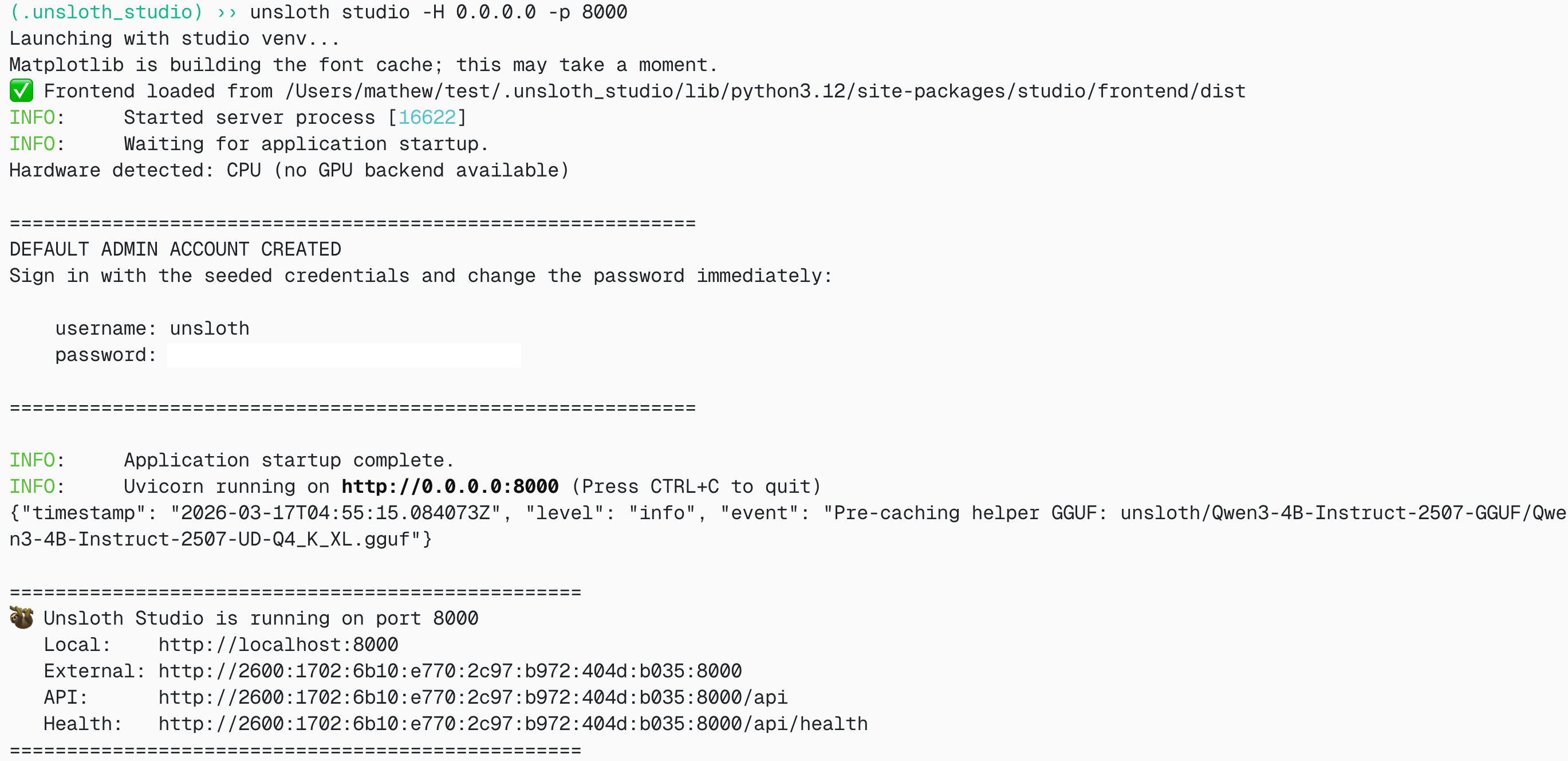
**MacOS、Linux、WSL:**
```bash
source unsloth_studio/bin/activate
unsloth studio -H 0.0.0.0 -p 8888
```
**Windows Powershell:**
```bash
unsloth studio
```
その後、 `http://127.0.0.1:8888` をブラウザで開いてください。
{% endstep %}
{% step %}
#### Nemotron-3-Ultra を検索してダウンロード
初回起動時には、アカウントを保護するためのパスワードを作成し、後で再度サインインする必要があります。その後、 [Unsloth Chat](/docs/jp/shii/studio/chat.md) タブで検索バーに Nemotron-3-Ultra を入力し、必要なモデルと量子化版をダウンロードしてください。
{% endstep %}
{% step %}
#### Nemotron-3-Ultra を実行
Unsloth Studio を使用すると推論パラメータは自動設定されるはずですが、手動で変更することもできます。コンテキスト長、チャットテンプレート、その他の設定も編集できます。
詳細については、次を参照してください。 [Unsloth Studio 推論ガイド](/docs/jp/shii/studio/chat.md).
{% endstep %}
{% step %}
#### Nemotron-3-Ultra のサービング
次も使用できます `unsloth studio run` を使って、次のように llama-server 経由でモデルを提供します:
{% code overflow="wrap" %}
```bash
unsloth studio run --model unsloth/NVIDIA-Nemotron-3-Ultra-550B-A55B-GGUF:UD-Q4_K_XL
```
{% endcode %}
{% endstep %}
{% endstepper %}
### 🦙 Llama.cpp チュートリアル:
llama.cpp で実行する手順(ほとんどのデバイスに収めるため、4bit を使用します):
{% stepper %}
{% step %}
最新の `llama.cpp` を [GitHubこちら](https://github.com/ggml-org/llama.cpp)。以下のビルド手順に従うこともできます。変更してください `-DGGML_CUDA=ON` を `-DGGML_CUDA=OFF` GPUがない場合、またはCPU推論のみを使いたい場合は。 **Apple Mac / Metalデバイスの場合**、次を設定します `-DGGML_CUDA=OFF` その後は通常どおり続けてください。Metalサポートはデフォルトで有効です。
{% code overflow="wrap" %}
```bash
apt-get update
apt-get install pciutils build-essential cmake curl libcurl4-openssl-dev -y
git clone https://github.com/ggml-org/llama.cpp
cmake llama.cpp -B llama.cpp/build \
-DBUILD_SHARED_LIBS=OFF -DGGML_CUDA=ON -DLLAMA_CURL=ON
cmake --build llama.cpp/build --config Release -j --clean-first --target llama-cli llama-mtmd-cli llama-server llama-gguf-split
cp llama.cpp/build/bin/llama-* llama.cpp
```
{% endcode %}
{% endstep %}
{% step %}
以下のコードでモデルをダウンロードします( `pip install huggingface_hub`をインストールした後)。Q4\_K\_Mや次のような他の量子化版も選べます `UD-Q4_K_XL` 。サイズと精度のバランスを取るため、少なくとも2ビットの動的量子化を使うことを推奨します `UD-Q2_K_XL` 。ダウンロードが止まる場合は、次を参照してください: [Hugging Face Hub、XET のデバッグ](/docs/jp/ji-chu/troubleshooting-and-faqs/hugging-face-hub-xet-debugging.md)
{% code overflow="wrap" %}
```bash
pip install huggingface_hub
hf download unsloth/NVIDIA-Nemotron-3-Ultra-550B-A55B-GGUF \
--local-dir unsloth/NVIDIA-Nemotron-3-Ultra-550B-A55B-GGUF \
--include "*UD-IQ3_XXS*" # Dynamic 2bit の場合は "*UD-Q2_K_XL*" を使用
```
{% endcode %}
{% endstep %}
{% step %}
その後、会話モードでモデルを実行します:
{% code overflow="wrap" %}
```bash
./llama.cpp/llama-cli \
--model unsloth/NVIDIA-Nemotron-3-Ultra-550B-A55B-GGUF/UD-IQ3_XXS/NVIDIA-Nemotron-3-Ultra-550B-A55B-UD-IQ3_XXS-00001-of-00006.gguf \
--temp 1.0 \\
--top-p 0.95 \\
--min-p 0.01
```
{% endcode %}
{% endstep %}
{% endstepper %}
#### Llama-server による提供とデプロイ
Nemotron-3-Ultra をローカルでデプロイするには、 `llama-server`。新しいターミナルで、たとえば `tmux`を使って、モデルをデプロイします:
```bash
./llama.cpp/llama-server \
-hf unsloth/NVIDIA-Nemotron-3-Ultra-550B-A55B-GGUF:UD-IQ3_XXS \
--alias "unsloth/NVIDIA-Nemotron-3-Ultra-550B-A55B" \
--temp 1.0 \\
--top-p 0.95 \\
--port 8001
```
モデルを手動でダウンロードした場合は、以下を使用します:
{% code overflow="wrap" %}
```bash
./llama.cpp/llama-server \
--model unsloth/NVIDIA-Nemotron-3-Ultra-550B-A55B-GGUF/UD-IQ3_XXS/NVIDIA-Nemotron-3-Ultra-550B-A55B-UD-IQ3_XXS-00001-of-00006.gguf \
--alias "unsloth/NVIDIA-Nemotron-3-Ultra-550B-A55B" \
--temp 1.0 \\
--top-p 0.95 \\
--port 8001
```
{% endcode %}
その後、新しいターミナルで、OpenAI クライアントを次でインストールしたあと `pip install openai`:
```python
from openai import OpenAI
openai_client = OpenAI(
base_url = "http://127.0.0.1:8001/v1",
api_key = "sk-no-key-required",
)
completion = openai_client.chat.completions.create(
model = "unsloth/NVIDIA-Nemotron-3-Ultra-550B-A55B",
messages = [
{"role": "user", "content": "What is 2+2?"},
],
)
print(completion.choices[0].message.reasoning_content)
print(completion.choices[0].message.content)
```
 また、B200 を4基使うと、生成で約40 tokens/s が確認されています!
 ### Unsloth GGUF ベンチマーク
GGUF 量子化についても KLD 分析を行いました。対数平均 KLD スケールでは、私たちの [動的手法](/docs/jp/ji-chu/dynamic-3.0-ggufs.md) により、より重要な層は高精度のまま残し、残りはより低いビットにします。
### Unsloth GGUF ベンチマーク
GGUF 量子化についても KLD 分析を行いました。対数平均 KLD スケールでは、私たちの [動的手法](/docs/jp/ji-chu/dynamic-3.0-ggufs.md) により、より重要な層は高精度のまま残し、残りはより低いビットにします。
 線形スケールでは:
.png?alt=media&token=24eef28f-875f-4cca-a1c5-d5c1d9dfca3e) ### 公式ベンチマーク
Nemotron 3 Ultra は NVIDIA の最大規模の Nemotron 3 推論モデルであり、高スループットによりタスク完了までの時間を最適化しつつ、最先端の推論、コーディング、エージェント系タスクで最高水準の精度を目指す位置づけです。
Ultra は特に、短い単一ターン応答よりも持続的な推論がタスク成功を左右するワークロードに適しています:
* 大規模リポジトリ全体での自律的なコーディングセッション
* 相反する証拠がある多数のソースにわたるディープリサーチ
* 永続的なツール使用ループを伴うエンタープライズワークフロー
* EDA / チップ設計の検証および障害分析
図1と図2に示すように、Nemotron 3 Ultra はエージェントの生産性、指示追従、長文コンテキストのタスクで精度をリードし、スループット全体でも先導し、他の主要なオープンモデルと比べてコストを30%削減します。
図1: Nemotron 3 Ultra は、エージェント生産性、コーディング、指示追従のエージェント系ベンチマークにおいて、オープンモデル中で先行しています。
図2: Nemotron 3 Ultra はコストを最大30%削減し、コスト効率フロンティアで先行します
NVIDIA によるさらなるベンチマーク:
| ベンチマーク | N-3-Ultra 550B-A55B | MiniMax-2.7 230B-A10B | GLM-5.1 744B-A40B | Kimi-K2.6 1T-A32B | | | |
| ------------------------------------------- | :-----------------: | :-------------------: | :---------------: | :---------------: | :---: | :---: | :--: |
| **エージェント系** | | | | | | | |
| Terminal Bench 2.1 | 56.4 | 55.5 | 59.3 | 67.2 | 49.9 | 49.2 | 54.2 |
| GDPVal | 46.7 | 47.6 | 54.7 | 50.4 | 34.6 | 54.6 | 50.2 |
| SWE-Bench Verified | 71.9 | 72.2 | 73.8 | 69.5 | 69.9 | 74.0 | 72.4 |
| SWE-Bench 多言語 | 67.7 | 69.2 | 73.8 | 65.9 | 67.7 | 71.9 | 72.1 |
| ProfBench(検索) | 56.0 | 52.0 | 46.0 | 56.0 | 53.0 | 59.9 | 57.0 |
| PinchBench | 90.0 | 77.6 | 81.2 | 90.2 | 86.6 | 88.6 | 91.3 |
| TauBench V3 | | | | | | | |
| 航空 | 81.5 | 75.3 | 85.0 | 85.8 | 76.5 | 80.8 | 80.8 |
| 小売 | 86.4 | 84.9 | 84.1 | 82.9 | 88.5 | 88.9 | 89.1 |
| 通信 | 92.9 | 89.6 | 96.9 | 97.8 | 98.0 | 96.3 | 98.3 |
| 銀行 | 22.6 | 14.6 | 12.8 | 23.1 | 20.9 | 25.9 | 26.7 |
| 平均 | 70.9 | 66.1 | 69.7 | 72.4 | 71.0 | 73.2 | 73.7 |
| BrowseComp | 44.4 | 54.1 | 59.4 | 61.3 | 40.5 | 59.4 | 46.9 |
| Vals.ai 金融エージェント 1.1 | | | | | | | |
| ウェブ検索なし | 60.1 | 51.3 | 60.2 | 54.0 | 61.3 | 58.9 | 58.4 |
| ウェブ検索あり | 53.7 | 50.5 | 60.7 | 58.8 | 59.0 | 62.3 | 60.1 |
| **推論と知識** | | | | | | | |
| IOI 2025 | 570.0 | -- | 456.5 | 585.0 | 441.3 | 580.1 | -- |
| LiveCodeBench(v6) | 89.0 | 77.2 | 85.7 | 90.2 | 79.3 | 92.5 | 90.9 |
| IMOAnswerBench(ツールなし) | 88.6 | 68.3 | 86.8 | 91.1 | 83.1 | 93.0 | 91.1 |
| IMOAnswerBench(ツールあり) | 92.3 | 75.1 | 91.1 | 93.71 | 84.51 | 85.4 | 89.6 |
| Apex-Shortlist(ツールなし) | 74.9 | 28.9 | 71.1 | 77.4 | 61.4 | 85.8 | 82.4 |
| Apex-Shortlist(ツールあり) | 84.8 | 51.9 | 79.0 | 73.2 | 60.4 | 86.5 | 82.0 |
| GPQA(ツールなし) | 87.0 | 86.6 | 86.1 | 91.0 | 87.1 | 87.8 | 88.5 |
| SciCode(サブタスク) | 44.6 | 38.3 | 47.7 | 52.0 | 48.0 | 50.5 | 48.2 |
| HLE(ツールなし) | 26.7 | 23.1 | 27.2 | 34.8 | 28.5 | 37.7 | 32.2 |
| HLE(ツールあり) | 37.4 | -- | 50.4 | 54.0 | 48.3 | 48.2 | 45.1 |
| CritPt(ツールなし) | 3.1 | 0.6 | 3.7 | 9.1 | 2.4 | 14.0 | 10.6 |
| MMLU-Pro | 86.8 | 81.9 | 85.9 | 88.1 | 88.3 | 87.5 | 86.4 |
| OmniScience 正解率 | 24.1 | 20.5 | 31.3 | 35.5 | 35.9 | 46.8 | 39.9 |
| OmniScience 非幻覚率 | 78.7 | 74.4 | 66.8 | 67.1 | 7.4 | 5.7 | 2.8 |
| **チャットと指示追従** | | | | | | | |
| IFBench(プロンプト緩め) | 81.7 | 74.6 | 76.6 | 73.7 | 78.2 | 79.1 | 82.0 |
| マルチチャレンジ | 63.8 | 42.5 | 63.0 | 63.1 | 63.9 | 64.1 | 63.5 |
| **長文コンテキスト** | | | | | | | |
| AA-LCR | 65.4 | 69.8 | 66.9 | 70.2 | 68.3 | 67.3 | 62.7 |
| RULER(1M) | 94.7 | -- | -- | -- | 90.1 | 94.2 | 87.7 |
| LongBench v2(≤ 1M) | 61.9 | -- | -- | -- | 68.9 | 62.1 | 57.0 |
| **多言語** | | | | | | | |
| MMLU-ProX(平均 en/de/fr/es/it/ja/zh/hi/pt/ko) | 83.0 | 78.4 | 85.8 | 85.0 | 86.4 | 85.6 | 84.3 |
| WMT24++(en→xx) | 83.7 | 82.8 | 84.4 | 84.5 | 86.8 | 85.9 | 85.9 |
---
# Agent Instructions
This documentation is published with GitBook. GitBook is the documentation platform designed so that both humans and AI agents can read, navigate, and reason over technical content effectively. Learn more at gitbook.com.
## Querying This Documentation
If you need additional information that is not directly available in this page, you can query the documentation by asking a question.
Perform an HTTP GET request on the following URL with the `ask` and `goal` query parameters:
```
GET https://unsloth.ai/docs/jp/moderu/nemotron-3-ultra.md?ask=&goal=
```
`ask` is the immediate question: it should be specific, self-contained, and written in natural language.
`goal` is what the user is ultimately trying to achieve, the reason they need the answer. Sharing it helps GitBook give you a better, more relevant answer. A goal is most helpful when it describes the outcome the user wants rather than restating the question. For example, with `ask=how do I create an API token`, a goal like `automate deployments from our CI pipeline` lets GitBook tailor the answer to that use case.
The response will contain a direct answer to the question and relevant excerpts and sources from the documentation.
Use this mechanism when the answer is not explicitly present in the current page, you need clarification or additional context, or you want to retrieve related documentation sections.
### 公式ベンチマーク
Nemotron 3 Ultra は NVIDIA の最大規模の Nemotron 3 推論モデルであり、高スループットによりタスク完了までの時間を最適化しつつ、最先端の推論、コーディング、エージェント系タスクで最高水準の精度を目指す位置づけです。
Ultra は特に、短い単一ターン応答よりも持続的な推論がタスク成功を左右するワークロードに適しています:
* 大規模リポジトリ全体での自律的なコーディングセッション
* 相反する証拠がある多数のソースにわたるディープリサーチ
* 永続的なツール使用ループを伴うエンタープライズワークフロー
* EDA / チップ設計の検証および障害分析
図1と図2に示すように、Nemotron 3 Ultra はエージェントの生産性、指示追従、長文コンテキストのタスクで精度をリードし、スループット全体でも先導し、他の主要なオープンモデルと比べてコストを30%削減します。
図1: Nemotron 3 Ultra は、エージェント生産性、コーディング、指示追従のエージェント系ベンチマークにおいて、オープンモデル中で先行しています。
図2: Nemotron 3 Ultra はコストを最大30%削減し、コスト効率フロンティアで先行します
NVIDIA によるさらなるベンチマーク:
| ベンチマーク | N-3-Ultra 550B-A55B | MiniMax-2.7 230B-A10B | GLM-5.1 744B-A40B | Kimi-K2.6 1T-A32B | | | |
| ------------------------------------------- | :-----------------: | :-------------------: | :---------------: | :---------------: | :---: | :---: | :--: |
| **エージェント系** | | | | | | | |
| Terminal Bench 2.1 | 56.4 | 55.5 | 59.3 | 67.2 | 49.9 | 49.2 | 54.2 |
| GDPVal | 46.7 | 47.6 | 54.7 | 50.4 | 34.6 | 54.6 | 50.2 |
| SWE-Bench Verified | 71.9 | 72.2 | 73.8 | 69.5 | 69.9 | 74.0 | 72.4 |
| SWE-Bench 多言語 | 67.7 | 69.2 | 73.8 | 65.9 | 67.7 | 71.9 | 72.1 |
| ProfBench(検索) | 56.0 | 52.0 | 46.0 | 56.0 | 53.0 | 59.9 | 57.0 |
| PinchBench | 90.0 | 77.6 | 81.2 | 90.2 | 86.6 | 88.6 | 91.3 |
| TauBench V3 | | | | | | | |
| 航空 | 81.5 | 75.3 | 85.0 | 85.8 | 76.5 | 80.8 | 80.8 |
| 小売 | 86.4 | 84.9 | 84.1 | 82.9 | 88.5 | 88.9 | 89.1 |
| 通信 | 92.9 | 89.6 | 96.9 | 97.8 | 98.0 | 96.3 | 98.3 |
| 銀行 | 22.6 | 14.6 | 12.8 | 23.1 | 20.9 | 25.9 | 26.7 |
| 平均 | 70.9 | 66.1 | 69.7 | 72.4 | 71.0 | 73.2 | 73.7 |
| BrowseComp | 44.4 | 54.1 | 59.4 | 61.3 | 40.5 | 59.4 | 46.9 |
| Vals.ai 金融エージェント 1.1 | | | | | | | |
| ウェブ検索なし | 60.1 | 51.3 | 60.2 | 54.0 | 61.3 | 58.9 | 58.4 |
| ウェブ検索あり | 53.7 | 50.5 | 60.7 | 58.8 | 59.0 | 62.3 | 60.1 |
| **推論と知識** | | | | | | | |
| IOI 2025 | 570.0 | -- | 456.5 | 585.0 | 441.3 | 580.1 | -- |
| LiveCodeBench(v6) | 89.0 | 77.2 | 85.7 | 90.2 | 79.3 | 92.5 | 90.9 |
| IMOAnswerBench(ツールなし) | 88.6 | 68.3 | 86.8 | 91.1 | 83.1 | 93.0 | 91.1 |
| IMOAnswerBench(ツールあり) | 92.3 | 75.1 | 91.1 | 93.71 | 84.51 | 85.4 | 89.6 |
| Apex-Shortlist(ツールなし) | 74.9 | 28.9 | 71.1 | 77.4 | 61.4 | 85.8 | 82.4 |
| Apex-Shortlist(ツールあり) | 84.8 | 51.9 | 79.0 | 73.2 | 60.4 | 86.5 | 82.0 |
| GPQA(ツールなし) | 87.0 | 86.6 | 86.1 | 91.0 | 87.1 | 87.8 | 88.5 |
| SciCode(サブタスク) | 44.6 | 38.3 | 47.7 | 52.0 | 48.0 | 50.5 | 48.2 |
| HLE(ツールなし) | 26.7 | 23.1 | 27.2 | 34.8 | 28.5 | 37.7 | 32.2 |
| HLE(ツールあり) | 37.4 | -- | 50.4 | 54.0 | 48.3 | 48.2 | 45.1 |
| CritPt(ツールなし) | 3.1 | 0.6 | 3.7 | 9.1 | 2.4 | 14.0 | 10.6 |
| MMLU-Pro | 86.8 | 81.9 | 85.9 | 88.1 | 88.3 | 87.5 | 86.4 |
| OmniScience 正解率 | 24.1 | 20.5 | 31.3 | 35.5 | 35.9 | 46.8 | 39.9 |
| OmniScience 非幻覚率 | 78.7 | 74.4 | 66.8 | 67.1 | 7.4 | 5.7 | 2.8 |
| **チャットと指示追従** | | | | | | | |
| IFBench(プロンプト緩め) | 81.7 | 74.6 | 76.6 | 73.7 | 78.2 | 79.1 | 82.0 |
| マルチチャレンジ | 63.8 | 42.5 | 63.0 | 63.1 | 63.9 | 64.1 | 63.5 |
| **長文コンテキスト** | | | | | | | |
| AA-LCR | 65.4 | 69.8 | 66.9 | 70.2 | 68.3 | 67.3 | 62.7 |
| RULER(1M) | 94.7 | -- | -- | -- | 90.1 | 94.2 | 87.7 |
| LongBench v2(≤ 1M) | 61.9 | -- | -- | -- | 68.9 | 62.1 | 57.0 |
| **多言語** | | | | | | | |
| MMLU-ProX(平均 en/de/fr/es/it/ja/zh/hi/pt/ko) | 83.0 | 78.4 | 85.8 | 85.0 | 86.4 | 85.6 | 84.3 |
| WMT24++(en→xx) | 83.7 | 82.8 | 84.4 | 84.5 | 86.8 | 85.9 | 85.9 |
---
# Agent Instructions
This documentation is published with GitBook. GitBook is the documentation platform designed so that both humans and AI agents can read, navigate, and reason over technical content effectively. Learn more at gitbook.com.
## Querying This Documentation
If you need additional information that is not directly available in this page, you can query the documentation by asking a question.
Perform an HTTP GET request on the following URL with the `ask` and `goal` query parameters:
```
GET https://unsloth.ai/docs/jp/moderu/nemotron-3-ultra.md?ask=&goal=
```
`ask` is the immediate question: it should be specific, self-contained, and written in natural language.
`goal` is what the user is ultimately trying to achieve, the reason they need the answer. Sharing it helps GitBook give you a better, more relevant answer. A goal is most helpful when it describes the outcome the user wants rather than restating the question. For example, with `ask=how do I create an API token`, a goal like `automate deployments from our CI pipeline` lets GitBook tailor the answer to that use case.
The response will contain a direct answer to the question and relevant excerpts and sources from the documentation.
Use this mechanism when the answer is not explicitly present in the current page, you need clarification or additional context, or you want to retrieve related documentation sections.