#### :interrobang:Gemma-4 31B と 26B-A4B の推論での IndexError
31B と 26B で推論を行うと、このエラーが表示されることがあります:
```python
File "/.../cache_utils.py", line 937, in update
keys, values = self.layers[layer_idx].update(...)
IndexError: list index out of range
```
原因は以下です:
```python
if hasattr(decoder_config, "num_kv_shared_layers"):
layer_types = layer_types[: -decoder_config.num_kv_shared_layers]
```
Gemma-4 31B と 26B-A4B には `num_kv_shared_layers = 0`。Python では、 `-0 == 0`なので `layer_types[:-0]` は次のように崩れます `layer_types[:0] == []`。キャッシュは 0 個のレイヤースロットで構築され、最初の attention forward で次の内部でクラッシュします `Cache.update`.
#### :no\_entry: `use_cache = True` E2B、E4B では生成が意味不明でした
[問題を参照:](https://github.com/huggingface/transformers/issues/45242) 「\[Gemma 4] `use_cache=False` は attention 計算を破壊し、ゴミの logits を生成します #45242」
Gemma-4 E2B と E4B はレイヤー間で KV 状態を共有します(`num_kv_shared_layers = 20` と `18`)。キャッシュは、初期レイヤーが後続レイヤーに再利用させるための KV を保存する唯一の場所です。 `use_cache=False` (これはすべての QLoRA チュートリアルが設定し、また `gradient_checkpointing=True` gradient\_checkpointing=True によって強制されます) `Gemma4TextModel.forward` はキャッシュの構築をスキップするため、KV 共有レイヤーは現在の隠れ状態から K と V をローカルに再計算する処理に落ちます。logits はめちゃくちゃになり、学習損失は発散します。
**修正前(`unsloth/gemma-4-E2B-it`、プロンプト「1+1 はいくつ?」):**
```
use_cache=True -> '1 + 1 = **2**'
use_cache=False -> 'BROAD\肯. Specificallyboard K supposed\_n통 \'
max_abs_logit_diff: 48.937500
```
**修正後:**
```
use_cache=True -> '1 + 1 = **2**'
use_cache=False -> '1 + 1 = **2**'
max_abs_logit_diff: 0.000000 (ビット完全一致、9トークンすべてが同一)
```
#### :radio:音声の float16 オーバーフロー
`Gemma4AudioAttention` 使用します `config.attention_invalid_logits_value = -1e9` の `masked_fill` 呼び出しで使用しています。fp16(Tesla T4)では、-1e9 は fp16 の最大値 65504 をオーバーフローし、次を引き起こします:
```python
RuntimeError: value cannot be converted to type c10::Half without overflow
```
原因は `self.config.attention_invalid_logits_value` :
```python
attn_weights = attn_weights.masked_fill(
attention_mask.logical_not(), self.config.attention_invalid_logits_value
)
```
#### 💡 Gemma-4 のヒント
1. もし **推論能力を維持したいなら** 、推論スタイルの例と直接回答を混ぜることができます(推論を最低 75% は維持してください)。そうしない場合は完全に出力しても構いません。\
\
使用するのは `gemma-4` 推論なしの chat template には `gemma-4-thinking` 推論ありのバリアントに使用します。\
大きい 26B と 31B には推論ありを、小さいものには推論なしを使用してください。
```python
from unsloth.chat_templates import get_chat_template
tokenizer = get_chat_template(
tokenizer,
chat_template = "gemma-4-thinking", # または "gemma-4"
)
```
2. 推論モードを有効にするには `enable_thinking = True / False` で `tokenizer.apply_chat_template`
推論有効:
processor.tokenizer.apply_chat_template([
       {"role" : "user", "content" : "2+2 はいくつ?"},
   ], tokenize = False, enable_thinking = True, add_generation_prompt = True)
以下が出力されます `<|turn>system\n<|think|>\n<|turn>user\n2+2 はいくつ?\n<|turn>model\n`
推論無効:
```python
processor.tokenizer.apply_chat_template([
{"role" : "user", "content" : "2+2 はいくつ?"},
], tokenize = False, enable_thinking = False, add_generation_prompt = True)
```
以下が出力されます `<|turn>user\n2+2 はいくつ?\n<|turn>model\n<|channel>thought\n`
3. Gemma 4 は 140 言語に対応しているため、多言語ファインチューニングに強力です。
4. 学習するなら **E4B QLoRA** よりも **E2B LoRA** E4B の方が大きく、量子化精度の差はごくわずかだからです。Gemma 4 E4B LoRA はさらに優れています。
5. ファインチューニング後は [GGUF](#saving-export-your-fine-tuned-model) (llama.cpp/Unsloth/Ollama など用)
### ⚡ クイックスタート
#### 🦥 Unsloth Studioガイド
{% columns %}
{% column %}
Gemma 4 は [Unsloth Studio](/docs/jp/shii/studio.md)私たちの新しいローカル AI 向けオープンソース Web UI で実行・ファインチューニングできます。
Unsloth Studio を使えば、モデルをローカルで **MacOS、Windows**、Linux 上で実行し、NVIDIA GPU で学習できます。Intel、MLX、AMD の学習サポートも今月中に対応予定です。
{% endcolumn %}
{% column %}


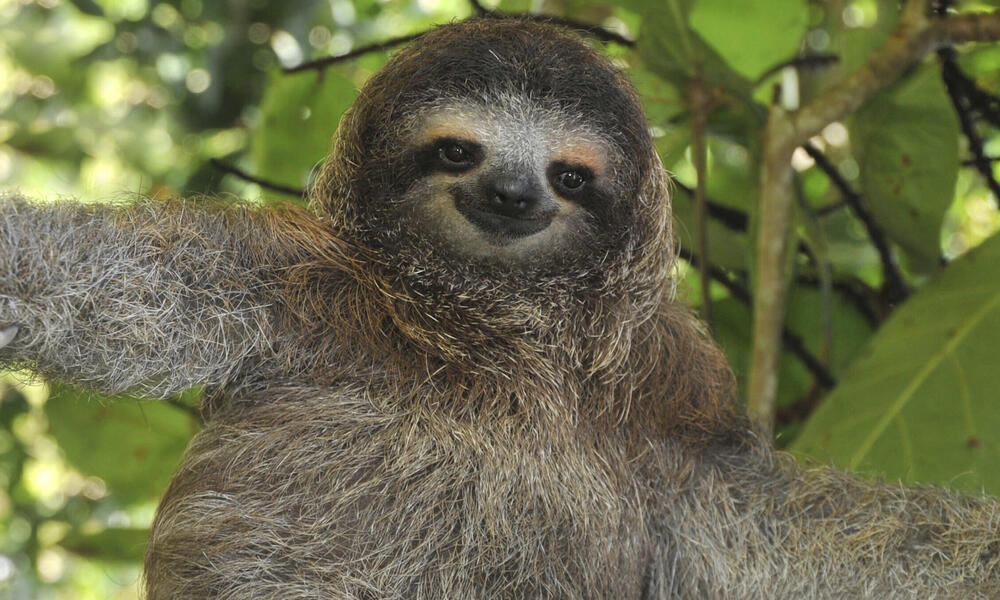 """
sloth_link = "https://files.worldwildlife.org/wwfcmsprod/images/Sloth_Sitting_iStock_3_12_2014/story_full_width/8l7pbjmj29_iStock_000011145477Large_mini__1_.jpg"
messages = [{
"role" : "user",
"content": [
{ "type": "image", "image" : sloth_link },
{ "type": "text", "text" : "この動物はどの映画に出演していますか?" }
]
}]
# Unsloth の自動コンパイラに 1 分ほど待つ必要があるかもしれません
do_gemma_4_inference(messages, max_new_tokens = 256)
"""ナマケモノについての詩を作りましょう!"""
messages = [{
"role": "user",
"content": [{ "type" : "text",
"text" : "ナマケモノについての詩を書いてください。" }]
}]
do_gemma_4_inference(messages)
"""# Gemma 4 をファインチューニングしましょう!
今のところは選択により画像とテキストの部分をファインチューニングできます。音声部分もファインチューニング可能です。そちらも選択できるように取り組んでいます!
ここで LoRA アダプターを追加し、更新するパラメータ数を少なくします!
"""
model = FastModel.get_peft_model(
model,
finetune_vision_layers = False, # テキストのみならオフにする!
finetune_language_layers = True, # そのままオンにしておく!
finetune_attention_modules = True, # Attention は GRPO に有効
finetune_mlp_modules = True, # 常にオンのままにしておくべき!
r = 8, # 大きいほど精度は上がるが、過学習する可能性あり
lora_alpha = 8, # 少なくとも alpha == r を推奨
lora_dropout = 0,
bias = "none",
random_state = 3407,
)
"""
### データ準備
ここでは会話形式のファインチューニングに `Gemma-4` 形式を使います。[Maxime Labonne の FineTome-100k](https://huggingface.co/datasets/mlabonne/FineTome-100k) データセットを ShareGPT 形式で使用します。Gemma-4 は以下のようなマルチターン会話を描画します:
```
<|turn>user
こんにちは
<|turn>model
やあ!
```
正しい chat template を取得するために `get_chat_template` 関数を使います。`zephyr, chatml, mistral, llama, alpaca, vicuna, vicuna_old, phi3, llama3, phi4, qwen2.5, gemma3, gemma-4` などをサポートしています。
"""
from unsloth.chat_templates import get_chat_template
tokenizer = get_chat_template(
tokenizer,
chat_template = "gemma-4-thinking",
)
"""データセットの最初の 3000 行を取得します"""
from datasets import load_dataset
dataset = load_dataset("mlabonne/FineTome-100k", split = "train[:3000]")
"""ここでは `standardize_data_formats` を使って、ファインチューニング用にデータセットを正しい形式へ変換してみます!"""
from unsloth.chat_templates import standardize_data_formats
dataset = standardize_data_formats(dataset)
"""100 行目がどのようになっているか見てみましょう!"""
dataset[100]
"""ここでは会話に `Gemma-3` の chat template を適用し、それを `text` に保存します。ファインチューニング中なので、`removeprefix(`''`)` を使って `` トークンを削除します。Processor は学習前にこのトークンを追加し、モデルは 1 つだけを想定しています。"""
def formatting_prompts_func(examples):
convos = examples["conversations"]
texts = [tokenizer.apply_chat_template(convo, tokenize = False, add_generation_prompt = False).removeprefix('') for convo in convos]
return { "text" : texts, }
dataset = dataset.map(formatting_prompts_func, batched = True)
"""chat template がどうなったか見てみましょう! processor tokenizer が追加するので、`` トークンがないことに注目してください。"""
dataset[100]["text"]
"""
### モデルを学習する
それではモデルを学習しましょう。ここでは高速化のため 60 ステップにしていますが、完全に回すなら `num_train_epochs=1` を設定し、`max_steps=None` をオフにできます。
"""
from trl import SFTTrainer, SFTConfig
trainer = SFTTrainer(
model = model,
tokenizer = tokenizer,
train_dataset = dataset,
eval_dataset = None, # 評価を設定できます!
args = SFTConfig(
dataset_text_field = "text",
per_device_train_batch_size = 1,
gradient_accumulation_steps = 4, # GA を使ってバッチサイズを模倣!
warmup_steps = 5,
# num_train_epochs = 1, # 完全な学習を 1 回行う場合に設定。
max_steps = 60,
learning_rate = 2e-4, # 長い学習では 2e-5 に下げる
logging_steps = 1,
optim = "adamw_8bit",
weight_decay = 0.001,
lr_scheduler_type = "linear",
seed = 3407,
report_to = "none", # TrackIO/WandB などを使用
),
)
"""ここでは Unsloth の `train_on_completions` メソッドも使い、アシスタントの出力だけを学習してユーザー入力の損失は無視します。これによりファインチューニングの精度向上に役立ちます!"""
from unsloth.chat_templates import train_on_responses_only
trainer = train_on_responses_only(
trainer,
instruction_part = "<|turn>user\n",
response_part = "<|turn>model\n",
)
"""instruction 部分のマスキングができたか確認しましょう! 100 行目をもう一度出力します。サンプルに期待どおり `` が 1 つしかないことに注目してください!"""
tokenizer.decode(trainer.train_dataset[100]["input_ids"] )
"""ではマスクされた例を出力してみましょう。答えだけが表示されるはずです:"""
tokenizer.decode([tokenizer.pad_token_id if x == -100 else x for x in trainer.train_dataset[100]["labels"]]).replace(tokenizer.pad_token, " ")
"""# モデルを学習しましょう!
学習を再開するには、`trainer.train(resume_from_checkpoint = True)` を設定します
"""
trainer_stats = trainer.train()
````
{% endcode %}
{% hint style="info" %}
OOM したら:
* 下げる `per_device_train_batch_size` へ **1** および/または減らす `max_seq_length`.
* 維持する `use_`[`gradient_checkpointing`](/docs/jp/burogu/500k-context-length-fine-tuning.md#unsloth-gradient-checkpointing-enhancements)`="unsloth"` オン(VRAM使用量を減らし、コンテキスト長を延ばすよう設計されています)。
{% endhint %}
**MoE用ローダーの例(bf16 LoRA):**
```python
import os
import torch
from unsloth import FastModel
model, tokenizer = FastModel.from_pretrained(
model_name = "unsloth/Gemma-4-26B-A4B-it",
max_seq_length = 2048,
load_in_4bit = False, # MoE QLoRA は推奨されません。dense 31B なら問題ありません
load_in_16bit = True, # bf16/16ビット LoRA
full_finetuning = False,
)
```
読み込んだら、LoRAアダプタを付けて、上のSFTの例と同様に学習します。
### 強化学習(RL)
これで、Gemma 4 を RL、GSPO、GRPO などで [無料ノートブック](https://colab.research.google.com/github/unslothai/notebooks/blob/main/nb/Qwen3_5_\(4B\)_Vision_GRPO.ipynb).
{% columns %}
{% column %}
Gemma 4 E2B RL は 9GB で動作します。
{% embed url="" %}
このノートブックの目的は、Gemma 4 に Sudoku パズルを解く方法を学習させることです。 [GRPO](/docs/jp/meru/reinforcement-learning-rl-guide.md#from-rlhf-ppo-to-grpo-and-rlvr).
モデルは空のセルを埋める戦略を考案し、正しい配置と有効なパズルの完成に対して報酬を与えます。
vLLM ではサポートされていませんが、Unsloth を使えば Gemma 4 RL を実行できます。次の設定をすることで: `fast_inference=False` モデルを読み込むとき:
{% endcolumn %}
{% column %}
"""
sloth_link = "https://files.worldwildlife.org/wwfcmsprod/images/Sloth_Sitting_iStock_3_12_2014/story_full_width/8l7pbjmj29_iStock_000011145477Large_mini__1_.jpg"
messages = [{
"role" : "user",
"content": [
{ "type": "image", "image" : sloth_link },
{ "type": "text", "text" : "この動物はどの映画に出演していますか?" }
]
}]
# Unsloth の自動コンパイラに 1 分ほど待つ必要があるかもしれません
do_gemma_4_inference(messages, max_new_tokens = 256)
"""ナマケモノについての詩を作りましょう!"""
messages = [{
"role": "user",
"content": [{ "type" : "text",
"text" : "ナマケモノについての詩を書いてください。" }]
}]
do_gemma_4_inference(messages)
"""# Gemma 4 をファインチューニングしましょう!
今のところは選択により画像とテキストの部分をファインチューニングできます。音声部分もファインチューニング可能です。そちらも選択できるように取り組んでいます!
ここで LoRA アダプターを追加し、更新するパラメータ数を少なくします!
"""
model = FastModel.get_peft_model(
model,
finetune_vision_layers = False, # テキストのみならオフにする!
finetune_language_layers = True, # そのままオンにしておく!
finetune_attention_modules = True, # Attention は GRPO に有効
finetune_mlp_modules = True, # 常にオンのままにしておくべき!
r = 8, # 大きいほど精度は上がるが、過学習する可能性あり
lora_alpha = 8, # 少なくとも alpha == r を推奨
lora_dropout = 0,
bias = "none",
random_state = 3407,
)
"""
### データ準備
ここでは会話形式のファインチューニングに `Gemma-4` 形式を使います。[Maxime Labonne の FineTome-100k](https://huggingface.co/datasets/mlabonne/FineTome-100k) データセットを ShareGPT 形式で使用します。Gemma-4 は以下のようなマルチターン会話を描画します:
```
<|turn>user
こんにちは
<|turn>model
やあ!
```
正しい chat template を取得するために `get_chat_template` 関数を使います。`zephyr, chatml, mistral, llama, alpaca, vicuna, vicuna_old, phi3, llama3, phi4, qwen2.5, gemma3, gemma-4` などをサポートしています。
"""
from unsloth.chat_templates import get_chat_template
tokenizer = get_chat_template(
tokenizer,
chat_template = "gemma-4-thinking",
)
"""データセットの最初の 3000 行を取得します"""
from datasets import load_dataset
dataset = load_dataset("mlabonne/FineTome-100k", split = "train[:3000]")
"""ここでは `standardize_data_formats` を使って、ファインチューニング用にデータセットを正しい形式へ変換してみます!"""
from unsloth.chat_templates import standardize_data_formats
dataset = standardize_data_formats(dataset)
"""100 行目がどのようになっているか見てみましょう!"""
dataset[100]
"""ここでは会話に `Gemma-3` の chat template を適用し、それを `text` に保存します。ファインチューニング中なので、`removeprefix(`''`)` を使って `` トークンを削除します。Processor は学習前にこのトークンを追加し、モデルは 1 つだけを想定しています。"""
def formatting_prompts_func(examples):
convos = examples["conversations"]
texts = [tokenizer.apply_chat_template(convo, tokenize = False, add_generation_prompt = False).removeprefix('') for convo in convos]
return { "text" : texts, }
dataset = dataset.map(formatting_prompts_func, batched = True)
"""chat template がどうなったか見てみましょう! processor tokenizer が追加するので、`` トークンがないことに注目してください。"""
dataset[100]["text"]
"""
### モデルを学習する
それではモデルを学習しましょう。ここでは高速化のため 60 ステップにしていますが、完全に回すなら `num_train_epochs=1` を設定し、`max_steps=None` をオフにできます。
"""
from trl import SFTTrainer, SFTConfig
trainer = SFTTrainer(
model = model,
tokenizer = tokenizer,
train_dataset = dataset,
eval_dataset = None, # 評価を設定できます!
args = SFTConfig(
dataset_text_field = "text",
per_device_train_batch_size = 1,
gradient_accumulation_steps = 4, # GA を使ってバッチサイズを模倣!
warmup_steps = 5,
# num_train_epochs = 1, # 完全な学習を 1 回行う場合に設定。
max_steps = 60,
learning_rate = 2e-4, # 長い学習では 2e-5 に下げる
logging_steps = 1,
optim = "adamw_8bit",
weight_decay = 0.001,
lr_scheduler_type = "linear",
seed = 3407,
report_to = "none", # TrackIO/WandB などを使用
),
)
"""ここでは Unsloth の `train_on_completions` メソッドも使い、アシスタントの出力だけを学習してユーザー入力の損失は無視します。これによりファインチューニングの精度向上に役立ちます!"""
from unsloth.chat_templates import train_on_responses_only
trainer = train_on_responses_only(
trainer,
instruction_part = "<|turn>user\n",
response_part = "<|turn>model\n",
)
"""instruction 部分のマスキングができたか確認しましょう! 100 行目をもう一度出力します。サンプルに期待どおり `` が 1 つしかないことに注目してください!"""
tokenizer.decode(trainer.train_dataset[100]["input_ids"] )
"""ではマスクされた例を出力してみましょう。答えだけが表示されるはずです:"""
tokenizer.decode([tokenizer.pad_token_id if x == -100 else x for x in trainer.train_dataset[100]["labels"]]).replace(tokenizer.pad_token, " ")
"""# モデルを学習しましょう!
学習を再開するには、`trainer.train(resume_from_checkpoint = True)` を設定します
"""
trainer_stats = trainer.train()
````
{% endcode %}
{% hint style="info" %}
OOM したら:
* 下げる `per_device_train_batch_size` へ **1** および/または減らす `max_seq_length`.
* 維持する `use_`[`gradient_checkpointing`](/docs/jp/burogu/500k-context-length-fine-tuning.md#unsloth-gradient-checkpointing-enhancements)`="unsloth"` オン(VRAM使用量を減らし、コンテキスト長を延ばすよう設計されています)。
{% endhint %}
**MoE用ローダーの例(bf16 LoRA):**
```python
import os
import torch
from unsloth import FastModel
model, tokenizer = FastModel.from_pretrained(
model_name = "unsloth/Gemma-4-26B-A4B-it",
max_seq_length = 2048,
load_in_4bit = False, # MoE QLoRA は推奨されません。dense 31B なら問題ありません
load_in_16bit = True, # bf16/16ビット LoRA
full_finetuning = False,
)
```
読み込んだら、LoRAアダプタを付けて、上のSFTの例と同様に学習します。
### 強化学習(RL)
これで、Gemma 4 を RL、GSPO、GRPO などで [無料ノートブック](https://colab.research.google.com/github/unslothai/notebooks/blob/main/nb/Qwen3_5_\(4B\)_Vision_GRPO.ipynb).
{% columns %}
{% column %}
Gemma 4 E2B RL は 9GB で動作します。
{% embed url="" %}
このノートブックの目的は、Gemma 4 に Sudoku パズルを解く方法を学習させることです。 [GRPO](/docs/jp/meru/reinforcement-learning-rl-guide.md#from-rlhf-ppo-to-grpo-and-rlvr).
モデルは空のセルを埋める戦略を考案し、正しい配置と有効なパズルの完成に対して報酬を与えます。
vLLM ではサポートされていませんが、Unsloth を使えば Gemma 4 RL を実行できます。次の設定をすることで: `fast_inference=False` モデルを読み込むとき:
{% endcolumn %}
{% column %}
 {% endcolumn %}
{% endcolumns %}
```python
from unsloth import FastLanguageModel
model, tokenizer = FastLanguageModel.from_pretrained(
model_name="unsloth/gemma-4-E2B-it",
fast_inference=False,
)
```
### MoE のファインチューニング(26B-A4B)
この **26B-A4B** モデルは、Gemma 4 ラインナップにおける速度と品質の中間点です。これは **MoE** トークンごとに有効になるパラメータが一部のみのモデルであるため、保守的なファインチューニング方針は次のとおりです:
* 使用する **LoRA** フルファインチューニングではなく
* 優先する **16ビット / bf16 LoRA** メモリが許すなら
* まずは短いコンテキストと小さな rank から始める
* パイプラインが安定してから拡張する
最高品質を目指していて、より多くのメモリがあるなら、代わりに **31B** を使ってください。
### マルチモーダルのファインチューニング(E2B / E4B)
なぜなら **E2B** と **E4B** サポートする **画像** と **音声**は、マルチモーダルのファインチューニングにおける Gemma 4 の主要なバリアントだからです。
* マルチモーダルモデルは `FastVisionModel`
* 保つ `finetune_vision_layers = False` まず
* 言語層、アテンション層、MLP 層のみをファインチューニングする
* 必要に応じて後で vision 層や audio 層を有効にする
#### Gemma 4 マルチモーダル LoRA の例:
{% code expandable="true" %}
````python
from unsloth import FastVisionModel # LLM 用には FastLanguageModel
import torch
model, processor = FastVisionModel.from_pretrained(
"unsloth/gemma-4-26B-A4B-it",
load_in_4bit = True, # メモリ使用量を減らすために4bitを使用。16bit LoRA の場合は False。
use_gradient_checkpointing = "unsloth", # 長いコンテキストでは True または "unsloth"
)
"""パラメータ効率の高いファインチューニングのために、ここで LoRA アダプタを追加し、全モデルパラメータの 1% だけを効率よく学習できるようにします。
**[NEW]** また、vision コンポーネントのみ、language コンポーネントのみ、またはその両方のファインチューニングもサポートしています。さらに、attention モジュール、MLP 層、またはその両方をファインチューニングすることも選べます!
"""
model = FastVisionModel.get_peft_model(
model,
finetune_vision_layers = True, # vision 層をファインチューニングしない場合は False
finetune_language_layers = True, # 言語層をファインチューニングしない場合は False
finetune_attention_modules = True, # attention 層をファインチューニングしない場合は False
finetune_mlp_modules = True, # MLP 層をファインチューニングしない場合は False
r = 32, # 大きいほど精度は高くなりますが、過学習する可能性があります
lora_alpha = 32, # 少なくとも alpha == r が推奨です
lora_dropout = 0,
bias = "none",
random_state = 3407,
use_rslora = False, # rank stabilized LoRA をサポートしています
loftq_config = None, # LoftQ もサポートしています
target_modules = "all-linear", # 今ならオプションです!必要ならリストを指定できます
)
"""
### データ準備
手書きの数式データセットのサンプルを使います。目的は、これらの画像をコンピュータで読める形式、具体的には LaTeX に変換してレンダリングできるようにすることです。これは複雑な式に特に有用です。
データセットは[こちら](https://huggingface.co/datasets/unsloth/LaTeX_OCR)からアクセスできます。完全版データセットは[こちら](https://huggingface.co/datasets/linxy/LaTeX_OCR)です。
"""
from datasets import load_dataset
dataset = load_dataset("unsloth/LaTeX_OCR", split = "train")
"""データセットの概要を見てみましょう。2番目の画像とそれに対応するキャプションを確認します。"""
dataset
dataset[2]["image"]
dataset[2]["text"]
"""LaTeX はブラウザ内で直接レンダリングすることもできます!"""
from IPython.display import display, Math, Latex
latex = dataset[3]["text"]
display(Math(latex))
"""データセットを整形するには、すべての vision ファインチューニングタスクは次の形式に従う必要があります:
```python
[
{
"role": "user",
"content": [
{"type": "text", "text": instruction},
{"type": "image", "image": sample["image"]},
],
},
{
"role": "user",
"content": [
{"type": "text", "text": instruction},
{"type": "image", "image": sample["image"]},
],
},
]
```
"""
instruction = "この画像の LaTeX 表現を書いてください。"
def convert_to_conversation(sample):
conversation = [
{
"role": "user",
"content": [
{"type": "text", "text": instruction},
{"type": "image", "image": sample["image"]},
],
},
{"role": "assistant", "content": [{"type": "text", "text": sample["text"]}]},
]
return {"messages": conversation}
pass
"""ファインチューニング用にデータセットを「正しい」形式へ変換しましょう:"""
converted_dataset = [convert_to_conversation(sample) for sample in dataset]
"""最初の例は次のような構造になります:"""
converted_dataset[0]
"""Gemma 4 の instruction チャットテンプレートを取り出して、ベースモデルに使ってみましょう"""
from unsloth import get_chat_template
processor = get_chat_template(
processor,
"gemma-4-thinking"
)
"""ファインチューニング前に、ベースモデルの性能を評価してみましょう。このチャットテンプレートにまだ触れていないため、良い結果は期待できません。"""
image = dataset[2]["image"]
instruction = "この画像の LaTeX 表現を書いてください。"
messages = [
{
"role": "user",
"content": [{"type": "image"}, {"type": "text", "text": instruction}],
}
]
input_text = processor.apply_chat_template(messages, add_generation_prompt = True)
inputs = processor(
image,
input_text,
add_special_tokens = False,
return_tensors = "pt",
).to("cuda")
from transformers import TextStreamer
text_streamer = TextStreamer(processor, skip_prompt = True)
result = model.generate(**inputs, streamer = text_streamer, max_new_tokens = 128,
use_cache = True, temperature = 1.0, top_p = 0.95, top_k = 64)
"""見てのとおり、まったくひどいです!指示にまったく従っていません
### モデルを学習する
それではモデルを学習させましょう。ここでは高速化のため 60 ステップだけ行いますが、完全に実行するには `num_train_epochs=1` を設定し、`max_steps=None` を無効にしてください。強化学習用に `DPOTrainer` と `GRPOTrainer` もサポートしています!!
新しい `UnslothVisionDataCollator` を使います。これは vision ファインチューニングの設定に役立ちます。
"""
from unsloth.trainer import UnslothVisionDataCollator
from trl import SFTTrainer, SFTConfig
trainer = SFTTrainer(
model = model,
train_dataset = converted_dataset,
processing_class = processor.tokenizer,
data_collator = UnslothVisionDataCollator(model, processor),
args = SFTConfig(
per_device_train_batch_size = 1,
gradient_accumulation_steps = 4,
max_grad_norm = 0.3,
warmup_ratio = 0.03,
max_steps = 60,
# num_train_epochs = 2, # フル学習の場合は max_steps の代わりにこれを設定してください
learning_rate = 2e-4,
logging_steps = 1,
save_strategy = "steps",
optim = "adamw_8bit",
weight_decay = 0.001,
lr_scheduler_type = "cosine",
seed = 3407,
output_dir = "outputs",
report_to = "none", # Weights and Biases など用
# vision ファインチューニングでは、以下の項目を必ず入れてください:
remove_unused_columns = False,
dataset_text_field = "",
dataset_kwargs = {"skip_prepare_dataset": True},
max_length = 2048,
)
)
trainer_stats = trainer.train()
````
{% endcode %}
#### 画像の例の形式
覚えておいてください: Gemma 4 のマルチモーダルプロンプトでは、画像を **先に** テキスト指示の前に置きます。
{% code expandable="true" %}
```json
{
"messages": [
{
"role": "user",
"content": [
{"type": "image", "image": "/path/to/image OR object"},
{"type": "text", "text": "この領収書からすべてのテキストを抽出してください。品目、合計、販売者、日付を JSON で返してください。"}
]
},
{
"role": "assistant",
"content": [
{"type": "text", "text": "{\"merchant\": \"サンプル店舗\", \"total\": \"19.99\"}"}
]
}
]
}
```
{% endcode %}
#### 音声の例の形式
音声は **E2B / E4B** 専用です。クリップは短く、タスクに特化したものにしてください。
{% code expandable="true" %}
```json
{
"messages": [
{
"role": "user",
"content": [
{"type": "audio", "audio": "/path/to/audio OR object"},
{"type": "text", "text": "以下の英語の音声セグメントを書き起こして英語のテキストにしてください。出力は書き起こしのみとしてください。"}
]
},
{
"role": "assistant",
"content": [
{"type": "text", "text": "皆さん、こんにちは。お帰りなさい。"}
]
}
]
}
```
{% endcode %}
### ファインチューニング済みモデルの保存 / エクスポート
次の項目向けの、特定の推論 / デプロイガイドを確認できます: [Unsloth Studio](/docs/jp/shii/studio/export.md), [llama.cpp](/docs/jp/ji-chu/inference-and-deployment/saving-to-gguf.md), [vLLM](/docs/jp/ji-chu/inference-and-deployment/vllm-guide.md), [llama-server](/docs/jp/ji-chu/inference-and-deployment/llama-server-and-openai-endpoint.md), [Ollama](/docs/jp/ji-chu/inference-and-deployment/saving-to-ollama.md) または [SGLang](/docs/jp/ji-chu/inference-and-deployment/sglang-guide.md).
#### GGUF に保存
Unsloth は GGUF への直接保存をサポートしています:
```python
model.save_pretrained_gguf("directory", tokenizer, quantization_method = "q4_k_m")
model.save_pretrained_gguf("directory", tokenizer, quantization_method = "q8_0")
model.save_pretrained_gguf("directory", tokenizer, quantization_method = "f16")
```
あるいは GGUF を Hugging Face にプッシュできます:
```python
model.push_to_hub_gguf("hf_username/directory", tokenizer, quantization_method = "q4_k_m")
model.push_to_hub_gguf("hf_username/directory", tokenizer, quantization_method = "q8_0")
```
書き出したモデルが別のランタイムで悪く動作する場合、Unsloth は最も一般的な原因を示します: **推論時のチャットテンプレート / EOS トークンの誤り** (学習時に使ったのと同じチャットテンプレートを使わなければなりません)。
詳細は推論ガイドをご覧ください:
{% columns %}
{% column width="50%" %}
{% content-ref url="/pages/d5ae43f1915ceda3d304ad7c413cb4efbe3d1a3f" %}
[推論とデプロイ](/docs/jp/ji-chu/inference-and-deployment.md)
{% endcontent-ref %}
{% content-ref url="/pages/9bfa988baa17c249340a58c332b8584f20d2537c" %}
[GGUF & llama.cpp](/docs/jp/ji-chu/inference-and-deployment/saving-to-gguf.md)
{% endcontent-ref %}
{% endcolumn %}
{% column width="50%" %}
{% content-ref url="/pages/a58a8ab897451539e1493312c6a640b4d5ee40b7" %}
[Model Export](/docs/jp/shii/studio/export.md)
{% endcontent-ref %}
{% content-ref url="/pages/0fde417d83989a8108b1d466ec2b53c46e9f4279" %}
[vLLM](/docs/jp/ji-chu/inference-and-deployment/vllm-guide.md)
{% endcontent-ref %}
{% endcolumn %}
{% endcolumns %}
### Gemma 4 のデータベストプラクティス
Gemma 4 には、覚えておくべきいくつかの書式上の詳細があります。
#### 1. 標準のチャットロールを使う
Gemma 4 では標準の以下を使います:
* `system`
* `user`
* `assistant`
つまり、SFT データセットは古い Gemma 固有のロール形式ではなく、通常のチャット形式で記述する必要があります。
#### 2. thinking モードは明示的です
SFT 中に thinking スタイルの振る舞いを保持したい場合:
* 形式を一貫させる
* どちらを学習対象にするか決める **表示される思考ブロック** または **最終回答のみ**
* して **はいけません** 互換性のない複数の思考形式を同じデータセットで混在させる
多くの本番用アシスタントでは、最も簡単な設定は次のものだけをファインチューニングすることです: **最終的に表示される回答のみ**.
#### 3. マルチターンのルール
マルチターン会話では、次のものだけを残します: **最終的に表示される回答** 会話履歴の中に。 **はいけません** 以前の思考ブロックを後のターンに戻して入力してはいけません。
---
# Agent Instructions
This documentation is published with GitBook. GitBook is the documentation platform designed so that both humans and AI agents can read, navigate, and reason over technical content effectively. Learn more at gitbook.com.
## Querying This Documentation
If you need additional information that is not directly available in this page, you can query the documentation by asking a question.
Perform an HTTP GET request on the following URL with the `ask` and `goal` query parameters:
```
GET https://unsloth.ai/docs/jp/moderu/gemma-4/train.md?ask=&goal=
```
`ask` is the immediate question: it should be specific, self-contained, and written in natural language.
`goal` is what the user is ultimately trying to achieve, the reason they need the answer. Sharing it helps GitBook give you a better, more relevant answer. A goal is most helpful when it describes the outcome the user wants rather than restating the question. For example, with `ask=how do I create an API token`, a goal like `automate deployments from our CI pipeline` lets GitBook tailor the answer to that use case.
The response will contain a direct answer to the question and relevant excerpts and sources from the documentation.
Use this mechanism when the answer is not explicitly present in the current page, you need clarification or additional context, or you want to retrieve related documentation sections.
{% endcolumn %}
{% endcolumns %}
```python
from unsloth import FastLanguageModel
model, tokenizer = FastLanguageModel.from_pretrained(
model_name="unsloth/gemma-4-E2B-it",
fast_inference=False,
)
```
### MoE のファインチューニング(26B-A4B)
この **26B-A4B** モデルは、Gemma 4 ラインナップにおける速度と品質の中間点です。これは **MoE** トークンごとに有効になるパラメータが一部のみのモデルであるため、保守的なファインチューニング方針は次のとおりです:
* 使用する **LoRA** フルファインチューニングではなく
* 優先する **16ビット / bf16 LoRA** メモリが許すなら
* まずは短いコンテキストと小さな rank から始める
* パイプラインが安定してから拡張する
最高品質を目指していて、より多くのメモリがあるなら、代わりに **31B** を使ってください。
### マルチモーダルのファインチューニング(E2B / E4B)
なぜなら **E2B** と **E4B** サポートする **画像** と **音声**は、マルチモーダルのファインチューニングにおける Gemma 4 の主要なバリアントだからです。
* マルチモーダルモデルは `FastVisionModel`
* 保つ `finetune_vision_layers = False` まず
* 言語層、アテンション層、MLP 層のみをファインチューニングする
* 必要に応じて後で vision 層や audio 層を有効にする
#### Gemma 4 マルチモーダル LoRA の例:
{% code expandable="true" %}
````python
from unsloth import FastVisionModel # LLM 用には FastLanguageModel
import torch
model, processor = FastVisionModel.from_pretrained(
"unsloth/gemma-4-26B-A4B-it",
load_in_4bit = True, # メモリ使用量を減らすために4bitを使用。16bit LoRA の場合は False。
use_gradient_checkpointing = "unsloth", # 長いコンテキストでは True または "unsloth"
)
"""パラメータ効率の高いファインチューニングのために、ここで LoRA アダプタを追加し、全モデルパラメータの 1% だけを効率よく学習できるようにします。
**[NEW]** また、vision コンポーネントのみ、language コンポーネントのみ、またはその両方のファインチューニングもサポートしています。さらに、attention モジュール、MLP 層、またはその両方をファインチューニングすることも選べます!
"""
model = FastVisionModel.get_peft_model(
model,
finetune_vision_layers = True, # vision 層をファインチューニングしない場合は False
finetune_language_layers = True, # 言語層をファインチューニングしない場合は False
finetune_attention_modules = True, # attention 層をファインチューニングしない場合は False
finetune_mlp_modules = True, # MLP 層をファインチューニングしない場合は False
r = 32, # 大きいほど精度は高くなりますが、過学習する可能性があります
lora_alpha = 32, # 少なくとも alpha == r が推奨です
lora_dropout = 0,
bias = "none",
random_state = 3407,
use_rslora = False, # rank stabilized LoRA をサポートしています
loftq_config = None, # LoftQ もサポートしています
target_modules = "all-linear", # 今ならオプションです!必要ならリストを指定できます
)
"""
### データ準備
手書きの数式データセットのサンプルを使います。目的は、これらの画像をコンピュータで読める形式、具体的には LaTeX に変換してレンダリングできるようにすることです。これは複雑な式に特に有用です。
データセットは[こちら](https://huggingface.co/datasets/unsloth/LaTeX_OCR)からアクセスできます。完全版データセットは[こちら](https://huggingface.co/datasets/linxy/LaTeX_OCR)です。
"""
from datasets import load_dataset
dataset = load_dataset("unsloth/LaTeX_OCR", split = "train")
"""データセットの概要を見てみましょう。2番目の画像とそれに対応するキャプションを確認します。"""
dataset
dataset[2]["image"]
dataset[2]["text"]
"""LaTeX はブラウザ内で直接レンダリングすることもできます!"""
from IPython.display import display, Math, Latex
latex = dataset[3]["text"]
display(Math(latex))
"""データセットを整形するには、すべての vision ファインチューニングタスクは次の形式に従う必要があります:
```python
[
{
"role": "user",
"content": [
{"type": "text", "text": instruction},
{"type": "image", "image": sample["image"]},
],
},
{
"role": "user",
"content": [
{"type": "text", "text": instruction},
{"type": "image", "image": sample["image"]},
],
},
]
```
"""
instruction = "この画像の LaTeX 表現を書いてください。"
def convert_to_conversation(sample):
conversation = [
{
"role": "user",
"content": [
{"type": "text", "text": instruction},
{"type": "image", "image": sample["image"]},
],
},
{"role": "assistant", "content": [{"type": "text", "text": sample["text"]}]},
]
return {"messages": conversation}
pass
"""ファインチューニング用にデータセットを「正しい」形式へ変換しましょう:"""
converted_dataset = [convert_to_conversation(sample) for sample in dataset]
"""最初の例は次のような構造になります:"""
converted_dataset[0]
"""Gemma 4 の instruction チャットテンプレートを取り出して、ベースモデルに使ってみましょう"""
from unsloth import get_chat_template
processor = get_chat_template(
processor,
"gemma-4-thinking"
)
"""ファインチューニング前に、ベースモデルの性能を評価してみましょう。このチャットテンプレートにまだ触れていないため、良い結果は期待できません。"""
image = dataset[2]["image"]
instruction = "この画像の LaTeX 表現を書いてください。"
messages = [
{
"role": "user",
"content": [{"type": "image"}, {"type": "text", "text": instruction}],
}
]
input_text = processor.apply_chat_template(messages, add_generation_prompt = True)
inputs = processor(
image,
input_text,
add_special_tokens = False,
return_tensors = "pt",
).to("cuda")
from transformers import TextStreamer
text_streamer = TextStreamer(processor, skip_prompt = True)
result = model.generate(**inputs, streamer = text_streamer, max_new_tokens = 128,
use_cache = True, temperature = 1.0, top_p = 0.95, top_k = 64)
"""見てのとおり、まったくひどいです!指示にまったく従っていません
### モデルを学習する
それではモデルを学習させましょう。ここでは高速化のため 60 ステップだけ行いますが、完全に実行するには `num_train_epochs=1` を設定し、`max_steps=None` を無効にしてください。強化学習用に `DPOTrainer` と `GRPOTrainer` もサポートしています!!
新しい `UnslothVisionDataCollator` を使います。これは vision ファインチューニングの設定に役立ちます。
"""
from unsloth.trainer import UnslothVisionDataCollator
from trl import SFTTrainer, SFTConfig
trainer = SFTTrainer(
model = model,
train_dataset = converted_dataset,
processing_class = processor.tokenizer,
data_collator = UnslothVisionDataCollator(model, processor),
args = SFTConfig(
per_device_train_batch_size = 1,
gradient_accumulation_steps = 4,
max_grad_norm = 0.3,
warmup_ratio = 0.03,
max_steps = 60,
# num_train_epochs = 2, # フル学習の場合は max_steps の代わりにこれを設定してください
learning_rate = 2e-4,
logging_steps = 1,
save_strategy = "steps",
optim = "adamw_8bit",
weight_decay = 0.001,
lr_scheduler_type = "cosine",
seed = 3407,
output_dir = "outputs",
report_to = "none", # Weights and Biases など用
# vision ファインチューニングでは、以下の項目を必ず入れてください:
remove_unused_columns = False,
dataset_text_field = "",
dataset_kwargs = {"skip_prepare_dataset": True},
max_length = 2048,
)
)
trainer_stats = trainer.train()
````
{% endcode %}
#### 画像の例の形式
覚えておいてください: Gemma 4 のマルチモーダルプロンプトでは、画像を **先に** テキスト指示の前に置きます。
{% code expandable="true" %}
```json
{
"messages": [
{
"role": "user",
"content": [
{"type": "image", "image": "/path/to/image OR object"},
{"type": "text", "text": "この領収書からすべてのテキストを抽出してください。品目、合計、販売者、日付を JSON で返してください。"}
]
},
{
"role": "assistant",
"content": [
{"type": "text", "text": "{\"merchant\": \"サンプル店舗\", \"total\": \"19.99\"}"}
]
}
]
}
```
{% endcode %}
#### 音声の例の形式
音声は **E2B / E4B** 専用です。クリップは短く、タスクに特化したものにしてください。
{% code expandable="true" %}
```json
{
"messages": [
{
"role": "user",
"content": [
{"type": "audio", "audio": "/path/to/audio OR object"},
{"type": "text", "text": "以下の英語の音声セグメントを書き起こして英語のテキストにしてください。出力は書き起こしのみとしてください。"}
]
},
{
"role": "assistant",
"content": [
{"type": "text", "text": "皆さん、こんにちは。お帰りなさい。"}
]
}
]
}
```
{% endcode %}
### ファインチューニング済みモデルの保存 / エクスポート
次の項目向けの、特定の推論 / デプロイガイドを確認できます: [Unsloth Studio](/docs/jp/shii/studio/export.md), [llama.cpp](/docs/jp/ji-chu/inference-and-deployment/saving-to-gguf.md), [vLLM](/docs/jp/ji-chu/inference-and-deployment/vllm-guide.md), [llama-server](/docs/jp/ji-chu/inference-and-deployment/llama-server-and-openai-endpoint.md), [Ollama](/docs/jp/ji-chu/inference-and-deployment/saving-to-ollama.md) または [SGLang](/docs/jp/ji-chu/inference-and-deployment/sglang-guide.md).
#### GGUF に保存
Unsloth は GGUF への直接保存をサポートしています:
```python
model.save_pretrained_gguf("directory", tokenizer, quantization_method = "q4_k_m")
model.save_pretrained_gguf("directory", tokenizer, quantization_method = "q8_0")
model.save_pretrained_gguf("directory", tokenizer, quantization_method = "f16")
```
あるいは GGUF を Hugging Face にプッシュできます:
```python
model.push_to_hub_gguf("hf_username/directory", tokenizer, quantization_method = "q4_k_m")
model.push_to_hub_gguf("hf_username/directory", tokenizer, quantization_method = "q8_0")
```
書き出したモデルが別のランタイムで悪く動作する場合、Unsloth は最も一般的な原因を示します: **推論時のチャットテンプレート / EOS トークンの誤り** (学習時に使ったのと同じチャットテンプレートを使わなければなりません)。
詳細は推論ガイドをご覧ください:
{% columns %}
{% column width="50%" %}
{% content-ref url="/pages/d5ae43f1915ceda3d304ad7c413cb4efbe3d1a3f" %}
[推論とデプロイ](/docs/jp/ji-chu/inference-and-deployment.md)
{% endcontent-ref %}
{% content-ref url="/pages/9bfa988baa17c249340a58c332b8584f20d2537c" %}
[GGUF & llama.cpp](/docs/jp/ji-chu/inference-and-deployment/saving-to-gguf.md)
{% endcontent-ref %}
{% endcolumn %}
{% column width="50%" %}
{% content-ref url="/pages/a58a8ab897451539e1493312c6a640b4d5ee40b7" %}
[Model Export](/docs/jp/shii/studio/export.md)
{% endcontent-ref %}
{% content-ref url="/pages/0fde417d83989a8108b1d466ec2b53c46e9f4279" %}
[vLLM](/docs/jp/ji-chu/inference-and-deployment/vllm-guide.md)
{% endcontent-ref %}
{% endcolumn %}
{% endcolumns %}
### Gemma 4 のデータベストプラクティス
Gemma 4 には、覚えておくべきいくつかの書式上の詳細があります。
#### 1. 標準のチャットロールを使う
Gemma 4 では標準の以下を使います:
* `system`
* `user`
* `assistant`
つまり、SFT データセットは古い Gemma 固有のロール形式ではなく、通常のチャット形式で記述する必要があります。
#### 2. thinking モードは明示的です
SFT 中に thinking スタイルの振る舞いを保持したい場合:
* 形式を一貫させる
* どちらを学習対象にするか決める **表示される思考ブロック** または **最終回答のみ**
* して **はいけません** 互換性のない複数の思考形式を同じデータセットで混在させる
多くの本番用アシスタントでは、最も簡単な設定は次のものだけをファインチューニングすることです: **最終的に表示される回答のみ**.
#### 3. マルチターンのルール
マルチターン会話では、次のものだけを残します: **最終的に表示される回答** 会話履歴の中に。 **はいけません** 以前の思考ブロックを後のターンに戻して入力してはいけません。
---
# Agent Instructions
This documentation is published with GitBook. GitBook is the documentation platform designed so that both humans and AI agents can read, navigate, and reason over technical content effectively. Learn more at gitbook.com.
## Querying This Documentation
If you need additional information that is not directly available in this page, you can query the documentation by asking a question.
Perform an HTTP GET request on the following URL with the `ask` and `goal` query parameters:
```
GET https://unsloth.ai/docs/jp/moderu/gemma-4/train.md?ask=&goal=
```
`ask` is the immediate question: it should be specific, self-contained, and written in natural language.
`goal` is what the user is ultimately trying to achieve, the reason they need the answer. Sharing it helps GitBook give you a better, more relevant answer. A goal is most helpful when it describes the outcome the user wants rather than restating the question. For example, with `ask=how do I create an API token`, a goal like `automate deployments from our CI pipeline` lets GitBook tailor the answer to that use case.
The response will contain a direct answer to the question and relevant excerpts and sources from the documentation.
Use this mechanism when the answer is not explicitly present in the current page, you need clarification or additional context, or you want to retrieve related documentation sections.

