> For the complete documentation index, see [llms.txt](https://unsloth.ai/docs/llms.txt). Markdown versions of documentation pages are available by appending `.md` to page URLs; this page is available as [Markdown](https://unsloth.ai/docs/jp/ji-chu/inference-and-deployment/llama-server-and-openai-endpoint.md).

# llama-server & OpenAIエンドポイント デプロイガイド

OpenAI互換エンドポイントを備えたllama-server経由でのデプロイ

Devstral-2 をデプロイします - 詳細は [Devstral 2](/docs/jp/moderu/tutorials/devstral-2.md) モデルの詳細について&#x20;

最新の `llama.cpp` を [GitHubこちら](https://github.com/ggml-org/llama.cpp)。以下のビルド手順に従うこともできます。変更してください `-DGGML_CUDA=ON` を `-DGGML_CUDA=OFF` GPUがない場合、またはCPU推論のみを使いたい場合は。 **Apple Mac / Metalデバイスの場合**、次を設定します `-DGGML_CUDA=OFF` その後は通常どおり続けてください。Metalサポートはデフォルトで有効です。

{% code overflow="wrap" %}

```bash
apt-get update
apt-get install pciutils build-essential cmake curl libcurl4-openssl-dev -y
git clone https://github.com/ggml-org/llama.cpp
cmake llama.cpp -B llama.cpp/build \
    -DBUILD_SHARED_LIBS=OFF -DGGML_CUDA=ON -DLLAMA_CURL=ON
cmake --build llama.cpp/build --config Release -j --clean-first --target llama-cli llama-mtmd-cli llama-server llama-gguf-split
cp llama.cpp/build/bin/llama-* llama.cpp
```

{% endcode %}

{% hint style="info" %}
使用する場合 `--jinja` ツールがサポートされている場合、llama-server は次のシステムメッセージを追加します： `JSON形式で応答し、tool_call（ツールを呼び出す要求）またはユーザーの要求への response を返してください` 。これはファインチューニング済みモデルで問題を引き起こすことがあります！ 詳細は [llama.cpp リポジトリ](https://github.com/ggml-org/llama.cpp/blob/12ee1763a6f6130ce820a366d220bbadff54b818/common/chat.cpp#L849) を参照してください。
{% endhint %}

まず Devstral 2 をダウンロードします：

{% code overflow="wrap" %}

```python
# !pip install huggingface_hub hf_transfer
import os
os.environ["HF_HUB_ENABLE_HF_TRANSFER"] = "1"
from huggingface_hub import snapshot_download
snapshot_download(
    repo_id = "unsloth/Devstral-2-123B-Instruct-2512-GGUF",
    local_dir = "Devstral-2-123B-Instruct-2512-GGUF",
    allow_patterns = ["*UD-Q2_K_XL*", "*mmproj-F16*"],
)
```

{% endcode %}

Devstral 2 を本番環境にデプロイするには、 `llama-server` tmux 経由で新しいターミナルを開き、次のようにモデルをデプロイします:

{% code overflow="wrap" %}

```bash
./llama.cpp/llama-server \
    --model Devstral-Small-2-24B-Instruct-2512-GGUF/Devstral-Small-2-24B-Instruct-2512-UD-Q4_K_XL.gguf \\
    --mmproj Devstral-Small-2-24B-Instruct-2512-GGUF/mmproj-F16.gguf \\
    --alias "unsloth/Devstral-Small-2-24B-Instruct-2512" \\
    --threads -1 \
    --n-gpu-layers 999 \\
    --prio 3 \\
    --min-p 0.01 \\
    --ctx-size 16384 \\
    --port 8001 \\
    --jinja
```

{% endcode %}

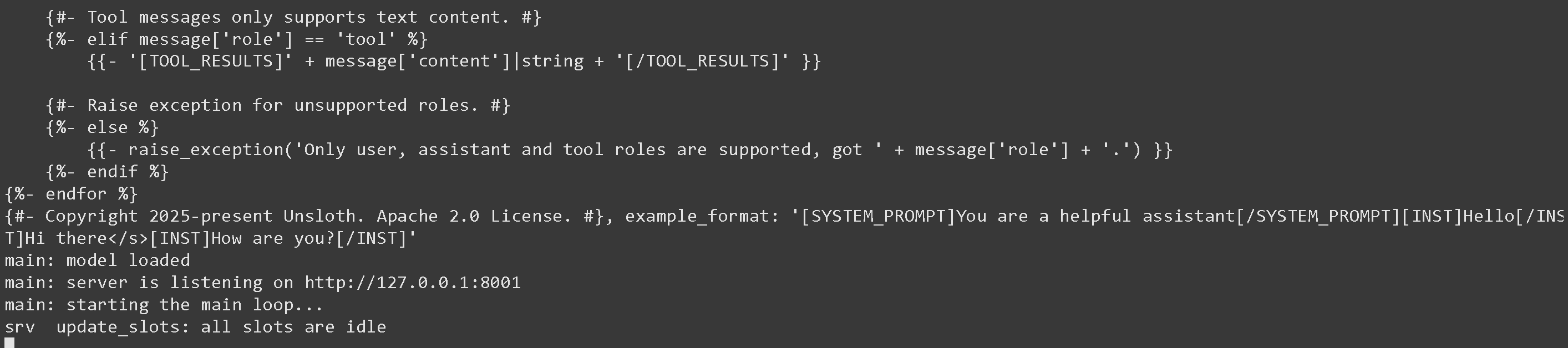
上記を実行すると、次が得られます：

<figure><img src="https://735611837-files.gitbook.io/~/files/v0/b/gitbook-x-prod.appspot.com/o/spaces%2FxhOjnexMCB3dmuQFQ2Zq%2Fuploads%2FJSTkWDCcHk5DI6otb72X%2Fimage.png?alt=media&amp;token=b685008e-e9ad-4dea-8f1d-af3fdade8e3b" alt=""><figcaption></figcaption></figure>

次に、新しいターミナルで、 `pip install openai`を実行した後、次を行います:

{% code overflow="wrap" %}

```python
from openai import OpenAI
import json
openai_client = OpenAI(
    base_url = "http://127.0.0.1:8001/v1",
    api_key = "sk-no-key-required",
)
completion = openai_client.chat.completions.create(
    model = "unsloth/Devstral-Small-2-24B-Instruct-2512",
    messages = [{"role": "user", "content": "2+2 はいくつですか?"},],
)
print(completion.choices[0].message.content)
```

{% endcode %}

これは単純に 4 を表示します。\
\
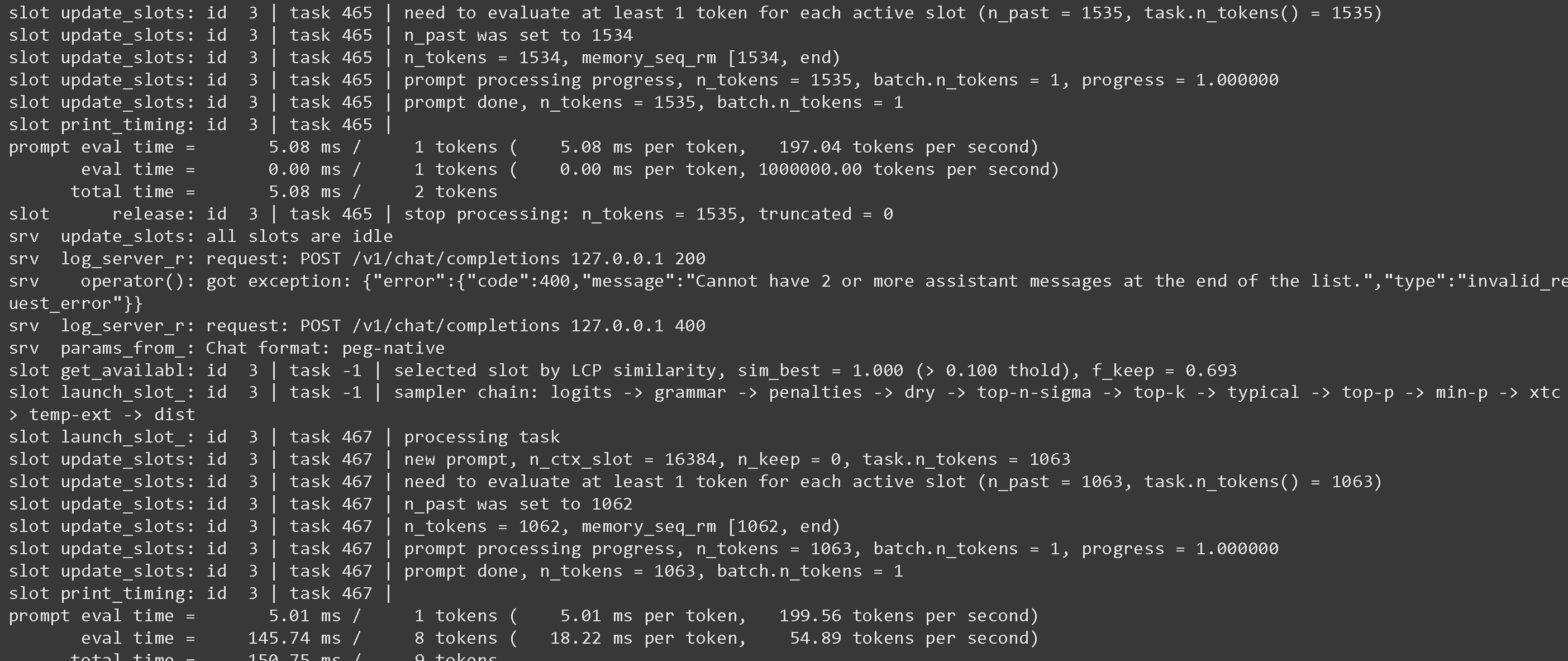
llama-server の画面に戻ると、興味深い統計情報が表示されるかもしれません：

<figure><img src="https://735611837-files.gitbook.io/~/files/v0/b/gitbook-x-prod.appspot.com/o/spaces%2FxhOjnexMCB3dmuQFQ2Zq%2Fuploads%2F6msFgOWJEWXEEgXvLRnr%2Fimage.png?alt=media&amp;token=25fa1784-f671-4e0d-9bad-a4534525afb6" alt=""><figcaption></figcaption></figure>

speculative decoding を使うような引数については、 <https://github.com/ggml-org/llama.cpp/blob/master/tools/server/README.md>

## :grey\_question:Llama-server の癖

* 使用する場合 `--jinja` ツールがサポートされている場合、llama-server は次のシステムメッセージを追加します： `JSON形式で応答し、tool_call（ツールを呼び出す要求）またはユーザーの要求への response を返してください` 。これはファインチューニング済みモデルで問題を引き起こすことがあります！ 詳細は [llama.cpp リポジトリ](https://github.com/ggml-org/llama.cpp/blob/12ee1763a6f6130ce820a366d220bbadff54b818/common/chat.cpp#L849) 詳細については。\
  \
  これを次の方法で止められます： `--no-jinja` ただし、その場合 `tools` はサポートされなくなります。\
  \
  たとえば、FunctionGemma はデフォルトで次を使用します：

  <pre class="language-notebook-python" data-overflow="wrap"><code class="lang-notebook-python">以下の関数で関数呼び出しができるモデルです
  </code></pre>

  しかし、llama-server が追加のメッセージを付け加えるため、次のようになります：

  <pre class="language-notebook-python" data-overflow="wrap"><code class="lang-notebook-python">あなたは、以下の関数で function calling を行えるモデルです

  JSON形式で応答し、`tool_call`（ツールを呼び出す要求）またはユーザーの要求への `response` を返してください
  </code></pre>

  私たちはこの問題を次に報告しました <https://github.com/ggml-org/llama.cpp/issues/18323> そして llama.cpp の開発者たちは修正に取り組んでいます！\
  \
  その間、すべてのファインチューニング済みモデルについて、ツール呼び出し専用のプロンプトを追加してください！

## :toolbox:llama-server でのツール呼び出し

こちらを参照 [Tool Calling Guide](/docs/jp/ji-chu/tool-calling-guide-for-local-llms.md) ツール呼び出しの方法について！


---

# Agent Instructions
This documentation is published with GitBook. GitBook is the documentation platform designed so that both humans and AI agents can read, navigate, and reason over technical content effectively. Learn more at gitbook.com.

## Querying This Documentation
If you need additional information that is not directly available in this page, you can query the documentation by asking a question.

Perform an HTTP GET request on the following URL with the `ask` and `goal` query parameters:

```
GET https://unsloth.ai/docs/jp/ji-chu/inference-and-deployment/llama-server-and-openai-endpoint.md?ask=<question>&goal=<user_goal>
```

`ask` is the immediate question: it should be specific, self-contained, and written in natural language.
`goal` is what the user is ultimately trying to achieve, the reason they need the answer. Sharing it helps GitBook give you a better, more relevant answer. A goal is most helpful when it describes the outcome the user wants rather than restating the question. For example, with `ask=how do I create an API token`, a goal like `automate deployments from our CI pipeline` lets GitBook tailor the answer to that use case.

The response will contain a direct answer to the question and relevant excerpts and sources from the documentation.

Use this mechanism when the answer is not explicitly present in the current page, you need clarification or additional context, or you want to retrieve related documentation sections.