> For the complete documentation index, see [llms.txt](https://unsloth.ai/docs/llms.txt). Markdown versions of documentation pages are available by appending `.md` to page URLs; this page is available as [Markdown](https://unsloth.ai/docs/de/modelle/tutorials/qwen3-how-to-run-and-fine-tune/qwen3-vl-how-to-run-and-fine-tune.md).
# Qwen3-VL: Leitfaden zum Ausführen
Lerne, Qwen3-VL lokal mit Unsloth feinabzustimmen und auszuführen.
Qwen3-VL ist Qwens neue Vision-Modelle mit **Instruct** und **Denken** Versionen. Die Modelle 2B, 4B, 8B und 32B sind dichte Modelle, während 30B und 235B MoE sind. Das 235B Thinking-LLM liefert SOTA-Leistung bei Vision und Coding und ist vergleichbar mit GPT-5 (high) und Gemini 2.5 Pro.\
\
Qwen3-VL verfügt über Vision-, Video- und OCR-Fähigkeiten sowie einen Kontext von 256K (kann auf 1M erweitert werden).\
\
[Unsloth](https://github.com/unslothai/unsloth) unterstützt **Qwen3-VL-Fine-Tuning und** [**RL**](/docs/de/loslegen/reinforcement-learning-rl-guide/vision-reinforcement-learning-vlm-rl.md). Trainiere Qwen3-VL (8B) kostenlos mit unserem [Notebooks](#fine-tuning-qwen3-vl).
Qwen3-VL ausführenQwen3-VL feinabstimmen
## 🖥️ **Qwen3-VL ausführen**
Um das Modell in llama.cpp, vLLM, Ollama usw. auszuführen, hier sind die empfohlenen Einstellungen:
### :gear: Empfohlene Einstellungen
Qwen empfiehlt diese Einstellungen für beide Modelle (sie sind bei Instruct und Thinking etwas unterschiedlich):
| Instruct-Einstellungen: | Thinking-Einstellungen: |
| ------------------------------------------------------------------------ | ------------------------------------------------------------------------ |
| **Temperature = 0.7** | **Temperatur = 1.0** |
| **Top\_P = 0.8** | **Top\_P = 0.95** |
| **presence\_penalty = 1.5** | **presence\_penalty = 0.0** |
| Ausgabelänge = 32768 (bis zu 256K) | Ausgabelänge = 40960 (bis zu 256K) |
| Top\_K = 20 | Top\_K = 20 |
Qwen3-VL verwendete außerdem die folgenden Einstellungen für seine Benchmark-Werte, wie erwähnt [auf GitHub](https://github.com/QwenLM/Qwen3-VL/tree/main?tab=readme-ov-file#generation-hyperparameters).
{% columns %}
{% column %}
Instruct-Einstellungen:
```bash
export greedy='false'
export seed=3407
export top_p=0.8
export top_k=20
export temperature=0.7
export repetition_penalty=1.0
export presence_penalty=1.5
export out_seq_length=32768
```
{% endcolumn %}
{% column %}
Thinking-Einstellungen:
```bash
export greedy='false'
export seed=1234
export top_p=0.95
export top_k=20
export temperature=1.0
export repetition_penalty=1.0
export presence_penalty=0.0
export out_seq_length=40960
```
{% endcolumn %}
{% endcolumns %}
### :bug:Fehlerbehebungen am Chat-Template
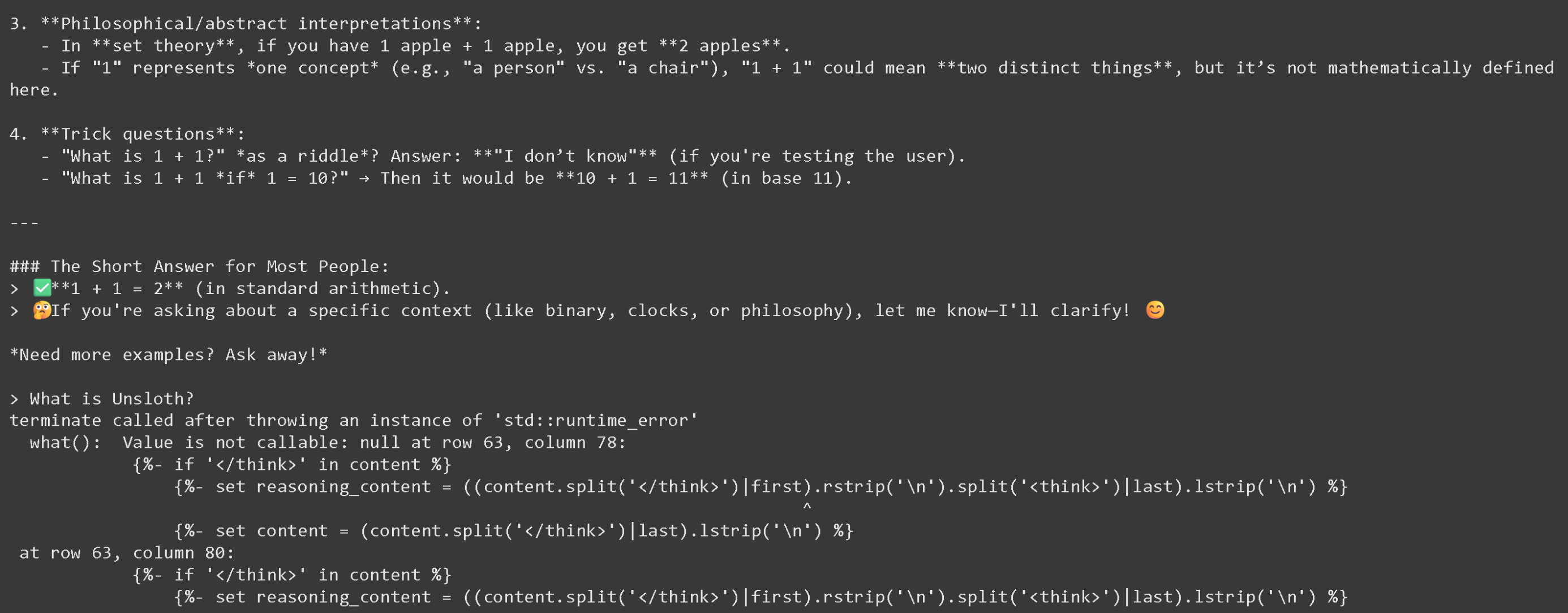
Bei Unsloth ist uns Genauigkeit am wichtigsten, daher haben wir untersucht, warum nach der 2. Runde beim Ausführen der Thinking-Modelle llama.cpp abstürzen würde, wie unten zu sehen ist:
{% columns %}
{% column %}
{% endcolumn %}
{% column %}
Der Fehlercode:
```
terminate called after throwing an instance of 'std::runtime_error'
what(): Value is not callable: null at row 63, column 78:
{%- if '' in content %}
{%- set reasoning_content = ((content.split('')|first).rstrip('\n').split('')|last).lstrip('\n') %}
^
```
{% endcolumn %}
{% endcolumns %}
Wir haben das Thinking-Chat-Template für die VL-Modelle erfolgreich behoben, daher haben wir alle Thinking-Quants und Unsloths Quants erneut hochgeladen. Sie sollten nun alle nach der 2. Unterhaltung funktionieren - **andere Quants können nach der 2. Unterhaltung nicht geladen werden.**
### **Qwen3-VL Unsloth-Uploads**:
Qwen3-VL wird seit dem 30. Oktober 2025 nun von llama.cpp für GGUFs unterstützt, sodass ihr sie lokal ausführen könnt!
| Dynamische GGUFs (zum Ausführen) | 4-Bit BnB Unsloth Dynamic | 16-Bit Vollpräzision |
| ----------------------------------------------------------------------------------------------------------------------------------------------------------------------------------------------------------------------------------------------------------------------------------------------------------------------------------------------------------------------------------------------------------------------------------------------------------------------------------------------------------------------------------------------------------------------------------------------------------------------------------------------------------------------------------------------------------------------------------------------------------------------------------------------------------------------------------------------------------------------------------------------------------------------------------------------------------------------------------------------------------------------------------------------------------------------------------------------------------------------------------------------------------------------------------------- | --------------------------------------------------------------------------------------------------------------------------------------------------------------------------------------------------------------------------------------------------------------------------------------------------------------------------------------------------------------------------------------------------------------------------------------------------------------------------------------------------------------------------------------------------------------------------------------------------------------------------------------------------------------------------------------------------------------------------------------------------------------------------------------------------------------------------------------------------------------------- | --------------------------------------------------------------------------------------------------------------------------------------------------------------------------------------------------------------------------------------------------------------------------------------------------------------------------------------------------------------------------------------------------------------------------------------------------------------------------------------------------------------------------------------------------------------------------------------------------------------------------------------------------------------------------------------------------------------------------------------------------------------------------------------------------------------------------------------------------------------------------------------------------------------------------------------------------------------------------------------------------------------------------------------- |
|
|
### 📖 Llama.cpp: Qwen3-VL-Tutorial ausführen
1. Holen Sie sich die neueste `llama.cpp` auf [hier auf GitHub](https://github.com/ggml-org/llama.cpp). Sie können auch die folgenden Build-Anweisungen befolgen. Ändern Sie `-DGGML_CUDA=ON` zu `-DGGML_CUDA=OFF` wenn Sie keine GPU haben oder nur CPU-Inferenz möchten. **Für Apple-Mac-/Metal-Geräte**, setzen Sie `-DGGML_CUDA=OFF` und fahren Sie dann wie gewohnt fort – Metal-Unterstützung ist standardmäßig aktiviert.
```bash
apt-get update
apt-get install pciutils build-essential cmake curl libcurl4-openssl-dev -y
git clone https://github.com/ggml-org/llama.cpp
cmake llama.cpp -B llama.cpp/build \\
-DBUILD_SHARED_LIBS=OFF -DGGML_CUDA=ON -DLLAMA_CURL=ON
cmake --build llama.cpp/build --config Release -j --clean-first
cp llama.cpp/build/bin/llama-* llama.cpp
```
2. **Lassen Sie uns zuerst ein Bild holen!** Sie können auch Bilder hochladen. Wir werden verwenden , das lediglich unser Mini-Logo ist und zeigt, wie Fine-Tunes mit Unsloth erstellt werden:
3. Lass uns dieses Bild herunterladen
{% code overflow="wrap" %}
```bash
wget https://raw.githubusercontent.com/unslothai/unsloth/refs/heads/main/images/unsloth%20made%20with%20love.png -O unsloth.png
```
{% endcode %}
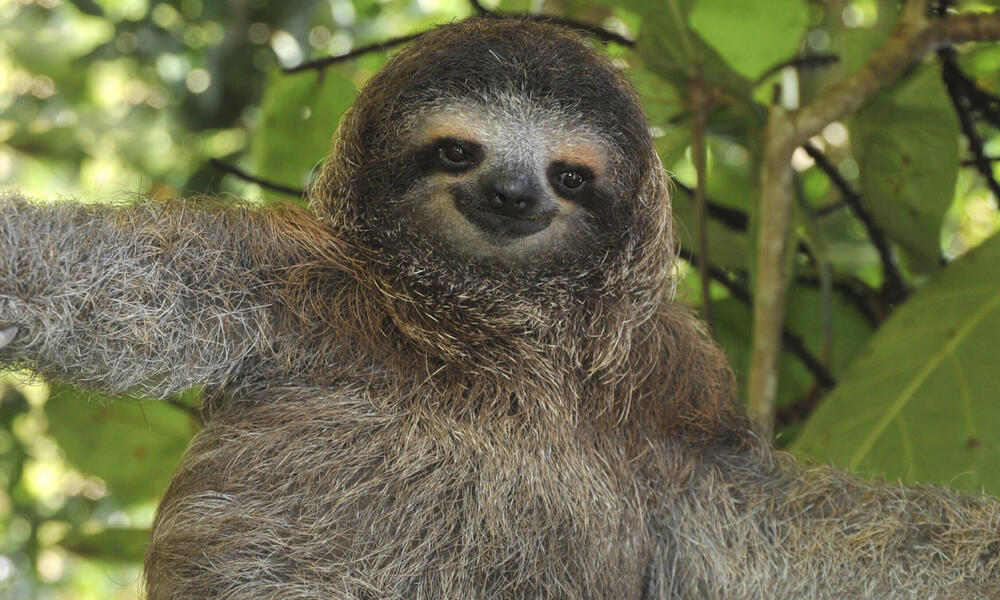
4. Holen wir uns das zweite Bild unter
{% code overflow="wrap" %}
```bash
wget https://files.worldwildlife.org/wwfcmsprod/images/Sloth_Sitting_iStock_3_12_2014/story_full_width/8l7pbjmj29_iStock_000011145477Large_mini__1_.jpg -O picture.png
```
{% endcode %}
5. Dann nutzen wir die Auto-Modell-Download-Funktion von llama.cpp, probiert dies für das 8B Instruct-Modell aus:
```bash
./llama.cpp/llama-mtmd-cli \
-hf unsloth/Qwen3-VL-8B-Instruct-GGUF:UD-Q4_K_XL \
--n-gpu-layers 99 \\
--jinja \
--top-p 0.8 \\
--top-k 20 \\
--temp 0.7 \
--min-p 0.0 \\
--flash-attn on \
--presence-penalty 1.5 \\
--ctx-size 8192
```
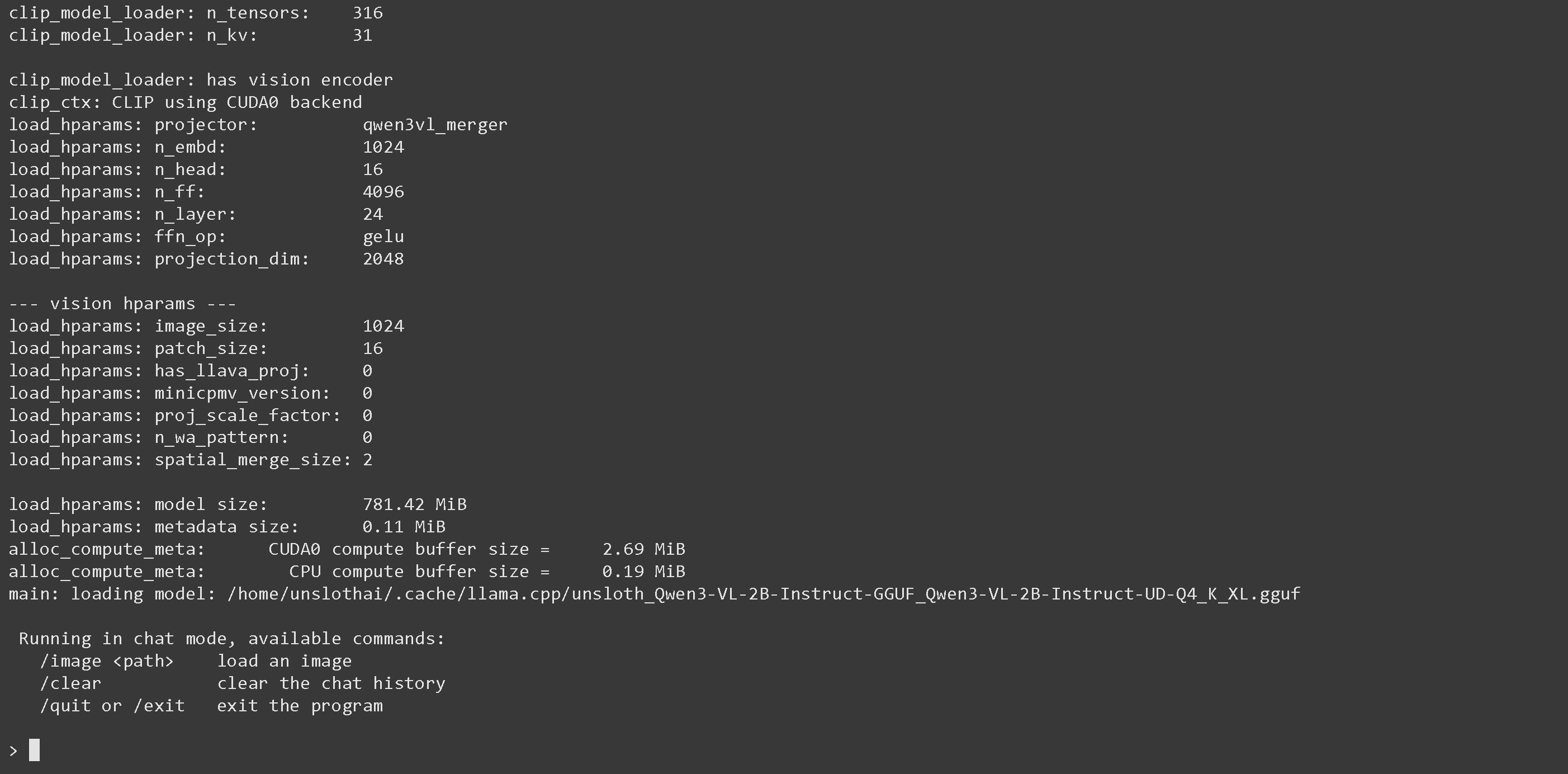
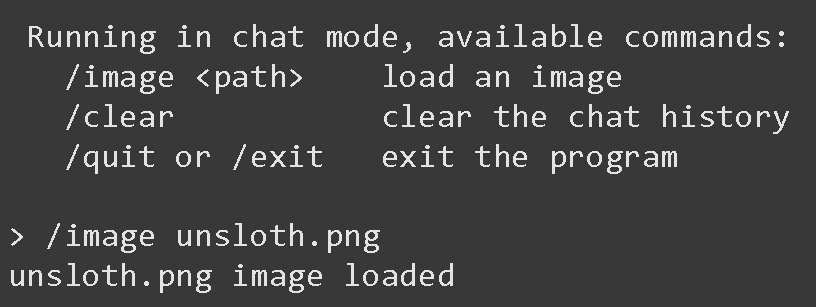
6. Sobald ihr drin seid, seht ihr den folgenden Bildschirm:
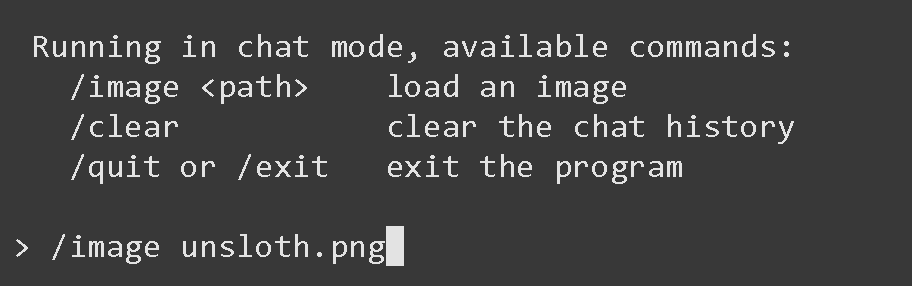
7. Ladet das Bild über `/image PATH` also `/image unsloth.png` dann ENTER drücken
8. Wenn ihr ENTER drückt, erscheint "unsloth.png-Bild geladen"
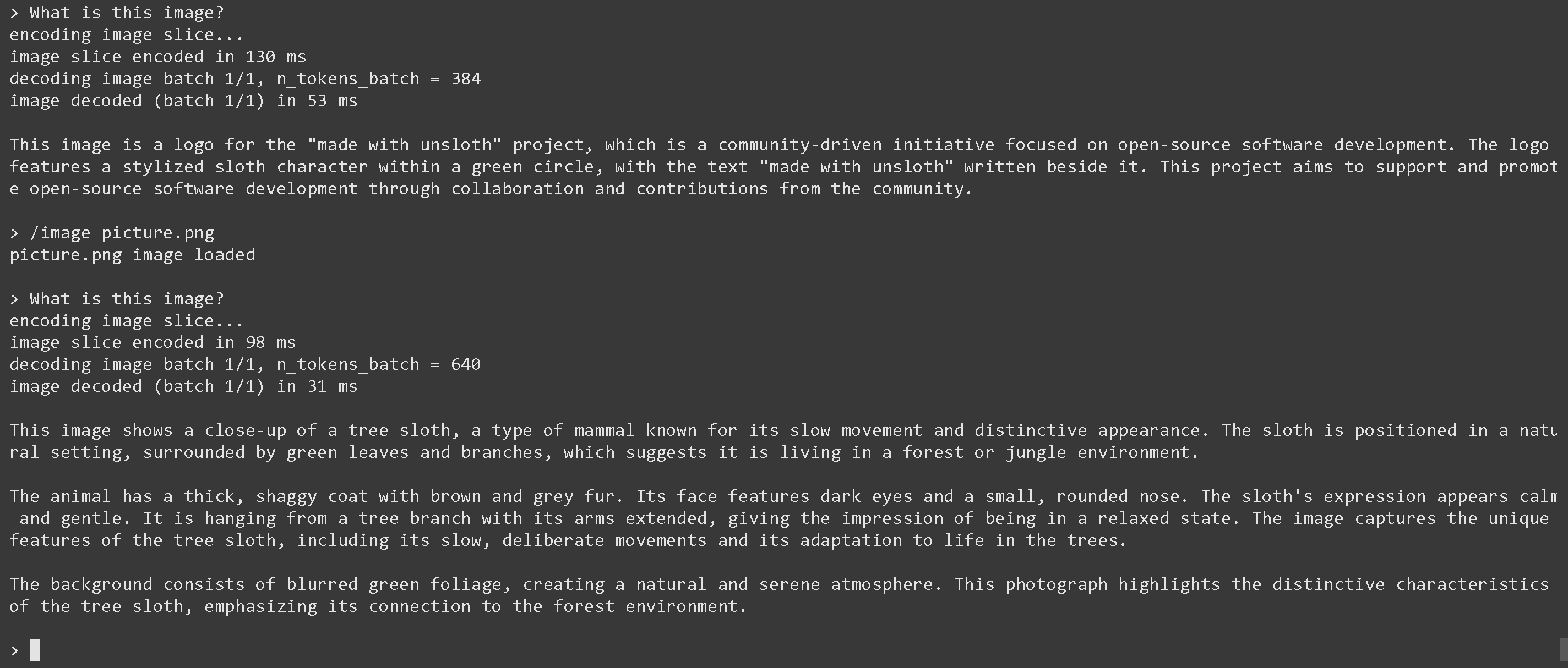
9. Stellen wir nun eine Frage wie "Was ist dieses Bild?":
10. Jetzt laden wir Bild 2 über `/image picture.png` dann ENTER drücken und fragen "Was ist dieses Bild?"
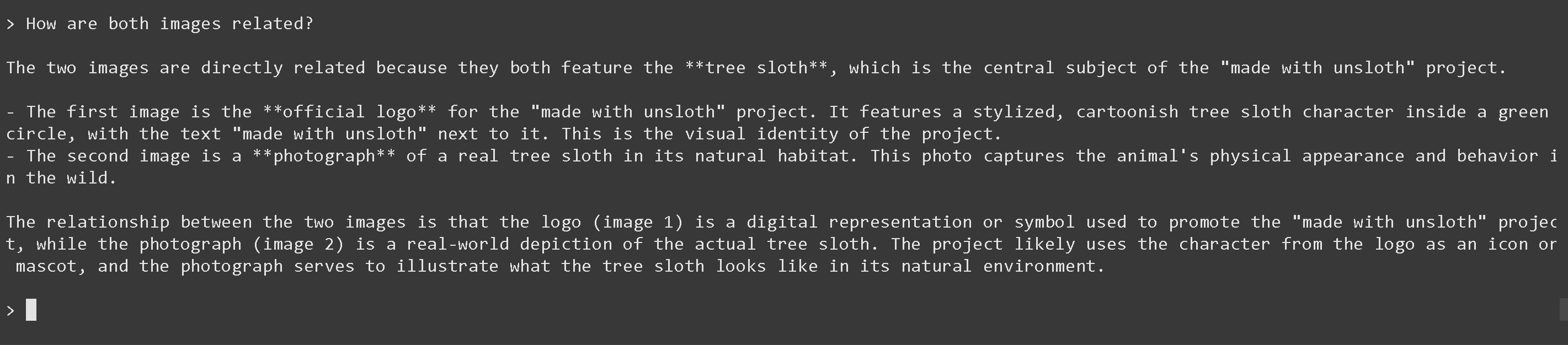
11. Und zum Schluss fragen wir, wie beide Bilder miteinander zusammenhängen (es funktioniert!)
{% code overflow="wrap" %}
```
- Die beiden Bilder stehen in direktem Zusammenhang, weil beide das **Baumfaultier** zeigen, das das zentrale Motiv des Projekts "made with unsloth" ist.
- Das erste Bild ist das **offizielle Logo** des Projekts "made with unsloth". Es zeigt eine stilisierte, cartoonhafte Baumfaultier-Figur in einem grünen Kreis, mit dem Text "made with unsloth" daneben. Das ist die visuelle Identität des Projekts.
- Das zweite Bild ist eine **Fotografie** eines echten Baumfaultiers in seinem natürlichen Lebensraum. Dieses Foto zeigt das äußere Erscheinungsbild und Verhalten des Tieres in freier Wildbahn.
Der Zusammenhang zwischen den beiden Bildern ist, dass das Logo (Bild 1) eine digitale Darstellung oder ein Symbol ist, das zur Bewerbung des Projekts "made with unsloth" verwendet wird, während die Fotografie (Bild 2) eine reale Darstellung des tatsächlichen Baumfaultiers ist. Das Projekt verwendet wahrscheinlich die Figur aus dem Logo als Icon oder Maskottchen, und das Foto dient dazu zu veranschaulichen, wie das Baumfaultier in seiner natürlichen Umgebung aussieht.
```
{% endcode %}
12. Ihr könnt das Modell auch über (nach der Installation von `pip install huggingface_hub hf_transfer` ) von Hugging Face `snapshot_download` was für große Modell-Downloads nützlich ist, **da der Auto-Downloader von llama.cpp hinterherhinken könnte.** Ihr könnt Q4\_K\_M oder andere quantisierte Versionen wählen.
```python
# !pip install huggingface_hub hf_transfer
import os
os.environ["HF_HUB_ENABLE_HF_TRANSFER"] = "1"
from huggingface_hub import snapshot_download
snapshot_download(
repo_id = "unsloth/Qwen3-VL-8B-Instruct-GGUF", # Or "unsloth/Qwen3-VL-8B-Thinking-GGUF"
local_dir = "unsloth/Qwen3-VL-8B-Instruct-GGUF", # Or "unsloth/Qwen3-VL-8B-Thinking-GGUF"
allow_patterns = ["*UD-Q4_K_XL*", "*mmproj-F16*"],
)
```
13. Führe das Modell aus und probiere einen Prompt aus. **Für Instruct:**
```bash
./llama.cpp/llama-mtmd-cli \
--model unsloth/Qwen3-VL-8B-Instruct-GGUF/Qwen3-VL-8B-Instruct-UD-Q4_K_XL.gguf \
--mmproj unsloth/Qwen3-VL-8B-Instruct-GGUF/mmproj-F16.gguf \
--n-gpu-layers 99 \\
--jinja \
--top-p 0.8 \\
--top-k 20 \\
--temp 0.7 \
--min-p 0.0 \\
--flash-attn on \
--presence-penalty 1.5 \\
--ctx-size 8192
```
14. **Für Thinking**:
```bash
./llama.cpp/llama-mtmd-cli \
--model unsloth/Qwen3-VL-8B-Thinking-GGUF/Qwen3-VL-8B-Thinking-UD-Q4_K_XL.gguf \
--mmproj unsloth/Qwen3-VL-8B-Thinking-GGUF/mmproj-F16.gguf \
--n-gpu-layers 99 \\
--jinja \
--top-p 0.95 \\
--top-k 20 \\
--temp 1.0 \\
--min-p 0.0 \\
--flash-attn on \
--presence-penalty 0.0 \
--ctx-size 8192
```
### :magic\_wand:Qwen3-VL-235B-A22B und Qwen3-VL-30B-A3B ausführen
Für Qwen3-VL-235B-A22B werden wir llama.cpp für optimierte Inferenz und zahlreiche Optionen verwenden.
1. Wir folgen ähnlichen Schritten wie oben, müssen diesmal jedoch auch zusätzliche Schritte durchführen, da das Modell so groß ist.
2. Lade das Modell über (nach der Installation von `pip install huggingface_hub hf_transfer` ). Ihr könnt UD-Q2\_K\_XL oder andere quantisierte Versionen wählen..
```python
# !pip install huggingface_hub hf_transfer
import os
os.environ["HF_HUB_ENABLE_HF_TRANSFER"] = "1"
from huggingface_hub import snapshot_download
snapshot_download(
repo_id = "unsloth/Qwen3-VL-235B-A22B-Instruct-GGUF",
local_dir = "unsloth/Qwen3-VL-235B-A22B-Instruct-GGUF",
allow_patterns = ["*UD-Q2_K_XL*", "*mmproj-F16*"],
)
```
3. Führe das Modell aus und probiere einen Prompt aus. Stelle die richtigen Parameter für Thinking bzw. Instruct ein.
**Instruct:**
{% code overflow="wrap" %}
```bash
./llama.cpp/llama-mtmd-cli \
--model unsloth/Qwen3-VL-235B-A22B-Instruct-GGUF/UD-Q2_K_XL/Qwen3-VL-235B-A22B-Instruct-UD-Q2_K_XL-00001-of-00002.gguf \
--mmproj unsloth/Qwen3-VL-235B-A22B-Instruct-GGUF/mmproj-F16.gguf
--jinja \
--top-p 0.8 \\
--top-k 20 \\
--temp 0.7 \
--min-p 0.0 \\
--flash-attn on \
--presence-penalty 1.5 \\
--ctx-size 8192 \\
```
{% endcode %}
**Thinking:**
{% code overflow="wrap" %}
```bash
./llama.cpp/llama-mtmd-cli \
--model unsloth/Qwen3-VL-235B-A22B-Thinking-GGUF/UD-Q2_K_XL/Qwen3-VL-235B-A22B-Thinking-UD-Q2_K_XL-00001-of-00002.gguf \
--mmproj unsloth/Qwen3-VL-235B-A22B-Thinking-GGUF/mmproj-F16.gguf \
--n-gpu-layers 99 \\
--jinja \
--top-p 0.95 \\
--top-k 20 \\
--temp 1.0 \\
--min-p 0.0 \\
--flash-attn on \
--presence-penalty 0.0 \
--ctx-size 8192 \\
-ot ".ffn_.*_exps.=CPU"
```
{% endcode %}
4. Bearbeiten, `--ctx-size 16384` für die Kontextlänge, `--n-gpu-layers 99` für GPU-Offloading auf wie viele Layer. Versuche, ihn anzupassen, wenn deiner GPU der Speicher ausgeht. Entferne ihn auch, wenn du nur CPU-Inferenz hast.
{% hint style="success" %}
**Verwenden Sie `--fit on` eingeführt am 15. Dez. 2025 für die maximale Nutzung Ihrer GPU und CPU.**
Optional, verwende `-ot ".ffn_.*_exps.=CPU"` um alle MoE-Layer auf die CPU auszulagern! Dadurch können Sie effektiv alle Nicht-MoE-Layer auf 1 GPU unterbringen, was die Generierungsgeschwindigkeit verbessert. Sie können den Regex-Ausdruck anpassen, um mehr Layer unterzubringen, wenn Sie mehr GPU-Kapazität haben.
{% endhint %}
### 🐋 Docker: Qwen3-VL ausführen
Wenn ihr Docker Desktop bereits habt, führt den folgenden Befehl aus, um Unsloths Modelle von Hugging Face auszuführen, und ihr seid fertig:
```bash
docker model pull hf.co/unsloth/Qwen3-VL-8B-Instruct-GGUF:UD-Q4_K_XL
```
Oder ihr könnt die von Docker hochgeladenen Qwen3-VL-Modelle ausführen:
```bash
docker model run ai/qwen3-vl
```
## 🦥 **Qwen3-VL feinabstimmen**
Unsloth unterstützt das Fine-Tuning und Reinforcement Learning (RL) von Qwen3-VL, einschließlich der größeren Modelle 32B und 235B. Dazu gehört auch Unterstützung für das Fine-Tuning für Video und Objekterkennung. Wie üblich macht Unsloth das Training von Qwen3-VL-Modellen 1,7-mal schneller, mit 60 % weniger VRAM und 8-mal längeren Kontextlängen ohne Genauigkeitsverlust.\
\
Wir haben zwei Qwen3-VL-(8B)-Trainings-Notebooks erstellt, die ihr kostenlos auf Colab trainieren könnt:
* [Normales SFT-Fine-Tuning-Notebook](https://colab.research.google.com/github/unslothai/notebooks/blob/main/nb/Qwen3_VL_\(8B\)-Vision.ipynb)
* [GRPO/GSPO-RL-Notebook](https://colab.research.google.com/github/unslothai/notebooks/blob/main/nb/Qwen3_VL_\(8B\)-Vision-GRPO.ipynb)
{% hint style="success" %}
**Das Speichern von Qwen3-VL in GGUF funktioniert jetzt, da llama.cpp es gerade erst unterstützt hat!**
Wenn ihr ein anderes Qwen3-VL-Modell verwenden wollt, ändert einfach das 8B-Modell auf das 2B-, 32B- usw. Modell.
{% endhint %}
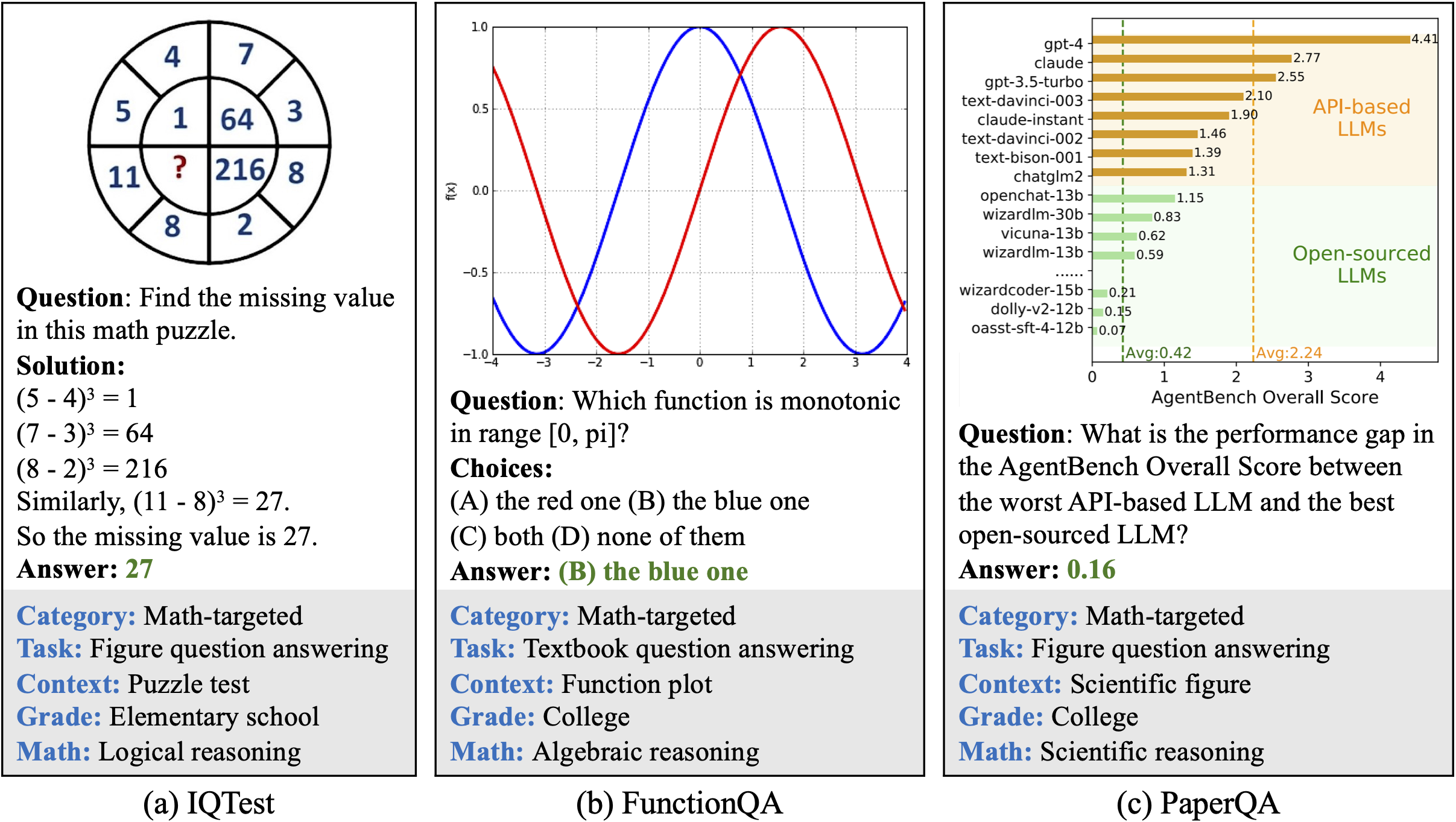
Das Ziel des GRPO-Notebooks ist es, ein Vision-Language-Modell per RL mathematische Probleme anhand eines Bildeingangs wie unten zu lösen:
Diese Qwen3-VL-Unterstützung integriert auch unser neuestes Update für noch speichereffizienteres + schnelleres RL, einschließlich unserer [Standby-Funktion](/docs/de/loslegen/reinforcement-learning-rl-guide/memory-efficient-rl.md#unsloth-standby), die den Geschwindigkeitsverlust im Vergleich zu anderen Implementierungen einzigartig begrenzt. Mehr darüber, wie man Vision-LLMs mit RL trainiert, könnt ihr in unserem [VLM-GRPO-Leitfaden](/docs/de/loslegen/reinforcement-learning-rl-guide/vision-reinforcement-learning-vlm-rl.md).
### Mehrbild-Training
Um Qwen3-VL mit mehreren Bildern feinabzustimmen oder zu trainieren, ist die naheliegendste Änderung, umzuschalten
```python
ds_converted = ds.map(
convert_to_conversation,
)
```
mit:
```python
ds_converted = [convert_to_converation(sample) for sample in dataset]
```
Die Verwendung von map aktiviert die Standardisierung des Datensatzes und die Arrow-Verarbeitungsregeln, die streng und komplizierter zu definieren sein können.
---
# Agent Instructions
This documentation is published with GitBook. GitBook is the documentation platform designed so that both humans and AI agents can read, navigate, and reason over technical content effectively. Learn more at gitbook.com.
## Querying This Documentation
If you need additional information that is not directly available in this page, you can query the documentation by asking a question.
Perform an HTTP GET request on the following URL with the `ask` and `goal` query parameters:
```
GET https://unsloth.ai/docs/de/modelle/tutorials/qwen3-how-to-run-and-fine-tune/qwen3-vl-how-to-run-and-fine-tune.md?ask=&goal=
```
`ask` is the immediate question: it should be specific, self-contained, and written in natural language.
`goal` is what the user is ultimately trying to achieve, the reason they need the answer. Sharing it helps GitBook give you a better, more relevant answer. A goal is most helpful when it describes the outcome the user wants rather than restating the question. For example, with `ask=how do I create an API token`, a goal like `automate deployments from our CI pipeline` lets GitBook tailor the answer to that use case.
The response will contain a direct answer to the question and relevant excerpts and sources from the documentation.
Use this mechanism when the answer is not explicitly present in the current page, you need clarification or additional context, or you want to retrieve related documentation sections.