> For the complete documentation index, see [llms.txt](https://unsloth.ai/docs/llms.txt). Markdown versions of documentation pages are available by appending `.md` to page URLs; this page is available as [Markdown](https://unsloth.ai/docs/de/modelle/nemotron-3/nemotron-3-super.md).
# NVIDIA Nemotron-3-Super: Leitfaden zum Ausführen
Führe NVIDIA Nemotron-3-Super-120B-A12B lokal auf deinem Gerät aus und feinabstimme es!
NVIDIA veröffentlicht **Nemotron-3-Super-120B-A12B**, ein offenes hybrides MoE-Reasoning-Modell mit 120B Parametern und 12B aktiven Parametern, nach dem früheren Start von [Nemotron-3-Nano](/docs/de/modelle/nemotron-3.md), seinem 30B-Pendant. Nemotron-3-Super ist für hohe Effizienz und Genauigkeit für Multi-Agenten-KI ausgelegt. Mit einem **1M-Token** Kontextfenster führt es seine Größenklasse bei den Benchmarks AIME 2025, Terminal Bench und SWE-Bench Verified an und erreicht dabei den höchsten Durchsatz.
Nemotron-3-Super läuft auf einem Gerät mit **64 GB** GB RAM, VRAM oder Unified Memory und kann jetzt lokal feinabgestimmt werden. Danke an NVIDIA für den Day-Zero-Support für Unsloth.
Nemotron 3 SuperNemotron 3 Nano
GGUF: [Nemotron-3-Super-120B-A12B-GGUF](https://huggingface.co/unsloth/NVIDIA-Nemotron-3-Super-120B-A12B-GGUF) • [NVFP4](https://huggingface.co/unsloth/NVIDIA-Nemotron-3-Super-120B-A12B-NVFP4) • [FP8](https://huggingface.co/unsloth/NVIDIA-Nemotron-3-Super-120B-A12B-FP8) • [BF16](https://huggingface.co/unsloth/NVIDIA-Nemotron-3-Super-120B-A12B)
### ⚙️ Gebrauchsanleitung
NVIDIA empfiehlt diese Einstellungen für die Inferenz:
{% columns %}
{% column %}
**Allgemeiner Chat/Anweisungstext (Standard):**
* `temperature = 1.0`
* `top_p = 1.0`
{% endcolumn %}
{% column %}
**Anwendungsfälle für Tool-Aufrufe:**
* `temperature = 0.6`
* `top_p = 0.95`
{% endcolumn %}
{% endcolumns %}
**Für die meisten lokalen Anwendungen setzen Sie:**
* `max_new_tokens` = `32,768` zu `262,144` für Standard-Prompts mit maximal 1 Mio. Tokens
* Erhöhen Sie den Wert für tiefes Reasoning oder lange Generierung, soweit Ihr RAM/VRAM es zulässt.
Das Chat-Template-Format ergibt sich, wenn wir das folgende verwenden:
{% code overflow="wrap" %}
```python
tokenizer.apply_chat_template([
{"role" : "user", "content" : "What is 1+1?"},
{"role" : "assistant", "content" : "2"},
{"role" : "user", "content" : "What is 2+2?"}
], add_generation_prompt = True, tokenize = False,
)
```
{% endcode %}
{% hint style="success" %}
Da das Modell mit NoPE trainiert wurde, müssen Sie nur `max_position_embeddings`. Das Modell verwendet keine expliziten Positions-Embeddings, daher wird YaRN nicht benötigt.
{% endhint %}
#### Format der Nemotron-3-Chatvorlage:
{% hint style="info" %}
Nemotron 3 verwendet `` mit Token-ID 12 und `` mit Token-ID 13 für Reasoning. Verwenden Sie `--special` um die Tokens für llama.cpp anzuzeigen. Möglicherweise benötigen Sie auch `--verbose-prompt` um zu sehen `` da es vorangestellt wird.
{% endhint %}
{% code overflow="wrap" lineNumbers="true" %}
```
<|im_start|>system\n<|im_end|>\n<|im_start|>user\nWhat is 1+1?<|im_end|>\n<|im_start|>assistant\n2<|im_end|>\n<|im_start|>user\nWhat is 2+2?<|im_end|>\n<|im_start|>assistant\n\n
```
{% endcode %}
### 🖥️ Ausführen von Nemotron-3-Super-120B-A12B
Je nach Anwendungsfall müssen Sie unterschiedliche Einstellungen verwenden. Einige GGUFs haben am Ende ähnliche Größen, weil die Modellarchitektur (wie [gpt-oss](/docs/de/modelle/gpt-oss-how-to-run-and-fine-tune.md)) Dimensionen hat, die nicht durch 128 teilbar sind, sodass Teile nicht auf niedrigere Bits quantisiert werden können. Greifen Sie auf GGUFs zu [hier](https://huggingface.co/unsloth/NVIDIA-Nemotron-3-Super-120B-A12B-GGUF).
Die 4-Bit-Versionen des Modells benötigen etwa 64 GB RAM - 72 GB RAM. 8-Bit benötigt 128 GB.
#### Llama.cpp-Tutorial (GGUF):
Anweisungen zur Ausführung in llama.cpp (beachten Sie, dass wir 4-Bit verwenden werden, damit es auf die meisten Geräte passt):
{% stepper %}
{% step %}
Holen Sie sich die neueste `llama.cpp` auf [hier auf GitHub](https://github.com/ggml-org/llama.cpp). Sie können auch die folgenden Build-Anweisungen befolgen. Ändern Sie `-DGGML_CUDA=ON` zu `-DGGML_CUDA=OFF` wenn Sie keine GPU haben oder nur CPU-Inferenz möchten.
{% code overflow="wrap" %}
```bash
apt-get update
apt-get install pciutils build-essential cmake curl libcurl4-openssl-dev -y
git clone https://github.com/ggml-org/llama.cpp
cmake llama.cpp -B llama.cpp/build \\
-DBUILD_SHARED_LIBS=OFF -DGGML_CUDA=ON
cmake --build llama.cpp/build --config Release -j --clean-first --target llama-cli llama-mtmd-cli llama-server llama-gguf-split
cp llama.cpp/build/bin/llama-* llama.cpp
```
{% endcode %}
{% endstep %}
{% step %}
Sie können direkt von Hugging Face ziehen. Sie können den Kontext auf 1M erhöhen, soweit es Ihr RAM/VRAM zulässt.
Befolgen Sie dies für **allgemeine Anweisungen** Anwendungsfälle:
```bash
./llama.cpp/llama-cli \\
-hf unsloth/NVIDIA-Nemotron-3-Super-120B-A12B-GGUF:UD-Q4_K_XL \\
--ctx-size 16384 \\
--temp 1.0 --top-p 1.0
```
Befolgen Sie dies für **Tool-Aufruf** Anwendungsfälle:
```bash
./llama.cpp/llama-cli \\
-hf unsloth/NVIDIA-Nemotron-3-Super-120B-A12B-GGUF:UD-Q4_K_XL \\
--ctx-size 32768 \\
--temp 0.6 --top-p 0.95
```
{% endstep %}
{% step %}
Lade das Modell über (nach der Installation von `pip install huggingface_hub hf_transfer` ). Sie können Q4\_K\_M oder andere quantisierte Versionen wie `UD-Q4_K_XL` . Wir empfehlen, mindestens eine 2-Bit-Dynamik-Quantisierung zu verwenden `UD-Q2_K_XL` um Größe und Genauigkeit auszubalancieren. Wenn Downloads hängen bleiben, siehe: [Hugging Face Hub, XET-Debugging](/docs/de/grundlagen/troubleshooting-and-faqs/hugging-face-hub-xet-debugging.md)
```bash
hf download unsloth/NVIDIA-Nemotron-3-Super-120B-A12B-GGUF \\
--local-dir unsloth/NVIDIA-Nemotron-3-Super-120B-A12B-GGUF \\
--include "*UD-Q4_K_XL*" # Verwenden Sie "*UD-Q2_K_XL*" für dynamisches 2-Bit
```
{% endstep %}
{% step %}
Führen Sie das Modell dann im Konversationsmodus aus:
{% code overflow="wrap" %}
```bash
/llama.cpp/llama-cli \\
--model unsloth/NVIDIA-Nemotron-3-Super-120B-A12B-GGUF/UD-Q4_K_XL/NVIDIA-Nemotron-3-Super-120B-A12B-UD-Q4_K_XL-00001-of-00003.gguf \\
--ctx-size 16384 \\
--seed 3407 \\
--prio 2 \\
--temp 0.6 \
--top-p 0.95
```
{% endcode %}
Passen Sie außerdem **das Kontextfenster** nach Bedarf an. Stellen Sie sicher, dass Ihre Hardware mehr als ein 256K-Kontextfenster bewältigen kann. Das Setzen auf 1M kann CUDA-OOM auslösen und zum Absturz führen, weshalb der Standardwert 262.144 ist.
{% endstep %}
{% endstepper %}
### 🦥 Feinabstimmung von Nemotron 3 und RL
Unsloth unterstützt jetzt das Fine-Tuning aller Nemotron-Modelle, einschließlich Nemotron 3 Super und Nano. Für Notebook-Beispiele von Nano siehe unseren Nemotron-3- [Leitfaden zur Feinabstimmung von Nano](/docs/de/modelle/nemotron-3.md).
#### Nemotron 3 Super
* Das Fine-Tuning der Router-Schicht ist aus Stabilitätsgründen standardmäßig deaktiviert.
* Nemotron-3-Super-120B - bf16 LoRA funktioniert auf 256 GB VRAM. Wenn Sie mehrere GPUs verwenden, fügen Sie `device_map = "balanced"` hinzu oder folgen Sie unserem [Multi-GPU-Leitfaden](/docs/de/grundlagen/multi-gpu-training-with-unsloth.md).
### 🦙Llama-Server-Bereitstellung & Deployment
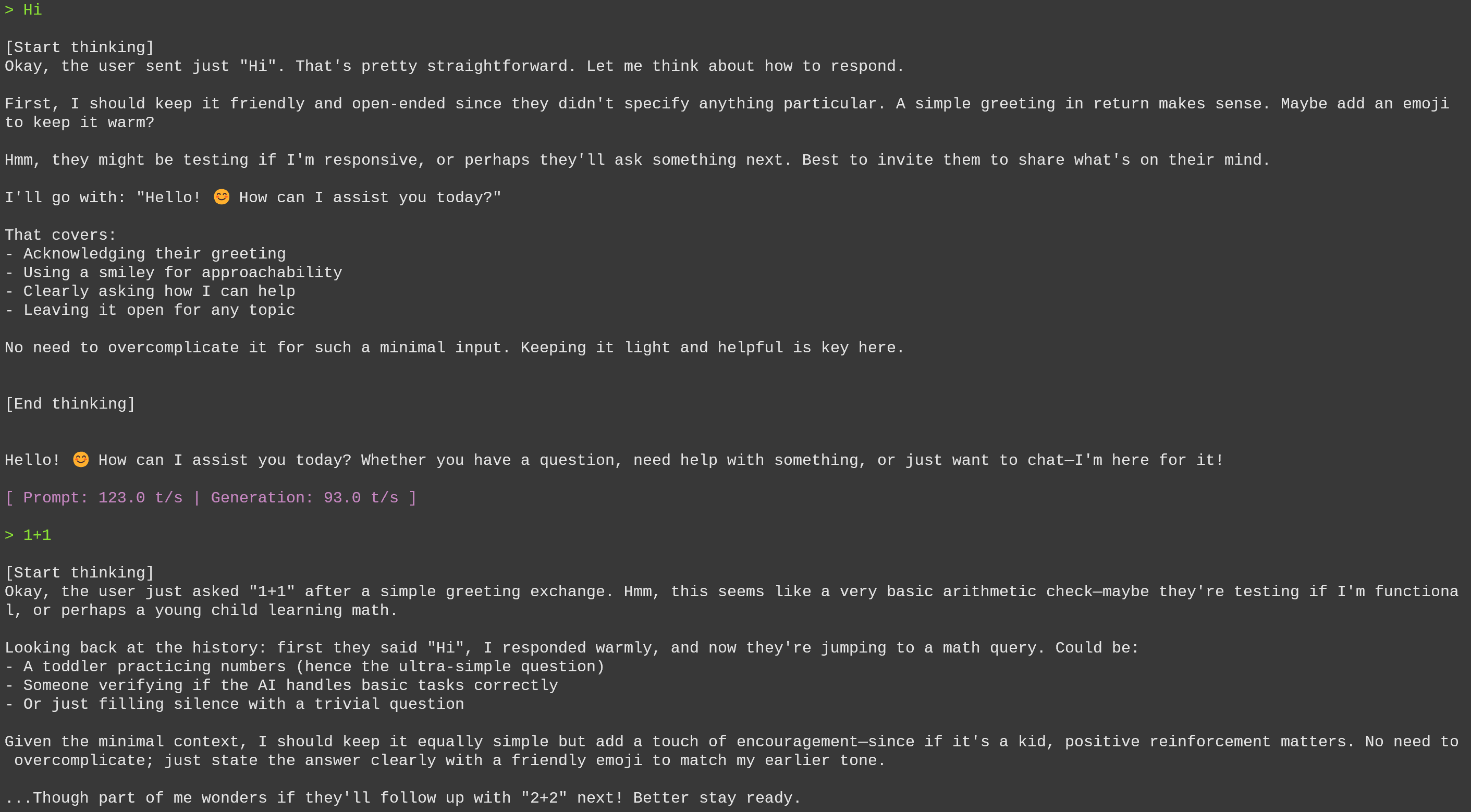
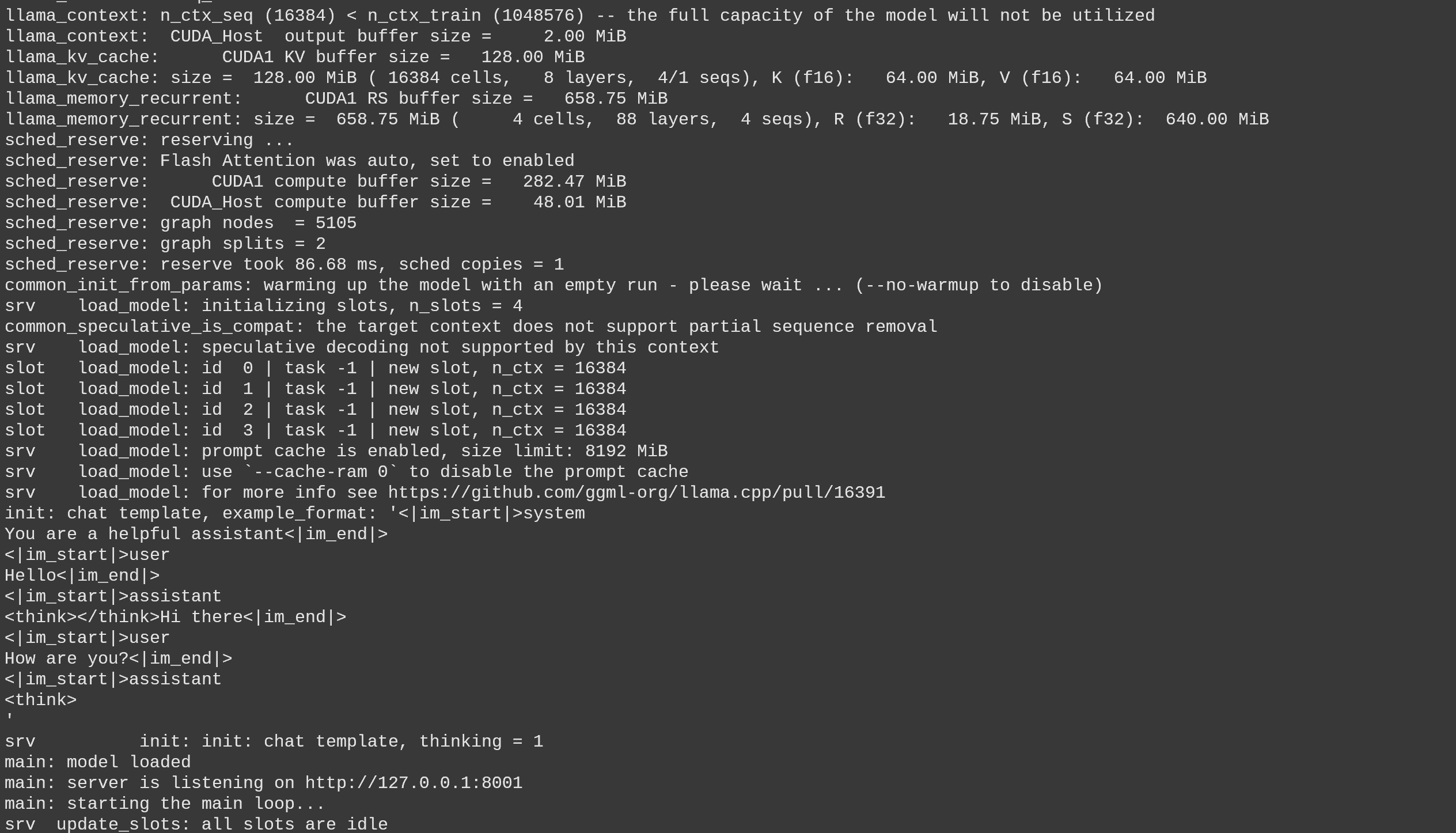
Um Nemotron 3 in der Produktion bereitzustellen, verwenden wir `llama-server` In einem neuen Terminal, z. B. über tmux, stelle das Modell mit Folgendem bereit:
{% code overflow="wrap" %}
```bash
./llama.cpp/llama-server \\
--model unsloth/NVIDIA-Nemotron-3-Super-120B-A12B-GGUF/UD-Q4_K_XL/NVIDIA-Nemotron-3-Super-120B-A12B-UD-Q4_K_XL-00001-of-00003.gguf \\
--alias "unsloth/NVIDIA-Nemotron-3-Super-120B-A12B" \\
--prio 3 \\
--min-p 0.01 \\
--temp 0.6 \
--top-p 0.95 \\
--ctx-size 16384 \\
--port 8001
```
{% endcode %}
Wenn Sie das oben Genannte ausführen, erhalten Sie:
Dann in einem neuen Terminal, nachdem du `pip install openai`, mache Folgendes:
{% code overflow="wrap" %}
```python
from openai import OpenAI
import json
openai_client = OpenAI(
base_url = "http://127.0.0.1:8001/v1",
api_key = "sk-no-key-required",
)
completion = openai_client.chat.completions.create(
model = "unsloth/NVIDIA-Nemotron-3-Super-120B-A12B",
messages = [{"role": "user", "content": "Was ist 2+2?"},],
)
print(completion.choices[0].message.reasoning_content)
print(completion.choices[0].message.content)
```
{% endcode %}
Was ausgeben wird
{% code overflow="wrap" %}
```
Okay, der Nutzer hat gefragt: „Was ist 2+2?“ Das scheint eine sehr einfache arithmetische Frage zu sein.
Hm, vielleicht testen sie, ob ich aufpasse, oder sie sind vielleicht ein kleines Kind, das Mathe lernt. Es könnte auch jemand sein, der prüft, ob ich eine einfache Frage zu sehr verkompliziere.
Ich sollte es einfach halten, da es keinen Hinweis auf eine Falle in der Frage gibt. Die Antwort ist definitiv 4 – kein Grund, einfache Addition zu hinterfragen.
Ein Teil von mir fragt sich zwar, ob sie einen Witz vorbereiten (etwa „2+2=5 für große Werte von 2“), aber da sie keinen Kontext angegeben haben, gehe ich von einer ernsthaften Frage aus.
Es ist besser, klar und freundlich zu antworten – das könnte sie ermutigen, weitere Fragen zu stellen, wenn sie lernen. Aber kein unnötiges Drumherum; einfach die Tatsache hilfreich nennen.
2 + 2 ergibt **4**.
Dies ist eine grundlegende arithmetische Tatsache in der Dezimaldarstellung (Basis 10). Falls Sie in einem anderen Kontext fragen (etwa modulare Arithmetik, Binär oder ein Witz/eine Anspielung), können Sie das gern präzisieren – ich passe mich gerne an! 😊
```
{% endcode %}
### Benchmarks
Im Vergleich zu ähnlich großen Modellen schneidet Nemotron 3 Super wettbewerbsfähig ab und bietet gleichzeitig den höchsten Durchsatz.
---
# Agent Instructions
This documentation is published with GitBook. GitBook is the documentation platform designed so that both humans and AI agents can read, navigate, and reason over technical content effectively. Learn more at gitbook.com.
## Querying This Documentation
If you need additional information that is not directly available in this page, you can query the documentation by asking a question.
Perform an HTTP GET request on the following URL with the `ask` and `goal` query parameters:
```
GET https://unsloth.ai/docs/de/modelle/nemotron-3/nemotron-3-super.md?ask=&goal=
```
`ask` is the immediate question: it should be specific, self-contained, and written in natural language.
`goal` is what the user is ultimately trying to achieve, the reason they need the answer. Sharing it helps GitBook give you a better, more relevant answer. A goal is most helpful when it describes the outcome the user wants rather than restating the question. For example, with `ask=how do I create an API token`, a goal like `automate deployments from our CI pipeline` lets GitBook tailor the answer to that use case.
The response will contain a direct answer to the question and relevant excerpts and sources from the documentation.
Use this mechanism when the answer is not explicitly present in the current page, you need clarification or additional context, or you want to retrieve related documentation sections.
.png?alt=media&token=df1805ab-f005-4a7f-bd77-b91f84a2c76f)